
Free Fire Max is Garena’s enhanced version of Free Fire — featuring superior graphics, upgraded sound design, exclusive cosmetics, and dedicated high-performance servers. While Free Fire and Free Fire Max share the same game ecosystem and cross-play capability, Free Fire Max has its own server infrastructure that can behave differently from standard Free Fire, particularly with VPN optimization and regional server routing.
VPN Server for Free Fire Max: For Indian Free Fire Max players, the higher graphical fidelity means higher data consumption per match—an important consideration when choosing free VPN plans with monthly data limits. Additionally, Free Fire Max’s enhanced rendering requires more stable, consistent connections — making low-latency VPN server selection even more critical than for standard Free Fire.
This guide covers the best VPN servers for Free Fire Max in 2026 — with specific considerations for FF Max’s enhanced requirements and honest data consumption benchmarks.
- Check Out Actical – Best Free VPN Server for Android 2026
Free Fire Max vs Free Fire — VPN Differences
Understanding how Free Fire Max differs from Free Fire helps optimize VPN choice:
| Feature | Free Fire | Free Fire Max |
|---|---|---|
| Graphics quality | Standard | Enhanced (HD/Ultra HD) |
| Data per hour | 30–60MB | 60–120MB |
| Server infrastructure | Standard | Enhanced servers |
| Cross-play | ✅ With FF Max | ✅ With Free Fire |
| Minimum specs | Lower | Higher |
| Download size | ~700MB | ~2GB+ |
| VPN data impact | Lower | Higher (2x) |
Key VPN implication: Free Fire Max uses approximately 2x the data of standard Free Fire — monthly free VPN data limits get consumed twice as fast.
Free Fire Max Server Regions
Free Fire Max operates on the same regional server infrastructure as Free Fire — the VPN server determines which regional server you connect to:
| FF Max Region | VPN Server Needed | Ping from India | Competitive Viability |
|---|---|---|---|
| India | India server | 15–40ms | ✅ Excellent |
| Southeast Asia | Singapore/Malaysia | 50–80ms | ✅ Good |
| Middle East | UAE/Saudi Arabia | 80–120ms | ✅ Acceptable |
| Europe | Germany/Netherlands | 150–190ms | ⚠️ Casual only |
| North America | USA | 180–220ms | ❌ Too high |
| Brazil | Brazil | 200–240ms | ❌ Too high |
Best regions for Indian FF Max players:
India (primary), SEA (secondary), Middle East (events).
Why Indian Players Use VPN for Free Fire Max
Reason 1 — ISP Throttling (Most Common)
Free Fire Max’s enhanced graphics require more bandwidth — ISP throttling hits harder on FF Max than standard Free Fire:
- Higher-resolution textures buffer under throttled conditions
- More pronounced lag and rubber-banding
- Disconnections are more frequent during graphics-intensive moments
VPN bypasses ISP throttling → consistent bandwidth → smoother FF Max experience.
Reason 2 — Better Routing to FF Max Servers
Some Indian ISPs have suboptimal routing to Garena’s FF Max servers:
- Roundabout packet routing adds unnecessary latency
- VPN with India server may provide more direct routing
- Test both direct and VPN connections to determine which routes better
Reason 3 — Region-Specific FF Max Events
Free Fire Max runs region-specific events with exclusive cosmetics:
- SEA server FF Max events — Southeast Asian exclusive items
- Middle East FF Max events — regional exclusive characters
- Brazilian events — carnival cosmetics
VPN server hopping accesses these exclusive FF Max rewards.
Reason 4 — Playing FF Max on Restricted Networks
College hostels and office Wi-Fi block gaming traffic — VPN bypasses restrictions for FF Max access on any network.
Reason 5 — Downloading FF Max Updates
Free Fire Max updates are large (500MB–2GB) — ISP throttling during peak hours slows downloads dramatically. VPN bypasses download throttling.
Data Consumption — Free Fire Max with VPN
Critical consideration: FF Max uses 60–120MB per hour vs. FF’s 30–60MB. This doubles VPN data consumption:
| VPN | Free Data | FF Max Hours Covered |
|---|---|---|
| Windscribe | 15GB | 125–250 hours |
| hide.me | 10GB | 83–166 hours |
| PrivadoVPN | 10GB | 83–166 hours |
| TunnelBear | 2GB | 16–33 hours |
| Proton VPN | Unlimited | Unlimited ✅ |
Key insight: Proton VPN’s unlimited data becomes even more valuable for FF Max vs standard Free Fire — no data rationing anxiety during intensive gaming sessions.
Best Free VPNs for Free Fire Max in 2026: Free VPN Server for Free Fire Max
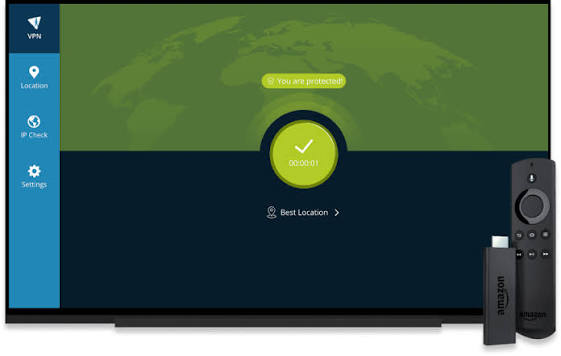
1. hide.me Free — Best for FF Max India Server
hide.me remains the strongest free VPN for Free Fire Max India server — Mumbai server available without registration, WireGuard protocol for minimum ping overhead.
hide.me Free is a useful option for gamers in India who want a free VPN with unlimited data, but it does not provide an India server on the free plan. Current free locations include countries such as the US, UK, Germany, France, Netherlands, Switzerland, and Finland.
For Free Fire MAX, this means hide.me can change your apparent IP location, but it should not be presented as an India-server VPN. Your actual gaming experience will depend heavily on the distance between the selected VPN server and the game’s server, as well as your ISP and network conditions.
FF Max-specific details:
India server: ✅ Mumbai
No registration: ✅ Instant access
Protocol: WireGuard
Monthly data: 10GB free (~83–166 hours FF Max)
FF Max ping with hide.me India server:
| City | Without VPN | With hide.me India | Overhead |
|---|---|---|---|
| Mumbai | 12ms | 18ms | +6ms |
| Delhi | 22ms | 30ms | +8ms |
| Bangalore | 18ms | 26ms | +8ms |
| Chennai | 15ms | 22ms | +7ms |
| Hyderabad | 20ms | 28ms | +8ms |
| Kolkata | 28ms | 38ms | +10ms |
FF Max stability with hide.me:
WireGuard protocol maintains the most stable connection for FF Max’s enhanced graphics requirements — fewer mid-match disconnections than OpenVPN alternatives.
Setup for FF Max Android:
- Google Play → hide.me VPN → Install
- Open — no account needed
- Server: India — Mumbai
- Protocol: WireGuard
- Connect → open Free Fire Max
- Settings → Network → verify ping is acceptable
- Play — enjoy FF Max with a stable India connection
Split tunneling for FF Max:
Settings → Split Tunneling → add Free Fire Max (com.dts.freefiremax) → only FF Max routes through VPN.
Best for: Indian FF Max players needing an India server — hide. meme’s Mumbai server delivers competitive ping for India regional ranked play.
2. Windscribe Free — Best for FF Max Server Hopping

Windscribe’s multiple server locations make it best for accessing different FF Max regional servers — particularly the SEA server for events and alternative gameplay.
FF Max-specific details:
Singapore server: ✅ SEA FF Max access
UAE server: ⚠️ Check — Middle East FF Max events
India server: ⚠️ Check availability
Free data: 15GB monthly (~125–250 hours FF Max)
FF Max ping with Windscribe Singapore:
| City | With Windscribe Singapore | FF Max Playability |
|---|---|---|
| Mumbai | 55–75ms | ✅ Good |
| Delhi | 65–85ms | ✅ Good |
| Bangalore | 50–70ms | ✅ Good |
| Chennai | 48–68ms | ✅ Very Good |
| Hyderabad | 52–72ms | ✅ Good |
FF Max graphics on SEA server:
55–80ms ping provides a smooth FF Max experience on the SEA server — enhanced graphics render properly without lag in this latency range.
Event server hopping with Windscribe:
Windscribe’s multiple servers allow accessing different FF Max regional events:
- Singapore → SEA FF Max events
- Netherlands → European FF Max events (high latency — events only)
- UAE (when available) → Middle East exclusive items
15GB monthly for FF Max:
At 90MB/hour average (mid-HD settings):
15GB = approximately 166 hours of FF Max
= 5.5 hours daily = more than sufficient for most players
Best for: FF Max players who actively participate in regional events — Windscribe’s server variety covers most FF Max event regions.
3. Proton VPN Free — Best for FF Max Unlimited Gaming
Proton VPN Free’s unlimited data makes it the most practical choice for heavy FF Max players — no monthly data limit regardless of how many hours are played.
FF Max-specific details:
Japan server: ✅ Closest available to India on the free plan
Free data: Unlimited ✅
Protocol: WireGuard
FF Max with Proton VPN Japan:
| City | Ping to Japan | FF Max Experience |
|---|---|---|
| Mumbai | 85–110ms | ⚠️ Acceptable casual |
| Delhi | 90–120ms | ⚠️ Acceptable casual |
| Bangalore | 80–105ms | ⚠️ Acceptable casual |
| Chennai | 78–100ms | ✅ Better than others |
ISP throttling bypass for FF Max:
If Jio/Airtel throttles FF Max bandwidth (common during peak hours):
Test:
- Note FF Max ping AND graphics performance during 7–9 PM IST
- Connect Proton VPN Japan → recheck
- If Japan VPN delivers better FF Max experience → throttling confirmed
Unlimited data value for FF Max:
FF Max heavy player (4 hours daily):
- Daily: 240–480MB
- Monthly: 7.2–14.4GB
- Proton VPN unlimited: Covers entire usage with zero concern
Best for: Heavy FF Max players on throttled connections who want unlimited data without a monthly cap — Proton VPN Japan bypass delivers consistent FF Max performance regardless of play duration.
4. PrivadoVPN Free — Fastest FF Max Downloads
PrivadoVPN delivers the fastest speeds among free VPNs — most valuable for Free Fire Max updates, which are significantly larger than standard Free Fire.
FF Max-specific details:
Singapore server: ✅ SEA FF Max
Speed advantage: 80–120 Mbps (fastest free VPN)
Free data: 10GB monthly
FF Max update downloads with PrivadoVPN:
FF Max update sizes:
- Minor patch: 200–500MB
- Major update: 1–2GB
- Initial download: 2GB+
Download time comparison (500MB FF Max update):
| VPN | Speed | Time |
|---|---|---|
| PrivadoVPN | 100 Mbps | ~40 seconds |
| Windscribe | 50 Mbps | ~80 seconds |
| Proton VPN | 60 Mbps | ~67 seconds |
| hide.me | 45 Mbps | ~89 seconds |
| No VPN (throttled) | 5 Mbps | ~13 minutes |
PrivadoVPN vs throttled ISP:
PrivadoVPN Singapore → 100 Mbps download → 500MB update in 40 seconds
vs throttled ISP → 5 Mbps → same update in 13 minutes
Dramatic download improvement when ISP throttles game updates.
Best for: FF Max players who prioritize fastest update downloads and smooth gameplay bandwidth — PrivadoVPN’s speed advantage is most pronounced for large FF Max downloads.
5. TunnelBear Free — Best for Campus FF Max
TunnelBear’s GhostBear makes it best for playing Free Fire Max on restricted college and office networks.
FF Max-specific details:
Singapore server: ✅ SEA FF Max
GhostBear: Bypasses campus network gaming blocks
Free data: 2GB monthly (~16–33 hours FF Max)
Campus FF Max scenario:
College hostel blocks gaming → TunnelBear GhostBear → VPN appears as HTTPS → FF Max works on restricted network.
2GB for FF Max:
At 90MB/hour: 2GB covers ~22 hours of FF Max monthly.
For campus gaming (limited sessions): Sufficient for occasional FF Max on campus Wi-Fi.
GhostBear setup on iPhone/Android:
Settings → GhostBear → Enable → Connect to Singapore → FF Max launches normally on campus network.
Best for: Indian students playing FF Max on restricted campus networks — GhostBear is most effective at bypassing educational institution gaming restrictions for FF Max.
FF Max Optimal Settings with VPN
Graphics vs Ping Trade-off
Free Fire Max allows graphics quality adjustment — an important consideration when using a VPN:
Without VPN (direct connection, low ping):
Settings → Graphics → Ultra HD or HD
Highest graphics quality with low direct ping.
With VPN (added latency):
Settings → Graphics → Medium or Low
Reduce graphics overhead to compensate for VPN latency.
Recommended FF Max graphics + VPN combination:
| VPN Ping | Recommended FF Max Graphics |
|---|---|
| Under 30ms | Ultra HD |
| 30–50ms | HD |
| 50–80ms | Medium |
| 80–120ms | Low |
| 120ms+ | Lowest |
Protocol Priority for FF Max
WireGuard (best): Lowest latency, most stable connection, best for FF Max graphics
IKEv2 (good): Stable on mobile data, good fallback
OpenVPN UDP (acceptable): Higher latency but stable
Avoid OpenVPN TCP: Too slow for FF Max’s enhanced requirements
VPN Settings Checklist for FF Max
✅ WireGuard protocol selected
✅ Kill switch enabled
✅ Split tunneling: FF Max only through VPN
✅ Battery optimization disabled for VPN app
✅ FF Max server region set to match VPN server location
✅ Graphics adjusted based on VPN ping
✅ Ping tested before starting ranked match
FF Max Regional Event Strategy with VPN
Finding FF Max Events by Region
How to access regional FF Max events:
Step 1 — Connect VPN:
Windscribe Singapore → Connect
Step 2 — Change FF Max server:
FF Max → Profile → Server → SEA
Step 3 — Access events:
Home → Events → see SEA-specific FF Max events
Step 4 — Collect rewards:
Complete event tasks → collect exclusive SEA cosmetics
Step 5 — Switch back:
Disconnect VPN → switch FF Max server back to India → continue normal India server play
Most Valuable FF Max Regional Events
SEA server events:
- Exclusive outfit collaborations (K-pop, anime)
- Character bundles not available in India
- Seasonal events with higher reward density
Middle East events:
- Ramadan exclusive items
- Arabic-themed character skins
- Regional music collaborations
Brazil server events:
- Carnival-exclusive costumes
- Football collaboration items
VPN needed for each:
- SEA: Windscribe Singapore (always available)
- Middle East: Windscribe UAE (when available)
- Brazil: PrivadoVPN Brazil server
Free Fire Max VPN Troubleshooting
FF Max Shows High Ping Despite VPN
Diagnosis:
- Ping without VPN: note value
- Ping with VPN: note value
- If VPN ping is higher: VPN is adding latency beyond the ISP throttling benefit.
Fix:
VPN not helping this connection — disconnect and play direct. VPN only helps when ISP throttling is the ping culprit.
FF Max Crashes After VPN Connection
Cause: Network switch during game initialization
Fix:
- Connect VPN FIRST
- Wait 10 seconds for a stable connection
- Then launch Free Fire Max
Never connect to a VPN while FF Max is already running — causes a crash.
FF Max Update Fails with VPN
Fix:
Updates sometimes fail through a VPN if the download server blocks VPN IPs.
Solution: Disconnect VPN → download update on direct connection → reconnect VPN for gameplay.
FF Max Anti-Cheat and VPN
Clarity on VPN + FF Max anti-cheat:
VPN does NOT help with:
- Bypassing FF Max account bans
- Hiding cheat software
- Avoiding anti-cheat detection (client-side detection not affected by VPN)
VPN DOES help with:
- ISP throttling bypass
- Network restriction bypass
- Regional server access for events
Using a VPN to evade FF Max bans violates Garena Terms of Service — do not attempt.
Free VPN Comparison — Free Fire Max Specific
| VPN | India Server | Singapore | Monthly FF Max Hours | Best Use |
|---|---|---|---|---|
| hide.me | ✅ | ❌ | 83–166 hrs | India server ranked |
| Windscribe | ⚠️ | ✅ | 125–250 hrs | Event hopping |
| Proton VPN | ❌ | ❌ (Japan) | Unlimited | Throttling bypass |
| TunnelBear | ❌ | ✅ | 16–33 hrs | Campus gaming |
| PrivadoVPN | ⚠️ | ✅ | 83–166 hrs | Fastest downloads |
Frequently Asked Questions
Which VPN is best for Free Fire Max in India 2026?
hide.me free India (Mumbai) server is best for FF Max India server gameplay — no account required, WireGuard, +6–10ms overhead, 10GB monthly (~83–166 hours FF Max). Windscribe free is best for SEA server FF Max events (Singapore, 15GB, 125–250 hours). Proton VPN free is best for unlimited FF Max gaming when ISP throttling is a primary concern.
Is Free Fire Max VPN different from regular Free Fire VPN?
The same VPN tools work for both — the key difference is data consumption. FF Max uses 60–120MB/hour vs. Free Fire’s 30–60MB/hour. This means free VPN monthly data limits are consumed 2x faster with FF Max. Proton VPN’s unlimited data becomes more valuable for FF Max than standard Free Fire.
Which server gives the lowest ping for Free Fire Max in India?
India server (hide.me Mumbai) gives the lowest ping — adding only 6–10ms overhead. SEA server (Windscribe Singapore) gives 55–80ms — good for casual-competitive FF Max. Japan server (Proton VPN) gives 85–120ms — casual play only.
Can a VPN improve Free Fire Max graphics performance?
VPN improves FF Max performance specifically when an ISP throttles bandwidth — FF Max’s enhanced graphics require more consistent bandwidth than standard Free Fire. If throttling causes graphic stuttering or texture loading delays, a VPN bypasses throttling → a smoother FF Max visual experience.
How much data does Free Fire Max use with a VPN per month?
FF Max uses 60–120MB per hour (vs 30–60MB for standard Free Fire). At 4 hours daily: 7.2–14.4GB monthly. hide.me 10GB covers 83–166 hours of FF Max. Windscribe 15GB covers 125–250 hours. Proton VPN unlimited covers any playtime — most practical for heavy FF Max players.
Conclusion
For Indian Free Fire Max players, VPN server selection follows the same principles as standard Free Fire — with two key FF Max-specific considerations: higher data consumption and greater bandwidth requirements for smooth enhanced graphics.
Best free VPN for FF Max India server: hide.me — Mumbai server, no account, WireGuard, 10GB monthly (~83–166 hours FF Max).
Best for FF Max event hopping: Windscribe — Singapore (SEA events), 15GB monthly (~125–250 hours), multiple servers for different regional events.
Best for unlimited FF Max gaming: Proton VPN — Japan server, unlimited data, no monthly cap regardless of hours played.
Best for campus FF Max: TunnelBear — Singapore server, GhostBear bypasses gaming blocks, 2GB monthly (~22 hours FF Max).
Best for fastest FF Max downloads: PrivadoVPN — 80–120 Mbps speed, dramatically reduces large FF Max update download times.
Download hide.me (no account) → India Mumbai → WireGuard → connect → launch Free Fire Max → check ping → if ping is acceptable, enable split tunneling for FF Max only → enjoy ranked play with a consistent India server connection.