
1. Introduction
Deep Dream Generator is an online tool that turns ordinary images into unique, dream-like artwork using advanced neural networks. Originally inspired by research from Google, it works by analyzing patterns within an image and enhancing them to create surreal, artistic effects. Users can simply upload a photo, choose a style, and let the system generate a visually striking result filled with intricate textures and imaginative details. Unlike basic photo filters, it doesn’t just modify images—it reinterprets them, often producing abstract or psychedelic visuals.
Deep Dream Generator Review 2026 This makes it especially useful for digital artists, content creators, and social media users who want eye-catching visuals without needing advanced design skills. While it is easy to use and produces creative outputs, it may have limitations such as slower processing for high-resolution images and fewer customization options compared to tools like Stable Diffusion or Adobe Firefly. Overall, Deep Dream Generator is a simple yet powerful platform for exploring creative image transformation and generating artistic content effortlessly. Canva AI
What is Deep Dream Generator?
Deep Dream Generator is an online creative tool that transforms ordinary images into artistic, dream-like visuals using neural network effects. It became famous for its unique, surreal style—often producing images that look like paintings or psychedelic art. Features
Unlike many modern tools focused on realism, Deep Dream Generator is all about creative expression and artistic transformation. Features
Who is it for?
Deep Dream Generator is ideal for:
- Digital artists and hobbyists
- Social media creators
- Photographers
- NFT creators
- Anyone who enjoys abstract or surreal art
It’s perfect for users who want something visually unique rather than realistic.
Why is it popular in 2026?
In 2026, Deep Dream Generator remains popular because:
- It creates unique artistic styles
- Very easy to use
- No advanced skills required
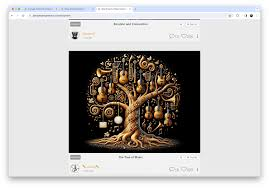
- Strong community gallery for inspiration
- Great for creative experimentation
2. Key Features
1. Dream Style Filters
Apply surreal and artistic effects to images.
Example:
Turn a normal landscape into a fantasy-style painting.
2. Text-to-Image Generation
Create images from prompts (available in newer versions).
Example:
“Abstract cosmic dream with glowing patterns”
3. Image-to-Image Transformation
Upload your photo and convert it into different art styles.
4. Multiple Style Categories
Choose from styles like:
- Deep Style (artistic painting)
- Thin Style (lighter effects)
- Deep Dream (classic surreal look)
5. Community Gallery
Explore artwork created by other users for ideas and inspiration.
6. High-Resolution Outputs
Generate images suitable for sharing or printing.
7. Easy-to-Use Interface
Simple layout with minimal learning curve.
3. How It Works (Step-by-Step)
Step 1: Sign Up
Create an account on the Deep Dream Generator website.
Step 2: Choose a Tool
Select:
- Text-to-image
- Image upload
Step 3: Upload or Enter Prompt
- Upload your image
- Or type a creative prompt
Step 4: Select Style
Pick a dream or artistic style.
Step 5: Adjust Settings
- Resolution
- Intensity
- Style depth
Step 6: Generate Image
Click generate and wait for processing.
Step 7: Download or Share
Save your image or post it to the community gallery.
4. Performance & Speed

Image Quality
Deep Dream Generator produces:
- Artistic and surreal visuals
- Unique patterns and textures
- Less focus on realism
Speed
- Moderate speed (slower than some modern tools)
- Depends on server load and settings
Reliability
- Stable platform
- Cloud-based system
- Occasionally slower during high traffic
5. Pricing & Plans
Free Plan
- Limited generations
- Basic quality output
- Slower processing
Paid Plans
- More energy/credits
- Faster processing
- Higher resolution outputs
Is it worth the money?
Yes, if you:
- Love artistic and abstract visuals
- Use it regularly for creative projects
For casual users, the free plan is enough.
6. Pros and Cons
Pros
- Unique artistic output
- Very easy to use
- No technical skills required
- Active community for inspiration
- Good for creative experimentation
Cons
- Not ideal for realistic images
- Slower than some competitors
- Limited control compared to advanced tools
- The free plan has restrictions
7. Best Use Cases
Who should use Deep Dream Generator?
- Artists creating abstract work
- Social media creators
- Photographers experimenting with styles
- NFT creators
Who should avoid it?
- Users needing realistic images
- Professional designers need precise control
- Developers looking for customization
8. Comparison with Competitors
Deep Dream Generator vs Midjourney
- Deep Dream Generator: More surreal and abstract Features
- Midjourney: More polished and artistic realism Features
Deep Dream Generator vs Stable Diffusion
- Deep Dream Generator: Simple and artistic
- Stable Diffusion: More control and flexibility
9. Security & Privacy
Deep Dream Generator offers basic security:
- Cloud-based processing
- User account protection
However:
- Images are uploaded to servers
- Avoid uploading sensitive or private content
10. Final Verdict
Deep Dream Generator is a fun and creative tool that stands out for its unique artistic style. Features
It’s not designed for realism or professional design work, but it excels in:
- Creativity
- Simplicity
- Artistic experimentation
Is it worth using?
Yes, if you enjoy artistic and surreal visuals.
Recommendation:
- Beginners → Great for experimenting
- Artists → Useful for inspiration and unique styles
11. FAQs
1. What is Deep Dream Generator used for?
It is used to create artistic and surreal images from photos or text prompts.
2. Is Deep Dream Generator free?
Yes, it offers a free plan with limited features.
3. Can beginners use it easily?
Yes, it is very simple and beginner-friendly.
4. Does it create realistic images?
No, it focuses more on artistic and abstract styles.
5. Is it fast?
It is moderately fast but can be slower during high usage.
6. Can I use images commercially?
You should check the platform’s terms before using images commercially.
7. Do I need a powerful computer?
No, it runs on the cloud.
8. Is it better than Stable Diffusion?
It depends—Deep Dream is more artistic, while Stable Diffusion offers more control.
9. Can I upload my own images?
Yes, you can upload and transform your own photos.
10. Is Deep Dream Generator worth it in 2026?
Yes, especially for creative and artistic experimentation.
11. What is Deep Dream Generator used for?
Deep Dream Generator is used to turn normal images into artistic, surreal, or dream-like visuals. It’s popular for creative projects, social media posts, and abstract art.
12. Is Deep Dream Generator free to use?
Yes, it offers a free plan with limited features. Paid plans provide faster processing and higher-quality outputs.
13. Can beginners use Deep Dream Generator easily?
Yes, it’s very beginner-friendly. You just upload an image or enter a prompt, choose a style, and generate the result.
14. Does Deep Dream Generator create realistic images?
Not really. It focuses more on artistic and abstract styles rather than realistic visuals.
15. How fast is Deep Dream Generator?
It has a moderate speed. Some images may take longer to process, especially on the free plan.
16. Can I upload my own photos?
Yes, you can upload your own images and transform them into different artistic styles.
17. Can I use Deep Dream Generator images commercially?
It depends on the platform’s terms and your subscription plan. Always check usage rights before using images for business.
18. Do I need a powerful computer to use it?
No, it runs completely online, so even a basic device works fine.
19. Is Deep Dream Generator safe to use?
Yes, but since it’s cloud-based, avoid uploading sensitive or personal images.
20. What makes Deep Dream Generator unique?
Its surreal, dream-like style makes it different from other tools that focus on realism.
21. Is Deep Dream Generator worth it in 2026?
Yes, if you enjoy creative, abstract art and want an easy tool for experimentation.
Conclusion
Deep Dream Generator remains a unique and creative tool in 2026, especially for users who want to explore artistic and surreal visuals rather than realistic designs. It’s simple to use, requires no technical skills, and delivers eye-catching results that stand out on social media or creative platforms. Features
Its biggest strength is creativity—you can turn ordinary images into something imaginative and visually striking in just a few clicks. However, it’s not the best choice if you need precise control or professional, realistic outputs. Features