
1. Introduction
NightCafe is a powerful and user-friendly AI art generation tool that allows anyone to create stunning digital artwork from text prompts or images. It uses advanced machine learning models, including technologies similar to Stable Diffusion and other neural style transfer methods, to turn simple ideas into visually rich and creative images. Users can enter a description (for example, “a futuristic city at sunset” or “fantasy dragon in the sky”), and the platform generates artwork based on that prompt within seconds.
NightCafe Review 2026 One of the key strengths of NightCafe is its variety of creation modes, such as text-to-image, style transfer, and advanced algorithms that allow for different artistic outputs. It also offers customization options like aspect ratio, resolution, style intensity, and model selection, giving users more control over the final result. The platform includes a built-in community where users can share their creations, participate in daily challenges, and gain inspiration from other artists. Features
NightCafe operates on a credit-based system, where users receive free credits daily and can earn more by engaging with the community. It works entirely online, so there’s no need to install any software, making it accessible for beginners as well as experienced creators. However, while it is easy to use and produces high-quality results, some limitations include credit restrictions for free users and less fine-tuned control compared to advanced tools like Adobe Firefly. Deep Dream Generator
Overall, NightCafe is an excellent choice for content creators, designers, and beginners who want to generate impressive AI art quickly and easily. Its combination of simplicity, creative flexibility, and community features makes it one of the most popular AI art platforms available today. Features
What is NightCafe?
NightCafe is a popular online platform that lets you create stunning images from text prompts or transform existing images into artistic designs. It supports multiple creative models, giving users the flexibility to generate everything from realistic photos to abstract artwork. Features
Unlike many tools, NightCafe focuses heavily on community, creativity, and accessibility, making it a favorite among beginners and hobby artists. Features
Who is it for?
NightCafe is perfect for:
- Beginners exploring image generation
- Digital artists and hobbyists
- Social media creators
- Bloggers and marketers
- NFT creators
It’s especially useful for people who want easy-to-use tools without technical setup.
Why is it popular in 2026?
NightCafe continues to grow in 2026 because:
- Very beginner-friendly interface
- Supports multiple models in one place
- Daily free credits
- Strong community engagement
- Frequent challenges and rewards
2. Key Features
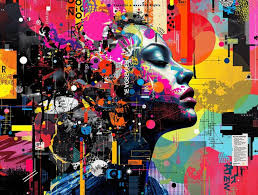
1. Text-to-Image Generation
Create images by typing simple prompts. Features
Example:
“Fantasy castle in the clouds, sunset lighting.”
2. Multiple AI Models
NightCafe supports different models like Stable Diffusion and others. Features
Example:
Switch between styles for different results.
3. Daily Free Credits
You get free credits every day to generate images.
4. Style Transfer
Upload an image and apply artistic styles.
Example:
Turn a selfie into a painting.
5. Community & Challenges
Join daily challenges and share artwork.
Example:
Participate in contests and earn rewards.
6. High-Resolution Outputs
Generate images suitable for social media or printing.
7. Prompt Enhancements
Improve prompts automatically for better results.
8. Batch Creation
Generate multiple images at once.
3. How It Works (Step-by-Step)
Step 1: Create an Account
Sign up on the NightCafe website.
Step 2: Choose Creation Method
Select:
- Text-to-image
- Style transfer
Step 3: Enter Prompt
Type your idea.
Example:
“Futuristic city with flying cars, neon lights”
Step 4: Select Model & Style
Choose:
- Model type
- Artistic style
Step 5: Adjust Settings
- Resolution
- Number of images
- Quality level
Step 6: Generate Image
Click “Create” and wait a few seconds.
Step 7: Download or Share
Save your image or share it in the community.
4. Performance & Speed
Image Quality
NightCafe produces:
- High-quality images
- Artistic and realistic outputs
- Consistent results across models
Speed
- Fast generation for basic settings
- Slightly slower for high-quality images
Reliability
- Stable cloud platform
- Rare downtime
- Smooth user experience
5. Pricing & Plans
Free Plan
- Daily free credits
- Limited high-quality generations
Paid Plans
- Buy extra credits
- Higher resolution outputs
- Faster processing
Is it worth the money?
Yes, if you:
- Create images regularly
- Need higher quality and faster speed
For casual users, free credits are often enough.
6. Pros and Cons
Pros
- Very easy to use
- Free daily credits
- Multiple models in one platform
- Active community and challenges
- Good image quality
Cons
- The credit system can feel limiting
- Advanced features require payment
- Less control than advanced tools
- Dependent on the internet connection
7. Best Use Cases
Who should use NightCafe?
- Beginners learning image creation
- Social media creators
- Bloggers and marketers
- Hobby artists
Who should avoid it?
- Advanced users needing deep customization
- Developers looking for open-source tools
- Users wanting unlimited free generation
8. Comparison with Competitors
NightCafe vs Midjourney
- NightCafe: Easier and more flexible
- Midjourney: More artistic and polished
NightCafe vs Stable Diffusion
- NightCafe: Beginner-friendly and online
- Stable Diffusion: More control and offline use
9. Security & Privacy
NightCafe provides basic security:
- Cloud-based platform
- Account-based access
However:
- Images are processed online
- Avoid uploading sensitive content
10. Final Verdict
NightCafe is one of the best beginner-friendly tools in 2026 for creating images quickly and easily.
It offers:
- Simple interface
- Free daily credits
- Strong community features
Is it worth using?
Yes, especially for beginners and casual creators.
Recommendation:
- Beginners → Great starting point
- Regular users → Upgrade for better results
11. FAQs
1. What is NightCafe used for?
NightCafe is used to create images from text prompts or transform existing images into artwork.
2. Is NightCafe free?
Yes, it offers daily free credits, but advanced features require payment.
3. Can beginners use NightCafe?
Yes, it is one of the easiest tools for beginners.
4. How fast is NightCafe?
It is fast for basic images but may slow down for high-quality outputs.
5. Can I use NightCafe images commercially?
Yes, but check licensing terms before using them for business.
6. Do I need a powerful computer?
No, it runs on the cloud.
7. Is NightCafe better than Stable Diffusion?
It depends—NightCafe is easier, while Stable Diffusion offers more control.
8. Can I create multiple images at once?
Yes, batch generation is supported.
9. Is NightCafe safe to use?
Yes, but avoid uploading sensitive content.
10. Is NightCafe worth it in 2026?
Yes, especially for beginners and creative hobbyists.
11. What is NightCafe used for?
NightCafe is used to create images from text prompts and turn photos into artistic designs. It’s popular for social media content, digital art, and creative projects.
12. Is NightCafe free to use?
Yes, NightCafe offers daily free credits. You can also buy additional credits for more image generation and higher-quality outputs.
13. Can beginners use NightCafe easily?
Yes, NightCafe is very beginner-friendly. You don’t need technical skills—just enter a prompt and generate images.
14. How fast is NightCafe?
It is generally fast for basic image generation. High-resolution or multiple images may take slightly longer.
15. Can I use NightCafe images commercially?
Yes, you can use images commercially in most cases, but it’s important to check the platform’s licensing terms.
16. Do I need a powerful computer to use NightCafe?
No, it runs entirely online, so any basic device with internet access works fine.
17. What makes NightCafe different from other tools?
NightCafe stands out because of its simple interface, daily free credits, and active community with challenges and rewards.
18. Can I generate multiple images at once?
Yes, NightCafe supports batch generation, allowing you to create multiple images in one go.
19. Is NightCafe safe to use?
Yes, it is safe. However, since it’s cloud-based, avoid uploading sensitive or personal content.
20. Does NightCafe support different styles?
Yes, you can choose from many styles like realistic, fantasy, abstract, and more.
21. Is NightCafe worth it in 2026?
Yes, especially if you’re a beginner or casual creator looking for an easy and fun way to generate images.
Conclusion
NightCafe has proven itself as one of the most beginner-friendly and accessible creative tools in 2026. It makes image generation simple, fun, and engaging—especially for users who don’t want to deal with technical setups or complicated settings.
Its biggest strengths are ease of use, daily free credits, and a strong creative community. You can quickly turn ideas into visuals, participate in challenges, and improve your skills over time. While it may not offer the deep control of advanced tools like Stable Diffusion, it delivers a smooth and enjoyable experience for most users.