
Making a presentation look professional usually eats up more time than writing the actual content. You know what you want to say, but then you spend an hour nudging text boxes, resizing charts, and trying to make slide 12 match the style of slide 3. Beautiful.ai was built specifically to get rid of that part of the job.
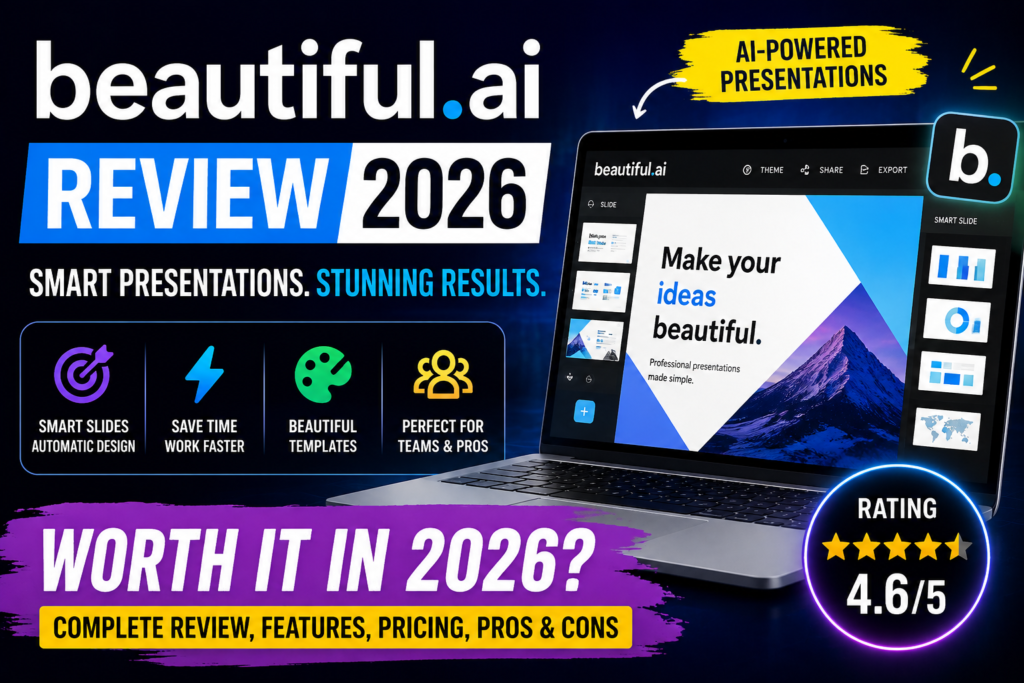
This review looks at what Beautiful.ai actually does, what it costs in 2026, how it holds up against alternatives like PowerPoint and Canva, and — since a lot of people ask about this before uploading company slides to any cloud tool — what happens to your data and whether you need any extra privacy precautions to use it safely.
Beautiful.ai is a smart presentation tool designed to help users create visually stunning slides without needing design skills. It automates slide layouts, design alignment, and formatting, making presentations look polished and professional in minutes. Features
Beautiful.ai Review 2026: It is perfect for business professionals, marketers, students, startups, and teams who want high-quality presentations without spending hours on design. In 2026, Beautiful.ai is popular because it simplifies slide creation while maintaining a clean, modern look that rivals professional design tools.
Beautiful.ai Review 2026: Key Features
1. Smart Slides (the core design engine)
This is the feature the whole product is built around. Pick a slide type — a comparison, a timeline, a chart, a quote slide — and as you type or drop in content, the layout keeps itself aligned automatically. Add a fourth bullet point and the others resize to make room. Drop in an image, and it snaps into the grid instead of floating wherever you dragged it.

Example: Say you’re building a quarterly sales update and you paste in five data points instead of the four the layout expected. In PowerPoint, that usually means manually resizing every box. In Beautiful.ai, the slide just re-flows to fit.
2. Guided presentation generation
You can start from a short prompt, a full outline (even one you drafted elsewhere), or a source document. The tool builds a text-first outline first, so you can fix the structure and flow before any slide design gets generated — which avoids the common problem of getting a full deck back that’s structured completely wrong.
3. Data visualization
Charts, graphs, and timelines can link directly to a spreadsheet, so updating the source data updates the chart on the slide without you rebuilding it. Good for recurring reports where the numbers change every week but the slide layout shouldn’t.
4. Brand controls and themes
You can lock in your company’s colors, fonts, logos, and footers once, then apply that theme across every deck. For agencies or larger teams, this keeps every presentation looking like it came from the same company, regardless of who built it.
5. Stock media and image libraries
Built-in access to a library of stock photos, icons, and video, plus the option to generate custom visuals or upload your own — so you’re not hopping between five different tabs to find an image that fits.
6. Real-time collaboration
Team plans support live, shared editing, a centralized slide and template library, version history, and locked slides so one person editing doesn’t accidentally break the whole deck.
7. Presenting and sharing tools
Once a deck is done, you can present live with slide animations, record a voice-over walkthrough for people who couldn’t join a call, or export to PDF and editable PowerPoint. There’s also secure link sharing with permission controls and viewer analytics, so you can see who actually opened your deck and how far they got.
How Beautiful.ai Works

- Sign up for the 14-day free trial (a credit card is required upfront)
- Pick a theme so your colors, fonts, and branding are set before you start building
- Start a deck from a prompt, an outline, a document, or a blank Smart Slide
- Review and refine the outline before generating full slide designs, so the structure is right first
- Edit slide by slide — swap layouts, adjust content, regenerate visuals, without wiping the rest of the deck
- Present, share, or export — live presentation mode, a shareable link with tracking, or a PowerPoint/PDF export
Performance & Speed
Speed: Fast. Getting from a blank screen to a presentable first draft typically takes minutes, not hours — this is the single biggest selling point across every review we looked at.

Accuracy: The generated outline and first-draft content are a reasonable starting point but not final-copy quality. Expect to rewrite and tighten most of the generated text, especially for anything going in front of clients or leadership.
Ease of use: Very easy. There’s close to no learning curve — no design background needed, and teams can onboard new users without formal training.
Reliability: Consistent for standard slide types (title, list, comparison, basic charts). Less reliable once you push it toward unconventional layouts or dense, multi-element slides.
Learning curve: Minimal for basic use. The workarounds needed for advanced customization take longer to learn, mainly because you’re learning where the tool’s limits are rather than learning new tools.
- Output Quality: Beautiful.ai produces clean, visually appealing slides with minimal effort.
- Speed: Slide creation and editing are fast, with instant formatting adjustments.
- Reliability: The platform offers stable performance and high uptime, making it reliable for professional use.
Pricing & Plans
This is the part most people search for, so here’s the breakdown as it currently stands.
No permanent free plan.
Unlike some competitors, Beautiful.ai doesn’t have a free-forever tier. What you get instead is a 14-day free trial with full access to Pro features — but it requires a credit card, and if you don’t cancel before the trial ends, you’re billed automatically.
Pro — $12/month
(billed annually). Built for individuals. Includes unlimited content generation, Smart Slides, custom branding, PowerPoint import/export, viewer analytics, and access to the full template library.
Team — $40/user/month
(billed annually) or $50/user/month billed monthly for 2–20 seats. Adds real-time collaboration, a shared workspace, version control, locked slides, live data-linked charts, and engagement analytics across the team.
Enterprise — custom pricing
for 20+ users. Adds SOC 2 Type II, GDPR, CCPA, and PCI compliance features, SAML single sign-on, advanced permissions, audit logs, user provisioning (SCIM), and dedicated onboarding.
One-off monthly option — around $45/month.
If you just need to build one presentation and don’t want an annual commitment, there’s a monthly Pro plan billed at a higher rate for exactly that situation.
Education discount:
Students with a valid .edu email can get a full year free.
Refund policy:
Annual plans can get a partial refund if you request it within 24 hours of the initial charge or renewal. Monthly plans are non-refundable, and any approved refund is subject to a processing fee. So don’t count on a grace period beyond that first day.
Which plan offers the best value:
For a solo user or freelancer, Pro at $12/month is a reasonable cost for what it replaces — design time. For teams, the jump to $40/user/month adds up fast; a 10-person team is looking at $4,800/year, which is worth comparing against what your team currently spends on design support or freelance help before committing.
Pros and Cons
Pros:
- Automatic slide design and formatting
- Professional templates and layouts
- Easy to use for beginners
- Strong branding and collaboration features
- Saves time on presentation creation
- Removes almost all manual formatting work — spacing, alignment, and layout adjust automatically
- Very easy to adopt; no design skills or training required to get a professional-looking result
- Keeps every deck visually consistent across a team, even with multiple contributors
- Strong for repeatable formats: sales decks, weekly reports, pitch decks
- Guided outline-first workflow avoids getting a full deck that’s wrong from the start
- Data-linked charts save time on recurring reports
- Enterprise tier has real compliance depth (SOC 2 Type II, GDPR, CCPA, PCI)
Cons:
- No permanent free plan — only a 14-day trial that requires a credit card
- Limited flexibility once you need something outside the standard layouts
- Not well suited to dense, data-heavy, or highly technical presentations
- Generated content still needs real editing — it doesn’t understand your audience or business context on its own
- Cost scales quickly for teams; jumping from Pro to Team is a meaningful budget decision
- Many collaboration and brand-control features are locked behind the Team tier, not included in Pro
- Refund window is short (24 hours), and monthly plans aren’t refundable at all
- Limited customization compared to advanced design tools
- No fully free plan
- Requires an internet connection
Best Use Cases
Who should use Beautiful.ai:
- Business professionals creating reports
- Startup founders building pitch decks
- Marketers designing campaigns
- Students preparing presentations
Who should avoid it:
- Professional designers needing full creative control
- Users who prefer offline tools
- Beginner presenters: Someone with zero design background can produce a clean, professional-looking deck on the first try, without knowing anything about alignment or typography rules.
- Students: The free education plan makes this a low-cost option for class presentations, and the guided structure helps students who struggle with organizing a narrative, not just the visuals.
- Freelancers and consultants: Client-facing pitch decks and proposals benefit from the brand controls — set your look once, reuse it for every client deck, and everything still looks consistent even under a deadline.
- Startups: Pitch decks are one of Beautiful.ai’s most common use cases. The startup pitch templates give founders a credible-looking deck fast, without hiring a designer for an early fundraising round.
- Software and marketing teams: Recurring reports (weekly updates, quarterly reviews, sales pipeline recaps) are a strong fit, since the data-linked charts update automatically and the format stays the same each time. Features
Comparison with Competitors
| Feature | Beautiful.ai | Tome | Canva |
|---|---|---|---|
| Ease of Use | ✅ Very easy | ✅ Very easy | ✅ Easy |
| Design Automation | ✅ Strong | ✅ Strong | ❌ Limited |
| Templates | ✅ Professional | ✅ Modern | ✅ Extensive |
| Customization | ❌ Limited | ❌ Moderate | ✅ High |
| Pricing | $12–$40/month | $0–$20/month | $0–$15/month |
Beautiful.ai excels in automated design, while Tome focuses on storytelling, and Canva offers more customization.
Beautiful.ai vs Competitors
| Tool | Core Approach | Design Effort | Customization | Best For |
|---|---|---|---|---|
| Beautiful.ai | Auto-designed Smart Slides | Low | Limited | Fast, clean business decks |
| PowerPoint | Fully manual control | High | Very high | Total design flexibility |
| Canva | Drag-and-drop design | Medium | High | Design-heavy, creative content |
| Google Slides | Simple slide editor | Medium | Medium | Easy real-time teamwork |
| Gamma | AI-first generation | Very low | Medium | Quick AI-generated drafts |
The short version: Beautiful.ai trades flexibility for speed and consistency. If you need full creative control over every pixel, PowerPoint or Canva will serve you better. If you want the fastest path from idea to a decent-looking deck with minimal effort, Beautiful.ai is hard to beat.
Security & Privacy
- Encryption: Data is encrypted in transit and at rest.
- Privacy Policy: Beautiful.ai follows industry-standard privacy practices.
- Safety: Suitable for business and personal use, but avoid sharing sensitive information in presentations.
This matters more than most presentation software reviews give it credit for, especially if you’re uploading client data, financial figures, or internal strategy into any cloud tool.
Data handling: Everything you build in Beautiful.ai is stored on cloud servers rather than your local machine — there’s no offline-only mode. Data in transit is encrypted using TLS 1.2/1.3 over HTTPS, both between your browser and the platform, and between the platform and the third-party generation services it connects to.
Storage: Beautiful.ai uses SOC 2–compliant infrastructure from Google (Firebase) for data and file storage, with authentication controls to prevent unauthorized access. Worth noting: the company states it does internally retain the technical ability to access your presentation data, which is fairly standard for cloud SaaS but still worth knowing.
Training data: According to Beautiful.ai’s own security page, the outside providers it uses for its generation features are contractually barred from using customer data to train their models. That’s a meaningful distinction if you’re worried about your slide content ending up used to train someone else’s system.
Compliance: Beautiful.ai is GDPR compliant as a data processor (your organization remains the “data controller” under GDPR terms), and the Enterprise tier specifically adds SOC 2 Type II, CCPA, and PCI certification, along with SSO and audit logging for organizations that need to prove compliance formally.
Cloud vs. local processing: Because this is a fully cloud-based tool, anything you type or upload leaves your device and travels to Beautiful.ai’s servers, and in some cases onward to third-party generation services under the terms above. If your organization has strict data-residency requirements, check the current privacy policy and subprocessor list directly before uploading regulated or highly sensitive material.
Do you need a VPN? No — Beautiful.ai doesn’t require a VPN to access or use normally. It’s a standard web application without regional restrictions in most countries. A VPN would only be relevant if:
- Your workplace or school network blocks the domain
- You’re in a location with broader restrictions on cloud software access
- You personally prefer routing your browser traffic through one as a general habit
None of those are Beautiful. AI-specific issues, and using a VPN doesn’t change what happens to your data once it reaches the platform — it only affects the connection between your device and their servers, not the storage or processing that happens afterward.
A few sensible habits regardless of the tool:
- Don’t paste raw client contracts, personally identifiable information, or financial account details directly into slides unless you’ve confirmed your organization’s data policy allows it
- Use the sharing permissions and secure links rather than exporting and emailing sensitive decks as unprotected files
- If you’re on a Pro or Team plan and handle regulated data, check whether Enterprise’s compliance certifications are actually required for your use case before assuming the lower tiers are sufficient.
Customer Support
Email support is available on Pro and Team plans, with priority support reserved for Enterprise. Beyond that, there’s a self-serve knowledge base at support.beautiful.ai covering billing, account deletion, and feature walkthroughs. There’s no major public community forum — support leans on documentation and direct email rather than a peer community. Enterprise customers get contractual priority support and dedicated onboarding; standard-tier response times appear to follow a more typical support queue.
System Requirements
No installs needed on Windows, macOS, or Linux — Beautiful.ai runs entirely in a modern browser (Chrome, Firefox, Safari, or Edge). There’s no “IDE compatibility” in the traditional sense since this is presentation software, not a development tool; instead, it integrates with Slack, Salesforce, and PowerPoint for import/export and workflow connections.
Who Should Use Beautiful.ai?
Best fit:
- Individuals and freelancers who need professional decks without hiring a designer
- Consultants and agencies producing client-facing pitch decks and reports regularly
- Small-to-mid teams that want brand consistency across everyone’s presentations
- Startups building pitch decks on a tight timeline and budget
- Anyone producing recurring, structured reports where the format repeats and only the data changes
Should probably look elsewhere:
- Teams that need full design control down to the pixel
- Anyone building complex, data-dense, highly technical presentations that don’t fit standard layouts
- Organizations that need a permanently free tool rather than a paid subscription
- Users who want deep customization without fighting the template system
Alternatives Worth Considering
PowerPoint suits anyone who wants total manual control and doesn’t mind the extra formatting time. Canva works better for design-heavy, creative content with a much larger template library. Google Slides is the simplest choice for lightweight, real-time team collaboration. Gamma leans closer to fully AI-generated decks with less manual guidance, good if you want raw speed over structure. Prezi fits better if you want non-linear, zoom-style presentations rather than standard slides.
Final Verdict
In 2026, Beautiful.ai is one of the best tools for creating professional presentations quickly and easily. Its smart design automation, templates, and collaboration features make it ideal for users who want high-quality results without design expertise.
Recommendation: If you want fast, polished presentations with minimal effort, Beautiful.ai is definitely worth using.
FAQs
1. Is Beautiful.ai free?
It offers a free trial, but full features require a paid subscription.
2. Can Beautiful.ai replace PowerPoint?
Yes, for most users who want simple and professional presentations without complex design work.
3. Is Beautiful.ai good for business presentations?
Yes, it is ideal for reports, pitch decks, and marketing presentations.
4. Can I collaborate with others?
Yes, it supports real-time collaboration and sharing.
5. Does Beautiful.ai work on mobile devices?
It is mainly web-based but accessible from mobile browsers.
6. Is Beautiful.ai secure?
Yes, it uses encryption and standard data protection practices.
7. How fast is Beautiful.ai?
Slide creation and formatting are almost instant.
8. Can I customize templates?
Yes, but customization is more limited compared to design tools like Canva.
9. Who should use Beautiful.ai?
Professionals, students, marketers, and startups need quick, polished presentations.
10. Is the paid plan worth it?
Yes, especially for frequent users who want advanced templates and branding tools.
11. Does it support branding?
Yes, you can apply consistent colors, fonts, and styles across presentations.
12. Is Beautiful.ai free?
Beautiful.ai offers a free trial, but full features require a paid subscription.
13. Can Beautiful.ai replace PowerPoint?
Yes, for most users who want quick, professional presentations without complex design work.
14. Is Beautiful.ai good for business use?
Yes, it’s ideal for pitch decks, reports, and marketing presentations.
15. Can I collaborate with team members?
Yes, Beautiful.ai supports real-time collaboration and sharing.
16. Does Beautiful.ai work on mobile devices?
It is mainly web-based but can be accessed through mobile browsers.
17. Is Beautiful.ai secure?
Yes, it uses encryption and follows standard privacy practices to protect user data.
18. How fast is Beautiful.ai?
Slide creation and formatting happen almost instantly, saving time.
19. Can I customize templates?
Yes, templates can be customized, but design flexibility is somewhat limited compared to tools like Canva.
20. Who should use Beautiful.ai?
Professionals, students, marketers, and startups who need quick and polished presentations.
21. Is the paid plan worth it?
Yes, especially for frequent users who want access to advanced templates and branding features.
Conclusion
Beautiful.ai does exactly what it promises: it takes the slow, fiddly part of building a presentation — the formatting — and mostly automates it. For individuals, freelancers, and small teams producing regular, structured presentations, that trade-off is genuinely worth the $12–$40 a month it costs. The data handling is reasonably solid for a cloud tool, there’s no VPN requirement to worry about, and the Enterprise tier has the compliance credentials larger organizations will actually need to check a box.
Where it falls short is flexibility. If your presentations need to break the mold — dense data, unconventional layouts, highly tailored storytelling — you’ll hit the edges of what Smart Slides can do, and you’ll find yourself either working around the template system or reaching for PowerPoint instead.
Best value: The Pro plan at $12/month for individuals who build presentations regularly but don’t need team collaboration features.