
1. Introduction
Grammarly has evolved from a simple grammar-checking tool into a powerful AI-driven writing assistant in 2026. Today, it helps users not only fix mistakes but also improve clarity, tone, structure, and overall communication across emails, documents, and online platforms.
Grammarly Review 2026 At its core, Grammarly AI focuses on enhancing your existing writing rather than replacing it. It checks grammar, spelling, punctuation, and sentence structure in real time, ensuring your content is clear and professional. This makes it especially useful for students, professionals, bloggers, and anyone who writes regularly. Rytr
One of its biggest upgrades is its generative AI capabilities. Grammarly can now help you write, rewrite, and expand content instantly. You can enter a short prompt, and it will generate a draft, suggest improvements, or rewrite sentences based on your preferred tone and style.
Another standout feature is its AI agent system, which includes tools like:
- Proofreader – Improves grammar and sentence clarity
- Paraphraser – Rewrites content while keeping the original meaning
- Reader Reactions – Predicts how your audience may respond
- Humanizer – Makes writing sound more natural and engaging
Grammarly also introduced an AI assistant called “Go”, which works across different apps and platforms. It provides real-time suggestions, helps generate ideas, and assists with writing tasks directly inside tools like email, browsers, and documents.
One of the biggest advantages of Grammarly AI is its seamless integration. It works inside Chrome, Microsoft Word, Google Docs, mobile apps, and even email platforms. This means you don’t need to switch tools—it supports you wherever you write.
From a practical perspective, Grammarly is best known for:
- Improving email communication for professionals
- Helping students write clearer assignments
- Editing blog posts and articles quickly
- Saving time on rewriting and proofreading
However, it’s important to note that Grammarly is still more of an editing and improvement tool than a full content generator. While it can create drafts, it performs best when refining existing content rather than producing long-form articles from scratch.
Overall, Grammarly AI in 2026 is a reliable and widely-used writing assistant that combines grammar checking with smart AI features. It helps users write faster, communicate better, and maintain a consistent tone—making it an essential tool for anyone working with content daily.
What is Grammarly?
Grammarly is a writing assistant that helps you check grammar, spelling, punctuation, and clarity in real time. It works across browsers, apps, and devices to improve your writing instantly.
Who is it for?
Grammarly is useful for:
- Students and professionals
- Bloggers and content creators
- Business owners
- Email and report writers
- Anyone who writes regularly
If you want clean, mistake-free writing, Grammarly is one of the easiest tools to use.
Why is it popular in 2026?
Grammarly continues to grow in 2026 because:
- Writing is essential for work, study, and online business
- People want error-free communication
- It saves time by correcting mistakes instantly
- Works everywhere—emails, documents, social media
2. Key Features
1. Grammar and Spell Checker
Detects and fixes grammar, spelling, and punctuation mistakes.
Example:
Corrects “He go to school yesterday” → “He went to school yesterday.”
2. Clarity Suggestions
Improves sentence structure and readability.
Example:
Rewrites long, confusing sentences into simple ones.
3. Tone Detection
Shows how your message sounds—formal, friendly, or confident.
Example:
Helps ensure your email doesn’t sound too harsh or too casual.
4. Plagiarism Checker (Premium)
Checks if your content is original.
Example:
Useful for blog posts, assignments, and professional writing.
5. Writing Style Improvements
Suggests better word choices and sentence flow.
6. Browser Extension
Works directly in:
- Google Docs
- Gmail
- Social media platforms
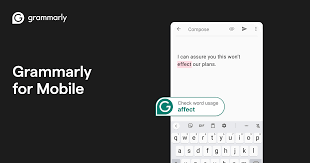
7. Mobile Keyboard
Grammarly keyboard helps correct text while typing on your phone.
8. Personal Dictionary
Add custom words (names, brands, etc.) so Grammarly won’t flag them.
9. Goals & Audience Settings
Customize writing based on:
- Audience (general, expert)
- Tone (formal, casual)
3. How It Works (Step-by-Step)
Step 1: Sign Up
Create a Grammarly account.
Step 2: Install Extension or App
Add Grammarly to your browser or download the app.
Step 3: Start Writing
Type in:
- Document
- Blog editor
Step 4: Review Suggestions
Grammarly highlights mistakes and suggests corrections.
Step 5: Apply Changes
Click suggestions to improve your writing instantly.
4. Performance & Speed

Output Quality
- Highly accurate grammar corrections
- Improves clarity and readability
- Great for professional writing
Speed
- Real-time suggestions
- Instant corrections while typing
Reliability
- Very stable platform
- Works across devices without issues
5. Pricing & Plans
Free Plan
- Basic grammar and spelling checks
- Limited suggestions
Paid Plans (2026)
- Advanced grammar and clarity
- Tone improvements
- Plagiarism checker
Is it worth the money?
👉 Yes, if you:
- Write frequently
- Need professional-level writing
👉 Maybe not, if:
- You only need basic corrections
6. Pros and Cons
✅ Pros
- Easy to use
- Real-time corrections
- Works across platforms
- Improves writing quality
- Free plan available
❌ Cons
- The premium plan can be expensive
- Sometimes over-corrects sentences
- Limited features in the free version
7. Best Use Cases
Who should use Grammarly?
- Students writing assignments
- Professionals writing emails
- Bloggers and content creators
- Freelancers
Who should avoid it?
- Users who rarely write
- Those needing advanced content creation tools
- People on a tight budget
8. Comparison with Competitors
Grammarly vs QuillBot
| Feature | Grammarly | QuillBot |
|---|---|---|
| Grammar check | Excellent | Good |
| Paraphrasing | Basic | Strong |
| Ease of use | Very easy | Easy |
👉 Grammarly is better for grammar; QuillBot is better for rewriting.
Grammarly vs ProWritingAid
| Feature | Grammarly | ProWritingAid |
|---|---|---|
| Ease of use | Easy | Medium |
| Features | Balanced | Advanced |
| Pricing | Higher | Affordable |
👉 ProWritingAid offers deeper analysis, but Grammarly is simpler.
9. Security & Privacy
Grammarly takes security seriously:
- Uses encryption to protect data
- Does not sell user content
- Follows strict privacy policies
However, avoid entering highly sensitive information.
10. Final Verdict
Is Grammarly worth using in 2026?
👉 Yes—Grammarly is one of the best tools for improving writing quality.
It’s simple, fast, and works across multiple platforms, making it ideal for everyday use.
Recommendation:
- ✅ Best for students, professionals, and writers
- ⚠️ Not ideal if you need advanced content generation
👉 Overall, Grammarly is a must-have tool for clear and error-free writing.
11. FAQs
1. Is Grammarly free?
Yes, it offers a free plan with basic features.
2. Can Grammarly fix grammar mistakes?
Yes, it automatically detects and corrects grammar errors.
3. Is Grammarly worth paying for?
Yes, if you need advanced writing suggestions and plagiarism checks.
4. Does Grammarly work on mobile?
Yes, it has a mobile keyboard app.
5. Is Grammarly safe to use?
Yes, it uses secure systems to protect data.
6. Can Grammarly check plagiarism?
Yes, but only in the premium version.
7. Does Grammarly support multiple languages?
It mainly supports English.
8. Can Grammarly improve writing style?
Yes, it suggests better sentence structure and word choices.
9. Is Grammarly better than QuillBot?
Grammarly is better for grammar; QuillBot is better for rewriting.
10. How fast is Grammarly?
It works in real time with instant suggestions.
11. Is Grammarly free to use?
Yes, Grammarly offers a free plan with basic grammar and spelling checks. Advanced features require a paid plan.
12. Can Grammarly fix all grammar mistakes?
Grammarly is highly accurate, but it may not catch every mistake. It’s always good to review suggestions manually.
13. Is Grammarly worth paying for in 2026?
Yes, if you write regularly or need professional-quality content. The premium features add strong value.
14. Does Grammarly work on mobile devices?
Yes, Grammarly offers a mobile keyboard app that works on Android and iOS devices.
15. Can Grammarly check plagiarism?
Yes, but plagiarism detection is available only in the premium version.
16. Is Grammarly better than QuillBot?
Grammarly is better for grammar and clarity, while QuillBot is stronger for rewriting and paraphrasing.
17. Does Grammarly support multiple languages?
Grammarly mainly supports English, but it works with different English styles (US, UK, etc.).
18. Can Grammarly improve writing style?
Yes, it suggests better words, sentence structure, and tone improvements.
19. Is Grammarly safe to use?
Yes, it uses encryption and secure systems to protect user data.
20. Does Grammarly work in Google Docs?
Yes, it works directly inside Google Docs through a browser extension.
21. Can Grammarly help with emails?
Yes, it’s very useful for writing clear and professional emails.
22. Does Grammarly require technical skills?
No, it’s very easy to use and beginner-friendly.
23. Can Grammarly replace human editing?
No, it helps improve writing but doesn’t fully replace human judgment.
24. How fast is Grammarly?
It works in real time, giving instant suggestions while you type.
25. Can students use Grammarly?
Yes, it’s very helpful for assignments, essays, and projects.
26. Does Grammarly store my data?
Grammarly processes your text to provide suggestions, but follows strict privacy policies.
27. Can Grammarly be used offline?
No, it requires an internet connection to work properly.
28. Is Grammarly good for business writing?
Yes, it helps create clear and professional communication.
29. What are the best alternatives to Grammarly?
Popular alternatives include ProWritingAid and QuillBot.
30. Is Grammarly good for beginners?
Yes, it’s one of the easiest tools to use for improving writing.
Conclusion
Grammarly remains one of the most reliable and widely used writing tools in 2026. It helps users write clearly, avoid mistakes, and communicate more effectively—whether for emails, blogs, or professional documents.
Its biggest strength is simplicity. You don’t need any special skills to use it, and the real-time suggestions make writing faster and more accurate. For students, professionals, and content creators, Grammarly can easily become a daily essential tool.
However, it’s not perfect. The free version is limited, and the premium plan may feel expensive for some users. Also, it focuses on improving writing rather than creating content from scratch.