
1. Introduction
InVideo is an online video editing platform that allows users to create and customize videos directly in a web browser. It offers templates, stock assets, and AI-assisted tools to streamline content creation for marketing, social media, and educational use. The platform is designed for accessibility, targeting both professionals and beginners. Lumen5
InVideo AI Review 2026 InVideo is a cloud-based video creation and editing platform that combines AI-powered automation with traditional video editing tools. It allows users to produce professional-quality videos for marketing, social media, YouTube, and business purposes, all without needing advanced video editing skills.Features
InVideo AI is particularly known for its template-based workflow and AI-assisted video generation, which makes it fast and easy to turn scripts or ideas into shareable videos.
What is inVideo AI?

InVideo AI is a cloud-based video editing and creation tool that uses AI to help users transform scripts, articles, and ideas into professional-looking videos quickly. It simplifies video production with ready-made templates, automated editing, and smart media suggestions. Features
Who is it for?
inVideo AI is perfect for:
- Social media marketers
- Content creators and YouTubers
- Small businesses and startups
- Educators and online course creators
- Agencies producing video campaigns
Why is it popular in 2026?
- AI-powered automation saves hours of editing
- Large template library for social media, ads, and tutorials
- Beginner-friendly interface with advanced customization
- High-quality outputs suitable for professional and commercial use
2. Key Features

1. Text-to-Video
Automatically converts blogs, scripts, or articles into engaging video content.
Example:
A 1,000-word blog can become a 2–3 minute social media video in minutes.
2. Drag-and-Drop Editor
Easily edit videos by dragging media, text, or effects onto your timeline. Features
Example:
Replace a stock clip with your own footage or add animated text in seconds.
3. Pre-Made Templates
Offers templates for YouTube, Instagram, LinkedIn, TikTok, and ads.
Example:
Use a marketing ad template for a product launch video without starting from scratch.
4. Stock Media Library
Access millions of royalty-free videos, images, and audio tracks.
Example:
Create a promotional video without sourcing your own media.
5. Automatic Voiceovers
AI-generated voiceovers allow videos to be narrated without recording.
Example:
Convert your blog text into an audio narration automatically.
6. Branding Tools
Add logos, colors, fonts, and custom watermarks for consistent branding.
7. Multi-Format Export
Export videos in different sizes optimized for social media, presentations, or websites.
8. Collaboration Tools
Work with team members on the same project in real-time, ideal for agencies or marketing teams.
3. How It Works (Step-by-Step)
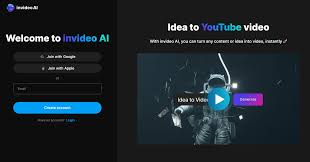
Step 1: Sign Up
Create an inVideo AI account online.
Step 2: Choose Template or Start From Scratch
Select a template or blank project depending on your needs.
Step 3: Add Your Content
- Paste your script or blog link
- Add media from the library or upload your own
Step 4: Customize
- Edit text, colors, transitions, and branding
- Add AI voiceovers or music
Step 5: Preview & Export
- Watch a preview
- Export the video in your preferred format
4. Performance & Speed
- Speed: Video creation takes minutes with AI-assisted automation
- Output Quality: High-resolution videos suitable for social media and business presentations
- Reliability: Cloud-based platform with stable uptime and minimal downtime
- Real-Life Usage: Marketers can create multiple videos daily without a dedicated editing team
5. Pricing & Plans
Free Plan
- Access to basic templates
- Limited media library
- Watermarked videos
Paid Plans
- Business Plan: Full template library, HD exports, branding, and priority support
- Enterprise Plan: Collaboration tools, custom solutions, and advanced features
Is it worth the money?
Yes, if you produce regular video content, need fast editing, or want professional-quality videos without hiring an editor.
6. Pros and Cons
✅ Pros
- Easy-to-use interface
- Fast text-to-video conversion
- Large stock media library
- Templates for multiple social platforms
- Branding and multi-format export
- Team collaboration support
❌ Cons
- Limited cinematic editing features
- Free plan includes watermarks
- Requires a stable internet for cloud editing
- Not ideal for highly creative or film-level projects
7. Best Use Cases
Who should use inVideo AI?
- Social media marketers
- Bloggers and content creators
- Small businesses creating ads
- Educators creating video lessons
Who should avoid it?
- Professional filmmakers needing advanced editing
- Users seeking offline video editing
- Projects requiring cinematic-level customization
8. Comparison with Competitors
inVideo AI vs Lumen5
- inVideo AI: Better for AI-powered automation and marketing videos
- Lumen5: Stronger for blog-to-video conversion and social media templates
inVideo AI vs Pictory
- inVideo AI: Focuses on professional branding, voiceovers, and collaboration
- Pictory: Better at turning long-form content like webinars into short clips
9. Security & Privacy
- Uses secure cloud infrastructure with encryption
- No logs of user content are shared externally
- Safe for business and educational content
10. Final Verdict
Is inVideo AI worth using in 2026?
Yes, it’s a powerful, time-saving tool for content creators, marketers, and businesses who want professional videos quickly. Its AI-assisted features, templates, and branding tools make video creation simple yet effective.
👉 Recommendation:
Ideal for marketers, social media creators, and small business owners. Not suitable for cinematic or offline video production.
11. FAQs
1. What is inVideo AI used for?
Creating professional videos from text, blogs, scripts, or ideas quickly.
2. Is inVideo AI beginner-friendly?
Yes, its intuitive interface and templates make it easy for beginners.
3. Can I use inVideo AI for social media content?
Absolutely. It supports YouTube, Instagram, TikTok, LinkedIn, and other platforms.
4. Is there a free plan?
Yes, with basic templates, limited stock media, and watermarked videos.
5. Can I add my branding?
Yes, logos, colors, fonts, and watermarks can be customized.
6. Does inVideo AI provide stock media?
Yes, it offers millions of videos, images, and audio tracks.
7. Can teams collaborate on videos?
Yes, paid plans include real-time collaboration features.
8. How fast is video creation?
AI-assisted videos can be generated in a few minutes, depending on complexity.
9. Is inVideo AI safe to use?
Yes, it uses encrypted cloud storage and maintains privacy for your content.
10. Can inVideo AI replace professional video editors?
It’s excellent for social media, marketing, and business videos, but not a replacement for cinematic or highly creative film projects.
11. What is inVideo AI used for?
InVideo AI is used to quickly turn scripts, blogs, or ideas into professional videos suitable for social media, marketing campaigns, or business presentations.
12. Is inVideo AI beginner-friendly?
Yes. Its drag-and-drop interface, pre-made templates, and AI-assisted editing make it easy for beginners to create videos without prior editing experience.
13. Can I use inVideo AI for social media content?
Absolutely. It supports YouTube, Instagram, TikTok, LinkedIn, and Facebook video formats.
14. Does inVideo AI have a free plan?
Yes. The free plan includes basic templates, limited stock media, and watermarked videos. Paid plans unlock HD exports, premium templates, and advanced features.
15. Can I add my branding to videos?
Yes. You can add logos, custom colors, fonts, and watermarks to maintain consistent branding.
16. Does inVideo AI offer stock media?
Yes. It provides access to millions of royalty-free videos, images, and audio tracks to make video creation faster and easier.
17. Can teams collaborate on inVideo AI?
Yes. Paid plans include real-time collaboration features for teams working on projects together.
18. How fast can I create a video with inVideo AI?
AI-assisted automation allows you to create videos in just a few minutes, depending on the length and complexity of your content.
19. Is inVideo AI safe to use?
Yes. It uses secure cloud infrastructure with encryption, and user content is kept private and secure.
20. Can inVideo AI replace professional video editors?
It’s excellent for social media, marketing, and business videos. However, it is not a replacement for cinematic or highly creative film projects that require advanced editing software.
Conclusion InVideo
inVideo AI is a powerful and versatile tool in 2026 for anyone looking to create professional-quality videos quickly and easily. Its AI-assisted features, pre-made templates, stock media library, and branding tools make it perfect for marketers, content creators, and small businesses who want polished videos without spending hours on editing.
While it may not replace full-fledged video editors for cinematic projects, it excels at producing social media, marketing, and instructional videos efficiently.