
Introduction
Motion is an all-in-one productivity and time management tool designed to help users plan, organize, and execute their work efficiently. It combines scheduling, task management, and workflow automation in one platform, allowing individuals and teams to focus on what matters most.
Motion Review 2026 -Motion is ideal for freelancers, remote teams, project managers, and professionals who want to optimize their workday and reduce time wasted on manual planning. In 2026, it gained popularity due to its intelligent scheduling, integration with calendars, and real-time task organization. Taskade
Key Features of Motion

Here are the standout features that make Motion a powerful productivity tool:
- Intelligent Scheduling
- Automatically schedules tasks around your existing calendar to maximize productivity.
- Example: Motion can prioritize your urgent tasks while blocking time for long-term projects.
- Task Management
- Create, track, and manage tasks with deadlines, priorities, and tags.
- Example: Break down a marketing project into daily actionable tasks.
- Calendar Integration
- Syncs with Google Calendar, Outlook, and other popular calendars.
- Example: See all your appointments, deadlines, and tasks in one unified view.
- Workflow Automation
- Automates repetitive tasks and reminders to save time.
- Example: Automatically move completed tasks to “Done” or notify teammates of updates.
- Project Tracking & Analytics
- Monitor project progress, team productivity, and task completion rates.
- Example: Managers can quickly spot bottlenecks and redistribute workloads.
- Cross-Platform Access
- Available on web, desktop, and mobile apps for seamless work anywhere.
- Example: Update your schedule or mark tasks as complete while on the go.
- Collaboration Tools
- Share tasks, leave comments, and assign responsibilities to team members.
- Example: Collaborate on a product launch with your remote team in real-time.
- Templates for Productivity
- Pre-designed templates for personal goals, project planning, and team sprints.
- Example: Use a “Weekly Planner” template to organize tasks efficiently.
How Motion Works
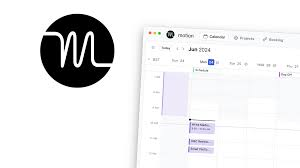
Here’s a simple guide for beginners:
- Sign up for Motion on the web or download the mobile app.
- Connect your calendar to see all tasks and events in one place.
- Create a project or task list and add deadlines, priorities, and notes.
- Use scheduling tools to automatically organize your day.
- Invite team members if working collaboratively.
- Monitor progress using analytics and make adjustments as needed.
Motion is beginner-friendly, and most users can start planning their day within minutes.
Performance & Speed
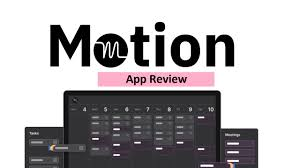
- Output Quality: Motion efficiently organizes tasks and schedules with minimal input, keeping your workday structured.
- Speed: Tasks, updates, and calendar syncs happen instantly. Scheduling large projects is fast and accurate.
- Reliability: Motion maintains high uptime with minimal delays, ensuring workflow continuity.
Pricing & Plans
Motion offers flexible options:
- Free Plan: Basic task management, calendar integration, and limited scheduling features.
- Pro Plan: Around $8–$12/month per user with full scheduling, analytics, and unlimited projects.
- Team/Business Plan: Around $15–$25/month per user for collaboration, automation, and advanced productivity tools.
Worth the money? For individuals and teams serious about optimizing workflow and time management, Motion’s paid plans offer excellent value. Free plans are good for casual users.
Pros and Cons
Pros:
- Intelligent scheduling saves time
- Strong task and project management
- Calendar integration keeps everything in one place
- Real-time collaboration for teams
- Cross-platform support
Cons:
- The free plan is limited
- Can feel complex for very simple workflows
- Some automation features require paid plans
Best Use Cases
Who should use Motion:
- Remote teams coordinating projects
- Freelancers managing multiple clients
- Professionals optimizing daily schedules
- Managers tracking team productivity
Who should avoid it:
- Users needing offline-only tools
- Individuals with very simple task management needs
Comparison with Competitors
| Feature | Motion | ClickUp AI | Notion AI |
|---|---|---|---|
| Task & Project Management | ✅ Strong | ✅ Advanced | ✅ Moderate |
| Intelligent Scheduling | ✅ Unique | ❌ Limited | ❌ Limited |
| Collaboration | ✅ Real-time | ✅ Real-time | ✅ Moderate |
| Templates & Automation | ✅ Many | ✅ Many | ✅ Some |
| Pricing | $0–$25/user/mo | $5–$25/user/mo | $10–$25/month |
Motion’s scheduling and task organization make it stand out, while ClickUp AI is stronger for workflow automation, and Notion AI excels in note-taking and knowledge management.
Security & Privacy
- Encryption: All data is encrypted both in transit and at rest.
- Privacy Policy: Motion is GDPR compliant and does not store sensitive information unnecessarily.
- Safety: Safe for personal and business use; avoid sharing passwords or financial details directly in tasks.
Final Verdict
Motion is a highly effective productivity and scheduling tool in 2026. Its intelligent task scheduling, project tracking, and collaboration features make it ideal for professionals, freelancers, and teams seeking better workflow management.
Recommendation: If you want to optimize your day, manage multiple projects efficiently, and collaborate seamlessly, Motion is worth using. Paid plans provide significant value for productivity-focused individuals and teams.
FAQs
1. Is Motion free?
Yes, there is a free plan with basic task and calendar features.
2. Can Motion integrate with my calendar?
Yes, it supports Google Calendar, Outlook, and other popular calendar apps.
3. Is Motion secure for team projects?
Yes, Motion uses encryption and follows strict privacy policies.
4. Can I collaborate with team members?
Yes, it supports real-time collaboration, comments, and shared tasks.
5. Does Motion work on mobile devices?
Yes, Motion is available on iOS, Android, web, and desktop apps.
6. Can Motion automate repetitive tasks?
Yes, workflow automation is available in paid plans for recurring tasks and reminders.
7. Who benefits most from Motion?
Remote teams, freelancers, project managers, and professionals need structured scheduling and task management.
8. How fast is Motion?
Tasks and calendar updates appear almost instantly, ensuring a smooth workflow.
9. Can Motion handle large projects?
Yes, Motion scales well for both individual and team projects with multiple tasks and deadlines.
10. Are templates available in Motion?
Yes, there are pre-built templates for productivity, project planning, and weekly organization.
11. Is Motion worth the paid plan?
For those who rely on task automation, scheduling, and team collaboration, the paid plan is highly valuable.
12. Is Motion free?
Yes, Motion offers a free plan with basic task and calendar management features.
13. Can Motion integrate with my calendar?
Absolutely. Motion syncs with Google Calendar, Outlook, and other major calendar apps.
14. Is Motion secure for team projects?
Yes, it uses encryption and adheres to strict privacy policies to ensure data safety.
15. Can I collaborate with team members?
Yes, Motion supports real-time collaboration, comments, and task sharing.
16. Does Motion work on mobile devices?
Yes, it’s available on iOS, Android, web, and desktop apps.
17. Can Motion automate repetitive tasks?
Yes, workflow automation is available in paid plans for recurring tasks and reminders.
18. Who benefits most from Motion?
Remote teams, freelancers, project managers, and professionals who need structured scheduling and task management.
19. How fast is Motion?
Updates and calendar syncs happen almost instantly, even for large projects.
20. Are templates available in Motion?
Yes, pre-built templates help with productivity, project planning, and weekly scheduling.
21. Is the paid plan worth it?
For those managing multiple projects, deadlines, or teams, the paid plan adds significant value and productivity benefits.
Conclusion
In 2026, Motion stands out as a top productivity tool for professionals, freelancers, and teams. Its intelligent scheduling, task management, and collaboration features simplify workflows and save time. While simple task managers may suit casual users, Motion excels for those managing multiple projects, deadlines, or team tasks. Paid plans offer excellent value for users looking to optimize productivity and streamline their day.