
Adobe Firefly is a generative AI platform developed by Adobe that allows users to create images, text effects, and design elements using simple text prompts. Introduced as part of Adobe’s push into AI-powered creativity, Firefly is built to work seamlessly with popular tools like Photoshop and Illustrator, making it especially useful for designers and content creators.
Adobe Firefly Review 2026: At its core, Adobe Firefly works as a text-to-image and text-to-design generator. Users can type a prompt such as “a modern logo with neon colors” or “a fantasy forest with glowing lights,” and the AI will generate high-quality visuals based on that description. It also includes text effects, allowing users to apply creative styles (like fire, metal, or neon) directly to written text, which is helpful for branding and social media content. Features
One of the standout features of Adobe Firefly is its focus on commercial safety. Unlike many other AI tools, Firefly is trained primarily on licensed content, Adobe Stock images, and public domain data. This makes it a safer option for businesses and professionals who want to use AI-generated content without worrying about copyright issues.
Firefly also offers powerful editing capabilities. For example, with features like Generative Fill, users can add, remove, or replace objects in an image simply by typing instructions. If you have a photo and want to “add a mountain in the background” or “remove a person,” Firefly can handle it smoothly inside Photoshop. Features
The platform is widely used for graphic design, marketing materials, social media posts, website visuals, and branding. Because it integrates directly with Adobe’s ecosystem, it fits naturally into existing creative workflows, saving time and effort. Stable Diffusion
In terms of pricing, Adobe Firefly offers limited free credits, allowing users to try the tool. For extended use, it is included in Adobe’s subscription plans, such as Creative Cloud, which unlocks more features and higher usage limits. Features
However, there are some limitations. Firefly may have less flexibility compared to open-source tools like Stable Diffusion, especially for advanced customization. Also, full access requires a paid Adobe subscription, which may not be ideal for beginners on a budget.
Overall, Adobe Firefly stands out as a professional and safe AI design tool. It is best suited for designers, marketers, and businesses who want high-quality results with strong integration into industry-standard software. Features
What is Adobe Firefly?

Adobe Firefly is a creative design tool developed by Adobe that helps users generate images, text effects, and design elements using simple prompts. It is deeply integrated with popular tools like Adobe Photoshop and Adobe Illustrator, making it a powerful option for both beginners and professionals.
Firefly web app (firefly.adobe.com) — A standalone browser-based tool for image generation, vector creation, and template editing. Accessible with a free Adobe account.
Firefly inside Adobe apps — Integrated directly into Photoshop (Generative Fill, Generative Expand), Illustrator (Generative Recolor, Text to Vector), Premiere Pro (Generative Extend, Audio tools), and Adobe Express.
In 2026, Firefly has expanded beyond images into video generation, audio generation, and vector graphics — making it a multi-modal creative AI platform rather than just an image tool.
Who is it for?
Adobe Firefly is ideal for:
- Graphic designers
- Content creators
- Social media marketers
- Business owners
- Beginners who want easy design tools
It’s especially useful for users already familiar with Adobe products.
Why is it popular in 2026?
Adobe Firefly is popular because:
- It integrates with the Adobe ecosystem
- It offers commercial-safe content generation
- Easy to use for beginners
- Produces high-quality design outputs
- Saves time in creative workflows
2. Key Features
Text to Image
Firefly’s core feature remains text-to-image generation. Type a prompt and Firefly generates four image variations. The quality in 2026 is competitive with Midjourney and DALL-E 3, with a specific strength in photorealistic product images and clean commercial visuals.
Unique controls include:
- Content type — Photo, graphic, art
- Style presets — Choose from dozens of visual styles (cinematic, neon, watercolor, etc.)
- Color and tone — Set warm, cool, muted, or vibrant palettes
- Lighting controls — Studio, golden hour, dramatic, backlit
- Camera angle — Eye level, low angle, aerial, close-up
- Reference image — Upload an image to guide style or composition
The level of control over output style without writing complex prompts is one of Firefly’s standout strengths compared to competitors.
Generative Fill (Photoshop)
Generative Fill is the most widely used Firefly feature, built into Photoshop. Select any area of an image, type what you want there, and Firefly fills it in seamlessly — matching lighting, perspective, and texture.
Use cases include:
- Removing unwanted objects from photos
- Extending backgrounds beyond the original frame
- Adding elements that were never in the original shot
- Replacing backgrounds entirely
In 2026, Generative Fill accuracy has improved significantly. Complex selections — hair, transparent objects, detailed edges — are handled much better than in earlier versions.
Generative Expand (Photoshop)
Generative Expand extends images beyond their original borders. Useful for changing aspect ratios — converting a portrait photo to landscape for a banner, for example — without cropping the subject.
Text to Vector (Illustrator)
Firefly’s Text to Vector feature generates scalable vector graphics from text prompts inside Illustrator. Unlike raster images, vectors scale infinitely without quality loss — making this feature particularly useful for logo concepts, icons, and graphic elements.
The output is fully editable as a vector in Illustrator, meaning you can adjust individual paths, colors, and shapes after generation.
Generative Recolor (Illustrator)
Select a vector illustration and describe the color scheme you want. Firefly applies it automatically across the entire artwork, maintaining relationships between elements. Useful for producing multiple color variants of the same design quickly.
Text to Template (Adobe Express)
Describe the marketing material you need — a social media post, a flyer, an email banner — and Firefly generates a fully editable template in Adobe Express. Faster than browsing template libraries and more customized to your description.
Firefly Video (Premiere Pro)
Firefly’s video features in Premiere Pro include:
Generative Extend — Extends video clips by a few seconds at the beginning or end, useful for fixing clips that were cut too short or need a longer hold.
Text to Video (beta in 2026) — Generate short video clips from text prompts. Quality is improving but still below Runway and Sora for complex motion generation. Best for simple B-roll and background footage.
Object Add and Remove — Add or remove objects from video footage frame by frame using AI, similar to Generative Fill but for video.
Firefly Audio (beta)
Adobe introduced Firefly Audio in late 2025, allowing users to generate sound effects and ambient audio from text descriptions. Still in beta in 2026 but integrated into Premiere Pro for quick sound effect generation without licensing concerns.
Structure Reference and Style Reference
Two powerful controls for image generation:
Structure Reference — Upload an image and Firefly uses its composition and layout as a guide while applying a different style or subject from your text prompt.
Style Reference — Upload an image and Firefly matches its visual style (color palette, texture, mood) in the generated output.
These two features together give significantly more control over output consistency — useful for brand work where you need multiple images that feel visually unified.
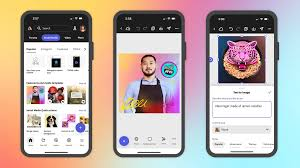
1. Text-to-Image Generation
Create images by typing simple prompts.
Example:
“Modern office workspace with minimal design”
2. Generative Fill
Add, remove, or replace parts of an image easily.
Example:
Extend a background or remove unwanted objects.
3. Text Effects Generator
Create stylish text designs instantly.
Example:
Make text look like fire, metal, or neon.
4. Style Customization
Choose styles like:
- Photorealistic
- Cartoon
- Watercolor
5. Integration with Adobe Apps
Works smoothly with tools like Photoshop and Illustrator.
Example:
Edit generated images directly inside Photoshop.
6. Commercially Safe Content
Adobe trains Firefly on licensed and safe datasets.
7. Background Generation
Quickly generate backgrounds for designs and products.
8. Fast Cloud Processing
No need for a powerful computer—everything runs online.
3. How It Works (Step-by-Step)
Step 1: Sign In
Log in using your Adobe account.
Step 2: Open Firefly
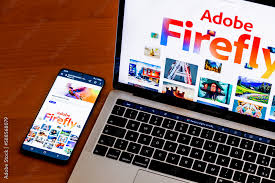
Go to the Firefly tool via browser or Adobe apps.
Step 3: Enter Prompt
Type what you want to create.
Example:
“Luxury gold logo with black background”
Step 4: Customize Settings
- Style
- Color
- Composition
Step 5: Generate Image
Click Generate and wait a few seconds.
Step 6: Edit & Download
- Edit in Photoshop
- Download or export
4. Performance & Speed
Image Quality
Adobe Firefly delivers:
- Clean and professional designs
- Consistent quality
- Great for branding and marketing
Speed
- Fast cloud-based generation
- Works smoothly on most devices
Reliability
- Backed by Adobe’s strong infrastructure
- Very stable with minimal downtime
5. Pricing & Plans
Firefly uses a credit system for AI generation. Each generation action costs credits.
Free Plan
- 25 generative credits per month
- Access to Firefly web app
- Watermark-free output
- Commercial use rights included
- Access to basic features (Text to Image, Generative Fill via Photoshop trial)
25 credits go quickly — roughly 6–7 text-to-image generations (each generates 4 images and costs approximately 4 credits).
Firefly Premium (Standalone)
- $9.99/month (approximately ₹830/month in India)
- 100 generative credits per month
- Access to all Firefly web app features
- Priority generation speed
- Commercial use rights
Adobe Creative Cloud Plans (Firefly Included)
Most Adobe CC subscribers get Firefly credits included:
| Plan | Monthly Price (India) | Firefly Credits |
|---|---|---|
| Firefly Premium (standalone) | ~₹830/month | 100 credits/month |
| Photoshop (single app) | ~₹1,675/month | 500 credits/month |
| Illustrator (single app) | ~₹1,675/month | 500 credits/month |
| Creative Cloud All Apps | ~₹4,230/month | 1,000 credits/month |
| Creative Cloud All Apps (annual) | ~₹3,380/month | 1,000 credits/month |
Note: Prices listed are approximate INR equivalents based on Adobe’s India pricing as of mid-2026. Verify current pricing at adobe.com/in as prices are subject to change.
Credit Top-Ups
Additional credits can be purchased when your monthly allocation runs out:
- 100 credits — approximately ₹830
- 500 credits — approximately ₹3,300
Heavy users — agencies producing large volumes of AI-generated assets — may find credit top-up costs significant at scale.
Is it worth the money?
Yes, if you:
- Already use Adobe tools
- Need professional-quality designs
- Work regularly on creative projects
6. Pros and Cons
Pros
Commercially safe output — Firefly is trained on licensed content, making its output legally safe to use in commercial projects. This is a genuine differentiator from Midjourney and Stable Diffusion, where copyright status is less clear.
Deep Adobe integration — If you already use Photoshop, Illustrator, or Premiere Pro, Firefly is embedded directly into your existing workflow. No switching between apps or re-importing assets.
Style and structure controls — The visual controls (lighting, camera angle, style presets, reference images) produce more predictable, controllable output than prompt-only generators.
No copyright liability — Adobe indemnifies users against copyright claims arising from Firefly-generated content used as intended. This is significant for commercial clients and agencies.
Multi-modal in 2026 — Image, vector, video, audio, and template generation in one ecosystem.
Strong photorealism — Firefly Image Model 3 (released late 2025) produces photorealistic output that holds up well for product photography, lifestyle imagery, and editorial content.
Cons
Credit system limits creative exploration — Running out of credits mid-project is frustrating. The free plan’s 25 credits are exhausted very quickly. Heavy creative exploration requires a paid plan.
Video generation still catching up — Firefly’s text-to-video output quality lags behind Runway Gen-3 and OpenAI’s Sora for complex motion and scene generation. Best for simple clips and B-roll.
Requires Adobe ecosystem investment — The most powerful Firefly features live inside Photoshop and Illustrator. Getting full value requires a Creative Cloud subscription, which is a significant cost commitment.
Prompt sensitivity — Firefly can be more conservative than competitors in interpreting prompts with edgy, dark, or mature themes — even for legitimate creative projects. Content filters are stricter than Midjourney or Stable Diffusion.
Not the strongest for artistic styles — For highly stylized, painterly, or illustrative AI art, Midjourney still produces more visually striking output. Firefly excels at commercial and photorealistic content but is less competitive for fine art aesthetics.
Credit costs add up for agencies — Teams producing large volumes of AI assets can burn through credits quickly. Enterprise pricing is available but requires direct negotiation with Adobe.
7. Best Use Cases
Who should use Adobe Firefly?
- Designers using Adobe tools
- Social media creators
- Marketing teams
- Beginners who want simple design tools
Who should avoid it?
- Users looking for full customization
- Developers who want open-source tools
- People avoiding subscriptions
8. How Firefly Compares to Competitors
Firefly vs Midjourney
Midjourney produces more artistically striking images, particularly for stylized and painterly output. Firefly wins on commercial safety, Adobe integration, and control over output parameters. For commercial use where legal clarity matters, Firefly is the safer choice. For pure creative exploration and artistic quality, many designers still prefer Midjourney.
Firefly vs DALL-E 3 (ChatGPT)
DALL-E 3 integrates with ChatGPT for conversational image generation and is strong at following complex text instructions. Firefly has better style controls, deeper app integration, and clearer commercial licensing. DALL-E 3 is more accessible (included in ChatGPT Plus); Firefly offers more professional-grade tools.
Firefly vs Stable Diffusion
Stable Diffusion is open-source and infinitely customizable with community models. It has no credit limits but requires technical setup. Firefly is plug-and-play within Adobe apps and commercially safe. Stable Diffusion is more powerful for technical users; Firefly is more practical for creative professionals in existing Adobe workflows.
Firefly vs Canva AI
Canva’s AI features (Magic Media, Magic Edit) target non-designers and social media creators. Firefly targets professional designers and creative teams. If you are already in the Adobe ecosystem, Firefly is more powerful and better integrated. If you use Canva for marketing content, Canva AI is sufficient and more cost-effective.
Who Should Use Adobe Firefly?
Strongly recommended for:
- Graphic designers and art directors already using Adobe CC
- Marketing teams producing high volumes of visual assets
- Agencies that need commercially safe AI-generated content for client work
- Photographers using Photoshop who want AI-assisted editing and extending
- Video editors in Premiere Pro who need quick B-roll extension and object removal
Worth considering if:
- You are a freelancer wanting to speed up client deliverables
- You produce social media content at scale and want AI-assisted design
- You need AI-generated vectors for icon and logo concept work
Look elsewhere if:
- You want the most artistically striking image generation (try Midjourney)
- You need powerful text-to-video (try Runway or Sora)
- You are on a tight budget and do not use other Adobe products
- You want unlimited generation without credit limits (try Stable Diffusion locally)
9. Security & Privacy
Adobe Firefly focuses on safety:
- Uses licensed training data
- Safe for commercial use
- Backed by Adobe’s security standards
However:
- Cloud-based (data is processed online)
- Avoid uploading sensitive content
10. Final Verdict
Adobe Firefly is one of the best tools in 2026 for creating professional designs quickly and easily.
It stands out because of:
- Strong Adobe integration
- High-quality output
- Commercial safety
Is it worth using?
Yes, especially for designers and businesses.
Recommendation:
- Beginners → Use the free version to learn
- Professionals → Use with Adobe Creative Cloud
11. FAQs
1: Is Adobe Firefly free to use?
Yes. The free plan gives you 25 generative credits per month with access to the Firefly web app. Commercial use is permitted even on the free plan. Credits run out quickly with regular use.
2: Are Adobe Firefly images copyright-free?
Images generated by Firefly are commercially safe because Firefly is trained on licensed content. Adobe also provides indemnification against copyright claims for content generated using Firefly as intended. This makes it one of the legally safest AI image generators available.
3: Can I use Adobe Firefly without a Creative Cloud subscription?
Yes. The standalone Firefly web app (firefly.adobe.com) is accessible with a free Adobe account. However, Firefly’s most powerful features — Generative Fill, Generative Expand, Text to Vector — require Photoshop and Illustrator, which are part of Creative Cloud.
4: How many images can I generate with Firefly credits?
Each text-to-image generation costs approximately 4 credits and produces 4 image variations. With 25 free monthly credits, you get roughly 6 generations (24 images). With 1,000 credits (Creative Cloud All Apps), you get approximately 250 generations.
5: Is Firefly available in India?
Yes. Adobe Firefly is fully available in India with INR pricing. The Creative Cloud All Apps plan is available at approximately ₹3,380–₹4,230 per month depending on the billing cycle.
6: Does Firefly work offline?
No. Firefly requires an internet connection for all AI generation features. The underlying generation happens on Adobe’s cloud servers.
7: How does Firefly Image Model 3 compare to earlier versions?
Image Model 3 (released late 2025) significantly improved photorealism, hand and face rendering, and text legibility within images — historically weak areas for AI image generators. The quality gap between Firefly and Midjourney for commercial photography has narrowed considerably with Model 3.
8. What is Adobe Firefly used for?
It is used to create images, text effects, and design elements from prompts.
9. Is Adobe Firefly free?
Yes, but with limited credits. Full access requires a paid plan.
10. Can beginners use Adobe Firefly?
Yes, it is very beginner-friendly.
11. Is Adobe Firefly safe for commercial use?
Yes, it is designed with commercially safe data.
12. Does it work with Photoshop?
Yes, it integrates directly with Adobe Photoshop.
13. Do I need a powerful computer?
No, it runs on the cloud.
14. Is Adobe Firefly better than Stable Diffusion?
It depends—Firefly is easier, while Stable Diffusion offers more control.
15. Can I create logos with Adobe Firefly?
Yes, it can generate logo ideas and design elements.
16. Is Adobe Firefly worth it in 2026?
Yes, especially for professionals and regular users of Adobe tools.
17. What is Adobe Firefly used for?
Adobe Firefly is used to create images, text effects, and design elements from simple text prompts. It’s commonly used for social media graphics, marketing visuals, and creative projects.
18. Is Adobe Firefly free to use?
Yes, Adobe Firefly offers a free plan with limited credits. For more usage and advanced features, you need an Adobe Creative Cloud subscription.
19. Can beginners use Adobe Firefly easily?
Yes, it’s very beginner-friendly. You don’t need design experience—just type what you want, and the tool generates results.
20. Is Adobe Firefly safe for commercial use?
Yes, Adobe Firefly is designed with commercially safe datasets, making it suitable for business and marketing purposes.
21. Does Adobe Firefly work with Photoshop and Illustrator?
Yes, it integrates directly with tools like Photoshop and Illustrator, making editing and workflow much easier.
22. Do I need a powerful computer to use Adobe Firefly?
No, it runs on the cloud, so even a basic laptop or smartphone can handle it smoothly.
23. How fast is Adobe Firefly?
It is quite fast. Most images and designs are generated within a few seconds, depending on complexity.
24. Can I create logos using Adobe Firefly?
Yes, you can generate logo ideas, text styles, and branding elements, though you may still refine them in Illustrator.
25. Is Adobe Firefly better than other tools?
It depends on your needs. It’s great for ease of use and professional design, while other tools may offer more customization.
26. Can I edit images after generating them?
Yes, you can edit images directly in Adobe apps like Photoshop for more control.
27. Is Adobe Firefly worth it in 2026?
Yes, especially if you want a simple, fast, and professional tool for design and content creation.
Conclusion
Adobe Firefly has established itself as a reliable and professional design tool in 2026, especially for users who want high-quality visuals without complexity. Its biggest strength is how smoothly it fits into the Adobe ecosystem, allowing you to move from idea to final design much faster.
For beginners, it offers a simple and clean experience—you can create impressive designs with just a few words. For professionals, it saves time on repetitive tasks like background editing, content generation, and text styling.
While it may not offer the deep customization of tools like Stable Diffusion, it makes up for it with ease of use, consistency, and commercial safety. This makes it a strong choice for business, branding, and marketing work.