
Introduction
Taskade is a versatile productivity tool that combines task management, note-taking, and team collaboration into a single platform. It allows individuals and teams to plan projects, manage tasks, and communicate efficiently without switching between multiple apps.
Taskade Review 2026 -Taskade is perfect for freelancers, remote teams, students, and small businesses who need a simple yet powerful way to stay organized. In 2026, its popularity stems from its real-time collaboration features, intuitive interface, and ability to centralize work for both personal and professional use. ClickUp AI
Key Features of Taskade
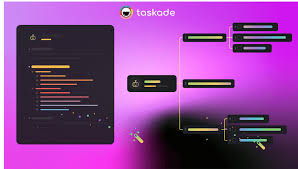
Here are the standout features that make Taskade a strong productivity platform:
- Task & Project Management
- Organize tasks into lists, boards, or outlines.
- Example: Track daily tasks, project milestones, or team sprints in one view.
- Real-Time Collaboration
- Multiple team members can edit, comment, and update tasks simultaneously.
- Example: Brainstorming sessions or weekly planning with your team in real time.
- Templates & Workflows
- Pre-built templates for project planning, meeting notes, and goal tracking.
- Example: Use a marketing campaign template to quickly set up tasks and timelines.
- Mind Maps & Visual Organization
- Visualize tasks and ideas using mind maps and outlines.
- Example: Map out a content strategy or product roadmap for easy planning.
- Cross-Platform Access
- Works on web, desktop, and mobile apps for full accessibility.
- Example: Update tasks from your phone while commuting or at a client meeting.
- Notes & Outlines
- Take structured notes and link them to tasks or projects.
- Example: Meeting notes automatically linked to project tasks for easy reference.
- Video & Chat Communication
- Built-in chat and video calls for team discussions.
- Example: Host a quick standup meeting without leaving the app.
How Taskade Works
Using Taskade is simple, even for beginners:
- Sign up on the Taskade website or app.
- Create a workspace for personal projects or team collaboration.
- Start a project and choose a layout: list, board, calendar, or mind map.
- Add tasks and subtasks with deadlines, priorities, and notes.
- Invite team members to collaborate and track progress in real time.
- Use templates for faster project setup or customize workflows as needed.
Performance & Speed
- Output Quality: Taskade provides clear task management and smooth project tracking. Real-time updates are accurate, keeping teams on the same page.
- Speed: Updates, edits, and collaboration occur almost instantly. Even large projects with multiple users load quickly.
- Reliability: Taskade boasts high uptime, ensuring teams can work without interruptions.
Pricing & Plans
Taskade offers flexible pricing for all types of users:
- Free Plan: Includes basic tasks, outlines, templates, and collaboration for small teams.
- Pro Plan: Around $5 per month per user, includes unlimited projects, advanced views, and priority support.
- Team Plan: Around $10 per month per user, designed for teams needing full collaboration, integrations, and unlimited storage.
Is it worth it? Yes, for teams and individuals who want a centralized productivity hub. Free plans are good for casual users, while paid plans unlock advanced features for serious project management.
Pros and Cons
Pros:
- Intuitive and user-friendly interface
- Real-time collaboration and communication tools
- Multiple project views (lists, boards, calendars, mind maps)
- Cross-platform support
- Templates for fast project setup
Cons:
- The free plan has limited storage and features
- May feel complex for very simple task management needs
- Advanced workflow automation is limited compared to competitors
Best Use Cases
Who should use Taskade:
- Remote teams need real-time collaboration
- Freelancers managing multiple clients and tasks
- Students organizing notes, assignments, and study schedules
- Small businesses coordinating projects and meetings
Who should avoid it:
- Users looking for offline-only tools
- People who only need simple, lightweight task lists
Comparison with Competitors
| Feature | Taskade | Notion AI | ClickUp AI |
|---|---|---|---|
| Task & Project Management | ✅ Strong | ✅ Moderate | ✅ Advanced |
| Collaboration | ✅ Real-time | ✅ Moderate | ✅ Real-time |
| Notes & Outlines | ✅ Integrated | ✅ Strong | ✅ Moderate |
| Workflow Templates | ✅ Many | ✅ Some | ✅ Many |
| Pricing | $0–$10/user/month | $10–$25/month | $5–$25/user/month |
Taskade excels at real-time collaboration and visual project organization, while Notion AI is better for content management, and ClickUp AI is stronger for workflow automation.
Security & Privacy
- Encryption: All data is encrypted in transit and at rest.
- Privacy Policy: Taskade does not permanently store sensitive user data.
- Safety: Suitable for personal, team, and business use, but avoid storing sensitive financial information in shared workspaces.
Final Verdict
Taskade is a versatile and intuitive productivity platform in 2026, ideal for teams, freelancers, and students. Its combination of task management, real-time collaboration, templates, and visual organization makes it a strong choice for anyone who wants to streamline projects and stay organized.
Recommendation: For collaborative projects, remote teams, or students, Taskade is a top productivity tool worth trying. Free plans are great for casual users, and paid plans deliver significant value for teams.
FAQs
1. Is Taskade free?
Yes, Taskade has a free plan with basic project management and collaboration features.
2. Can Taskade be used for team projects?
Absolutely. Real-time collaboration, chat, and video calls make it ideal for teams.
3. Does Taskade work on mobile devices?
Yes, it is available on iOS, Android, web, and desktop apps.
4. Can I use Taskade templates?
Yes, Taskade offers a variety of templates for projects, meetings, goals, and workflows.
5. Is Taskade secure?
Yes, it uses encryption for data in transit and at rest and follows strict privacy policies.
6. How fast is Taskade?
Updates, edits, and collaboration happen almost instantly, even on large projects.
7. Who should use Taskade?
Remote teams, freelancers, students, and small businesses are looking for organized, collaborative project management.
8. Is Taskade free?
Yes, Taskade offers a free plan with essential task management, outlines, and collaboration features.
9. Can Taskade handle team projects?
Absolutely. Its real-time collaboration, chat, and video calls make it ideal for teams.
10. Does Taskade work on mobile and desktop?
Yes, it’s fully accessible on iOS, Android, web, and desktop apps.
11. Are Taskade templates useful?
Yes, there are templates for projects, meetings, goals, and workflows to save time and improve organization.
12. Is Taskade secure?
Yes, Taskade uses encryption for data in transit and at rest and follows strict privacy policies.
13. How fast is Taskade?
Tasks, updates, and real-time collaboration happen almost instantly, even on large projects.
14. Who should use Taskade?
Remote teams, freelancers, students, and small businesses that need structured project management and efficient collaboration.
Conclusion
In 2026, Taskade is a top productivity tool for teams, freelancers, and students. Its real-time collaboration, task management, templates, and visual organization simplify project tracking and communication. While solo users or those with very simple task needs may prefer lighter apps, Taskade excels for collaborative projects and complex workflows. Overall, it’s worth using, and the paid plans provide excellent value for teams looking to streamline productivity.