
Most people think of VPNs as something only tech-savvy people or corporate IT departments use. But in 2026, that’s no longer true. If you use your phone to browse the internet — at a café, on public Wi-Fi, or even at home — a mobile VPN is something worth understanding.
This guide explains exactly what a mobile VPN is, how it works, why people use it, and whether you actually need one. No jargon. No unnecessary complexity. Just a clear, honest breakdown.
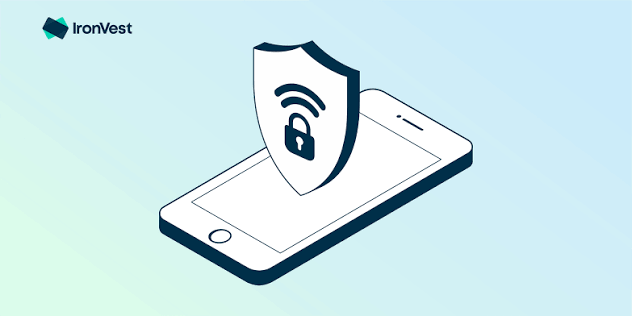
As smartphones become the primary way people browse the internet, protecting mobile privacy has never been more important. Whether you’re using Android or iPhone, a Virtual Private Network (VPN) helps secure your online activities by encrypting your internet connection and hiding your IP address. In 2026, mobile VPNs are widely used to protect personal data, access geo-restricted content, improve privacy on public Wi-Fi, and browse the web more securely.
A mobile VPN creates a secure tunnel between your device and the internet, making it difficult for hackers, advertisers, internet service providers (ISPs), or other third parties to monitor your online activity. This is especially useful when connecting to public Wi-Fi networks in airports, hotels, cafes, or shopping malls, where cyber threats are more common.
Modern VPN apps for mobile devices are faster, easier to use, and more reliable than ever. Many offer one-tap connections, high-speed servers worldwide, built-in malware protection, ad blocking, and advanced privacy features without significantly affecting your device’s performance or battery life.
In this guide, you’ll learn what a VPN for mobile is, how it works, its key benefits, potential drawbacks, and how to choose the best mobile VPN in 2026. Whether you’re looking to protect your privacy, stream content securely, or browse safely while traveling, this article will help you understand everything you need to know.
What is a VPN?

VPN stands for Virtual Private Network. At its core, a VPN is a service that creates a secure, encrypted connection between your phone and the internet. Think of it as a private tunnel your data travels through, rather than traveling out in the open where others can see it.
When you connect to the internet normally, your phone sends requests through your internet service provider (ISP) or mobile carrier. That means your carrier — and anyone else watching that network — can technically see what sites you’re visiting and what data you’re sending.
A VPN changes that. It routes your traffic through one of its own servers in a location you choose, encrypts everything along the way, and gives your device a different IP address. To anyone looking from the outside, it appears your internet traffic is coming from the VPN server — not from your phone or your real location.
Why Does This Matter on Mobile Specifically?
Your phone is the most personal device you own. You use it for banking, messaging, shopping, social media, and logging into accounts. It travels with you everywhere — to airports, hotels, coffee shops, and gyms.
Every time you connect to a public Wi-Fi network, you’re taking a risk. These networks are often unsecured, meaning anyone on the same network can potentially monitor what you’re doing online. A VPN closes that gap.
Beyond security, mobile VPNs also help with:
- Privacy from your carrier — your ISP or mobile network can’t see your browsing history
- Accessing geo-restricted content — some apps, websites, and streaming services are blocked in certain countries
- Bypassing internet censorship — relevant for users in countries with heavy restrictions
- Avoiding price discrimination — some booking and shopping sites show different prices based on your location
How Does a Mobile VPN Work?
Here’s a simple step-by-step of what happens when you use a VPN on your phone:
- You open your VPN app and tap “Connect”
- Your phone connects to a VPN server — you usually pick the country or server location
- The VPN app encrypts all data leaving your phone before it reaches the internet
- The VPN server receives your encrypted data, decrypts it, and sends your request to the website or service you’re trying to reach
- The response comes back to the VPN server, gets encrypted again, and is sent back to your phone.
- Your phone decrypts it,t and you see the webpage or app content
This entire process happens in milliseconds. Most of the time, you won’t notice any difference — except that your connection is now private.
Practical example: You’re at an airport, right, rt and you connect to the free Wi-Fi to check your bank balance. Without a VPN, that connection is on an open network. With a VPN active, your banking session is encrypted end-to-end, so even if someone on that network is trying to intercept traffic, they get scrambled data they can’t read.
What is a VPN for mobile in 2026? Types of VPN Protocols Used on Mobile
Not all VPNs work the same way under the hood. The “protocol” is the method used to create and secure the connection. Here are the main ones you’ll come across in 2026:
WireGuard — The gold standard right now. It’s fast, lightweight, and uses modern encryption. Most top mobile VPN apps now support it. Great for phones because it uses less battery.
OpenVPN — Older but very reliable. It’s open-source, which means security experts have reviewed the code extensively. Slightly slower than WireGuard on mobile.
IKEv2/IPSec — Designed specifically for mobile use. One major advantage: it reconnects automatically if you switch from Wi-Fi to mobile data mid-session. Very stable.
Lightway (ExpressVPN’s protocol) — A proprietary option built for speed and low battery drain. Works well on mobile devices.
For everyday mobile use, WireGuard or IKEv2 are usually the best choices because they’re both fast and mobile-friendly.
Mobile VPN vs. Desktop VPN — What’s Different?
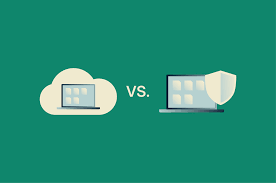
A VPN works on both your phone and your laptop, but mobile has some unique considerations:
Battery usage: Running a VPN constantly drains battery. Good mobile VPN apps (especially those using WireGuard) are optimized for this, but it’s still a factor. Desktop computers don’t have this concern.
Network switching: Your phone constantly moves between Wi-Fi and mobile data. A good mobile VPN should handle this seamlessly — staying connected even when you switch networks. This is called “VPN persistence” or “auto-reconnect.”
Always-on VPN: Both Android and iOS support an “always-on VPN” setting that keeps the VPN active 24/7, even when you restart your phone. This is useful for privacy-conscious users.
App-level permissions: Mobile operating systems give more granular control. On Android, you can set a VPN to only apply to specific apps — for example, only running it through your browser and banking app, but not your music streaming app. This is called “split tunneling.”
Who Actually Needs a Mobile VPN in 2026?
You don’t have to be a privacy activist or a journalist to benefit from a VPN. Here are real types of people who use them:
Frequent travelers: Hotel Wi-Fi and airport networks are notoriously insecure. Travelers use VPNs to keep their work accounts and banking safe on the road.
Remote workers: If your company handles sensitive client data, your IT team may already require a VPN. On mobile, this keeps work communications secure even when you’re working from a café.
Streamers and content lovers: If you’re traveling abroad and want to access your home country’s Netflix library, a VPN lets you connect through a server back home. Similarly, some users in countries with content restrictions use VPNs to reach blocked services.
Privacy-conscious users: People who simply don’t want their mobile carrier or apps tracking their browsing habits use VPNs as a baseline privacy layer.
Students studying abroad: University platforms, licensing agreements, and certain academic tools are sometimes region-locked. A VPN with a server in the right country solves the problem instantly.
Practical example: An Indian professional is traveling to China for a business trip. WhatsApp, Google, and Instagram are blocked there. She installs a VPN before leaving India, connects to a Singapore server once she arrives, and uses her apps normally throughout the trip.
Best Mobile VPNs to Consider in 2026
Here’s a quick look at the most well-regarded options:
ExpressVPN — Consistently fast, easy to use, and works reliably in restrictive countries. More expensive than others, but the performance justifies it for heavy users. Has a dedicated mobile app for iOS and Android.
NordVPN — One of the most popular choices globally. Offers a feature called Threat Protection Lite on mobile, which blocks malicious websites and trackers. Good balance of speed and price.
Surfshark — Budget-friendly without feeling cheap. One subscription covers unlimited devices, so you can protect your phone, tablet, and laptop under one plan.
ProtonVPN — Privacy-first approach, based in Switzerland. Has a generous free tier that doesn’t log data or show ads. A solid choice for users who are new to VPNs and want to test before paying.
Mullvad — Minimal data collection, accepts anonymous payment methods. Not the flashiest app, but trusted by privacy professionals.
Pros of Using a VPN on Mobile
Security on public Wi-Fi: Your data is encrypted, so even on an open network, it’s protected from interception.
Privacy from your ISP: Your mobile carrier can’t see which sites you visit or sell that data to advertisers.
Access geo-restricted content: Unlock streaming libraries, apps, and websites that are blocked in your region.
Hide your location: Your real IP address is masked, which limits how accurately apps and websites can track your physical location.
Bypass censorship: Useful in countries where social media, news sites, or communication apps are blocked.
Safe remote work: Keeps business communications and company data protected on personal devices.
Cons of Using a VPN on Mobile
Slower speeds: Encryption adds processing overhead. Even with fast protocols like WireGuard, there’s a small speed reduction. On congested VPN servers, it can be more noticeable.
Battery drain: Running encryption in the background uses battery. The impact varies by app and protocol — WireGuard is the lightest, but it still has some effect.
Cost: Good VPNs aren’t free. Reliable paid options typically cost between ₹200–₹600/month (or $3–$10/month depending on the plan length. Free VPNs often come with data caps, slower speeds, or privacy concerns.
Free VPN risks: Many free VPNs fund themselves by collecting and selling your browsing data — which defeats the entire point. Some also inject ads into your browsing sessions.
Not a complete privacy solution: A VPN hides your traffic from your ISP, but websites and apps you log into can still track your behavior. It’s one layer of privacy, not a complete shield.
May violate terms of service: Using a VPN to access geo-restricted streaming content (like bypassing Netflix’s regional libraries) technically violates some platforms’ terms. It rarely results in account bans, but it’s worth knowing.
How to Set Up a VPN on Your Mobile Phone
Setting up a VPN on your phone takes less than five minutes.
On Android:
- Download your VPN app from the Google Play Store
- Open the app and create or log in to your account
- Choose a server location (or tap “Quick Connect” to let the app pick the fastest one)
- Tap Connect
- Android will ask for permission to set up a VPN — tap Allow
- You’ll see a small key icon in your status bar when the VPN is active
On iPhone (iOS):
- Download your VPN app from the App Store
- Open the app and log in
- When prompted, allow the app to add VPN configurations
- Choose a server and tap Connect
- A “VPN” indicator will appear in your status bar
For always-on VPN on Android, go to Settings → Network & Internet → VPN, tap the gear icon next to your VPN, and enable “Always-on VPN.”
Is a Free Mobile VPN Worth It?
It depends on what you need it for.
ProtonVPN Free is the best free option in 2026 because it has no data cap, doesn’t sell your information, and is run by a company with a genuine privacy focus. The trade-off is limited server locations and slower speeds during peak hours.
Windscribe offers 10GB of free data per month — enough for light browsing but not for streaming.
Most other free VPNs come with serious compromises: data caps as low as 500MB, aggressive ads, or questionable data practices. If you’re going to use a VPN regularly, a paid plan is almost always the better investment.
Rule of thumb: If a free VPN isn’t making money from subscriptions, it’s probably making money from your data.
Should You Keep Your VPN On All the Time?
This is a common question. The short answer: it depends on what you’re doing.
Keep it on when:
- Using public Wi-Fi (always)
- Doing online banking or entering passwords
- Traveling abroad and using unfamiliar networks
- Accessing work accounts remotely
You can turn it off when:
- You’re on your home network and doing low-risk browsing
- Your battery is running low, and you need to conserve it
- Streaming is lagging, and you want full speed
If privacy is a priority, leaving it on all the time is fine — especially with a lightweight protocol like WireGuard. Modern mobile VPNs are designed to stay on without causing major battery or performance issues.
Frequently Asked Questions
Will a VPN slow down my mobile internet?
A small speed reduction is normal, but with a good VPN and a fast protocol like WireGuard, most users don’t notice a difference for everyday tasks like browsing, social media, and messaging. Video streaming on very slow connections might be affected.
Is using a VPN legal in India?
Yes, VPNs are legal to use in India. However, VPN providers operating in India are required to maintain user logs under CERT-In guidelines. Many international VPN providers have responded by moving their servers outside India to continue offering a no-logs service. It’s worth checking your VPN’s policy on this.
Can a VPN protect me from hackers?
A VPN protects your data in transit — meaning it stops someone on the same network from intercepting your traffic. But it doesn’t protect you from phishing attacks, malware, or bad security habits like using weak passwords. Think of it as one security layer among several.
Does a VPN hide my location from apps like Google Maps?
A VPN masks your IP address, which gives apps a different geographic location. But apps that use your phone’s GPS (like Maps) still access your actual location through the hardware. A VPN doesn’t override GPS signals.
Will a VPN stop my mobile carrier from seeing what I do online?
Yes. When a VPN is active, your carrier sees only that you’re connected to a VPN server — they can’t see what sites you visit or what data you’re sending. This is one of the main reasons people use VPNs.
Can I use a free VPN for Netflix?
Netflix blocks most free VPNs. Paid VPNs with dedicated streaming servers (like ExpressVPN or NordVPN) are much more reliable for this. Even then, it can be hit-or-miss depending on the server.
Does a VPN work on both Wi-Fi and mobile data?
Yes. A VPN works on any internet connection — whether you’re on Wi-Fi, 4G, or 5G. In fact, using one on mobile data (especially on public hotspots tethered from other phones) is just as important as using one on Wi-Fi.
Conclsion
A mobile VPN in 2026 isn’t a niche tool for tech experts — it’s a practical layer of security and privacy for anyone who uses a smartphone to get things done online.
You don’t need to understand every technical detail to benefit from one. The basics are simple: it encrypts your connection, hides your activity from your carrier, and gives you more control over your online privacy.
If you travel regularly, work remotely, or just want to stop feeling like your phone is broadcasting everything you do online, a mobile VPN is worth trying. Start with ProtonVPN’s free plan if you’re unsure — it costs nothing and gives you a real sense of how VPNs work in everyday use.
Once you’ve tried it, you’ll wonder why you waited.

