
Finding a good free VPN for MacBook Air is harder than it sounds. There are hundreds of options out there, but most either throttle your speed to frustrating levels, cap your data after a few hundred megabytes, or ask for so much personal information that the whole point of using a VPN feels lost.
This guide cuts through that noise. Below you will find the best free VPNs that genuinely work on MacBook Air — what they offer, where they fall short, and which one makes the most sense depending on what you actually need it for.
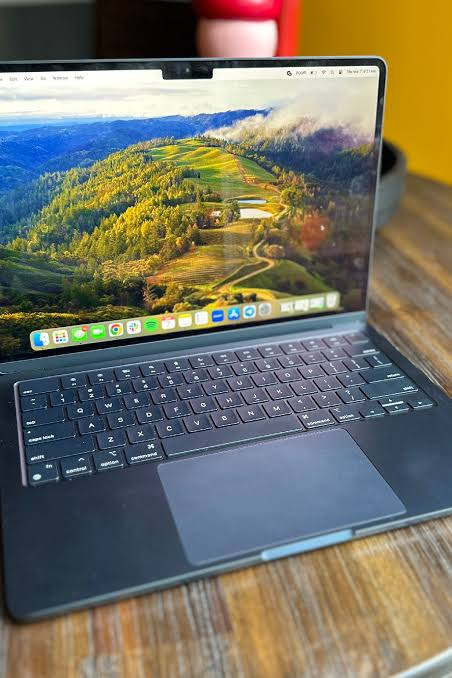
Finding a good free VPN for a MacBook Air can help protect your privacy, secure your internet connection, and provide access to geo-restricted content without requiring a paid subscription. While free VPNs often come with limitations such as data caps, fewer server locations, or reduced speeds, several reputable providers offer reliable free plans that work well on macOS.
One of the best options is Proton VPN Free, which stands out by offering unlimited data usage—a rare feature among free VPN services. It provides strong encryption, a strict no-logs policy, and user-friendly apps optimized for MacBook Air models, including those powered by Apple Silicon chips. This makes it an excellent choice for everyday browsing, online banking, and privacy protection.
Another popular option is Windscribe Free, which offers a generous monthly data allowance, servers in multiple countries, and additional privacy features such as ad and tracker blocking. TunnelBear Free is also a beginner-friendly VPN known for its simple interface and strong security, making it ideal for users new to VPN technology.
When choosing a free VPN for your MacBook Air, prioritize providers with transparent privacy policies, modern encryption standards, and a proven reputation for protecting user data. Avoid unknown free VPNs that may collect personal information or display intrusive advertisements. Although premium VPN services generally provide faster speeds and more server options, a trusted free VPN can still deliver solid security and privacy for everyday MacBook Air users.
Why MacBook Air Users Look for a VPN
MacBook Air users are generally on the move. Coffee shops, airport lounges, university libraries, co-working spaces — the Air is light enough to go everywhere, which means it ends up on a lot of public Wi-Fi networks.
That is where things get risky. Public Wi-Fi is often unsecured, meaning someone on the same network could potentially intercept your traffic. A VPN encrypts your connection so even if someone is watching, they cannot read what you are sending or receiving.
Beyond security, people use VPNs on MacBook Air to:
- Access content that is region-restricted (streaming libraries, news sites)
- Keep browsing activity private from their ISP
- Bypass workplace or school network restrictions
- Test how websites appear from different countries
The catch with free VPNs is that they almost always come with some kind of limitation — data caps, speed restrictions, or a small number of server locations. The goal is to find one where the limitations do not get in your way.
What to Look for in a Free VPN for MacBook Air
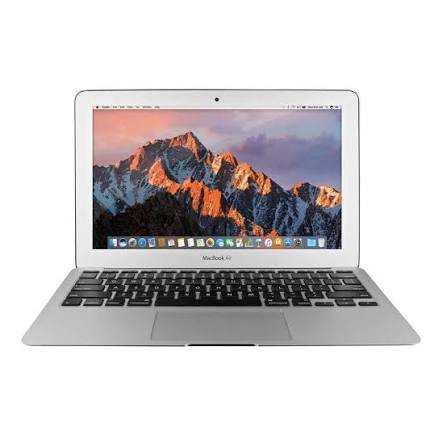
Before jumping to the list, here is what actually matters when picking a free VPN for Mac:
macOS compatibility: Obvious, but worth checking. Some free VPNs have great Windows apps but clunky or outdated Mac clients. Always look for a native macOS app, not a browser extension that only covers one browser.
Data allowance: Most free VPNs cap how much data you can use per month. 500MB will barely cover light browsing. 10GB is much more usable. Unlimited free data is rare and usually means something else is being monetized.
No-logs policy: A trustworthy VPN does not store records of what you do online. Look for providers that have had their no-logs claims independently audited.
Server locations: More server options mean more flexibility. Even on a free plan, having servers in at least 5–10 countries is useful.
Speed: Free VPN servers are often overcrowded. Check whether the provider prioritizes speed on free plans or deliberately throttles free users to push upgrades.
Security protocols: WireGuard and OpenVPN are reliable and modern. Avoid free VPNs that only offer outdated or proprietary protocols with no transparency.
Best Free VPNs for MacBook Air: Good Free VPN for MacBook Air
1. Proton VPN Free — Best Overall Free VPN for Mac
Proton VPN‘s free plan is genuinely one of the best in the industry, and it works very well on a MacBook Air. What sets it apart from nearly every other free VPN is this: there is no data cap. You can use it as much as you want.
How it works in practice: Say you are working from a café and need to send client documents, browse, and maybe stream a video call. With Proton VPN Free, you do not have to worry about hitting a data limit mid-session. Connect, work, and disconnect when you are done.
The free plan gives you access to servers in three countries — the US, Netherlands, and Japan. You are limited to one device at a time, and speeds can be slower than the paid plan, especially during peak hours. But for a free service, the performance is acceptable for everyday use.
The company is based in Switzerland, which has strong privacy laws, and Proton VPN has been independently audited. Its macOS app is clean and works reliably on both Intel and Apple Silicon MacBook Air models.
Pros:
- No data cap — unlimited usage
- Strong no-logs policy, independently audited
- Based in Switzerland (strong privacy jurisdiction)
- Clean, native macOS app
- Supports WireGuard and OpenVPN protocols
- No ads
Cons:
- Only 3 server locations on the free plan
- One device at a time
- Speeds slower than the paid tier during busy hours
- No P2P or streaming servers on the free plan
Best for: Everyday browsing and security on public Wi-Fi, users who want a trustworthy free option without data limits.
2. Windscribe Free — Best for Data Allowance and Flexibility
Windscribe offers one of the more generous free plans available — up to 10GB of data per month by default, and up to 15GB if you confirm your email address. It also gives access to servers in more than 10 countries on the free tier, which is better than most competitors.
How it works in practice: If you are a student using your MacBook Air mostly for research, video calls, and streaming the occasional show, 10–15GB per month can stretch quite far, especially if you only activate the VPN when on public networks.

Windscribe’s macOS app is solid and easy to navigate. There is also a browser extension that pairs well with the desktop app, which is useful if you want quick toggling without opening the full client.
One thing worth knowing: Windscribe logs some connection metadata (timestamps and bandwidth) but not browsing activity. That is not as clean as Proton’s approach, but it is still a reasonable privacy posture for a free service.
Pros:
- 10GB free data per month (15GB with email confirmation)
- Servers in 10+ countries on the free plan
- Works on multiple devices simultaneously
- Browser extension available
- Ad and tracker blocking built in
- No speed throttling on the free plan
Cons:
- Logs some connection metadata
- 10–15GB can run out quickly for heavy users
- Customer support limited for free users
- Some servers are more congested than others
Best for: Students and occasional users who need a flexible free VPN with decent data and multi-country access.
3. hide.me Free — Best for Speed on a Free Plan
Hide.me is a Malaysia-based VPN provider with a free tier that offers 10GB of data per month and access to five server locations. What makes it worth mentioning is its reputation for speed — the free plan does not appear to be heavily throttled compared to many competitors.
How it works in practice: If you need to hop on a VPN quickly to check something on a restricted network or secure a transaction on public Wi-Fi, hide.me connects fast and performs reliably. The macOS app is straightforward and does not require any technical setup.
The free plan allows only one simultaneous connection, and you cannot use it for P2P. But for basic browsing and security, it is a solid option.
Pros:
- 10GB of free data per month
- Good speeds on the free plan
- Strict no-logs policy
- Works with IKEv2, OpenVPN, and WireGuard
- No registration required to use the free plan
- Clean macOS app
Cons:
- Only 5 server locations on the free plan
- One device at a time
- No streaming access on the free plan
- 10GB cap limits heavy usage
Best for: Users who prioritize speed and want a no-fuss VPN for occasional security on public networks.
4. TunnelBear Free — Best for Beginners
TunnelBear is widely regarded as the most beginner-friendly VPN, and its macOS app reflects that. The interface is playful, clear, and takes less than two minutes to set up. The free plan gives 2GB of data per month, which is the most limited on this list — but TunnelBear makes up for it in simplicity and trustworthiness.
How it works in practice: You are at an airport and just want to quickly secure your connection while checking email and browsing. You do not want to configure anything. TunnelBear is ideal for exactly this use case — open the app, flip a switch, done.
TunnelBear is one of the few free VPN providers that publishes annual independent security audits, making it one of the more transparent options available.
Pros:
- Very easy to use — perfect for beginners
- Annual independent security audits are published
- Strong no-logs policy
- Servers in 47 countries (even on the free plan)
- Clean, native macOS app
Cons:
- Only 2GB of free data per month
- No way to increase free data allowance
- Not suitable for streaming or heavy browsing
- One device at a time
Best for: First-time VPN users, travelers who need occasional quick protection, users who value simplicity over data.
5. Atlas VPN Free — Best for Streaming on a Free Plan
Atlas VPN has a free plan that allows access to servers in three locations, but what makes it stand out is that those free servers are generally fast enough for streaming. The data is unlimited on the free tier, though there are speed limits applied.
How it works in practice: If you travel between countries and want to access content from your home region on your MacBook Air, Atlas VPN’s free plan can handle basic streaming without consuming a data budget.
The macOS app is clean, and setup is quick. Atlas VPN is owned by Nord Security (the same company behind NordVPN), which lends it some credibility in terms of infrastructure and trust.
Pros:
- Unlimited data on the free plan
- Fast enough for basic streaming
- Owned by a reputable parent company
- Simple macOS app
- No registration required for basic use
Cons:
- Only 3 server locations on the free plan
- Speed caps on the free tier
- Fewer privacy audit disclosures than Proton or TunnelBear
- Limited customer support for free users
Best for: Occasional streamers on a budget who want unlimited data without paying.
Quick Comparison Table
| VPN | Free Data | Server Locations | Speed | Logs Policy | Best For |
|---|---|---|---|---|---|
| Proton VPN Free | Unlimited | 3 countries | Moderate | No logs (audited) | Everyday security |
| Windscribe Free | 10–15GB/month | 10+ countries | Good | Minimal metadata | Students, flexible use |
| hide.me Free | 10GB/month | 5 locations | Fast | No logs | Speed-focused users |
| TunnelBear Free | 2GB/month | 47 countries | Good | No logs (audited) | Beginners |
| Atlas VPN Free | Unlimited | 3 locations | Moderate (capped) | Moderate | Occasional streaming |
How to Install a Free VPN on MacBook Air
The process is nearly identical for all of the VPNs listed above:
- Go to the VPN provider’s official website on your MacBook Air
- Download the macOS app directly from the site (or from the Mac App Store if available)
- Open the downloaded file and follow the installation prompts
- Create a free account (some providers like hide.me allow use without an account)
- Open the app, choose a server location, and connect
One tip: always download from the official website. Third-party download sites sometimes bundle modified versions of VPN apps that can compromise the very security you are trying to protect.
Things to Watch Out for With Free VPNs
Completely unlimited free VPNs with no restrictions: If a free VPN offers unlimited data, unlimited speed, and access to every server location without any limitations, that is a red flag. Running a VPN infrastructure costs money. If you are not paying, something is being monetized — often your browsing data.
VPNs with no privacy policy or vague logging policies: Always read the privacy policy, even briefly. If a provider is not clear about what data it collects and why, do not trust it with your traffic.
Free VPNs in app stores with no reputation: The Mac App Store has plenty of obscure VPN apps with no independent audits, no published privacy policy, and no company information. Stick to established names.
Browser-only extensions marketed as VPNs: Extensions like some free “VPN” browser add-ons only protect traffic inside that browser. Your other apps — email clients, system updates, messaging apps — are left unprotected.
FAQs
Q: Is it safe to use a free VPN on a MacBook Air?
It depends on which one you use. Reputable free VPNs like Proton VPN, TunnelBear, and hide.me are safe and trustworthy. Obscure free VPNs with no transparency or privacy audits carry real risks. Stick to well-known providers with published no-logs policies.
Q: Will a free VPN slow down my MacBook Air?
A VPN always adds a small amount of overhead because it encrypts your traffic. On a free plan, speeds can be slower because free servers are shared among many users. Proton VPN and hide.me tend to perform better on this front among free options.
Q: Can I use a free VPN for streaming on a MacBook Air?
Most free VPNs are not optimized for streaming. Atlas VPN Free and Proton VPN Free can handle basic video, but do not expect to reliably unblock streaming platforms like Netflix on a free plan — those platforms actively block known VPN IP addresses.
Q: Does macOS have a built-in VPN?
macOS has built-in VPN client support, but it requires you to manually configure a VPN server — it does not come with a server to connect to. You would still need a VPN provider; macOS just allows you to connect without installing a separate app.
Q: How much data does a VPN use?
A VPN adds roughly 5–15% overhead to your data usage due to encryption. So if you transfer 1GB of data, you use about 1.05–1.15GB through a VPN. This is relevant if you are on a capped free plan.
Q: Which free VPN is best for MacBook Air students?
Windscribe Free is a strong pick for students — 10–15GB per month covers reasonable daily browsing and research, and it works across multiple devices simultaneously, which is useful if you also want to protect your phone on the same network.
Q: Can I use multiple free VPNs at the same time?
No, you can only run one VPN connection at a time on macOS. However, you can install multiple VPN apps and switch between them depending on what you need. Some users keep Proton VPN for daily use and TunnelBear as a backup.
Conclsion
The best free VPN for MacBook Air depends on what matters most to you.
If you want unlimited data with no budget, Proton VPN Free is the clear winner. It is trustworthy, has no data cap, and runs cleanly on macOS.
If you want more server flexibility, Windscribe Free gives you more country options and a reasonable monthly data allowance.
If you are new to VPNs and want the simplest setup, TunnelBear is the easiest to use and one of the most transparent.
One honest note: free VPNs are great for occasional use, light browsing, and securing public Wi-Fi connections. If you find yourself hitting data limits regularly or needing fast streaming and full server access, it is worth looking at an affordable paid plan from one of these same providers. Most offer plans starting at a few hundred rupees per month when billed annually — and the step up in performance is significant.
For now, start with Proton VPN Free. Install it, use it for a few weeks, and see how often you actually reach for it. That will tell you whether the free tier is enough or if it is time to upgrade.

