YouTube content creation in 2026 has been transformed by artificial intelligence — creators who once needed expensive equipment, professional editors, graphic designers, and SEO specialists can now handle all of these with AI tools at a fraction of the cost. The result is a level playing field where individual creators with AI stacks compete effectively with media companies that have full production teams.
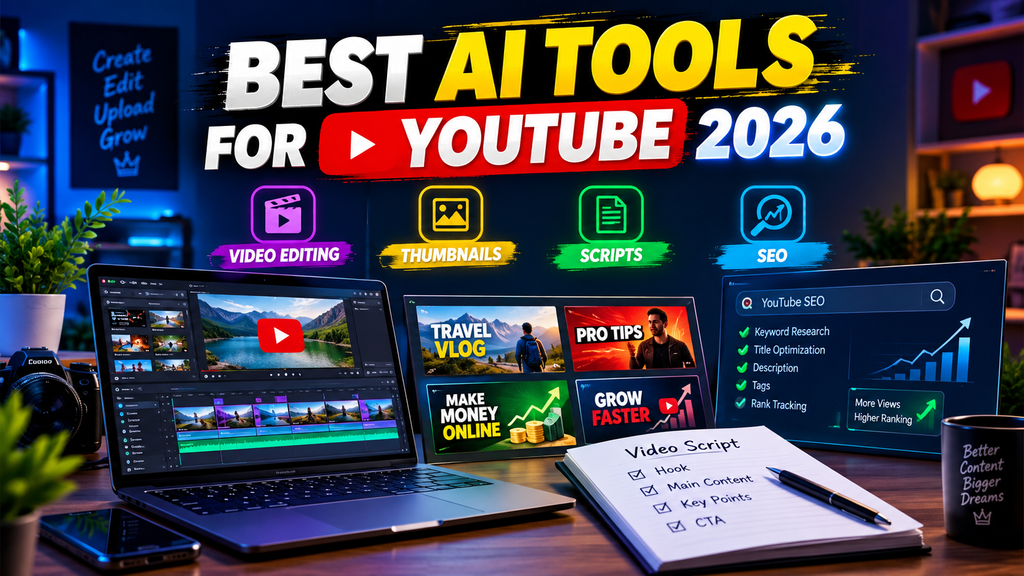
For Indian YouTube creators specifically — one of the world’s largest and most competitive YouTube markets — AI tools address the unique challenges of content creation: producing consistent content in multiple languages, creating eye-catching thumbnails that stand out in crowded niches, writing scripts that rank on YouTube search, and editing hours of footage efficiently.
This guide covers the best AI tools for YouTube creators in 2026 — organized by content creation stage, with specific focus on tools that deliver measurable channel growth.
- Check Out Actical – Best Video Editing AI Tool 2026
How AI Has Changed YouTube Creation in 2026
Content ideation: AI identifies trending topics, gap opportunities, and viral formats before they peak — giving creators first-mover advantage.
Scripting: AI writes complete video scripts from brief descriptions — maintaining creator voice while dramatically reducing writing time.
Editing: AI cuts footage, removes silences, adds captions, and suggests cuts — reducing edit time from hours to minutes.
Thumbnails: AI generates click-worthy thumbnails optimized for CTR — no graphic design expertise needed.
SEO optimization: AI researches keywords, writes optimized titles and descriptions, and identifies best tags for discoverability.
Translation and dubbing: AI translates and dubs videos in multiple languages — reaching global and pan-Indian audiences.
Best AI Tools for YouTube Creators in 2026
Video Ideation and Research AI
1. VidIQ with AI — Best for YouTube SEO and Ideation
VidIQ is the most comprehensive AI-powered YouTube analytics and research tool — used by millions of creators for channel growth intelligence.
YouTube creator capabilities:
AI idea generation:
“Give me 20 video ideas for my [niche] channel targeting [audience].”
VidIQ AI analyzes your channel, niche, and current trends → generates specific video ideas with estimated view potential.
Keyword research:
Search any topic → VidIQ shows:
- Monthly search volume on YouTube
- Competition level (easy/medium/hard)
- Related keywords with opportunity scores
- Trending searches in your niche
Competitor analysis:
Enter any competitor channel → VidIQ shows:
- Their top-performing videos
- Keywords they rank for
- Upload frequency and timing
- Engagement patterns
Daily ideas email:
VidIQ AI sends daily personalized video ideas based on your niche and trending topics — never run out of content ideas.
Trend alerts:
AI identifies rising topics in your niche before they peak — create first-mover content that captures early search traffic.
Title optimization:
Enter video title → VidIQ scores it → suggests improvements for higher CTR and searchability.
Indian creator advantage:
VidIQ’s trending data covers Indian YouTube — Hindi, Tamil, Telugu, and other language trends visible separately.
Pricing: Free (limited). Boost from $7.50/month. Check current India pricing.
Best for: Every YouTube creator — VidIQ’s keyword research and trend identification are the most important growth tools available at any channel size.
2. TubeBuddy with AI — Best for YouTube Optimization
TubeBuddy is VidIQ’s primary competitor — strong A/B testing and bulk optimization features make it complementary rather than redundant.
YouTube creator capabilities:
A/B testing titles and thumbnails:
Test two versions of a title or thumbnail → TubeBuddy shows which performs better → data-driven optimization.
Most creators guess what works — TubeBuddy removes guessing entirely.
Tag suggestions:
Enter video topic → TubeBuddy generates an optimized tag list → ranked by relevance and searchability.
Best time to publish:
AI analyzes when your subscribers are most active → recommends optimal publish time for each video.
Bulk processing:
Update cards, end screens, or descriptions across all old videos simultaneously — save hours of manual updates.
SEO studio:
Comprehensive video optimization checklist — AI scores each element and suggests improvements before publishing.
Pricing: Free (limited). Pro from $4.99/month.
Best for: Established creators wanting to optimize existing video library alongside new content — TubeBuddy’s bulk tools are unmatched for channel-wide optimization.
AI Script Writing Tools
3. Claude — Best AI Script Writer for YouTube
Claude produces the highest quality YouTube scripts — maintaining creator voice, incorporating research naturally, and structuring content for maximum viewer retention.
YouTube scripting capabilities:
Complete video script:
Write a 10-minute YouTube script about [topic] for my channel.

My channel: [describe niche and audience]
My tone: [conversational/educational/entertainment]
Target audience: [age, interests, level]
Key points to cover: [list main points]
Hook style I use: [describe your opening style]

Include:
- Attention-grabbing hook (first 30 seconds)
- Pattern interrupt at 2-minute mark
- Clear sections with smooth transitions
- Call-to-action at end
- Timestamps for chapters
Hook writing:
“Write 10 different hooks for a video about [topic] — mix curiosity, shock, question, and story-based openers.”
Research integration:
Paste research notes → Claude weaves them into a compelling narrative → factual accuracy is maintained throughout the script.
Retention optimization:
Claude understands YouTube retention patterns — scripts naturally include pattern interrupts, open loops, and re-engagement moments.
Multi-language scripts:
Write script in English → translate to Hindi, Tamil, Telugu — perfect for Indian creators targeting multiple language audiences.
Short-form scripts:
YouTube Shorts scripts (60 seconds) → optimized for vertical format, immediate hook, quick value delivery.
Free plan: Claude free handles most scripting needs — Pro ($20/month) for heavy daily scripting.
Best for: Every YouTube creator — AI scripting transforms the most time-consuming part of content creation from hours to 30 minutes.
4. ChatGPT — Best for YouTube Content Brainstorming
ChatGPT‘s conversational format makes it excellent for developing video concepts, outlines, and content series planning.
YouTube creator capabilities:
Content series planning:
“Plan a 12-video series on [topic] for a beginner audience. Each video should build on the previous one, cover all essentials, and leave the viewer wanting the next video.”
Thumbnail text suggestions:
“Suggest 5 thumbnail text options for my video about [topic] — short, punchy, creates curiosity.”
Description writing:
“Write an SEO-optimized YouTube description for a video about [topic]. Include: keyword-rich first paragraph, timestamps, links section, subscribe CTA, hashtags.”
Comment responses:
Paste common viewer questions → ChatGPT drafts responses → engage audience without spending hours replying.
Community post ideas:
“Generate 10 YouTube community post ideas for [channel niche] — mix polls, questions, updates, and behind-the-scenes content.”
Free plan: Handles all YouTube planning tasks effectively.
Best for: Content planning and description writing — ChatGPT’s SEO-aware writing is excellent for YouTube descriptions and metadata.
AI Video Editing Tools
5. Descript — Best AI Video Editor for YouTube Creators
Descript revolutionizes video editing — edit video by editing transcript text, remove filler words automatically, and use AI overdubbing for corrections.
YouTube editing capabilities:
Transcript-based editing:
Upload video → Descript transcribes automatically → delete words in transcript → video edits accordingly.
Remove “um,” “uh,” “you know” with one click → professional pacing without manual cutting.
Silence removal:
AI identifies and removes all pauses above a e set threshold — 20-minute raw footage becomes a 12-minute tight video automatically.
Filler word removal:
One-click removal of all filler words across the s entire video — the most time-consuming manual edit automated completely.
Overdub (AI voice cloning):
Train AI on your voice → correct script mistakes by typing new text → AI speaks the correction in your voice → no reshooting required.
Screen recording:
Built-in screen recorder for tutorial and tech content — edit screen recordings the same way as camera footage.
Eye contact correction:
AI corrects eye contact in webcam footage — looks like you’re looking directly at the camera even when reading a script from another screen.
Studio Sound:
AI removes background noise, room echo, and audio imperfections — broadcast-quality audio from a m basic microphone.
Export for YouTube:
One-click YouTube-optimized export — correct resolution, format, and file size automatically.
Pricing: Free (1 hour transcription). Creator: from $12/month.
Best for: Talk-to-camera and educational YouTube creators — Descript’s transcript editing is the most efficient editing workflow for talking-head video content.
6. Opus Clip — Best AI for YouTube Shorts and Clips
Opus Clip uses AI to automatically identify the most engaging moments in long videos and convert them to viral short-form clips.
YouTube creator capabilities:
Long-to-short conversion:
Upload a 1-hour YouTube video → Opus Clip AI identifies the 10 best moments → generates 10 optimized YouTube Shorts → saves hours of manual clip selection.
Virality scoring:
AI scores each clip on virality potential — prioritize which Shorts to post first.
Auto-captions:
AI adds animated captions to all Shorts — accessibility and increased watch time automatically.
B-roll insertion:
AI suggests relevant B-roll moments from your existing footage — more dynamic Shorts without manual searching.
Speaker tracking:
AI automatically zooms and follows the s speaker — vertical format optimized without manual reframing.
Hashtag generation:
AI generates relevant hashtags for each clip based on content — optimized for Shorts discovery.
Pricing: Free (limited monthly minutes). Pro from $13/month.
Freelance ROI:
Creator posting 3 Shorts daily from 1 weekly long video → 21 Shorts per week → dramatically increased channel touchpoints without additional shooting.
Best for: YouTube creators wanting to maximize content from each video — Opus Clip turns every long video into multiple Shorts without additional creation time.
7. Pictory AI — Best for Faceless YouTube Channels
Pictory converts text content (scripts, blog posts, articles) into complete videos — ideal for faceless YouTube channels that generate significant income without on-camera presence.
YouTube creator capabilities:
Script to video:
Paste YouTube script → Pictory selects relevant stock footage → adds AI voiceover → music → captions → complete video ready.
Blog to video:
Enter blog URL → Pictory converts article to video automatically — repurpose existing content as YouTube videos.
Highlight reel:
Upload long video → Pictory creates a highlightt reel → perfect for podcast-to-YouTube conversion.
Auto-captions:
AI captions all videos automatically — SRT file generated for YouTube upload.
AI voiceover:
Choose from multiple AI voices — male/female, various accents including Indian English — professional narration without recording.
Brand customization:
Add intro/outro, watermark, and brand colors to all videos consistently.
Pricing: Starts at $19/month.
Best for: Faceless YouTube channel creators who want maximum content output without on-camera shooting — Pictory enables complete video production from text alone.
AI Thumbnail Creation Tools
8. Canva AI — Best Thumbnail Creator for YouTube
Canva’s AI features make creating high-CTR YouTube thumbnails fast and accessible — even without a graphic design background.
YouTube thumbnail capabilities:
AI thumbnail generation:
Describe desired thumbnail → Canva AI generates multiple complete thumbnail options → select and customize the e best.
Text to image:
Generate custom background images, character images, and graphics specific to video topic — unique thumbnails that stand out.
Background removal:
Remove background from presenter photo in one click → place on custom background → professional thumbnail composition.
Template library:
YouTube-specific thumbnail templates sized correctly (1280×720) → customizable in minutes.
Brand kit:
Save channel colors, fonts, and logo → consistent branding across all thumbnails automatically.
Magic Edit:
Replace thumbnail elements with different options → iterate quickly to find the highest CTR version.
Resize:
Same design → one click → sized for YouTube, Instagram, Twitter — cross-platform content simultaneously.
Indian creator templates:
Hindi text support, Indian-style design templates, Bollywood-inspired styles — relevant for Indian language YouTubers.
Pricing: Free (limited). Pro:: ₹499/montin h India.
Best for: Every YouTube creator — professional thumbnails are the single most impactful element for CTR improvement, and Canva AI makes them fast to produce.
9. Midjourney — Best for Unique YouTube Thumbnail Backgrounds
Midjourney generates photorealistic and artistic thumbnail backgrounds that no other creator has — unique visuals that stand out in search results.
YouTube thumbnail prompts:
Dramatic background:
Dramatic YouTube thumbnail background,
glowing neon effect, dark background,
[topic-relevant imagery], high contrast,
cinematic lighting, 4K quality
Informational thumbnail:
YouTube thumbnail background for tech video,
clean minimal design, blue and white,
futuristic tech aesthetic, space for text overlay,
16:9 ratio, professional
Gaming thumbnail:
Epic gaming YouTube thumbnail background,
vibrant colors, dramatic atmosphere,
[game-specific imagery], high energy,
neon effects, professional gaming aesthetic
Pricing: Basic $10/month.
Best for: Creators wanting unique thumbnail visuals — Midjourney backgrounds combined with Canva text overlays produce best-in-class thumbnails.
AI Voice and Audio Tools
10. ElevenLabs — Best AI Voiceover for YouTube
ElevenLabs produces the most realistic AI voices — enabling faceless YouTube channels with natural-sounding narration.
YouTube creator capabilities:
Voice cloning:
Record 1 minute of your voice → ElevenLabs clones it → generate unlimited narration in your voice → never record again.
Multiple voices:
Access a library of natural-sounding voices — different accents, ages, genders → match voice to content type.
Indian English voices:
ElevenLabs includes natural Indian English voice options — relevant for Indian YouTube creators.
Multilingual:
Generate the same narration in Hindi, Tamil, Telugu, and English simultaneously — multilingual YouTube strategy.
Pricing: Free (limited monthly characters). Starter from $5/month.
Best for: Faceless YouTube creators and creators who want to produce content without recording narration for every video.
AI Translation and Multilingual Tools
11. HeyGen — Best AI for YouTube Video Translation
HeyGen translates videos into multiple languages with lip-sync AI — expanding YouTube reach to global and pan-Indian audiences.
YouTube translation capabilities:
Video translation with lip-sync:
Upload English video → select target language (Hindi, Tamil, Telugu, Spanish, etc.) → HeyGen translates audio AND adjusts lip-sync → same video in multiple languages.
Avatar videos:
Create an AI avatar presenter → generate video in any language → no camera required.
Multilingual Indian strategy:
English video → translate to Hindi, Tamil, Telugu, Bengali → upload as separate videos or subtitles → 4x audience reach from a single content piece.
Pricing: Free (limited). Essential from $24/month.
Best for: Indian YouTube creators wanting to expand beyond a single-language audience — HeyGen enables multilingual content strategy without reshooting.
AI Analytics and Growth Tools
12. YouTube Studio with AI (Built-in) — Free Growth Intelligence
YouTube Studio’s built-in AI features provide powerful free analytics that many creators underuse.
AI analytics capabilities:
Inspiration tab:
YouTube AI suggests video ideas based on your channel’s audience and trending topics in your niche — free, always relevant.
Research tool:
Identifies questions your audience is searching for — built directly into YouTube Studio → no third-party tool needed.
Audience insights:
AI identifies when your audience is online, what else they watch, and how they discover your videos.
Revenue optimization:
AI suggests which video formats and topics generate the most ad revenue for channels with monetization.
Comment insights:
AI summarizes comment sentiment — understand audience reaction without reading every comment.
Completely free: All YouTube Studio AI features included with a standard YouTube account.
Best for: Every YouTube creator — YouTube Studio AI provides foundational data that informs all other tool usage.
Complete YouTube Creator AI Stack
Zero Budget Stack (₹0/month)
| Tool | Function |
|---|---|
| Claude free | Script writing |
| ChatGPT free | Content planning, descriptions |
| Canva free | Thumbnails |
| Descript free | Basic video editing |
| VidIQ free | Basic SEO |
| YouTube Studio AI | Analytics and ideas |
Covers: Scripting, thumbnails, basic editing, SEO — complete YouTube workflow free.
Starter Creator Stack (₹2,000–₹3,000/month)
| Tool | Cost |
|---|---|
| VidIQ Boost | ~₹600/month |
| Canva Pro India | ₹499/month |
| Claude Pro | ₹1,660/month |
| Descript Creator | ~₹1,000/month |
Total: ~₹3,759/month
Best for: Creators earning ₹10,000+ monthly from YouTube — tools pay for themselves with 2–3 additional monetized videos.
Professional Creator Stack (₹6,000–₹10,000/month)
Add to starter:
- Opus Clip Pro (~₹1,100/month) — Shorts automation
- Midjourney Basic (~₹830/month) — unique thumbnails
- ElevenLabs Starter (~₹415/month) — voiceover
- TubeBuddy Pro (~₹415/month) — additional SEO
YouTube Creator AI Workflow — Day in the Life
Morning (30 minutes — Planning)
- VidIQ daily ideas email → identify the best topic from AI suggestions
- Claude → generate complete script in 15 minutes
- ChatGPT → write optimized title options and description draft
Afternoon (2 hours — Filming and Editing)
- Record video using AI script
- Descript → upload, auto-remove fillers and silences
- Canva AI → create thumbnail (15 minutes)
Evening (30 minutes — Publishing)
- VidIQ → optimize tags and verify title score
- YouTube Studio → upload with optimized metadata
- Opus Clip → generate 3 Shorts from today’s video
Total active time: 3 hours → produces 1 long video + 3 Shorts daily
Frequently Asked Questions
Which AI tool is most important for YouTube creators in 2026?
VidIQ for SEO and topic research — finding the right topics is the foundation of YouTube growth. Claude or ChatGPT for scripting — content quality determines retention. Canva AI for thumbnails — CTR determines whether viewers click. These three tools address YouTube’s three critical growth variables: discoverability, retention, and CTR.
Can AI make YouTube videos automatically?
Tools like Pictory create complete videos from text without filming — suitable for faceless channels. For creator-led channels, AI dramatically accelerates scripting, editing, and optimization, but human presence and authenticity remain the channel’s differentiating factor. AI handles production; creators provide the unique perspective.
Which free AI tools are best for YouTube creators?
Claude free (scripting), ChatGPT free (planning), Canva free (thumbnails), Descript free (basic editing), VidIQ free (basic SEO), and YouTube Studio AI (analytics) together provide comprehensive free YouTube creation capability. Paid upgrades accelerate growth but are not required to start.
How much can AI tools improve YouTube channel growth?
Creators using AI consistently report: 2–3x content output, 30–50% improvement in CTR from AI-optimized thumbnails, 40% improvement in video SEO from keyword research tools, and 60% reduction in production time. Individual results vary — content quality and consistency remain primary growth drivers.
Which AI tool is best for Indian YouTube creators specifically?
VidIQ covers Indian trending topics and regional language searches. Canva AI supports Hindi and regional language text for thumbnails. HeyGen translates content foa r a multilingual Indian strategy. Claude writes scripts in Indian English naturally. YouTube Studio AI provides India-specific audience insights.
Conclusion
AI tools have democratized YouTube creation — the production quality and strategic intelligence that previously required full teams is now accessible to individual creators with the right AI stack.
Most impactful AI tools for YouTube growth:
For channel strategy: VidIQ — keyword research, trend identification, competitor analysis. Most important tool for finding videos worth making.
For content creation: Claude — highest quality script writing, fastest from brief to complete script.
For video editing: Descript — most efficient editing workflow for talking-head content, removes all manual filler-word cutting.
For thumbnails: Canva AI — fastest professional thumbnail creation, India-relevant templates and features.
For Shorts strategy: Opus Clip — automatically generates Shorts from long videos, maximizes content from each shooting session.
For multilingual growth: HeyGen — translate videos for Hindi, Tamil, Telugu audiences from a m single English recording.
Start with free tools — Claude free (scripting) + Canva free (thumbnails) + VidIQ free (SEO) + YouTube Studio AI (analytics) — this free stack alone dramatically improves content quality and discoverability. Add paid tools as channel revenue justifies investment. The creators winning on YouTube in 2026 are those who treat AI as their production team, SEO consultant, and growth strategist simultaneously.