
Several Android web browsers include built-in VPN or privacy features — meaning you get VPN-like protection without downloading a separate app. This sounds convenient, but there are important distinctions between browser-level VPN and system-wide VPN that every Android user should understand before relying on one for privacy.
This guide covers the best VPN-enabled web browsers for Android in 2026, how each works, what they actually protect, and when you need a separate VPN app instead.
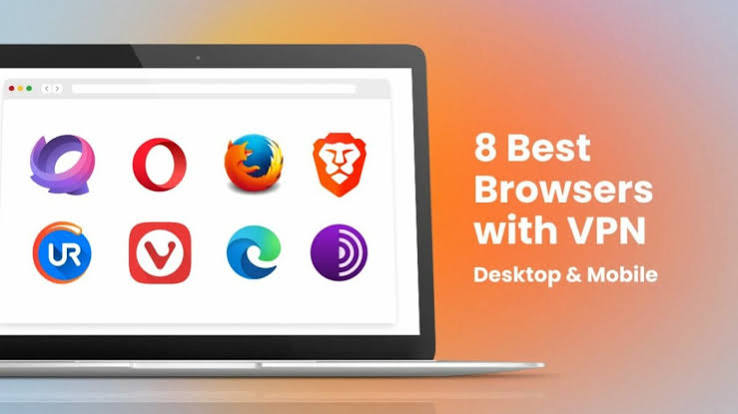
A VPN web browser for Android in 2026 can provide an easier way to browse the internet with an added layer of privacy by combining web browsing with VPN or proxy-based protection. Instead of installing a separate VPN application and configuring it for your entire device, some VPN browsers provide privacy features directly within the browser.
This can be useful when you want to browse privately on public Wi-Fi, reduce exposure of your IP address, access websites while traveling, or keep your browsing activity more private. However, not every browser that claims to offer a VPN provides the same level of protection. Some use a browser-only proxy, while others offer more comprehensive VPN functionality.
In this guide, we’ll explore the best VPN web browsers for Android in 2026, comparing their privacy features, connection options, speed, ease of use, data limitations, security protections, and suitability for everyday browsing. We’ll also explain the difference between a VPN browser and a full-device VPN app so you can choose the right option for your Android phone.
- Get Started– Opera Browser with VPN for Android in 2026
Browser VPN vs System-Wide VPN: The Critical Difference
Before anything else, understand this distinction:
Browser-level VPN (built into the browser):
- Only encrypts and reroutes traffic within that specific browser
- WhatsApp, Instagram, Gmail, banking apps, and all other Android apps are NOT protected
- Only web browsing in that browser is private
System-wide VPN (separate VPN app like Proton VPN):
- Encrypts ALL traffic from ALL apps on your Android device
- Every app — browser, WhatsApp, banking, streaming — goes through the VPN
- Full device protection
This matters because many people assume a browser with “VPN” protects their whole phone. It does not. If you connect to public Wi-Fi and use Opera browser’s VPN to browse, your WhatsApp messages, email, and banking app traffic is still completely unprotected on that network.
Use browser VPN for: Private browsing within that browser, geo-unblocking websites, basic ISP privacy for web traffic.
Use system-wide VPN for: Complete device protection, app-level privacy, public Wi-Fi security for all apps.
Best VPN Web Browser for Android in 2026
1. Opera Browser — Best Built-In VPN Android Browser

Opera is the most widely known browser with a built-in VPN on Android. It is free, unlimited, and requires no separate account to activate.
Why Opera Is a Good Choice
The main advantage of Opera is simplicity. Instead of downloading a standalone VPN app, creating a VPN profile, and switching between applications, users can access the browser’s privacy features directly from Opera’s settings.
This makes Opera a practical choice for casual browsing, public Wi-Fi use, travel, and users who want a simple browser-based privacy solution.
Built-in VPN features:
- Free unlimited browser proxy
- Three region options: Europe, Americas, Asia
- No data limit, no subscription required
- Built-in ad blocker (separate from VPN — works alongside it)
- One tap to enable in browser settings
How to enable:
- Download Opera from Play Store
- Open browser → tap O menu → Settings
- Toggle VPN to On
- VPN badge appears in address bar when active
What Opera VPN is: A browser proxy (HTTPS proxy), not a true VPN. Traffic within Opera is rerouted through Opera’s servers. All other Android apps remain unprotected.
Speed: Generally fast — Opera’s proxy infrastructure is well-maintained. Often faster than free VPN apps because it only handles browser traffic.
Privacy consideration: Opera is owned by a Chinese consortium (Kunlun Tech). While the browser itself is functional and the VPN works, users with strong privacy concerns about data ownership should be aware of this.
Best for: Casual Android browsing privacy, quick geo-unblocking of websites within Opera, unlimited free proxy without any setup.
2. Aloha Browser — Best Privacy Browser with Built-In VPN for Android
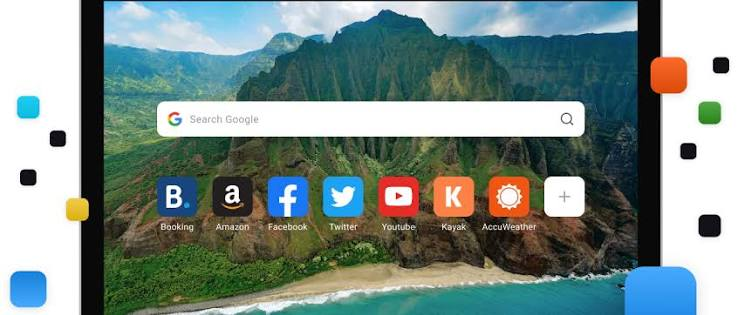
Aloha Browser is an Android browser built around privacy, with a built-in VPN that is more capable than Opera’s implementation.
Aloha Browser for Android is a privacy-focused mobile browser designed for users who want a more secure browsing experience without relying on a separate VPN app for basic web browsing. It combines a modern Android browser with built-in privacy features, including VPN functionality for browser traffic, making it a convenient option for users who frequently browse on public Wi-Fi or want to reduce exposure while visiting websites.
Unlike standard mobile browsers, Aloha places a stronger emphasis on privacy tools such as private browsing, ad blocking, tracking protection, and VPN-based browsing. This makes it particularly appealing to Android users who want an all-in-one browser for everyday internet use, travel, and casual private browsing.
Built-in VPN features:
- Free VPN with unlimited data (free tier)
- Multiple server locations on free plan
- True VPN protocol (not just a proxy) — stronger than Opera’s proxy
- Private downloads manager
- Built-in ad blocker and tracker blocker
- Media player for private video viewing
How to enable:
- Download Aloha Browser from Play Store
- Open browser → tap VPN button in toolbar
- Select server location → Connect
What Aloha VPN is: Uses actual VPN protocols rather than a simple proxy — provides stronger protection than Opera’s implementation, but still limited to browser traffic only on the free plan.
Premium option: Aloha Premium unlocks system-wide VPN protection for all Android apps — not just the browser. The free plan is browser-only.
Privacy consideration: Aloha is developed by Aloha Mobile Ltd. Review their privacy policy before use, particularly regarding free plan data practices.
Best for: Android users who want a privacy-focused browser with stronger built-in VPN than Opera, without paying for a separate app.
3. Brave Browser — Best Privacy Browser for Android (No Built-In VPN, Optional Firewall+VPN)

Brave is one of the most privacy-focused Android browsers available — blocking ads and trackers aggressively by default. It does not have a built-in free VPN, but offers an optional paid Firewall+VPN feature.
Built-in privacy features (free):
- Aggressive ad and tracker blocking built in
- Fingerprint randomisation to prevent browser fingerprinting
- HTTPS upgrading (forces secure connections)
- Private browsing with Tor (routes through Tor network — free)
- No data collection business model (Brave earns from opt-in ads)
Firewall+VPN (paid add-on):
- System-wide VPN for all Android apps (not just browser)
- Approximately $9.99/month or $99.99/year
- Blocks trackers and malware at the network level
- Works across all apps on your Android device
Brave Shields (free — not a VPN but strong privacy): Brave’s built-in Shields block ads, trackers, and third-party cookies by default on every website you visit. This provides strong browsing privacy without a VPN — your IP is still visible, but tracking is significantly reduced.
Private Window with Tor (free): Open a Tor private window (three-dot menu → New Private Window with Tor) — routes your Brave browser traffic through the Tor network. This provides stronger anonymity than any browser proxy, at the cost of significant speed reduction.
Best for: Android users who want the strongest privacy protections in a browser without paying for a VPN, and who understand that a VPN is not the only privacy tool.
4. Firefox with Extensions — Best Customisable Privacy Browser for Android
Firefox for Android supports extensions — meaning you can add a VPN or privacy extension directly to the browser, unlike most mobile browsers.
Relevant extensions for Android Firefox:
- uBlock Origin — aggressive ad and tracker blocking (free)
- Privacy Badger — EFF’s tracker blocker (free)
- Firefox Multi-Account Containers — isolates browsing by context (free)
Note: Full VPN extensions (like browser extensions from NordVPN or ExpressVPN) do not currently work on Firefox for Android — mobile Firefox extension support is more limited than desktop. The strongest privacy additions are tracker blockers rather than VPN extensions.
What Firefox does well: Open-source, no Chinese ownership, strong privacy settings, extension support. Combined with uBlock Origin, Firefox provides excellent tracker blocking for Android browsing.
Best for: Privacy-conscious Android users who want maximum control over their browser’s privacy settings and prefer open-source software.
5. DuckDuckGo Browser — Best for Search Privacy on Android
DuckDuckGo’s Android browser focuses on search and tracking privacy rather than VPN functionality.
Built-in privacy features (free):
- Default DuckDuckGo search (no tracking search engine)
- Tracker blocking on every page
- HTTPS upgrading
- Fire Button — one tap to close all tabs and clear all browsing data
- App Tracking Protection (blocks trackers in other Android apps — unique feature)
- Email Protection (hides real email address)
App Tracking Protection: DuckDuckGo’s most distinctive feature — it blocks tracking in other Android apps even outside the browser. This is not a VPN but provides partial system-wide tracker blocking, which is unusual for a free browser feature.
VPN capability: DuckDuckGo does not include a built-in VPN. It focuses on tracking prevention rather than IP masking.
Best for: Android users who primarily want to stop being tracked across the web and across apps, without needing a VPN for IP masking or geo-unblocking.
6. Puffin Browser — Best for Streaming-Focused Android Browsing with Proxy
Puffin Browser uses cloud-based rendering — web pages are processed on Puffin’s servers before being sent to your Android device. This acts as a proxy and can provide speed and privacy benefits.
How it works:
- Web pages load on Puffin’s cloud servers, not directly on your Android device
- Your IP address is partially masked (websites see Puffin’s server IP, not yours)
- Flash content and heavy websites load faster due to cloud processing
VPN capability: Not a true VPN — cloud rendering provides some IP masking in the browser but is not encrypted VPN tunneling.
Free vs paid: Puffin has a free plan with limitations. The paid plan removes ads and data caps.
Best for: Android users with slower connections who want faster web page loading alongside basic proxy protection.
Browser VPN Features Comparison for Android
| Browser | Built-In VPN | Type | System-Wide | Free | Data Limit |
|---|---|---|---|---|---|
| Opera | Yes | Proxy | No | Yes | Unlimited |
| Aloha | Yes | VPN protocol | No (paid only) | Yes | Unlimited |
| Brave | No (Tor only) | Tor (private windows) | No | Yes | None |
| Firefox | No | N/A | No | Yes | N/A |
| DuckDuckGo | No | App tracker blocking | Partial | Yes | None |
| Puffin | Partial | Cloud proxy | No | Limited | Limited |
Which Android VPN Browser Should You Use?
You want the easiest built-in VPN for browsing: → Opera — one toggle, unlimited, works immediately. Accept the Chinese ownership trade-off for casual use.
You want stronger browser-level VPN than Opera: → Aloha Browser — actual VPN protocol, multiple servers, stronger privacy than Opera’s proxy.
You want maximum browser privacy without a VPN: → Brave — best tracker blocking, Tor private windows, no Chinese ownership concerns.
You want search privacy and app tracker blocking: → DuckDuckGo — App Tracking Protection blocks trackers across Android apps, not just in the browser.
You want customisable privacy with extensions: → Firefox with uBlock Origin — open-source, extensible, trusted privacy credentials.
When You Still Need a Separate VPN App
A browser VPN — however good — cannot replace a system-wide VPN for these situations:
Public Wi-Fi protection: On unsecured cafe or airport Wi-Fi, only a system-wide VPN (like Proton VPN Free) protects ALL your app traffic. Browser VPN leaves WhatsApp, banking apps, and email exposed.
Complete IP masking: Browser VPN only masks your IP within that browser. Any other app that connects to the internet still uses your real IP.
Preventing ISP tracking of app usage: Your ISP can see which apps are connecting to the internet even with a browser VPN active. Only a system-wide VPN hides all app connections.
Torrenting and P2P: Browser VPNs do not protect torrent clients or download managers.
Gaming privacy: Game clients run outside the browser — only a system-wide VPN protects gaming traffic.
Best free system-wide VPN for Android: Proton VPN Free (unlimited data, Play Store, Swiss privacy).
The Best Setup: Browser VPN + System-Wide VPN Together
For maximum Android privacy, combine both:
Setup:
- Install Proton VPN Free — activate system-wide VPN
- Use Brave or Firefox with uBlock Origin as your primary browser
Result:
- All Android app traffic encrypted by Proton VPN
- Browser traffic additionally protected by Brave’s tracker blocking
- Best of both approaches at zero cost
This combination provides:
- System-wide IP masking (Proton VPN)
- Tracker blocking at the browser level (Brave/Firefox)
- Ad blocking in browser and at VPN level
- No single point of failure
Android Privacy Beyond Browser VPN
Browser VPN and system-wide VPN are just two layers of Android privacy. Additional steps worth taking:
Use private DNS: Settings > Network & Internet > Private DNS → enter your preferred DNS (1.1.1.1 for Cloudflare, 9.9.9.9 for Quad9). Encrypts DNS queries at the system level — independent of VPN.
Limit app permissions: Settings > Privacy > Permission Manager. Review which apps have access to location, contacts, microphone, and camera. Revoke unnecessary permissions.
Disable ad personalisation: Settings > Google > Ads > Delete advertising ID. Reduces tracking across Android apps.
Use Android’s built-in tracker blocking: Settings > Privacy > Ads (Android 12+) — limit ad tracking at the OS level.
FAQs
Q: Does Opera VPN protect my WhatsApp on Android?
No. Opera’s built-in VPN is a browser proxy — it only protects traffic within the Opera browser. WhatsApp, Instagram, email, and all other Android apps remain unprotected. Use Proton VPN Free for system-wide WhatsApp protection.
Q: Is Brave’s Tor private window a real VPN?
No — Tor routes your browser traffic through the Tor network, which provides strong anonymity but is much slower than a VPN. It only protects Brave browser traffic in Tor windows, not other apps.
Q: Which VPN browser is best for watching blocked YouTube content on Android?
Opera browser with VPN enabled can unblock geo-restricted YouTube content within Opera’s browser. For YouTube app access (outside the browser), you need a system-wide VPN like Proton VPN Free.
Q: Is Aloha Browser’s free VPN safe?
Aloha Browser is a legitimate privacy browser with a functional VPN. Review their privacy policy for data practices on the free tier before use. It is more capable than Opera’s proxy but less audited than dedicated VPN providers like Proton VPN.
Q: Can I use Firefox’s VPN extension on Android?
Most VPN browser extensions designed for Firefox desktop do not work on Firefox for Android. Mobile Firefox has limited extension support. For VPN on Firefox Android, use a system-wide VPN app alongside Firefox instead.
Q: Which Android browser VPN is fastest?
Opera is typically the fastest for casual browsing because its cloud proxy infrastructure is optimised and only handles browser traffic. Aloha is fast for a VPN-protocol-based solution.
Q: Does DuckDuckGo’s App Tracking Protection work like a VPN?
No — DuckDuckGo’s App Tracking Protection blocks trackers in other apps but does not encrypt traffic or mask your IP address. It is tracker blocking, not a VPN. Both serve privacy but in different ways.
Conclsion
VPN web browsers for Android in 2026 fill a genuine niche — quick, free, zero-setup browser privacy without the complexity of a separate VPN app. Opera is the simplest option for casual use. Aloha provides stronger VPN protocol protection. Brave offers the best overall browser privacy without any VPN.
The key limitation to remember: no browser VPN protects your whole Android device. For complete mobile security — especially on public Wi-Fi — install Proton VPN Free from the Play Store for system-wide protection, and use your privacy browser on top of that.
The ideal free Android privacy stack in 2026: Brave browser (ad and tracker blocking) + Proton VPN Free (system-wide VPN). Both free, both highly regarded, and together they cover what no browser VPN can do alone.

