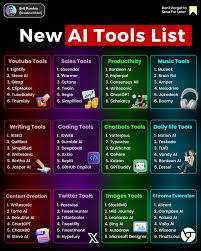
Best AI Tools in 2026: Artificial intelligence tools are changing the way we work, create, and grow online. Whether you are a student, freelancer, business owner, or content creator, AI tools can help you save time, improve productivity, and make better decisions.
In this guide, you’ll learn what AI tools are, how they work, the best tools available today, and how you can use them in real life.
Artificial Intelligence is no longer just a trend—it has become a powerful part of everyday work and online business. In 2026, AI tools will help people write content faster, design graphics in seconds, automate tasks, and even earn money online with less effort. Whether you are a student, freelancer, marketer, or entrepreneur, using the right AI tools can save you time and give you a serious competitive advantage.
The biggest change this year is how easy and accessible these tools have become. You no longer need technical skills or a big budget to use AI. From free writing assistants to advanced automation platforms, there are hundreds of options available—but choosing the best ones can be confusing.
That’s exactly why this guide exists. In this article, we will explore the best AI tools in 2026 across different categories like content creation, marketing, design, video editing, coding, and more. We’ll also share practical examples, pros and cons, and tips to help you pick the right tools for your needs.
If you want to work smarter, grow faster, and stay ahead in the digital world, these AI tools can completely transform the way you work.
- Check now-Best AI Tools for Video Editing in 2026
What Are AI Tools?
AI tools are software applications that use machine learning and automation to perform tasks that normally require human intelligence. These tasks can include writing, designing, coding, analyzing data, and even creating videos.
For example:
- Writing an article using ChatGPT
- Designing images with Canva
- Editing videos using Pictory
Instead of doing everything manually, these tools help you complete tasks faster and more efficiently.
Why AI Tools Are Important in 2026
AI tools are no longer optional—they are becoming essential. Here’s why:
1. Save Time
Tasks that take hours can now be done in minutes.
2. Increase Productivity
You can do more work without increasing effort.
3. Reduce Costs
Businesses can automate tasks instead of hiring large teams.
4. Improve Accuracy
AI tools can analyze data with fewer errors.
5. Help Beginners Start Faster
Even if you have no experience, AI tools can guide you step by step.
Best AI Tools in 2026:Types of AI Tools (With Examples)
Explore the most popular categories of AI tools and how you can use them.
1. Writing & Content Creation Tools

These tools help you write blogs, emails, scripts, and social media posts. Creating high-quality content consistently is one of the biggest challenges in 2026. Whether you’re running a blog, YouTube channel, or affiliate website, you need tools that can help you write faster, improve quality, and stay consistent. That’s where AI writing and content creation tools come in.
These tools are designed to help you generate ideas, write articles, optimize for SEO, and even rewrite or improve existing content. Let’s explore some of the best options and how they actually help in real-world use.
Writing and content creation tools help individuals and businesses produce high-quality content faster while improving accuracy, readability, and consistency. Whether you’re writing blog posts, website copy, emails, product descriptions, social media captions, or marketing campaigns, these platforms simplify the writing process and reduce the time spent editing. Many tools also include grammar correction, tone adjustment, SEO optimization, plagiarism detection, and multilingual support, making them valuable for writers, marketers, students, and business professionals.
Modern writing platforms can generate outlines, rewrite paragraphs, summarize long documents, expand ideas, and optimize content for search engines. They are especially useful for content creators who publish regularly and need to maintain quality across multiple channels.
Key Features
- Create blog articles, emails, and website content quickly
- Improve grammar, spelling, and punctuation
- Rewrite or paraphrase existing text
- Generate SEO-friendly content and headlines
- Create social media posts and ad copy
- Summarize long documents and research
- Support multiple languages and writing styles
- Adjust tone for professional, casual, or persuasive writing
Best Use Cases
- Blogging and article writing
- Website and landing page content
- Email marketing campaigns
- Social media management
- Product descriptions for eCommerce
- Academic writing assistance
- Business reports and documentation
- Copywriting and digital marketing
Popular Tools:
Use Cases:
- Writing SEO blog posts
- Creating YouTube scripts
- Generating product descriptions
Benefits
Writing and content creation tools significantly improve productivity by reducing the time required to draft and edit content. They help maintain consistent writing quality, minimize grammatical errors, and support SEO best practices. Businesses can create marketing materials more efficiently, while students and professionals can organize ideas and produce polished documents. With multilingual capabilities, these tools also make it easier to reach global audiences.
Overall, writing and content creation tools have become essential for anyone who regularly produces digital content, helping users create clear, engaging, and professional-quality writing with greater speed and confidence.
Example:
If you run a blog about VPNs, you can use these tools to generate article outlines, titles, and full content quickly.
2. Image & Design Tools

These tools help you create graphics, logos, and social media posts. In 2026, visual content is more important than ever. Whether you’re running a blog, YouTube channel, social media page, or online business, high-quality images and designs can instantly grab attention and increase engagement. The good news is—you no longer need to be a professional designer to create stunning visuals.
AI-powered image and design tools can help you create thumbnails, social media posts, logos, presentations, and even realistic images in seconds. Let’s explore some of the best tools and how they can help you in real-world situations.
Image and design tools help individuals and businesses create professional-quality graphics, illustrations, presentations, social media visuals, marketing materials, and branding assets without requiring advanced design skills. These platforms provide intuitive editors, customizable templates, stock media libraries, and powerful editing features that make visual content creation faster and more accessible.
Whether you’re designing logos, YouTube thumbnails, website banners, business presentations, infographics, advertisements, or product mockups, image and design tools simplify the creative process while maintaining a polished, professional look. Many modern platforms also include background removal, image enhancement, collaboration features, brand kits, and support for multiple export formats.
Key Features
- Create graphics using ready-made templates
- Design logos, posters, banners, and social media posts
- Edit photos with cropping, filters, and color adjustments
- Remove or replace image backgrounds
- Access stock photos, icons, illustrations, and fonts
- Build presentations and infographics
- Maintain consistent branding with color palettes and brand kits
- Export designs in high-resolution formats for print and digital use
Best Use Cases
- Social media content creation
- Logo and brand identity design
- Website graphics and banners
- Marketing campaigns and advertisements
- YouTube thumbnails and channel artwork
- Business presentations
- Infographics and reports
- Product packaging and promotional materials
Benefits
Image and design tools help users create visually appealing content quickly while reducing the need for extensive graphic design experience. They improve productivity through drag-and-drop editors, reusable templates, and collaboration features that allow teams to work together efficiently. Businesses can maintain consistent branding across all marketing channels, while creators can produce engaging visuals that attract more viewers and customers.
Overall, image and design tools have become essential for marketers, entrepreneurs, educators, designers, and content creators who want to produce high-quality visual content efficiently. They save time, enhance creativity, and enable users to communicate ideas more effectively through compelling designs.
Popular Tools:
Use Cases:
- Creating thumbnails
- Designing Instagram posts
- Generating unique artwork
Example:
A YouTuber can create attractive thumbnails without hiring a designer.
3. Video Creation Tools
Video content is growing fast, and AI tools make it easier. Video content is dominating the internet in 2026. From YouTube and Instagram Reels to online courses and ads, videos are one of the most powerful ways to attract attention and grow online. But traditional video creation takes time, skills, and expensive software.
That’s where AI video tools come in. These tools can turn simple text into professional videos, generate realistic avatars, edit clips automatically, and even create cinematic scenes—all in minutes.
Let’s explore the best AI video creation tools and how they help in real-world use.
Video creation tools help users produce professional-quality videos for marketing, education, social media, business presentations, training, and entertainment. These platforms simplify the video production process by combining editing, animation, screen recording, voiceovers, templates, transitions, and visual effects into a single workflow. As video content continues to dominate online platforms, video creation tools have become essential for content creators, businesses, educators, and marketers.
Modern video creation platforms allow users to transform text, images, presentations, and raw footage into engaging videos with minimal technical expertise. Many tools offer ready-made templates, royalty-free media libraries, automatic captions, background music, and advanced editing features that significantly reduce production time.
Key Features
- Create videos from text, images, and video clips
- Drag-and-drop video editing interface
- Built-in templates for social media and marketing
- Automatic subtitles and captions
- Screen recording and presentation recording
- Voiceover and audio editing capabilities
- Transitions, effects, and animations
- Access to stock videos, images, and music
Best Use Cases
- YouTube videos and Shorts
- Social media content creation
- Marketing and advertising campaigns
- Product demonstrations
- Educational and training videos
- Corporate presentations
- Explainer videos
- Online course content
Benefits
Video creation tools make professional video production accessible to everyone, regardless of technical experience. They reduce editing time, improve content quality, and help users create engaging visual stories that capture audience attention. Businesses can use these tools to increase brand awareness, marketers can create compelling advertisements, and educators can deliver information in a more engaging format.
Many platforms also support team collaboration, cloud storage, and multi-platform publishing, making content management easier. With the growing demand for video content across websites, social media, and digital marketing channels, video creation tools provide an efficient way to create high-quality videos at scale.
Overall, video creation tools are essential for anyone looking to communicate ideas visually, grow an online audience, promote products, or enhance digital marketing efforts through engaging and professional video content.
Popular Video Creation Tools
- CapCut: Excellent for social media videos and short-form content.
- Canva: Simple video editing with thousands of templates.
- DaVinci Resolve: Professional video editing and color grading.
- Descript: Great for podcasts, screen recordings, and caption editing.
- Pictory: Converts long-form content into short, shareable videos.
- Lumen5: Creates marketing videos from blog posts and articles.
- Synthesia: Produces presenter-style videos using virtual avatars.
- Runway: Offers advanced video editing and creative visual effects.
Popular Tools:
Use Cases:
- Turning blogs into videos
- Creating faceless YouTube videos
- Editing clips automatically
Example:
You can convert your blog posts into YouTube videos in minutes.
4. Coding & Developer Tools

These tools help developers write and debug code faster. In 2026, software development has become faster and more efficient thanks to AI-powered coding tools. Whether you’re a beginner learning to code or an experienced developer building complex applications, these tools can help you write code, fix bugs, and even generate entire projects in minutes.
AI coding tools act like smart assistants—they understand your instructions, suggest code in real time, and help you avoid errors. This not only saves time but also improves productivity and code quality.
Let’s explore some of the best coding and developer tools available today.
Coding and developer tools are software applications that help programmers write, test, debug, deploy, and maintain software more efficiently. Whether you’re building websites, mobile apps, desktop software, APIs, or cloud applications, these tools streamline the development process and improve code quality. They are widely used by software developers, web developers, DevOps engineers, data scientists, and IT professionals.
Modern developer tools include code editors, integrated development environments (IDEs), version control systems, debugging utilities, API testing platforms, database management tools, package managers, and deployment solutions. Many also offer features such as intelligent code completion, syntax highlighting, project management, collaboration, and automated testing, making development faster and more productive.
Key Features
- Intelligent code editing with syntax highlighting
- Auto-completion and code suggestions
- Integrated debugging and error detection
- Version control integration (Git support)
- API development and testing
- Database management and querying
- Terminal and command-line integration
- Extensions and plugins for customization
- Automated testing and code analysis
- Cloud deployment and DevOps integration
Best Use Cases
- Web application development
- Mobile app development
- Backend and API development
- Frontend development
- Game development
- Data science and machine learning projects
- Cloud application deployment
- Open-source software development
Benefits
Coding and developer tools improve productivity by automating repetitive tasks and reducing development time. Features like real-time error detection, debugging, and code completion help developers write cleaner, more reliable code with fewer mistakes. Version control enables teams to collaborate efficiently, while integrated testing and deployment tools simplify the software release process.
These tools also support multiple programming languages such as Python, JavaScript, Java, C++, C#, Go, PHP, Rust, and TypeScript, allowing developers to work across different technology stacks. With cross-platform compatibility and cloud integration, developers can build, test, and deploy applications from virtually anywhere.
Popular Coding & Developer Tools
- Visual Studio Code – Lightweight and highly extensible code editor.
- JetBrains IntelliJ IDEA – Powerful IDE for Java and enterprise development.
- PyCharm – Specialized IDE for Python development.
- GitHub – Version control, code hosting, and collaboration platform.
- Git – Distributed version control system for tracking code changes.
- Postman – API development and testing platform.
- Docker – Containerization tool for building and deploying applications.
- GitHub Copilot – AI-assisted coding companion for faster development.
- Android Studio – Official IDE for Android app development.
- Xcode – Apple’s IDE for iOS, macOS, watchOS, and tvOS development.
Popular Tools:
Use Cases:
- Writing code faster
- Fixing bugs
- Learning programming
Example:
A beginner can build a website with less effort using these tools.
5. Business & Marketing Tools
These tools help businesses grow online. In 2026, running an online business or marketing campaign without AI tools is almost impossible. From lead generation and email marketing to SEO and customer support, AI is helping businesses automate tasks, save time, and increase revenue.
Whether you’re a freelancer, affiliate marketer, YouTuber, or startup owner, the right AI tools can help you grow faster with less effort. Let’s explore some of the best business and marketing AI tools and how they work in real-world scenarios.
Business and marketing tools are software solutions that help organizations manage operations, promote products and services, build customer relationships, and increase revenue. These tools support a wide range of business activities, including project management, customer relationship management (CRM), email marketing, social media management, analytics, accounting, and sales automation. Whether you’re a startup, small business, or large enterprise, business and marketing tools help streamline workflows, improve collaboration, and make data-driven decisions.
Modern business platforms combine multiple functions into a single workspace, allowing teams to manage marketing campaigns, track customer interactions, monitor performance metrics, and automate repetitive tasks. By improving efficiency and reducing manual work, these tools enable businesses to focus on growth and customer satisfaction.
Key Features
- Customer Relationship Management (CRM)
- Email marketing and campaign automation
- Social media scheduling and management
- Project and task management
- Sales pipeline tracking
- Marketing analytics and reporting
- Team collaboration and communication
- Customer support and help desk management
- Invoice generation and financial tracking
- Workflow automation and integrations
Best Use Cases
- Digital marketing campaigns
- Lead generation and customer nurturing
- Sales management and forecasting
- Social media marketing
- Content marketing and email newsletters
- Business project planning
- Customer support and service management
- Small business operations and team collaboration
Benefits
Business and marketing tools help organizations save time by automating repetitive tasks such as email campaigns, customer follow-ups, and reporting. They improve collaboration by allowing teams to work together in real time and share project updates from a centralized platform. CRM systems help businesses organize customer information, monitor sales opportunities, and strengthen customer relationships.
Marketing tools also provide detailed analytics that measure campaign performance, website traffic, conversion rates, and customer engagement. These insights allow businesses to optimize their strategies, improve return on investment (ROI), and make informed decisions. Additionally, many platforms integrate with third-party applications, creating a seamless workflow across departments.
Popular Business & Marketing Tools
- HubSpot – CRM, email marketing, sales automation, and customer service platform.
- Mailchimp – Email marketing and marketing automation solution.
- Hootsuite – Social media scheduling, publishing, and analytics.
- Buffer – Social media management and content scheduling.
- Asana – Project management and team collaboration.
- Trello – Visual task management using boards and cards.
- Monday.com – Work management and workflow automation platform.
- Salesforce – Enterprise CRM and sales management software.
- Zoho CRM – Customer relationship management for businesses of all sizes.
- Google Analytics – Website traffic analysis and user behavior tracking.
Popular Tools:
Use Cases:
- SEO optimization
- Email marketing
- Keyword research
Example:
You can optimize your blog posts to rank higher on Google.
6. Voice & Audio Tools
These tools generate voiceovers and audio content. Audio content is growing rapidly in 2026. From podcasts and YouTube voiceovers to audiobooks and voice assistants, high-quality audio plays a key role in engaging your audience. But recording professional audio traditionally requires expensive equipment, voice talent, and editing skills.
AI voice and audio tools have completely changed this process. Now, you can generate realistic voiceovers, clone voices, remove background noise, and edit audio—all with just a few clicks. Whether you’re a content creator, marketer, or business owner, these tools can save time and improve your audio quality.
Let’s explore some of the best voice and audio tools available today.
Popular Tools:
Use Cases:
- Podcast creation
- YouTube voiceovers
- Audiobooks
Example:
You can create a professional voiceover without recording your voice.
How to Use AI Tools (Step-by-Step)
If you are new, follow this simple process:
Step 1: Choose Your Goal
Decide what you want to do:
- Write content
- Create videos
- Build a website
Step 2: Pick the Right Tool
Choose a tool based on your goal.
Step 3: Learn Basic Prompts
Give clear instructions to get better results.
Step 4: Edit the Output
Always review and improve the results.
Step 5: Publish or Use
Use the output for your blog, business, or project.
Real-Life Examples of AI Tools
Example 1: Blogging
A blogger uses:
- ChatGPT for writing
- Surfer SEO for ranking
Result: Faster content creation and better rankings.
Example 2: YouTube Channel
A creator uses:
- Pictory for videos
- Canva for thumbnails
Result: Fully automated content creation.
Example 3: Freelancing
A freelancer uses:
- Jasper AI for writing
- Copy.ai for ads
Result: More clients and higher income.
Pros and Cons of AI Tools
✅ Pros
1. Saves Time
Complete tasks in minutes.
2. Easy to Use
No technical skills required.
3. Cost-Effective
Reduces the need for hiring experts.
4. Scalable
Handles large workloads easily.
❌ Cons
1. Not Always Perfect
You must review and edit outputs.
2. Limited Creativity
Sometimes lacks a human touch.
3. Overdependence Risk
Relying too much can reduce skills.
4. Subscription Costs
Many tools require monthly payments.
Tips to Get the Best Results
- Be specific with instructions
- Use simple and clear language
- Always edit the output
- Combine multiple tools
- Keep learning and experimenting
How AI Tools Can Help You Make Money
Since you’re interested in earning online, here are some ideas:
1. Blogging
Create SEO articles and earn through ads and affiliate marketing.
2. YouTube Automation
Create videos without showing your face.
3. Freelancing
Offer writing, design, or video services.
4. Affiliate Marketing
Promote tools like Jasper AI or Surfer SEO and earn commissions.
Future of AI Tools
AI tools will continue to grow and become more powerful. In the future, you can expect:
- More automation
- Better accuracy
- Personalized experiences
- Integration with everyday apps
This means early adopters will have a big advantage.
FAQs
1. Are AI tools free?
Some tools offer free versions, but premium features usually require payment.
2. Can beginners use AI tools?
Yes, most tools are beginner-friendly and easy to learn.
3. Are AI tools safe?
Most popular tools are safe, but always use trusted platforms.
4. Do AI tools replace humans?
No, they assist humans. You still need creativity and decision-making.
5. Which AI tool is best for beginners?
Start with ChatGPT and Canva for simple tasks.
6. What are AI tools used for?
AI tools are used for tasks like writing content, creating images, editing videos, coding, marketing, and data analysis. They help automate work and improve efficiency.
7. Are AI tools good for beginners?
Yes, most AI tools are designed to be user-friendly. Even beginners can start using them without technical knowledge.
8. Can AI tools help me earn money online?
Yes, you can use AI tools for blogging, freelancing, YouTube automation, and affiliate marketing to generate income.
9. Do I need to pay for AI tools?
Many AI tools offer free plans, but advanced features usually require a paid subscription.
10. Which AI tool should I start with?
You can start with beginner-friendly tools like ChatGPT for writing and Canva for design.
11. Are AI tools safe to use?
Most popular AI tools are safe, but always choose trusted platforms and avoid sharing sensitive information.
12. Can AI tools replace human jobs?
AI tools are designed to assist, not replace. Human creativity, decision-making, and personal touch are still important.
13. How can I get better results from AI tools?
Use clear instructions, experiment with different prompts, and always review and edit the output.
Conclusion
AI tools have become a powerful part of everyday work, whether you’re creating content, running a business, or learning new skills. They help you save time, reduce effort, and improve results without needing advanced experience.
The real advantage comes when you use these tools smartly. Instead of depending on just one, combining different tools can create a complete workflow that boosts productivity and income potential. From writing blog posts to designing visuals and creating videos, everything is now faster and more accessible.
If you’re just starting, begin with simple tools and focus on one goal at a time. As you gain confidence, explore more advanced tools and strategies. The sooner you start, the quicker you can build skills and take advantage of new opportunities online.