If you’re looking for a complete AI tools list, you’re in the right place. Today, smart tools are helping people save time, earn money online, and work more efficiently—whether you’re a student, freelancer, content creator, or business owner.
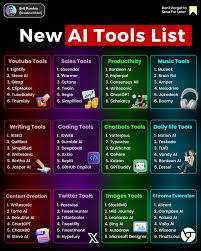
In this guide, you’ll discover the best AI tools across different categories, along with real-life examples, pros and cons, and tips to choose the right one for your needs.
What Are AI Tools?
AI tools are software applications that use automation and machine learning to perform tasks that usually require human effort—like writing content, editing videos, designing graphics, or analyzing data.
Simple Example:
- Instead of writing a blog from scratch → a writing tool gives you a draft in minutes.
- Instead of editing videos manually → a video tool creates it automatically
Why Use AI Tools?
Here’s why millions of people are using these tools daily:
✅ Benefits:
- Save time (hours of work in minutes)
- Reduce manual effort
- Increase productivity
- Improve quality (better writing, designs, etc.)
- Help beginners get started easily
❌ Limitations:
- May require editing for accuracy
- Some tools are paid
- Not always 100% perfect
- Overuse can reduce originality
Complete AI Tools List (By Category)
1. Writing & Content Creation Tools
These tools help you create blogs, social media posts, emails, and more.
Top Tools:
1. ChatGPT
Best for writing articles, answering questions, and generating ideas. ChatGPT is a versatile and powerful conversational tool designed to help users complete tasks quickly and efficiently through simple text-based interaction. It acts like a smart digital assistant that understands user queries and provides clear, human-like responses. Whether you are a student, freelancer, content creator, or business owner, ChatGPT can support a wide range of activities, including writing, research, coding, and idea generation.

One of the most popular uses of ChatGPT is content creation. Users can generate blog posts, articles, product descriptions, emails, and social media captions in just a few seconds. For example, if you want to write a blog on digital marketing, you can ask ChatGPT to create an outline or even a full article. This makes it extremely useful for bloggers and marketers who need to produce content regularly.
In addition to writing, ChatGPT is also helpful for learning and problem-solving. It can explain complex topics in simple language, making it easier for students to understand subjects like science, finance, or technology. It also provides coding assistance by suggesting code snippets, debugging errors, and explaining programming concepts in a clear way.
Another key advantage of ChatGPT is its ease of use. You don’t need any technical skills to get started. Simply type your question or instruction, and the tool will generate a response instantly. This saves time and increases productivity, especially for people managing multiple tasks.
However, like any tool, ChatGPT has some limitations. It may sometimes provide incorrect or outdated information, so it’s important to review and verify the output before using it for important work.
Overall, ChatGPT is a highly useful tool that can simplify everyday tasks, boost productivity, and help users work smarter in the digital world.
Example Use:
Write a 2000-word blog in minutes and then edit it for SEO.
Pros:
- Easy to use
- Fast content generation
- Great for brainstorming
Cons:
- Needs editing for accuracy
- Can sound generic sometimes
2. Jasper
Perfect for marketing copy, ads, and sales content. Jasper AI is a powerful content creation tool designed mainly for marketers, bloggers, and businesses that need high-quality written content quickly. It helps users generate blog posts, ad copies, email campaigns, product descriptions, and social media content with minimal effort. Jasper is especially popular among digital marketers because it focuses on creating persuasive and conversion-focused content.
One of the main strengths of Jasper is its ability to produce marketing-ready text. For example, if you are running an online business, you can use Jasper to create Facebook ads, Google ads, or email newsletters in just a few minutes. Instead of spending hours brainstorming and writing, you simply enter a short prompt, and Jasper generates multiple content variations that you can choose from.
Jasper also comes with pre-built templates for different types of content. These templates make it easier for beginners to get started. Whether you need a blog introduction, a product description, or a sales headline, Jasper provides a structured format to speed up the writing process. This is particularly useful for freelancers and content creators who handle multiple projects.
Another important feature of Jasper is its support for long-form content. Users can create full blog posts and articles with proper structure, including headings and paragraphs. It also integrates with SEO tools, helping writers optimize their content for better search engine rankings.
Despite its advantages, Jasper has some limitations. It is a paid tool, which may not be suitable for beginners with a low budget. Additionally, like any content tool, it may sometimes generate repetitive or less accurate content, so human editing is necessary.
Overall, Jasper is a reliable and efficient tool for anyone looking to scale content creation, improve marketing efforts, and save time while maintaining quality.
Example Use:
Create Facebook ads or email campaigns.
Pros:
- Marketing-focused
- Templates available
Cons:
- Paid tool
- Learning curve
3. Copy.ai
Good for short-form content like captions and product descriptions. Copy.ai is a user-friendly content generation tool designed to help individuals and businesses create high-quality marketing and written content quickly. It is especially useful for generating short-form content such as social media captions, product descriptions, email subject lines, ad copies, and website headlines. With its simple interface and fast results, Copy.ai is widely used by marketers, freelancers, and small business owners.
One of the key strengths of Copy.ai is its ability to generate creative and engaging copy in seconds. Users simply enter a short description of what they need, and the tool produces multiple variations of content. For example, if you are launching a new product, you can use Copy.ai to instantly generate catchy taglines and promotional messages. This makes it a great choice for those who need quick content without spending too much time brainstorming.
Copy.ai also offers a wide range of templates that simplify the writing process. These templates are designed for specific use cases, such as Instagram captions, blog ideas, email marketing, and sales copy. Even beginners with no writing experience can use these templates to create professional-looking content easily. This makes it an ideal tool for people starting their online business or freelancing career.
Another advantage of Copy.ai is its support for multiple languages, allowing users to create content for a global audience. It also helps maintain a consistent tone, which is important for branding and marketing.
However, Copy.ai does have some limitations. It is more focused on short-form content, so it may not be the best choice for long blog articles. Additionally, users may need to edit and refine the output to match their exact requirements.
Overall, Copy.ai is a fast, simple, and effective tool for creating marketing content and improving productivity in content creation tasks.
Pros:
- Beginner-friendly
- Quick output
Cons:
- Limited long-form quality
4. Writesonic
Useful for blogs, landing pages, and SEO content. Writesonic is a popular content creation tool designed to help users generate high-quality written content quickly and efficiently. It is widely used by bloggers, marketers, freelancers, and business owners who want to create articles, ads, product descriptions, and website copy without spending too much time writing from scratch.
One of the main advantages of Writesonic is its versatility. It supports both short-form and long-form content, making it suitable for a wide range of tasks. For example, you can use it to write blog posts, landing pages, email campaigns, and even full-length articles. This flexibility makes it a valuable tool for anyone managing multiple types of content in their work.
Writesonic also offers a variety of templates that simplify the content creation process. These templates are designed for specific use cases such as Facebook ads, Google ads, product descriptions, and blog outlines. By selecting a template and entering a few details, users can generate ready-to-use content in seconds. This feature is especially helpful for beginners who may not have strong writing skills.
Another important feature of Writesonic is its focus on SEO-friendly content. It helps users create optimized articles that have a better chance of ranking on search engines. This is particularly useful for bloggers and website owners who want to increase their online visibility and attract more traffic.
In addition, Writesonic includes tools for idea generation and content improvement, allowing users to refine and expand their writing easily. It also supports multiple languages, making it suitable for a global audience.
However, like other content tools, Writesonic may sometimes produce generic or repetitive content, so editing is necessary to ensure quality and accuracy.
Overall, Writesonic is a powerful and efficient tool that helps users save time, improve productivity, and create engaging content for various purposes.
Pros:
- SEO-friendly writing
- Multiple content types
Cons:
- The free plan is limited
2. Image & Design Tools
These tools help you create graphics, logos, and social media posts.
1. Canva
Best for beginners and social media graphics. Canva is a popular and beginner-friendly design tool that allows users to create professional-looking graphics without needing advanced design skills. It is widely used by students, content creators, marketers, and business owners to design social media posts, presentations, posters, logos, and more. With its simple drag-and-drop interface, Canva makes designing easy and fast, even for complete beginners.
One of the biggest strengths of Canva is its huge library of templates. Users can choose from thousands of ready-made designs for platforms like Instagram, YouTube, Facebook, and websites. For example, if you want to create a YouTube thumbnail, you can simply select a template, customize the text, images, and colors, and your design is ready in minutes. This saves a lot of time compared to designing from scratch.

Canva also provides access to a wide range of design elements, including icons, fonts, images, and illustrations. Users can upload their own images or use Canva’s built-in stock library to enhance their designs. The platform also includes features like background remover, image editing tools, and simple animations, making it more than just a basic design tool.
Another advantage of Canva is its collaboration feature. Teams can work together on the same design, share feedback, and make changes in real time. This is especially useful for businesses and marketing teams.
However, Canva does have some limitations. While the free version offers many features, some advanced elements and premium templates require a paid subscription. Also, highly complex designs may still require professional software.
Overall, Canva is a powerful yet easy-to-use design tool that helps users create high-quality visuals quickly, making it an essential tool for anyone working online.
Example Use:
Create YouTube thumbnails or Instagram posts.
Pros:
- Drag-and-drop design
- Huge template library
Cons:
- Limited advanced customization
2. MidJourney
Great for generating high-quality images. MidJourney is an AI-powered tool that creates high-quality, artistic images from text prompts. Users simply describe what they want, and MidJourney generates unique visuals within seconds. It’s popular among designers, artists, and content creators for producing illustrations, concept art, and creative graphics without advanced design skills. The tool offers various styles and customization options, allowing users to experiment and refine outputs. While it’s excellent for inspiration and creative projects, results may require tweaks to meet exact expectations. MidJourney is ideal for anyone looking to turn ideas into visuals quickly and creatively.
Pros:
- Stunning visuals
- Unique art styles
Cons:
- Requires practice
- Paid access
3. Leonardo AI
Best for game assets and creative artwork.
Leonardo AI is an advanced AI tool that transforms text prompts into high-quality, realistic images. It is widely used by artists, designers, and content creators to quickly visualize concepts, illustrations, and digital art. Leonardo AI offers a variety of styles and customization options, allowing users to refine images according to their creative vision. Its intuitive interface makes it accessible even for beginners, while advanced features support professional workflows. Although outputs may need some adjustments for perfection, Leonardo AI is a powerful solution for turning ideas into detailed, visually appealing artwork efficiently.
Pros:
- High-quality output
- Free credits available
Cons:
- Limited daily usage
3. Video Creation Tools
Video content is growing fast, and these tools make it easy.
1. Synthesia
Create videos with virtual presenters.
Example Use:
Make YouTube explainer videos without showing your face.
Pros:
- No camera needed
- Professional output
Cons:
- Paid subscription
2. Pictory
Turn blog posts into videos automatically.
Pros:
- Easy for beginners
- Fast video creation
Cons:
- Limited customization
3. Runway ML
Advanced video editing and effects.
Pros:
- Powerful features
- Great for creators
Cons:
- Can be complex
4. Voice & Audio Tools
Perfect for podcasts, voiceovers, and narration.
1. ElevenLabs
Best for realistic voice generation.
Example Use:
Create voiceovers for YouTube videos.
Pros:
- Natural voice quality
- Multiple languages
Cons:
- Paid features
2. Descript
Edit audio and video like a text document.
Pros:
- Easy editing
- Removes filler words
Cons:
- Requires learning
3. Listnr
Convert text into speech easily.
Pros:
- Simple interface
- Good for beginners
Cons:
- Limited voices in the free plan
5. Coding & Developer Tools
These tools help developers write and debug code faster.
1. GitHub Copilot
Suggests code while you type.
Example Use:
Write code faster in Python, JavaScript, etc.
Pros:
- Saves time
- Improves productivity
Cons:
- Requires subscription
2. Codeium
Free alternative for coding assistance.
Pros:
- Free to use
- Supports multiple languages
Cons:
- Less advanced than paid tools
3. Replit Ghostwriter
Great for beginners learning coding.
Pros:
- Beginner-friendly
- Cloud-based
Cons:
- Limited features
6. Business & Marketing Tools
These tools help with automation, marketing, and productivity.
1. Zapier
Automates tasks between apps.
Example Use:
Automatically send emails when a form is submitted.
Pros:
- Saves time
- Easy automation
Cons:
- Paid plans
2. Durable
Builds websites instantly.
Pros:
- Fast website creation
- No coding needed
Cons:
- Limited customization
3. Notion AI
Boosts productivity and note-taking.
Pros:
- Organizes work
- Multi-purpose
Cons:
- Requires setup
7. AI Tools for Making Money Online
If your goal is income, these tools can help:
💰 Blogging:
- Use writing tools to create SEO articles
- Monetize with ads and affiliate links
💰 YouTube:
- Use video + voice tools
- Create faceless videos
💰 Freelancing:
- Offer services like content writing, design, or video editing
💰 Affiliate Marketing:
- Promote tools and earn commissions
How to Choose the Right AI Tool
Don’t try everything. Choose based on your goal:
👉 For Beginners:
- Canva
- ChatGPT
- Pictory
👉 For Content Creators:
- Jasper
- Synthesia
- ElevenLabs
👉 For Developers:
- GitHub Copilot
- Codeium
👉 For Business:
- Zapier
- Notion
Practical Example (Real Use Case)
Let’s say you want to start a blog:
- Use ChatGPT → Write article
- Use Canva → Create images
- Use Pictory → Turn article into video
- Use ElevenLabs → Add voice
- Publish on the website
👉 Result: One idea → multiple content formats → more traffic
Pros and Cons of Using AI Tools
✅ Pros:
- Fast results
- Easy for beginners
- Cost-effective
- Scalable
❌ Cons:
- Needs human editing
- Subscription costs
- Can reduce creativity if overused
Future of AI Tools
In the coming years:
- Tools will become smarter
- More automation will happen
- Content creation will be faster
- Competition will increase
👉 The earlier you start, the better your advantage.
FAQs
1. What are the best AI tools for beginners?
Start with Canva, ChatGPT, and Pictory. They are easy and require no technical skills.
2. Are AI tools free?
Some tools offer free plans, but advanced features usually require payment.
3. Can I earn money using AI tools?
Yes. You can earn through blogging, freelancing, YouTube, and affiliate marketing.
4. Which AI tool is best for writing?
ChatGPT, Jasper, and Writesonic are popular choices.
5. Are AI tools safe to use?
Yes, most tools are safe, but always use trusted platforms and avoid sharing sensitive data.
6. Do AI tools replace human work?
No. They assist humans, but creativity and decision-making still require human input.
7. What are AI tools?
AI tools are software applications that automate tasks like writing, designing, video editing, coding, or marketing. They help save time and improve productivity.
8. Are AI tools free?
Some AI tools offer free plans or trial versions, but advanced features usually require a paid subscription. Examples of free tools include Canva (basic plan) and Codeium.
9. Can I earn money using AI tools?
Yes! You can monetize content, offer freelance services, create videos, or use affiliate marketing to earn income by leveraging AI tools.
10. Which AI tools are best for beginners?
For beginners, ChatGPT (writing), Canva (design), and Pictory (video) are ideal as they are easy to use and require no coding or technical skills.
11. Which AI tools are best for businesses?
- Zapier – Automates repetitive tasks between apps
- Notion – Organizes projects and workflows
- Durable – Instantly builds websites for your business
12. Can AI tools replace humans?
No, AI tools assist humans by automating tasks, but creativity, judgment, and decision-making still require human input.
13. Are AI tools safe to use?
Yes, most tools are safe when used on trusted platforms. Avoid sharing sensitive personal or financial information on unverified sites.
14. Do AI tools work for all types of content?
AI tools work best for digital content like articles, social media posts, videos, images, and coding. Some tasks, like deep research or highly creative art, may still need human input.
15. How do I choose the right AI tool?
Identify your goal first:
- Writing → ChatGPT, Jasper, Writesonic
- Design → Canva, MidJourney
- Video → Synthesia, Pictory
- Coding → GitHub Copilot, Codeium
- Business Automation → Zapier, Notion
16. Will AI tools become more popular in the future?
Absolutely. They are improving rapidly and will continue to make tasks faster, easier, and more efficient across all industries.
Conclusion
This AI tools list gives you a clear starting point, whether you want to create content, build a business, or save time in daily tasks.
The key is simple:
👉 Pick 2–3 tools
👉 Master them
👉 Use them consistently
You don’t need every tool—just the right ones for your goal.