Windows 7 might be old, but millions of people still use it. Maybe your laptop runs slowly on newer versions. Maybe your office never upgraded. Maybe you just prefer the familiar layout and don’t want to change something that works. Whatever the reason, you’re here — and you need a VPN that works on Windows 7 without costing you anything.
The good news is that several solid free VPNs still support Windows 7. The tricky part is knowing which ones actually work well and which ones will slow your connection to a crawl, show you ads every five minutes, or quietly collect your data.
This guide covers everything you need — which free VPNs work on Windows 7, how to install them, what to watch out for, and honest answers to the questions most people search before downloading anything.
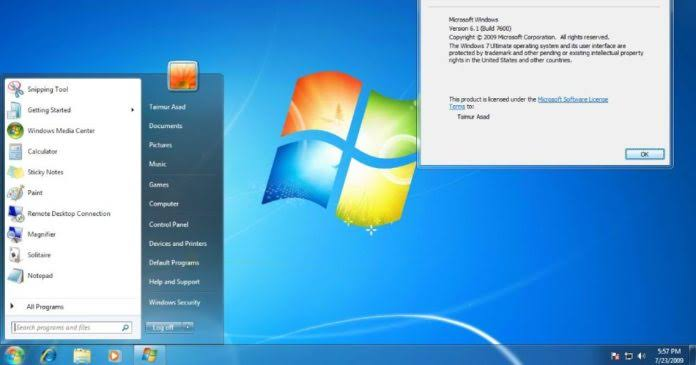
Free VPN on Windows 7: Although Windows 7 is no longer supported by Microsoft, many users still rely on it for older hardware, legacy software, or personal use. If you’re using Windows 7, a reliable free VPN can help improve your online privacy, secure your internet connection on public Wi-Fi, and access region-restricted websites and services. However, not every VPN still supports Windows 7, making it important to choose one that offers compatibility, strong security, and dependable performance.
In this guide, we’ve selected the best free VPNs for Windows 7 based on security, speed, ease of use, data limits, and overall reliability. Whether you need a VPN for safer web browsing, streaming, remote work, or protecting your personal information, these options provide a good balance of features without requiring a paid subscription. We’ll also compare their pros, limitations, and ideal use cases so you can choose the VPN that best fits your needs.
Why You Need a VPN on Windows 7
Before getting into the tool list, it’s worth understanding what a VPN actually does for you on an older system like Windows 7.
Microsoft stopped releasing security updates for Windows 7 in January 2020. That means any new vulnerability discovered after that date stays open — there’s no patch coming. Hackers know this. On public Wi-Fi — at a café, airport, or hotel — your Windows 7 device is one of the easier targets on the network.
A VPN encrypts your internet traffic. Even if someone is watching the network, they can’t read what you’re sending or receiving. It also hides your real IP address, which stops websites and advertisers from tracking your location.
Beyond security, a VPN lets you:
- Access geo-restricted content (streaming services, news sites, sports)
- Use public Wi-Fi safely without worrying about who’s watching
- Bypass regional blocks on certain websites
For Windows 7 users especially, the security angle alone is worth taking seriously.
What to Look for in a Free VPN for Windows 7
Not all free VPNs are created equal. Some are genuinely useful. Others are data-harvesting apps in disguise. Here’s what to check before installing anything:
Windows 7 compatibility — This sounds obvious, but many newer VPN apps have dropped support for Windows 7. Always check the system requirements before downloading.
No-logs policy — A trustworthy VPN should not store records of what you do online. Look for a clearly stated no-logs policy, ideally one that has been independently audited.
Data limits — Most free VPNs cap how much data you can use per month. Limits typically range from 500MB to 10GB. That’s fine for basic browsing but won’t work for streaming or heavy downloads.
Speed — Free servers are often shared with thousands of users, which slows things down. The best free VPNs still maintain usable speeds even on shared infrastructure.
No hidden costs — Some “free” VPNs push aggressive upsells or, worse, monetise your browsing data. Stick to names with a clear business model and a paid tier they’re trying to sell you into.
Top Free VPNs That Work on Windows 7
1. ProtonVPN Free
ProtonVPN is hands down the best free VPN option for Windows 7 users who care about privacy. It comes from the team behind ProtonMail, a Swiss-based encrypted email service, and it has a serious reputation in the privacy community.
What makes it stand out: The free plan has no data limit. You can use it all day, every day, without hitting a cap. That’s rare — most free VPNs cut you off at 500MB or 2GB per month.
Practical example: You work from a café three days a week and use your Windows 7 laptop for emails, document editing, and occasional video calls. ProtonVPN Free covers all of that without you ever worrying about running out of data.
Limitations: The free plan restricts you to servers in three countries (US, Netherlands, Japan) and only one device. You also can’t choose between server locations within those countries, so you take what you get in terms of speed.
Pros:
- No data limit — unlimited bandwidth
- Strong no-logs policy, independently audited
- Open-source apps
- No ads
Cons:
- Only 3 server locations on the free plan
- Speeds can be slower than paid plans
- One device only
2. Windscribe Free
Windscribe offers a generous free plan and has built a reputation as one of the more transparent free VPN providers. It’s run by a small Canadian company that’s been around since 2016 and has consistently published transparency reports.

What makes it stand out: The free plan gives you 10GB of data per month (you can get an extra 5GB by confirming your email, bringing it to 15GB). It also gives you access to servers in 10 countries, which is more than most free VPNs offer.
Practical example: A student using Windows 7 for research and streaming uses Windscribe to access region-locked academic content and some streaming libraries from other countries. At 10–15GB per month, they can comfortably browse and watch a few hours of video.
Limitations: 10–15GB isn’t enough for heavy streaming or downloading. If you’re a heavy user, you’ll burn through it fast.
Pros:
- 10GB free per month (15GB with email confirmation)
- 10 server locations
- Built-in ad and tracker blocker
- Clear privacy policy and transparency reports
Cons:
- Data cap limits heavy use
- Speed varies depending on server load
- Some advanced features are paid-only
3. TunnelBear Free
TunnelBear is one of the most beginner-friendly VPNs available. The interface is simple, the setup takes under two minutes, and it works reliably on Windows 7. It’s owned by McAfee, and while some privacy advocates raise an eyebrow at that, TunnelBear has maintained its own no-logs policy and annual independent audits.
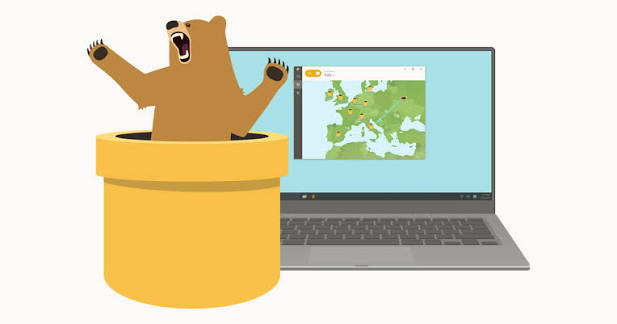
What makes it stand out: It’s the easiest VPN on this list to use. If you’ve never used a VPN before, TunnelBear is where to start. Open the app, flip the switch, choose a country — done.
Practical example: An older relative on Windows 7 wants to safely use public Wi-Fi at the library without complicated setup. TunnelBear takes five minutes to install and requires zero technical knowledge to operate.
Limitations: The free plan gives you only 500MB per month. That’s enough for basic browsing and checking email, but nothing more. You’ll hit the limit quickly if you stream anything.
Pros:
- Extremely easy to use
- Independently audited every year
- Reliable connection quality
- Available in 47 countries on paid plan
Cons:
- Only 500MB per month on the free plan
- Not suitable for streaming or heavy use
- Owned by McAfee (minor concern for some users)
4. hide.me Free
hide.me is a Malaysia-based VPN with a clean free tier. The free plan gives you 10GB of data per month and access to five server locations. It’s been around since 2012 and has a consistent record of protecting user privacy.

What makes it stand out: hide.me has a strict no-logs policy and is based in Malaysia, which is outside the Five Eyes, Nine Eyes, and Fourteen Eyes intelligence-sharing alliances — meaning fewer government data-sharing obligations.
Practical example: A freelancer in India uses their Windows 7 desktop to connect clients’ websites for testing purposes across different regions. hide.me’s free plan with five server locations gives them enough flexibility for basic geo-testing.
Pros:
- 10GB free per month
- 5 server locations
- No-logs policy
- Outside intelligence alliance jurisdiction
Cons:
- Data cap applies
- Speed drops on free servers during peak hours
- Limited server options compared to paid plans
5. Hotspot Shield Free
Hotspot Shield is one of the most downloaded VPNs in the world. The free version gives you access to one US server location with a daily data limit of around 500MB (approximately 15GB per month when added up).
What makes it stand out: It uses its own Hydra protocol, which is known for delivering faster speeds than many other VPN protocols. On the free plan, this still translates to a noticeably snappier connection compared to some alternatives.
Practical example: You want to access US-based content — a website that’s blocked in your country or a streaming library only available in the US. Hotspot Shield’s free plan connects you to a US server reliably and with decent speed.
Limitations: You’re locked to one server location. The free app also shows ads, which can get annoying quickly.
Pros:
- Fast speeds for a free VPN
- 15GB effective monthly data
- Simple interface
Cons:
- Only one server location (US)
- Ads in the free version
- Privacy policy is less transparent than some competitors
How to Install a Free VPN on Windows 7
Installing a VPN on Windows 7 is straightforward. Here’s a step-by-step using ProtonVPN as an example:
- Go to the official website — protonvpn.com. Never download VPN software from third-party sites.
- Create a free account — You’ll need an email address. Use a real one; you’ll need it to verify your account.
- Download the Windows client — On the download page, check that the app supports Windows 7. ProtonVPN supports Windows 7 SP1 and later.
- Run the installer — Double-click the downloaded file and follow the on-screen instructions. It takes under two minutes.
- Log in and connect — Open the app, log in with your account details, select a server location, and click Connect.
That’s it. Your traffic is now encrypted.
Important note: Make sure your Windows 7 has Service Pack 1 (SP1) installed. Most VPN apps that still support Windows 7 require SP1 as a minimum. To check: right-click “Computer” → Properties → look for “Service Pack 1” next to the Windows version.
Free VPN vs Paid VPN on Windows 7 — What’s the Difference?
If you’re deciding whether to stick with a free plan or upgrade, here’s an honest comparison:
| Feature | Free VPN | Paid VPN |
|---|---|---|
| Data limit | 500MB–15GB/month | Unlimited |
| Server locations | 3–10 | 30–100+ |
| Speed | Moderate | Fast |
| Simultaneous devices | 1 | 5–10 |
| Customer support | Limited | 24/7 live chat |
| Privacy | Usually good | Usually excellent |
| Cost | Free | ₹200–₹600/month |
For light, everyday use — browsing, email, occasional streaming — a free VPN works fine. If you need to stream regularly, torrent, or protect multiple devices, a paid plan is worth the cost.
Things to Avoid When Choosing a Free VPN
Not every free VPN is trustworthy. Here are red flags to watch for:
No privacy policy or a vague one — If a VPN doesn’t clearly explain what data it collects and what it does with it, that’s a problem. Skip it.
Apps not updated since 2020 or earlier — Outdated software has security vulnerabilities. An app that hasn’t been maintained is not protecting you.
Very slow speeds with no explanation — Some free VPNs throttle your connection aggressively to push you toward their paid plan. Others are just poorly maintained.
Excessive permissions — A VPN app asking for access to your contacts, camera, or microphone has no legitimate reason to do so.
Unknown developers — Stick to VPNs from companies with a public track record, named team members, and published privacy audits.
FAQs
Q: Is it safe to use a free VPN on Windows 7?
Yes, if you choose a reputable one. The VPNs listed here — ProtonVPN, Windscribe, TunnelBear, hide.me — all have strong privacy records. What’s not safe is downloading a random free VPN from an unfamiliar site. Stick to well-known providers and download only from their official websites.
Q: Will a VPN slow down my Windows 7 computer?
A VPN adds a small amount of processing overhead because it encrypts your traffic. On most Windows 7 systems, you won’t notice this during normal browsing. On very old or low-RAM machines (less than 2GB RAM), you might see a slight slowdown. ProtonVPN and Windscribe are both light on system resources.
Q: Can I use a free VPN on Windows 7 for Netflix?
It depends. Most free VPNs don’t reliably unblock streaming services like Netflix because the streaming platforms actively block VPN servers. If streaming is your main goal, a paid VPN with dedicated streaming servers (like NordVPN or ExpressVPN) will serve you much better. That said, Windscribe’s free plan occasionally works with some Netflix libraries.
Q: Does Windows 7 have a built-in VPN?
Windows 7 has a built-in VPN client that supports older protocols like PPTP and L2TP. You can use it if your workplace or university provides VPN server details. However, PPTP — the most commonly configured option — is now considered insecure. For personal use and privacy protection, using a dedicated VPN app is much safer.
Q: How much data does a VPN use?
A VPN adds a small overhead to your data — typically 5–15% more than you’d use without one. So if you browse 1GB of content, you’re actually using about 1.05–1.15GB. This matters if your free VPN has a data cap, but it’s a minor factor.
Q: Can I use a free VPN on Windows 7 without an account?
Some VPNs let you connect without creating an account, but the best ones require registration. Creating an account helps them enforce usage limits on the free tier and also lets you recover access if something goes wrong. ProtonVPN, Windscribe, and hide.me all require an account, but sign-up is free and takes under a minute.
Q: Is ProtonVPN really free forever?
Yes. ProtonVPN has committed to keeping a free tier permanently, funded by revenue from their paid plans. There’s no trial period, no credit card required, and no automatic charge. The free plan is genuinely free with no hidden fees.
Q: Which free VPN is best for public Wi-Fi on Windows 7?
ProtonVPN Free is the best choice here, mainly because it has no data cap — so you can leave it running all day at the café or co-working space without worrying about hitting a limit. For short, occasional use, Windscribe or TunnelBear also work well.
Conclsion
Windows 7 may not be the newest system, but it still deserves proper protection — especially since Microsoft stopped pushing security updates years ago. A good free VPN fills that gap by encrypting your connection and keeping your browsing private.
ProtonVPN Free is the top recommendation for most users — no data cap, strong privacy, and a clean interface. If you want more server locations and can work with a 10–15GB monthly cap, Windscribe is the next best option. For absolute beginners, TunnelBear makes the whole process effortless.
Download from official websites only, check that your Windows 7 has SP1 installed, and you’ll be set up in under ten minutes.