
Creating professional-quality videos no longer requires expensive software or advanced editing skills. In 2026, online AI video creation tools have made it possible for anyone to produce engaging videos directly from a web browser. Whether you’re a content creator, marketer, educator, business owner, or social media influencer, these platforms can help you transform text, images, presentations, or ideas into polished videos in just a few minutes.
Modern AI-powered video creators offer features such as text-to-video generation, AI avatars, automatic voiceovers, subtitle creation, background removal, scene transitions, and one-click editing. Since they run online, there’s no need to install heavy software, making them accessible from Windows, macOS, Chromebooks, and even mobile devices.
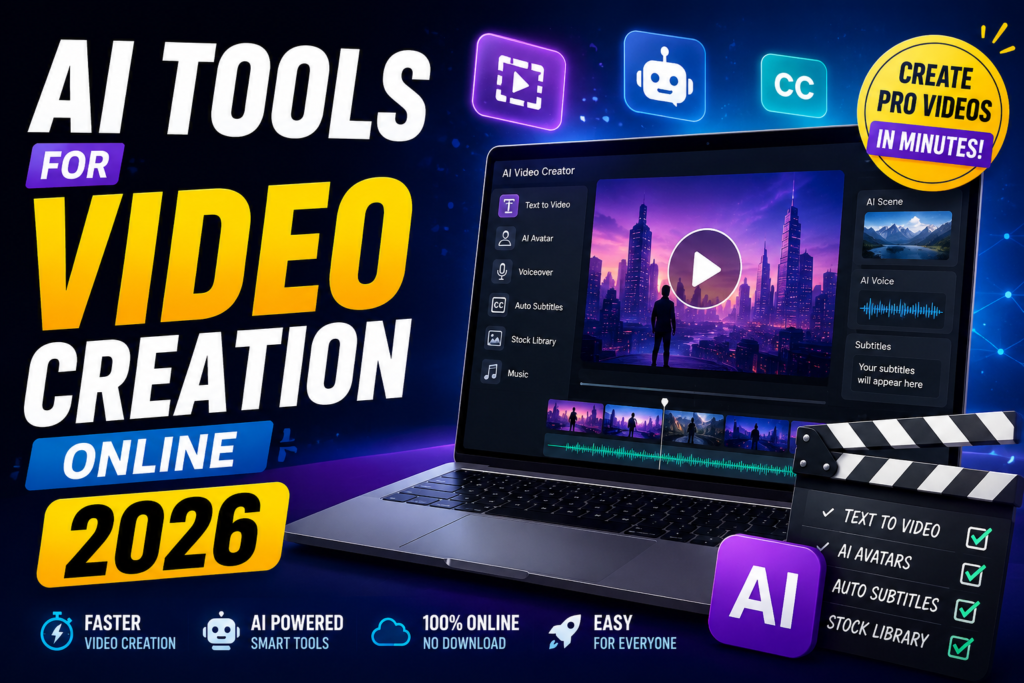
In this guide, we’ll explore the best AI tools for video creation online in 2026, comparing their key features, pricing, strengths, and ideal use cases. Whether you’re looking for a free AI video maker or a premium platform for professional productions, you’ll find the right option to create high-quality videos faster and more efficiently.
Making videos used to take a full production team, expensive software, and hours of editing. That’s no longer the case. In 2026, anyone with a browser and a basic idea can produce polished, professional-looking videos in minutes — no camera, no crew, no complicated timeline editor required.
Whether you’re a content creator, a small business owner, an educator, or someone just trying to make videos for social media, smart online video creation tools have made the whole process a lot more accessible. This guide breaks down the best options available in 2026, what they’re actually good for, and how to pick the right one for your needs.
Why Online Video Tools Have Taken Over in 2026
A few years ago, the standard approach was to shoot footage, import it into software like Premiere Pro or Final Cut, and spend hours on color correction, audio sync, and transitions. That workflow still exists, but it now sits alongside a completely different category of tools — browser-based platforms that handle the heavy lifting for you.
These tools work differently. You provide a script, a topic, or a set of ideas. The tool turns that into a full video — complete with voiceovers, visuals, captions, background music, and transitions. Some even generate the visuals themselves based on your text input.
The result? A ten-minute task that used to take an entire afternoon.
For creators running YouTube channels, marketers building product demos, teachers recording explainers, or agency owners serving multiple clients, this shift is a big deal.
Top Smart Video Creation Tools Online in 2026: AI Tools for Video Creation Online 2026
1. Pictory
Pictory is one of the most popular tools for turning written content into videos. You paste in a blog post, article, or script, and it automatically selects relevant visuals, adds captions, and lets you choose a voiceover.
Pictory is one of the leading online AI video creation platforms in 2026, designed to help users transform blog posts, articles, scripts, and long-form content into professional-looking videos within minutes. Because it is entirely cloud-based, you can create and edit videos directly from your web browser without downloading or installing any software.

One of Pictory’s standout features is its AI-powered text-to-video technology. Simply paste a script, article, or URL, and the platform automatically identifies key points, matches relevant stock footage, adds transitions, generates subtitles, and creates a polished video. This makes it an excellent choice for bloggers, YouTubers, marketers, educators, and businesses looking to repurpose written content into engaging videos.
Pictory also includes automatic caption generation, AI voiceovers, scene summarization, and video highlights, making it especially useful for creating short-form content for platforms like YouTube Shorts, Instagram Reels, TikTok, LinkedIn, and Facebook. Users can customize fonts, colors, branding elements, and music to match their style without requiring professional editing experience.
For teams and businesses, Pictory supports collaborative editing, brand templates, and access to millions of royalty-free stock videos, images, and music tracks. Its intuitive drag-and-drop interface allows beginners to create high-quality videos while still offering enough flexibility for experienced content creators.
Best for: Bloggers and content marketers who want to repurpose long-form content into short videos for YouTube or Instagram Reels.
Practical example: If you have a 1,500-word review of a travel destination, you can paste it into Pictory and get a 2-minute video with stock footage, text overlays, and a narrated voiceover — ready to post.
Pros:
- Great for repurposing existing content
- Automatic caption generation
- No video editing experience needed
- Good stock media library
Cons:
- Less creative control over visual style
- Stock footage can feel generic if you don’t pick carefully
- Monthly cost can add up if you need many videos
2. Runway ML
Runway sits in a slightly different category. It’s a creative tool used by filmmakers and designers who want more artistic control. In 2026, it’s become one of the most capable platforms for generating video clips from text descriptions or from reference images.
Runway ML is one of the most advanced AI video creation platforms available in 2026, offering powerful tools for generating, editing, and enhancing videos directly from a web browser. It is widely used by content creators, filmmakers, marketing teams, designers, and businesses that want professional-quality results without relying on traditional video editing software.
One of Runway ML’s biggest strengths is its AI video generation capability. Users can create videos from text prompts, generate realistic visual effects, remove backgrounds without a green screen, erase unwanted objects, and extend video clips using AI. These features significantly reduce editing time while making complex visual effects accessible to beginners and professionals alike.
The platform also provides advanced editing tools such as motion tracking, automatic masking, frame interpolation for smoother slow-motion videos, image-to-video generation, and AI-powered scene expansion. Its intuitive interface allows users to create cinematic content, promotional videos, social media clips, advertisements, and creative projects with minimal technical expertise.
Runway ML integrates well into modern creative workflows by supporting collaboration, cloud storage, and high-resolution exports. It is particularly popular among YouTube creators, advertising agencies, and digital artists who need fast, high-quality video production powered by artificial intelligence.
Best for: Designers, creative directors, and advanced content creators who want visual effects, style transfers, or generated footage that looks genuinely cinematic.
Practical example: You’re creating a title sequence for a podcast. You type in a description of what you want — abstract dark visuals with flowing light streaks — and Runway generates a video clip you can drop into your video editor.
Pros:
- High-quality generated video output
- Lots of creative effects and tools
- Strong community and tutorials
- Regular feature updates
Cons:
- Has a steeper learning curve than beginner tools
- Credits system can get expensive for heavy users
- Not ideal for straightforward talking-head or explainer videos
3. InVideo
InVideo is one of the most beginner-friendly platforms out there. It comes with thousands of pre-built templates sorted by niche — YouTube intros, Instagram ads, product launches, educational content, and more. You pick a template, swap out the text and visuals, and export.
Best for: Social media managers, small business owners, and beginners who want quick turnaround without spending hours customising every detail.
Practical example: An online store wants to run a flash sale video ad for Instagram. They open InVideo, choose an e-commerce promotional template, drop in their product images and sale details, and have a 30-second video ready within 20 minutes.
Pros:
- Massive template library
- Easy drag-and-drop interface
- Decent text-to-video feature for quick content
- Affordable pricing with a generous free tier
Cons:
- Templates can start to look the same if overused
- Less powerful for highly custom or branded videos
- Some advanced features need a paid plan
4. Synthesia
Synthesia is the go-to platform when you need talking-head videos without recording yourself. It uses digital presenters — realistic on-screen figures that speak your script in dozens of languages.
Best for: Corporate trainers, e-learning creators, HR teams, and businesses that need multilingual video content without hiring voice actors or appearing on camera themselves.
Practical example: A company based in India wants to train their customer service team in three different languages. Instead of recording the trainer three times, they type the script once, select three language versions, and Synthesia produces three separate training videos in hours.
Pros:
- 140+ language options
- No camera or microphone needed
- Consistent, professional on-screen presenter
- Good for internal training or course content
Cons:
- Digital presenters can feel slightly unnatural
- Not great for emotionally driven storytelling
- Customisation of avatar appearance is limited on lower plans
5. Canva Video
Most people know Canva for graphic design, but its video creation features have expanded significantly. In 2026, Canva’s video editor includes text-to-video generation, a full timeline editor, stock footage, transitions, and even basic voiceover recording right inside the browser.
Best for: Designers and creators who already use Canva for other content and want a single platform for both graphics and video.
Practical example: A school teacher who already builds presentation slides in Canva can extend their existing workflow to short explainer videos — same interface, same brand colours, same font choices — without switching tools.
Pros:
- Familiar interface for existing Canva users
- Strong free tier
- Easy brand kit integration
- Great for short-form social content
Cons:
- Less powerful than dedicated video tools for longer content
- The timeline editor isn’t as precise as professional tools
- Some video features still feel secondary to the core design features
6. Descript
Descript takes a completely different approach to video editing — it lets you edit video the same way you’d edit a text document. When you import footage with speech, it transcribes everything. Then you edit the transcript, and the video edits itself. Delete a sentence from the transcript, and that section disappears from the video.
Best for: Podcasters turning episodes into video content, YouTubers who do a lot of talking-head footage, and anyone who wants to cut editing time without learning traditional timeline editing.
Practical example: You’ve recorded a 20-minute YouTube video but stumbled on your words a dozen times. Instead of scrubbing through the timeline to find each mistake, you open Descript, read the transcript, and delete every filler word and bad take in five minutes flat.
Pros:
- Editing by transcript is a genuine time-saver
- Built-in screen recording and podcast tools
- Good for removing filler words automatically
- Collaborative features for teams
Cons:
- Transcription accuracy can vary with accents or background noise
- Less suited to animation or graphic-heavy videos
- Higher-tier plans needed for best quality exports
How to Choose the Right Tool for Your Needs
With so many platforms available, picking one can feel overwhelming. Here’s a simple way to think about it:
If you’re a blogger or content writer who wants to turn articles into videos without recording anything — go with Pictory.
If you run social media for a business and need fast, visually clean content — InVideo or Canva Video will serve you well.
If you need corporate or training videos without anyone going on camera — Synthesia is built exactly for that.
If you want creative control and cinematic visuals — Runway ML gives you the most artistic flexibility.
If you record yourself talking and spend too much time cutting and polishing footage — Descript will save you hours every week.
Practical Tips for Getting Good Results
Even the best tools won’t produce great videos if you go in without a plan. A few things that actually make a difference:
Write a clear script first. Tools that take text input produce much better results when your script is specific, well-paced, and broken into short sentences. Avoid long paragraphs.
Pick stock visuals carefully. Generic office scenes and handshake photos are overused. Look for real-environment footage that matches the mood of your content.
Match your video length to the platform. Instagram Reels and YouTube Shorts work best under 60 seconds. YouTube explainers can go 8–15 minutes. Long LinkedIn videos tend to underperform. Let the platform guide your length.
Use captions. A large portion of online video is watched on mute. Captions aren’t optional in 2026 — they’re a basic requirement. Most of the tools listed above generate them automatically.
Export in the right aspect ratio. Vertical (9:16) for TikTok, Reels, and Shorts. Square (1:1) for feed posts. Widescreen (16:9) for YouTube. Getting this wrong creates black bars and looks unprofessional.
Pros and Cons of Online Video Creation Tools (Overall)
Pros:
- No expensive software or hardware required
- Significantly faster than traditional video editing
- Accessible to complete beginners
- Many tools offer free tiers for low-volume use
- Regular updates add new features without extra cost
Cons:
- Creative control can feel limited compared to professional editing software.
- Subscription costs add up across multiple tools
- Internet connection dependency — you can’t work offline
- Highly customised or branded output sometimes requires manual adjustments
- Some tools have usage limits (credits, exports per month) on lower plans
Frequently Asked Questions
Q: Do I need any video editing experience to use these tools?
No. Most of the platforms listed here — InVideo, Pictory, Canva, Synthesia — are built for people with no editing background. The interfaces are point-and-click, and many include step-by-step guides.
Q: Are these tools free?
Most offer a free tier with limited features or exports. Pictory, InVideo, Canva, and Descript all have usable free plans. For professional output or high-volume use, a paid subscription is usually worth it.
Q: Can I use these tools on my phone?
Some have mobile apps — Canva and InVideo both have solid mobile versions. However, video creation tools generally work best on a laptop or desktop browser where you have more screen space and processing power.
Q: How long does it take to make a video with these tools?
For a short social media video using a template, you can be done in 15–30 minutes. For a longer explainer or training video with a custom script and voiceover, expect 1–2 hours including review and revisions.
Q: Can these tools create videos in multiple languages?
Yes, particularly Synthesia, which supports over 140 languages. Pictory and InVideo also support multilingual captions and some voiceover options. If global reach matters to you, Synthesia is the strongest choice.
Q: Will my videos look like everyone else’s if I use templates?
They can, if you don’t customise them. The key is to change the colour palette to match your brand, use your own images or footage where possible, and write a script that sounds like you rather than a generic marketing line.
Q: Which tool is best for YouTube?
It depends on your channel type. For talking-head and commentary content, Descript. For faceless content with voiceover, Pictory or InVideo. For visually creative or cinematic content, Runway ML.
Conclsion
Online video creation tools in 2026 have changed the game for anyone who wants to produce video content regularly without a big budget or a production team. The platforms above cover every major use case — from social media clips and explainer videos to corporate training content and creative visual projects.
The best approach is to match the tool to what you actually need. Most of them have free trials, so spend an hour testing two or three before committing to a subscription. Once you find one that fits your workflow, video production stops feeling like a project and starts feeling like part of your normal routine.
Pick your tool, write your script, and start publishing. That’s the only way to build an audience in 2026.

