

Finding a decent free VPN for iPhone sounds simple until you actually try it. The App Store is packed with VPN apps — thousands of them — and most are either too limited to be useful, too shady to be safe, or both.
Free VPN for iPhone 2025. This guide is for anyone who wants real, working free VPN protection on their iPhone without getting burned by a bad app. We’ll cover the best options, what each one is actually good for, and the truth about what free VPNs can and can’t do on iOS.
Why iPhone Users Need a VPN in 2025
A lot of people assume iPhones are already secure enough. And in some ways, they’re right — iOS is well-designed, and Apple does a decent job of protecting your device. But your device security and your network security are two different things.
When you connect to Wi-Fi at a coffee shop, airport, hotel, or mall, your internet traffic is exposed on that network. Anyone on the same network — with the right tools — can potentially see what you’re doing. A VPN encrypts that traffic, making it unreadable to anyone snooping around.
Beyond security, a VPN also masks your IP address and lets you appear to be browsing from a different country. That’s useful for accessing region-locked content, avoiding price discrimination on booking sites, or simply keeping your browsing private from your ISP.
In 2025, with more people working remotely and connecting to public Wi-Fi constantly, having a basic VPN on your iPhone just makes sense.
What Makes a Good Free VPN for iPhone?
Before jumping into the list, here’s what separates a trustworthy free VPN from a dangerous one:
No-logs policy. A good VPN should not record what you do online. If the company keeps logs, those logs can be shared with authorities, sold to advertisers, or leaked in a breach.
Transparent business model. Legitimate free VPNs make money by offering a paid tier. If a VPN is completely free with no paid option and no clear explanation of how it funds itself, your data is likely the product.
iOS-specific optimisation. Some VPNs work better on iOS than others. Look for apps that use IKEv2 or WireGuard protocols, which are faster and more stable on iPhone than older options like OpenVPN.
No excessive permissions. A VPN app needs network access. That’s it. Any app asking for access to your contacts, photos, or microphone should be avoided immediately.
Free VPN for iPhone 2025:- Best Free VPN Apps for iPhone in 2025
1. Proton VPN Free
If you only read about one VPN on this list, make it this one. Proton VPN‘s free plan is the most trustworthy free option available for iPhone — and the fact that it offers unlimited data makes it genuinely useful rather than just a teaser for a paid plan.
Proton is headquartered in Switzerland, which has strong privacy laws. The company also runs ProtonMail, one of the most respected encrypted email services in the world. Their privacy credentials are real, not marketing.
Proton VPN Free is widely considered one of the most reliable free VPN options, especially for users who prioritise privacy and security without spending money. Unlike many free VPNs that limit usage or show ads, Proton VPN Free offers a clean and trustworthy experience backed by a strong privacy-focused company.
One of its biggest advantages is unlimited data usage. You can browse, stream lightly, or use the internet daily without worrying about hitting a data cap, which is rare among free VPN services. It also follows a strict no-logs policy, meaning your online activity is not tracked or stored, and there are no ads, making it safer than many other free alternatives.
In terms of security, Proton VPN Free uses strong encryption and includes essential features like a kill switch to protect your data if the connection drops. It is designed to keep your information safe, especially when using public Wi-Fi or unsecured networks.
However, the free plan comes with some limitations. You can use it on only one device at a time, and server access is limited, often connecting you automatically to the fastest available location rather than letting you choose. Speeds may also be slower compared to paid plans, making it less suitable for heavy streaming, gaming, or large downloads.
Overall, Proton VPN Free is an excellent choice for beginners and casual users who want a secure, no-cost VPN for everyday browsing. While it lacks advanced features and high speeds, it stands out for its unlimited bandwidth, strong privacy protection, and ad-free experience.
What’s included in the free plan:
- Unlimited data
- Servers in 5 countries (US, Netherlands, Japan, Romania, Poland)
- No logs, ever
- No ads
- IKEv2 and WireGuard protocols on iOS
Limitations:
- Speeds are slower than the paid plan — free users share a lower-priority server.s
- No access to streaming servers (Netflix, etc.)
- Only one device at a time on the free plan
Best for: Anyone who wants a VPN they can leave running all day without worrying about data limits or privacy. Great for general browsing, public Wi-Fi protection, and everyday privacy.
Real example: You’re at Mumbai airport waiting for a flight and using the free airport Wi-Fi to check your bank account. With Proton VPN Free running on your iPhone, your connection is encrypted end-to-end, even on that open network.
2. Windscribe Free
Windscribe gives you 10GB of free data per month — and up to 15GB if you verify your email address. For most casual users, that’s enough to cover a few weeks of VPN-protected browsing.
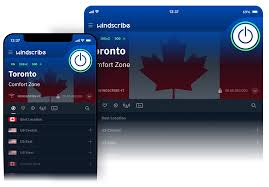
The iOS app is clean and well-designed, and the built-in ad and tracker blocker (called ROBERT) adds an extra layer of privacy on top of the VPN itself.
What’s included in the free plan:
- 10GB/month (15GB with email verification)
- Servers in 10+ countries
- Built-in ad blocker
- No-logs policy
Limitations:
- Data cap means it’s not suitable for constant use
- Some servers are slow during peak hours
- Streaming unblocking is inconsistent
Best for: Light users who want a VPN a few days a week — travellers, occasional remote workers, or people who want protection on public Wi-Fi without committing to a paid plan.
Real example: You travel for work once or twice a month. Windscribe’s 10GB will comfortably cover a week of VPN usage — browsing, email, the occasional video call — without running out.
3. TunnelBear Free
TunnelBear is the easiest VPN to set up and use on iPhone, full stop. The app is friendly, the interface is clear, and you don’t need any technical knowledge to get it working in under two minutes.
The free plan only gives you 2GB of data per month, which is genuinely limited. But if you’re new to VPNs and want to understand how they work before committing to anything, TunnelBear is the best place to start.
Importantly, TunnelBear publishes annual independent security audits — one of the few VPN companies that does. That means their no-logs claims have actually been verified by outside experts.
What’s included in the free plan:
- 2GB/month
- Servers in 47 countries (same as paid — one of the best country selections for a free tier)
- Independently audited no-logs policy
- Clean, simple iOS app
Limitations:
- 2GB goes very fast — barely enough for a few hours of browsing
- No streaming support
- Not practical for regular daily use
Best for: First-time VPN users who want to try the technology before buying. Also useful for one-off situations where you just need a VPN for an hour or two.
4. PrivadoVPN Free
PrivadoVPN doesn’t have the brand recognition of Proton or TunnelBear, but its free plan is genuinely impressive. You get 10GB per month, access to servers in 12 cities, and — unusually for a free VPN — it can unblock Netflix US.
The iOS app is straightforward and connects quickly. The company’s zero-logs policy has been verified, and the privacy policy is readable rather than buried in legal language.
What’s included in the free plan:
- 10GB/month
- Servers in 12 cities worldwide
- Netflix US unblocking (works on the free plan)
- No-logs policy
Limitations:
- Data cap limits streaming to a few hours per month
- No 24/7 support on the free tier
- Fewer server locations than competitors
Best for: Casual streamers who occasionally want to access US content on their iPhone without paying for a full VPN subscription.
Real example: You want to watch a show that’s only available on US Netflix. Open PrivadoVPN on your iPhone, connect to a US server, and you’re in — just mind your 10GB monthly limit.
5. Hide.me Free
Hide.me is a Malaysian VPN with a solid reputation and a free plan that doesn’t require you to create an account. That last part is surprisingly rare and genuinely useful if you’d rather not hand over your email address just to try a VPN.
What’s included in the free plan:
- 10GB/month
- 5 server locations
- No account required
- Strong encryption
- No DNS leaks
Limitations:
- Limited server choice
- No streaming support
- Speeds vary depending on server load
Best for: Privacy-focused users who want a VPN without the sign-up friction. Good for occasional use where you want protection without leaving a trail, il even with the VPN provider.
Free VPNs to Avoid on iPhone
The App Store is not a safe filter. Plenty of harmful VPN apps have passed Apple’s review process and sit happily next to legitimate options. Here’s what to watch for:
Apps with no paid tier. If a VPN has no way to make money other than from your data, it’s making money from your data. This isn’t a theory — multiple free VPN apps have been caught selling user browsing history to data brokers.
Apps that claim “unlimited free VPN” without explanation. Bandwidth costs money. If a company is giving you unlimited data for free and won’t explain how they fund it, be suspicious.
Hola VPN. Worth naming specifically. Hola routes your traffic through other users’ devices, meaning strangers are browsing the internet using your iPhone’s connection. It’s been used to run botnets. Avoid it completely.
SuperVPN, VPN Master, Turbo VPN (and similar generic names). These apps consistently appear in security research as having poor privacy practices, logging user data, or containing malicious code.
A simple rule: if you’ve never heard of the company behind a VPN, search for “[VPN name] privacy review” or “[VPN name] security audit” before downloading. Reputable VPNs will have third-party coverage.
Pros and Cons of Using a Free VPN on iPhone
Pros
- Zero cost. No subscription, no credit card, no commitment. You can protect yourself on public Wi-Fi for free.
- Easy to set up on iOS. All the apps on this list take under two minutes to install and configure on an iPhone.
- Real privacy benefits on public Wi-Fi. Even a data-limited free VPN provides meaningful encryption when you’re on an open network.
- Good options genuinely exist. Proton VPN Free is better than most paid VPNs from smaller providers. Legitimate free options aren’t just watered-down demos.
Cons
- Data caps make constant use impossible. Except for Proton VPN, every free plan limits how much data you can use. For most people, 10GB is enough — but it goes faster than you’d expect if you’re streaming video.
- Slower speeds. Free servers are shared by more users and given lower bandwidth priority. You’ll notice the difference if you’re used to fast internet.
- No reliable streaming. Netflix, Hotstar, BBC iPlayer — these platforms actively block VPN IPs. Free VPNs don’t rotate their IPs as frequently as paid ones, so they get blocked faster.
- Battery drain. Running a VPN continuously uses slightly more battery than browsing without one. Not dramatic, but noticeable over a full day.
- Limited server options. Free plans typically give you access to 5–12 countries. If you need to appear in a specific country for a specific reason, you might not find it on the free tier.
How to Set Up a Free VPN on iPhone
Setting up a VPN on iPhone is simpler than most people expect:
- Go to the App Store and search for your chosen VPN (e.g., “Proton VPN”).
- Download the official app — check that the developer name matches the company name.
- Open the app and create a free account (or skip this step with Hide.me).
- Tap “Connect” and allow the app to add a VPN configuration to your iPhone settings.
- You’re protected.
You can also switch between VPNs easily — just connect through a different app whenever you want to change. iOS manages multiple VPN configurations without any conflict.
Tips for Using a Free VPN Effectively on iPhone
Save your data for when it counts. If you have a 10GB monthly limit, don’t waste it streaming YouTube at home on your own Wi-Fi. Use your VPN on public or unknown networks, and turn it off when you’re home.
Use the Quick Settings toggle. Once your VPN is set up, you can connect and disconnect straight from Control Centre without opening the app. Go to Settings → Control Centre and add the VPN toggle.
Check for kill switch support. A kill switch cuts your internet connection if the VPN drops unexpectedly, preventing your real IP from being exposed. Proton VPN’s paid plan includes this; the free plan does not. Worth upgrading eventually if you handle sensitive work on your iPhone.
Don’t use a VPN and assume you’re anonymous. A VPN hides your traffic from your ISP and network snoopers. It doesn’t hide your identity from websites you’re logged into, your Apple ID, or your mobile carrier. It’s one layer of protection, not a complete privacy solution.
Frequently Asked Questions
Is it safe to use a free VPN on an iPhone?
Yes — if you choose a reputable one. Proton VPN, Windscribe, TunnelBear, and Hide.me are all safe options with verified no-logs policies. Generic free VPNs from unknown developers are a different story and should be avoided.
Will a free VPN slow down my iPhone’s internet?
Some slowdown is normal with any VPN. Free plans tend to be slower than paid ones because servers are more crowded. For browsing and messaging, you probably won’t notice much. For video streaming or large downloads, the speed difference is more obvious.
Can I use a free VPN to watch Netflix on iPhone?
Most free VPNs can’t reliably unblock Netflix. PrivadoVPN Free is the main exception, but even that isn’t guaranteed — Netflix updates its detection regularly. If streaming is your main reason for wanting a VPN, a paid plan is a more reliable solution.
Does Apple’s iCloud Private Relay replace a VPN?
Not exactly. iCloud Private Relay (available on iCloud+ plans) hides your IP from websites and your browsing activity from Apple, but it only works in Safari, doesn’t let you choose your virtual location, and doesn’t encrypt all your device’s traffic the way a VPN does. It’s a useful privacy feature, not a full VPN replacement.
How much data does a VPN use on an iPhone?
A VPN adds a small overhead to your data usage — typically 5–15% more than browsing without one, due to encryption. So if you use 1GB of data normally, a VPN might use around 1.05–1.15GB for the same activity. It’s not dramatic.
Do free VPNs work in countries with internet restrictions?
Some do, some don’t. Countries like China have strict VPN restrictions, and most free VPNs don’t have the resources to maintain servers that work reliably in those environments. For restricted regions, a paid VPN with obfuscation features is a much better bet.
Can I use multiple free VPNs on the same iPhone?
Yes. You can install and use multiple VPN apps on the same iPhone. Only one can be active at a time, but you can switch between them freely.
Conclsion
The best free VPN for iPhone in 2025 is Proton VPN Free — and it’s not a close call. Unlimited data, genuine privacy credentials, and a no-nonsense iOS app make it the obvious first choice for most users.
If you hit the speed limits on Proton and want something snappier for occasional use, Windscribe or PrivadoVPN are solid alternatives with 10GB monthly allowances.
Just stay away from the generic “unlimited free VPN” apps that flood the App Store. The legitimate options on this list have real privacy policies, verified practices, and actual paid customers keeping them in business. That’s what makes them trustworthy — and that’s what makes the difference between a VPN that protects you and one that doesn’t.
Download Proton VPN, take two minutes to set it up, and you’ll have real protection on your iPhone from today — completely free.

