
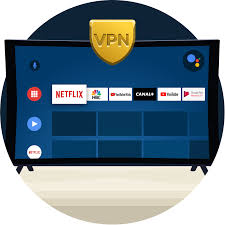
If you’ve got an Android TV — whether it’s a Sony Bravia, Xiaomi TV, Hisense, or a cheap streaming stick — and you want to unlock more content or protect your connection, a VPN is the most practical solution. The problem is finding one that actually works well on Android TV specifically, especially if you don’t want to pay for it.
This guide covers the best Free VPN for Android TV in 2026 — what each one offers, where it falls short, and whether the free tier is genuinely usable or just a teaser for a paid plan.
Why Use a VPN on Android TV?
Before getting into the list, it’s worth being clear on what a VPN on Android TV actually does for you:
Access geo-restricted content — Streaming libraries differ by country. Netflix India has different titles from Netflix US. BBC iPlayer is only available in the UK. A VPN lets you connect through a server in another country and access that region’s content library.
Use streaming apps not available in your region — Some apps aren’t available in the Indian Google Play Store. A VPN combined with a different Play Store region (or sideloading) can unlock these.
Protect your connection on shared networks — If your Android TV is connected to a shared apartment Wi-Fi or a hotel network, a VPN encrypts your traffic.
Bypass ISP throttling — Some ISPs slow down streaming traffic during peak hours. A VPN can sometimes get around this by hiding what type of traffic you’re sending.
Access blocked content — In countries or networks where certain streaming services are blocked, a VPN routes around the restriction.
What Makes a VPN Good for Android TV Specifically?
Android TV isn’t the same as using a VPN on your phone. A few things matter more on this platform:
Dedicated Android TV app — Many VPNs have Android apps, but not Android TV apps. There’s a difference. A phone app scaled up to a TV screen is awkward to navigate with a remote. You need an app built for the TV interface — large buttons, D-pad navigation, and readable text.
Streaming performance — A VPN that’s fine for browsing but throttles video will buffer constantly on a 4K stream. Speed matters more on TV than on mobile.
Ease of use from the couch — You’re using a remote, not a touchscreen. The interface needs to be simple enough to navigate without frustration.
Server locations for streaming — US, UK, Canada, Australia, Japan — these are the most useful server locations for unlocking streaming content.
Best Free VPN for Android TV in 2026
1. ProtonVPN Free
The best genuinely free VPN for Android TV — no data cap
ProtonVPN‘s free tier is the most honest free VPN available. The single most important difference between ProtonVPN Free and every other free VPN: there is no data cap. You can stream video all day without hitting a limit.
What the free tier includes:
- Unlimited data
- Servers in 3 countries: the Netherlands, Japan, and the US
- 1 device at a time
- No ads
- No logs — audited by independent security firms
What it doesn’t include:
- Speed is lower than paid servers (free users share bandwidth)
- No access to streaming-optimised servers
- Only 3 country options
Android TV experience: ProtonVPN has a dedicated Android TV app available on the Google Play Store. The interface works well with a remote — large buttons, clear server selection, easy connect/disconnect. It’s one of the better TV interfaces among free VPNs.
Practical example: A student in Hyderabad uses ProtonVPN Free on his Xiaomi Android TV to connect to the US server and access a broader Netflix library. Streaming quality is acceptable for 1080p content on a good broadband connection, though 4K can occasionally buffer during peak hours.
Verdict: The best free option if you want unlimited data and a clean experience. Speed is the tradeoff.
Upgrade path: Proton VPN Plus at ~$4.99/month (~₹416) unlocks faster speeds and 90+ countries.
2. Windscribe Free
Best for: Generous data allowance and strong streaming unblocking

Windscribe offers 10GB of free data per month — the most generous cap among free VPNs that limit data. With a free account and email confirmation, you get 10GB. By tweeting about them, you can bump it to 15GB. Not unlimited, but enough for several hours of HD streaming per month.
What the free tier includes:
- 10GB/month data (upgradeable to 15GB)
- Servers in 11 countries, including the US, UK, Canada, Germany, and France
- Unlimited devices (no device limit on free tier)
- No logs
- Built-in ad and tracker blocker (R.O.B.E.R.T.)
What it doesn’t include:
- Streaming-optimised servers are locked to paid plans
- Some US servers are available free, but dedicated streaming servers (marked “Windflix”) require payment
- 10GB runs out quickly if you stream a lot
Android TV experience: Windscribe has a dedicated Android TV app. Interface is functional and remote-friendly. Server selection works well with a D-pad.
Practical example: A family in Pune uses Windscribe Free on their Sony Bravia Android TV. They use it primarily for accessing UK content on weekends — the 10GB limit lasts them about 4–5 hours of HD viewing per month. For casual use, it works fine.
Verdict: Good if your streaming use is occasional rather than daily. The 10GB cap is the main limitation.
Upgrade path: Windscribe Pro at $9/month (~₹750) or $69/year (~₹5,750) for unlimited data.
3. Hotspot Shield Free
Best for: Fast speeds on the free tier
Hotspot Shield is one of the fastest free VPNs available. Its Hydra protocol is designed for speed, which matters for video streaming. The free tier is limited, but the speed performance is better than most free competitors.
What the free tier includes:
- 500MB/day data (~15GB/month effectively)
- US server only
- 1 device
- Decent speeds for HD streaming
What it doesn’t include:
- Only one server location (US)
- Ads in the app
- No server choice within the US
Android TV experience: Hotspot Shield has an Android app that works on Android TV, though it’s not a dedicated TV app — navigation with a remote is functional but not as smooth as ProtonVPN or Windscribe.
Practical example: A viewer in Mumbai uses Hotspot Shield Free to access US-only content on his Android TV stick. He watches an hour or two of content every few days — the 500MB daily reset means he rarely hits the limit for standard HD viewing, though 4K is out of reach.
Verdict: Fast and functional, but the US-only server and single-location limitation make it less flexible than Windscribe.
Upgrade path: Hotspot Shield Premium at ~$7.99/month (~₹667).
4. TunnelBear Free
Best for: Simple interface, trustworthy privacy
TunnelBear is known for its friendly design and strong privacy track record — it’s one of the few free VPNs that publishes annual independent security audits. The free tier is very limited on data, but it’s a trustworthy option if you only need occasional VPN access.

What the free tier includes:
- 2GB/month data
- Servers in 47 countries
- Up to 2 devices
- Audited no-logs policy
What it doesn’t include:
- 2GB is not enough for regular streaming — it’s better for occasional browsing or testing
- No Android TV dedicated app (uses the Android app)
Android TV experience: The Android app works on Android TV, but the interface isn’t designed for TV navigation. Usable, but not as smooth as the dedicated TV apps.
Practical example: A traveller staying in a hotel uses TunnelBear Free on his Android TV box to access his home country’s streaming services for a week. The 2GB limit covers a few hours of SD streaming — enough for light use during a short trip.
Verdict: Good for occasional or testing use. Not practical for regular streaming due to the 2GB cap.
Upgrade path: TunnelBear Unlimited at $9.99/month (~₹833).
5. Urban VPN

Best for: No account required, quick setup
Urban VPN is a peer-to-peer VPN that requires no registration — you download, open, select a country, and connect. It has a dedicated Android TV app and supports a wide range of server locations for free.
What the free tier includes:
- Unlimited data
- Servers in 80+ countries
- No account or registration required
- No hard data cap
What it doesn’t include:
- It’s a peer-to-peer network — your device may act as a relay for other users’ traffic (this is how they fund the free service)
- Privacy policy is less transparent than ProtonVPN or Windscribe
- Speeds can be inconsistent
Android TV experience: Has a dedicated Android TV app. Setup is fast — no login required. Server selection is easy with a remote.
Practical example: A household in Chennai uses Urban VPN on their Android TV for occasional access to content not available in India. They don’t need to create an account, which they prefer. Speeds are variable — good on some days, slow on others.
Verdict: Convenient for users who want zero sign-up friction. The peer-to-peer model and less transparent privacy policy mean it’s not suitable if privacy is your main concern.
How to Install a VPN on Android TV
Most VPNs with dedicated Android TV apps can be installed directly from the Google Play Store on your TV:
Step 1: On your Android TV home screen, navigate to the Google Play Store app.
Step 2: Use the search function to search for your chosen VPN (e.g., “ProtonVPN” or “Windscribe”).
Step 3: Select the app from the results and click Install.
Step 4: Once installed, open the VPN app. Log in with your account credentials (or skip this if the VPN doesn’t require registration).
Step 5: Select a server location from the available list.
Step 6: Click Connect. Wait for the connection confirmation.
Step 7: Navigate to your streaming app (Netflix, Disney+, etc.) and start watching.
If the VPN app isn’t available on the Play Store:
Some VPNs have Android TV APKs available on their websites. You can sideload these:
- Enable “Unknown sources” in your Android TV settings (Settings > Device Preferences > Security & Restrictions)
- Download a file manager app from the Play Store (like “File Commander” or “FX File Explorer”)
- Download the VPN’s APK file onto a USB drive or via a browser on the TV
- Open the file manager, locate the APK, and install it
Pros and Cons of Free VPNs for Android TV
Pros
Zero cost — Obviously the main appeal. For casual or occasional use, a free tier can be enough without any financial commitment.
Privacy on shared networks — Even a free VPN encrypts your traffic on shared Wi-Fi, which is better than no protection at all.
Access to basic geo-restricted content — US servers on free plans can unlock some additional streaming content, even without premium streaming-optimised servers.
Test before you buy — Using a free tier is the best way to evaluate whether a VPN’s speed and interface work well on your specific TV setup before committing to a paid plan.
No contracts — Free tiers have no commitment. Use them when you need them, stop when you don’t.
Cons
Data caps make streaming impractical — 2GB (TunnelBear) or even 10GB (Windscribe) runs out fast when streaming video. Only ProtonVPN Free and Urban VPN offer unlimited data.
Slower speeds — Free tier users share bandwidth with paid users on many services, which means lower speeds — especially during peak hours. This leads to buffering on HD and 4K content.
Limited server locations — Free tiers typically offer 1–11 countries. If the content you want is on a server location not included in the free tier, you’re stuck.
Won’t reliably unblock premium streaming — Netflix, Disney+, and other services actively work to block VPN traffic. Paid VPNs invest in regularly refreshing their IP addresses to stay ahead. Free tiers rarely have the same resources, so they get blocked more often.
Privacy concerns with some free VPNs — Some genuinely free VPNs (those without any paid tier to fund them) monetise through data collection and selling. Stick to free tiers of reputable paid services — ProtonVPN, Windscribe, and TunnelBear are the safest choices.
Ads — Some free VPN apps show ads, which is particularly disruptive on a TV interface.
Should You Just Pay for a VPN?
For occasional use — a few hours per month — the free tiers above are sufficient. But if you want to use a VPN regularly on your Android TV for streaming, the honest answer is that a paid plan is worth considering.
Here’s why:
- Paid VPNs maintain dedicated streaming servers that actually unblock Netflix, Disney+, BBC iPlayer, and others reliably
- Speeds are consistently better — important for 4K streaming
- More server locations give you more content options
- Better Android TV apps with more frequent updates
The most cost-effective paid options for Android TV streaming:
- NordVPN — ~₹333/month on a 2-year plan. Excellent Android TV app, reliable streaming unblocking
- Surfshark — ~₹208/month on a 2-year plan. Unlimited devices, solid speeds
- ExpressVPN — ~₹556/month. Best-in-class Android TV app and consistent performance
All three offer 30-day money-back guarantees, so you can test them risk-free.
Frequently Asked Questions
Can I use a free VPN to watch Netflix on Android TV?
Possibly, but it’s unreliable. Netflix actively blocks VPN traffic. Paid VPNs with dedicated streaming servers stay ahead of these blocks more effectively than free tiers. ProtonVPN Free and Windscribe Free sometimes work with Netflix US, but it’s inconsistent. If Netflix access is your main goal, a paid VPN is more reliable.
Which free VPN has the best Android TV app?
ProtonVPN and Windscribe both have dedicated Android TV apps with remote-friendly interfaces. These are the easiest to use from a couch with a standard TV remote. TunnelBear and Hotspot Shield use their Android apps on Android TV, which are functional but less polished for the TV experience.
Is it safe to use a free VPN on Android TV?
It depends on the VPN. ProtonVPN, Windscribe, and TunnelBear are all from reputable companies with published privacy policies and independent security audits. Free VPNs from unknown developers, or those with no paid tier at all, are more likely to have questionable data practices. Stick to the names on this list.
Will a VPN slow down streaming on my Android TV?
Yes, to some extent — all VPNs add some latency. On a fast broadband connection (50Mbps+), the slowdown from a good VPN is usually not noticeable for HD streaming. On slower connections or with distant servers, it can cause buffering. Connecting to a nearby server helps minimise speed loss.
Can I install a VPN on any Android TV?
Yes, if your Android TV has access to the Google Play Store. Most Android TVs and Android TV sticks (Chromecast with Google TV, Nvidia Shield, Mi Stick, etc.) support this. If your TV runs a different OS (like Samsung’s Tizen or LG’s webOS), a VPN app won’t work directly — you’d need to set up a VPN on your router instead.
Does ProtonVPN Free work for BBC iPlayer?
Occasionally, but not reliably. BBC iPlayer requires a UK IP address and actively blocks known VPN IPs. ProtonVPN Free doesn’t include UK servers, so it won’t work for iPlayer at all. For BBC iPlayer, you need a paid VPN with a UK server — NordVPN and ExpressVPN both work reliably for this.
How much data does streaming use through a VPN?
Roughly the same as without a VPN — the VPN itself adds minimal overhead. SD streaming uses about 1GB/hour. HD (1080p) uses 3–4GB/hour. 4K uses 15–20GB/hour. This means Windscribe’s 10GB free tier covers about 2–3 hours of HD streaming per month.
Conclsion
For Android TV, the best free VPN is ProtonVPN Free — unlimited data, a proper Android TV app, and genuine privacy credentials make it the standout choice. If you want more server locations and can work within a 10GB monthly cap, Windscribe Free is the strongest second option.
If you find yourself regularly hitting data limits or frustrated by inconsistent streaming unblocking, that’s the signal to move to a paid plan. Surfshark and NordVPN are the best value paid options for Android TV users who want reliable streaming access without spending too much.

