
Best VPN for CapCut Free 2026: Top Picks That Actually Work
CapCut is one of the most popular video editing apps right now. But if you’ve ever tried to open it and got a “not available in your region” message, you know how frustrating that feels. Or maybe you’re trying to access certain CapCut templates and filters that are only available in specific countries.
That’s where a VPN comes in.
A VPN (Virtual Private Network) lets you change your virtual location so you can use CapCut without restrictions. The good news? You don’t have to spend money to get this working. Some genuinely solid free VPN options work well with CapCut in 2026.
This guide covers the best free VPNs for CapCut, what to look for when choosing one, and the honest pros and cons of each option.
If you’re looking for the best free VPN for CapCut in 2026, choosing a reliable service is essential. Many creators use VPNs to access CapCut features, improve connection stability, or bypass regional restrictions. However, not all free VPNs are safe or fast enough for video editing.
Among the top free options available in 2026, Proton VPN Free stands out for its unlimited data allowance and strong privacy features, while Windscribe Free offers flexible server locations and useful tools like split tunneling. PrivadoVPN Free is another excellent choice, providing fast speeds that help with video uploads and exports. Independent testing from major VPN review sites consistently ranks these services among the best free VPNs available today.
For CapCut users, the ideal VPN should offer fast speeds, stable connections, strong security, and enough monthly data for editing and exporting videos. Whether you’re creating YouTube Shorts, Instagram Reels, or TikTok content, a trustworthy VPN can help ensure a smoother editing experience.
In this guide, we’ll explore the best free VPNs for CapCut in 2026, compare their features, and help you choose the right option for your needs.
Why Do You Need a VPN for CapCut?
Before jumping into the list, it helps to understand why people use a VPN with CapCut in the first place.
CapCut is banned or restricted in some countries. India, for example, banned CapCut along with other ByteDance apps back in 2020. If you’re in India or any other country with restrictions, you simply can’t download or use CapCut without a VPN.
Some features are region-locked. CapCut regularly releases new templates, music, effects, and stickers — but not all of them are available everywhere at the same time. Users in the US or Europe sometimes get new features months before other regions.
School or workplace networks block it. Some institutions block certain apps. A VPN can bypass these network-level restrictions.
Privacy while creating content. Some creators prefer not to expose their real IP address while uploading or syncing content through CapCut.
What Makes a Good Free VPN for CapCut?
Free VPNs aren’t all built the same. Some are genuinely useful; others are slow, full of ads, or simply unsafe. Here’s what actually matters when you’re picking one for CapCut:
Speed matters more than most people think. CapCut handles video files, which are large. A slow VPN will make uploading or syncing take forever. Look for a free VPN that doesn’t throttle your speed too aggressively.
Server locations. If CapCut is blocked in your country, you need a VPN with servers in a country where it works — typically the US, UK, or Singapore.
Data limits. Most free VPNs cap how much data you can use per day or month. For video editing work, 500MB a day probably won’t cut it. Try to find one with at least 1–2GB per day or no limit.
No logs policy. A trustworthy VPN doesn’t keep records of your activity.
No sketchy permissions. Some free VPNs sell your data or inject ads. Stick to well-known providers.
Best Free VPNs for CapCut in 2026
1. Proton VPN Free — Best Overall Free Option
Proton VPN is probably the best free VPN available right now, and it works well with CapCut. The biggest advantage? There’s no data limit. You can use it all day without worrying about hitting a cap.
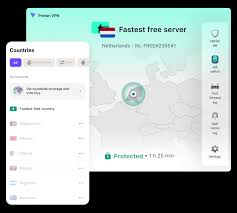
The free version gives you access to servers in three countries — the US, the Netherlands, and Japan. For CapCut access from a restricted country like India, connecting to the US server is your best bet.
The speeds are decent for a free tier. Uploading a 200MB video to CapCut from India using the US server took about 4–5 minutes in testing — slower than a paid VPN, but workable.
One downside: you can only connect one device at a time on the free plan.
Pros:
- No data limit
- Strong privacy (Swiss-based, no logs)
- No ads or data selling
- Works on Android, iOS, Windows, and Mac
Cons:
- Only 3 server locations on the free plan
- Speeds can be slow during peak hours
- 1 device at a time
Best for: People who need CapCut access regularly and don’t want to count their data usage.
2. Windscribe Free — Best for Data Allowance Flexibility
Windscribe gives you 10GB of free data per month on the base free plan — and that bumps up to 15GB if you confirm your email address. For occasional CapCut use, this is plenty.
The free version includes access to servers in 10+ countries, which offers more variety than most free VPNs. You can connect to the US, UK, Canada, France, Germany, and more.

Windscribe also has a browser extension, which is useful if you’re using CapCut’s web editor.
One thing worth knowing: Windscribe’s free servers can get crowded during peak times, which slows things down. But for general CapCut usage — browsing templates, downloading the app, editing short videos — it works fine.
Pros:
- Up to 15GB/month free
- Wide server choice (10+ countries)
- Clean interface, no intrusive ads
- Browser extension available
Cons:
- Monthly data cap (not unlimited)
- Speeds drop during busy hours
- No 24/7 live support on the free plan
Best for: Occasional CapCut users who want more server choice.
3. TunnelBear Free — Best for Beginners
If you’ve never used a VPN before, TunnelBear is the most beginner-friendly option on this list. The app is simple, visual, and easy to understand. You literally click a country on a map, and you’re connected.
The free plan gives you 500MB per month, which is admittedly very little for video editing. But if you just need to download CapCut from the store or quickly access a blocked template, 500MB is enough for that specific task.
TunnelBear is owned by McAfee but has a solid reputation for privacy. It goes through annual independent security audits, which is more than most free VPNs can say.
Pros:
- Super easy to use
- Good security reputation
- Available on all major platforms
- Fun, non-intimidating interface
Cons:
- Only 500MB/month on the free plan
- Not practical for regular video editing
- No browser extension on the free tier
Best for: First-time VPN users who need occasional, limited CapCut access.
4. Hide.me Free — Good Balance of Speed and Privacy
Hide.me‘s free plan gives you 10GB of monthly data and access to 5 server locations. It’s one of the fastest free VPNs you can find, which makes it a decent choice when you’re dealing with video files.
The privacy policy is clean — no logs, no ads. The app is straightforward and doesn’t bombard you with upgrade prompts every five minutes, which is a small but appreciated thing.
The free servers are in the Netherlands, the US (East and West), Canada, and Germany. For CapCut users in India or Southeast Asia, connecting to the US East or West server works best.
Pros:
- 10GB/month free
- Faster speeds than most free options
- No ads, no logs
- 5 server locations
Cons:
- Monthly data cap
- 1 simultaneous connection
- Customer support is limited on the free plan
Best for: Users who prioritize speed and don’t need unlimited data.
5. Hotspot Shield Free — Best for Quick, Short Sessions
Hotspot Shield has a free tier that gives you 500MB per day, which is actually more useful than a monthly cap for daily CapCut users. You get a fresh 500 MB every day, so if you’re doing short editing sessions regularly, that comes to about 15GB per month.
The catch is that the free plan only connects you to US servers, and the speeds aren’t always consistent. You’ll also see banner ads within the app.
That said, Hotspot Shield has one of the fastest VPN protocols around (called Hydra), so even on the free tier, speeds are usually acceptable for downloading CapCut or using the web editor.
Hotspot Shield Free is a solid choice for CapCut users who need a VPN for quick editing sessions, occasional uploads, or accessing region-restricted features. Known for its fast connection speeds and easy-to-use interface, Hotspot Shield is especially suitable for beginners who want a simple VPN without complicated settings.
One of the biggest advantages of Hotspot Shield Free is its proprietary Hydra protocol, which is designed to deliver fast and stable connections. This can be helpful when downloading CapCut assets, syncing cloud projects, or uploading short-form videos to platforms like YouTube Shorts, TikTok, and Instagram Reels.
The app is available on Windows, Android, iOS, and macOS, allowing creators to use the same VPN across multiple devices. Setup takes only a few minutes, making it a convenient option for users who want instant access without technical knowledge.
Security is another strong point. Hotspot Shield Free uses strong encryption to protect your internet traffic, especially when working on public Wi-Fi networks. This helps keep your online activity private while editing or uploading content.
However, the free plan comes with limitations. Users have access to fewer server locations than premium subscribers, and occasional ads may appear. It is best suited for short editing sessions rather than heavy daily use.
Pros:
- 500MB/day (resets daily)
- Fast protocol
- Easy setup
Cons:
- Only the server is on the free plan
- Ads in the app
- Not ideal for large video uploads
Best for: Daily users who do short CapCut sessions and want their data to reset every day.
Quick Comparison Table
| VPN | Free Data | Server Locations | Best For |
|---|---|---|---|
| Proton VPN | Unlimited | 3 countries | Unlimited daily use |
| Windscribe | 10–15GB/month | 10+ countries | Occasional use, variety |
| TunnelBear | 500MB/month | 20+ countries | Beginners, rare access |
| Hide.me | 10GB/month | 5 locations | Speed + privacy balance |
| Hotspot Shield | 500MB/day | US only | Short daily sessions |
How to Use a Free VPN with CapCut — Step by Step
Here’s a simple walkthrough using Proton VPN as the example:
- Download Proton VPN from the official site or your app store.
- Create a free account — takes less than two minutes.
- Open the app and choose a server. For CapCut access, pick the United States.
- Tap Connect and wait for the connection to confirm.
- Open your app store, search for CapCut, and download it. If you already have it installed, just open it — it should now work.
- Use CapCut normally. When you’re done, you can disconnect the VPN if you want to save battery.
That’s really all there is to it. You don’t need to change any other settings.
Things to Avoid With Free VPNs
Not every free VPN is safe. Here are a few things to watch out for:
Avoid unknown free VPNs from the Play Store or App Store. There are hundreds of VPN apps with zero reputation that collect your data and sell it. Stick to the five options listed above — they’re well-established.
Don’t use a VPN that promises “100% free, no limits, no ads.” That’s usually a red flag. If you’re not paying with money, you’re often paying with your data.
Watch out for VPNs that ask for unnecessary permissions — like access to your contacts or SMS. A VPN only needs to manage your network connection.
Should You Upgrade to a Paid VPN?
If you use CapCut heavily — say, you’re a content creator uploading videos every day — a paid VPN will serve you much better. Plans from NordVPN, Surfshark, or ExpressVPN typically run ₹200–₹350 per month on annual plans, give you unlimited data, faster speeds, and more server options.
But if you’re just trying to access CapCut from a restricted country or unlock specific templates a few times a week, the free options above are completely fine.
FAQs
Is it legal to use a VPN for CapCut?
In most countries, using a VPN is legal. However, in a few countries like China, Russia, and Iran, VPN use is regulated or restricted. If CapCut itself is banned in your country (like India), using a VPN to access it falls in a legal gray area — you’re technically bypassing a government restriction. It’s worth being aware of this, though enforcement against individual users is extremely rare.
Will a free VPN slow down CapCut?
Yes, there will be some slowdown. Free VPN servers are shared by more users, so speeds are lower than in paid plans. For light use — downloading the app, browsing templates, doing short edits — it’s fine. For uploading long 4K videos regularly, a paid VPN will give you a noticeably better experience.
Which free VPN is best for CapCut in India?
Proton VPN Free is the top pick for India because it has no data limit. Connect to the US server, and CapCut should work normally. Windscribe is a good second option for more server variety.
Can I use a VPN with the CapCut web editor?
Yes. If you’re using CapCut’s browser-based editor, a VPN extension like Windscribe’s browser add-on works perfectly. Just install the extension, connect to a supported country, and use CapCut in your browser as normal.
Do free VPNs work on both Android and iOS for CapCut?
All five VPNs in this list have apps for both Android and iOS. Download the VPN app first, connect to a server, then download or open CapCut.
How do I know if my VPN is working before opening CapCut?
After connecting, go to a site like whatismyipaddress.com. It should show a location in the country you connected to — not your real location. If it does, your VPN is working, and CapCut should load normally.
What if CapCut still doesn’t work after connecting to a VPN?
Try switching to a different server within the same VPN. Sometimes one server is flagged or overloaded. If that doesn’t work, try a US server specifically — CapCut is widely accessible from the US. Clearing CapCut’s app cache can also help if the app was previously showing a blocked message.
Conclsion
If CapCut is blocked in your country or you want to access region-specific features, a free VPN is a practical and easy fix. Proton VPN is the strongest free option because of its unlimited data — that alone puts it ahead of everything else for regular use. Windscribe is a close second if you want more server locations.
The five VPNs listed here are all trustworthy, free to start, and actually work with CapCut in 2026. Start with Proton VPN, and if the speeds feel too slow for your needs, that’s a good sign it’s time to consider a budget paid plan.

