
Video Transcription Tools in 2026: Which One Should You Actually Use?
You record a 45-minute webinar. Your editor needs the captions. Your content team wants a blog post out of it. Your social media manager is asking for quote clips. And you need a searchable transcript before the week ends.
That used to mean hiring a transcriptionist, waiting two to three days, and paying per minute of audio. In 2026, most of that workflow takes under ten minutes — if you’re using the right tool.
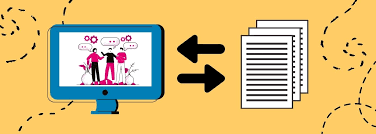
This guide breaks down what video transcription tools can actually do today, which ones are worth your time, and what to watch out for before you commit to one.
Video transcription tools have become essential for content creators, marketers, educators, podcasters, and businesses. In 2026, modern transcription platforms can automatically convert video speech into accurate text, generate subtitles, identify speakers, and even create summaries in minutes. Many tools now support multiple languages, real-time transcription, and direct integration with popular video editing software.
Whether you’re creating YouTube videos, online courses, podcasts, interviews, or social media content, the right transcription tool can save hours of manual work and improve accessibility. From creator-focused platforms like Descript to meeting-focused solutions like Otter.ai and enterprise-grade options such as Sonix, there are tools available for every workflow and budget.
In this guide, we’ll explore the best video transcription AI tools in 2026, comparing their features, accuracy, pricing, and ideal use cases so you can choose the perfect solution for your needs.
What Video Transcription Tools Do (And Why It Matters Now)
At the most basic level, these tools take the audio from your video and convert it into text. But the good ones go further — they timestamp every line, identify different speakers, let you edit within the transcript, and export in formats your editing software or CMS can actually use.
Why does this matter more now than it did two or three years ago? A few reasons:
Content repurposing has become standard practice. Every video you produce is now expected to exist as a blog post, a set of subtitles, a newsletter section, and a handful of social quotes. Manual transcription at that volume isn’t realistic.
Search engines index video content differently. A transcript embedded on your page gives crawlers something to work with. Without it, your video is essentially invisible to search.
Accessibility isn’t optional anymore. Captions are legally required in many contexts and expected by most audiences. Uploading a video without subtitles in 2026 gets noticed — and not in a good way.
The Tools That Are Worth Your Attention in 2026
Here’s an honest look at the major players and what they actually deliver.
1. Descript
Descript has been around long enough to iron out most of its early roughness. What makes it stand out is the edit-by-text approach — you edit your video by changing the transcript. Delete a sentence in the text editor, and it removes that section from the video automatically.
Best for: Podcasters, video editors who work solo, and content teams that produce long-form interview content.
Descript is one of the most popular video transcription and editing tools available in 2026. It combines automatic transcription, video editing, screen recording, and content repurposing into a single platform, making it a favorite among YouTubers, podcasters, marketers, and online educators.
One of Descript’s standout features is text-based editing. Instead of cutting and trimming clips on a traditional timeline, users can edit videos by simply editing the transcript. When words or sentences are removed from the text, the corresponding audio and video segments are automatically removed as well. This makes the editing process much faster, especially for long-form content.
The platform also offers highly accurate automatic transcription with support for multiple languages and speaker identification. Users can generate subtitles, captions, and transcripts within minutes, improving accessibility and search visibility. Additional features such as filler-word removal, AI voice cloning, screen recording, and automatic video highlights help creators produce professional-quality content with minimal effort.
Descript integrates smoothly into modern content workflows, allowing users to create podcasts, tutorials, interviews, webinars, and social media clips from a single dashboard. Its intuitive interface makes it suitable for beginners, while advanced editing capabilities provide enough flexibility for experienced creators. For anyone looking to save time on transcription and video editing, Descript remains one of the best all-in-one solutions available today.
Practical example: You record a 30-minute product demo. You open it in Descript, and within a few minutes, you have a timestamped transcript. You delete the filler sections just by highlighting and removing text. The video edits itself.
Pros:
- Genuinely editable transcript tied to the video timeline
- Speaker labels are accurate and easy to assign
- SRT and VTT export for YouTube, Premiere, and Final Cut
- Built-in screen recording and overdub features
Cons:
- The free plan is quite limited (one hour of transcription per month)
- The interface takes time to learn if you’re coming from traditional editors
- Accuracy drops on heavy accents or technical vocabulary
Pricing: Free tier available. Paid plans start around $12/month, billed annually.
2. Otter.ai
Otter is the one most people land on first, usually because it’s approachable and has a solid free tier. It’s particularly well-suited for meetings and interviews where you have multiple speakers talking over each other.
Otter.ai is one of the leading transcription tools in 2026, known for its ability to convert spoken conversations into accurate, searchable text in real time. It is widely used by business professionals, students, journalists, researchers, and content creators who need fast and reliable transcription for meetings, interviews, lectures, and video recordings.
A major advantage of Otter.ai is its live transcription capability. The platform can automatically capture conversations during virtual meetings and generate detailed notes while the discussion is taking place. It integrates with popular video conferencing platforms, making it easy to record and transcribe online meetings without additional software.
Otter.ai also provides speaker identification, keyword search, automated summaries, and collaborative note-sharing features. Users can highlight important points, add comments, and organize transcripts for future reference. These tools help teams improve productivity by reducing the need for manual note-taking and ensuring that important information is never missed.
For video creators and podcasters, Otter.ai can quickly generate transcripts that can be repurposed into captions, blog posts, articles, and social media content. Its cloud-based platform allows users to access recordings and transcripts from virtually any device.
With a user-friendly interface, strong transcription accuracy, and powerful collaboration features, Otter.ai remains one of the best solutions for converting speech into organized, searchable text while saving significant time and effort.
Best for: Teams using Zoom or Google Meet, journalists, researchers, and students.
Practical example: You’re running a client discovery call over Zoom. Otter connects automatically, records the meeting, and has a full transcript with speaker labels ready before the call even ends. You share it with your team via a link — no file downloads needed.
Pros:
- Real-time transcription during live calls
- Integrates with Zoom, Google Meet, and Microsoft Teams
- Good speaker identification once trained
- Shared workspaces for teams
Cons:
- Accuracy on technical terms is inconsistent
- The free plan limits you to 300 minutes per month and 30 minutes per conversation
- Export options are limited compared to dedicated video tools
- Not ideal for pre-recorded video files with poor audio quality
Pricing: Free plan available. Otter Pro is around $17/month.
3. Riverside.fm (Transcription Feature)
Riverside is primarily a remote recording platform, but its transcription is worth mentioning separately because it’s deeply integrated into the recording workflow. If you’re already using it to record interviews or podcast episodes, the transcript comes with the session automatically.
Riverside.fm is a powerful platform designed for podcasters, video creators, interviewers, and businesses that need high-quality remote recording and accurate transcription. In 2026, it remains a popular choice for producing professional audio and video content while simplifying the transcription process.
One of Riverside.fm’s biggest strengths is its ability to record audio and video locally on each participant’s device. This ensures high-quality recordings even when internet connections are unstable. After recording, the platform automatically generates transcripts, making it easy to review conversations, create captions, and repurpose content for blogs, newsletters, and social media posts.
The platform offers speaker detection, automatic subtitles, clip creation tools, and AI-powered content summaries. Users can quickly find important moments in a recording and transform them into short videos for platforms such as YouTube Shorts, Instagram Reels, and TikTok. This helps creators save time and maximize the value of every recording session.
Riverside.fm also supports multi-guest interviews, screen sharing, and live streaming, making it suitable for podcasts, webinars, online courses, and remote team discussions. Its intuitive interface allows both beginners and experienced creators to manage recording and transcription tasks efficiently.
With high-quality recording technology, reliable transcription features, and built-in content repurposing tools, Riverside.fm is an excellent choice for anyone looking to create professional video and audio content while streamlining their production workflow.
Best for: Podcasters and video interviewers who record remotely.
Practical example: You record a 60-minute podcast interview with a guest in another country. When the session ends, the transcript is ready alongside the isolated audio tracks. You hand both to your editor — the video file and the text — without any extra step.
Pros:
- Transcription is built into the recording workflow; no extra upload is needed.
- Separate audio tracks mean transcription is cleaner
- Speaker labels are automatic
- Magic Clips feature pulls shareable moments directly from the transcript
Cons:
- Only useful if you’re recording within Riverside — can’t upload external files on the basic plan
- Not a standalone transcription tool; you’re paying for the recording platform
- Export options for the transcript alone are limited on lower tiers
Pricing: Free plan available. The standard plan starts around $15/month.
4. Sonix
Sonix is the professional option — the one agencies and broadcasters tend to use when volume and accuracy are both non-negotiable. It supports over 40 languages, handles long files cleanly, and has one of the better editing environments in the space.
Best for: Agencies, media companies, legal or academic content requiring high accuracy.
Practical example: You have 12 training videos from a conference — each between 20 and 90 minutes long. You upload them all to Sonix, set the language, and they’re all transcribed and ready for review in under an hour. You export the lot as SRT files for your LMS.
Pros:
- Excellent accuracy across many languages
- Clean, fast editor with global find-and-replace
- Supports translation into multiple languages
- Handles long files without quality drop-off
- Integrates with Adobe Premiere, Final Cut Pro, and Zapier
Cons:
- No free plan — only a free trial
- Pay-per-hour pricing adds up fast for high-volume work
- The interface is functional but not particularly modern
Pricing: $10 per hour of transcription. Premium plans are available from around $22/month.
5. Happy Scribe
Happy Scribe has a clean, focused interface and handles both transcription and subtitling well. It’s particularly good for non-English content — the European language support is notably strong.
Best for: Content producers working across European languages, subtitle teams.
Practical example: You run a YouTube channel in Portuguese and need subtitles for a video before publishing. You upload the file, select Portuguese, and get back an accurate transcript with subtitle timecodes. You export as SRT and upload directly to YouTube.
Pros:
- Strong accuracy in European and Latin American languages
- Both human and automated transcription available in one place
- Clean interface with an easy subtitle editor
- Good subtitle formatting and style controls
Cons:
- Automated accuracy for technical English content can be uneven
- Human transcription (for higher accuracy) takes longer and costs more
- The free plan is very limited — really just a trial
Pricing: Pay-as-you-go from around $0.20/minute. Subscription plans start around $17/month.
Things Nobody Tells You Before You Pick a Tool
Audio quality is the single biggest factor in accuracy. No tool — regardless of what it costs — will give you clean output from a video recorded in a noisy room on a laptop mic. If the source audio is bad, you’ll spend more time correcting the transcript than you saved by automating it. Invest in a decent microphone before you invest in a transcription tool.
Technical vocabulary needs manual review almost always. Medical, legal, and technical content has specialized terms that most tools still mishandle regularly. Plan for a review pass on any content that uses jargon.
Timestamps and speaker labels save more time than you think. These features seem like extras, but they’re actually the core time-savers. Being able to jump straight to the section where a specific speaker said something specific cuts editing time significantly.
Export format matters for your use case. If you’re uploading subtitles to YouTube, you need SRT. If you’re working in Premiere Pro, you might want a different format. Check that the tool exports what your workflow actually needs before committing.
Pros and Cons: Video Transcription Tools Overall
Pros:
- Saves hours per video compared to manual transcription
- Makes video content searchable and accessible
- Streamlines the repurposing workflow (blog posts, social clips, newsletters)
- Most tools let you edit and correct directly in the interface
- Many integrate with the tools you already use
Cons:
- Accuracy still isn’t perfect, especially with accents, technical terms, or poor audio
- Free plans are heavily restricted — meaningful use usually requires a paid subscription
- Outputs often require a manual review and editing pass
- Tool lock-in can be a concern if you produce large volumes and need to switch later
How to Pick the Right One
Ask yourself three questions:
Where does the video come from? If it’s from live meetings, Otter is a natural fit. If it’s from your own recordings in a remote setup, Riverside makes sense. If you’re uploading existing files, Sonix or Descrigivesive gives you more control.
What language are you working in? For English, most tools are comparable. For other languages — especially European ones — Happy Scribe and Sonix tend to outperform.
What do you do with the transcript after? If you’re editing video, Descript’s text-based editing is a significant time-saver. If you just need subtitles, almost any tool will get you there. If you’re publishing to multiple places in multiple formats, check the export options carefully.
FAQs
How accurate are video transcription tools in 2026? Most tools claim 85–95% accuracy under good audio conditions. In practice, clear audio with a single speaker in quiet surroundings produces near-perfect results. Multiple speakers, background noise, or strong accents will reduce accuracy meaningfully. Always budget time for a review pass.
Can these tools handle long videos like full-length webinars or courses? Yes. Tools like Sonix and Descript handle files of several hours without major issues. Upload times vary, but processing is generally fast. Check file size limits on lower-tier plans before uploading anything over an hour.
Are the transcripts accurate enough for legal or medical use? Automated transcripts alone are not suitable for legal filings, medical records, or other high-stakes documentation. For those use cases, use a tool that offers human review as an add-on (Happy Scribe and Sonix both do), or use the automated output as a first draft for a qualified human to check and sign off on.
Do these tools support multiple languages? Most of the major tools support a range of languages, though quality varies. Sonix and Happy Scribe have the broadest language support with consistently good accuracy. For languages outside English and major European ones, test before committing.
Can I use these tools for YouTube subtitles specifically? Yes. All of the tools listed export in SRT or VTT format, both of which upload directly to YouTube. YouTube also has its own built-in captioning (which you can generate and edit within Studio), but the accuracy of third-party tools generally beats YouTube’s native option, particularly for fast speech or technical content.
Is there a free option that’s actually usable? Otter’s free plan — 300 minutes per month — is the most genuinely usable free tier. Descript’s free plan works for light use. Beyond that, most free options are really trials designed to push you toward a subscription.
What’s the best option for a solo content creator on a tight budget? Start with Otter’s free plan to test the workflow. If you produce two to four videos per month, Descript’s entry-level paid plan gives you the best combination of transcript quality and editing features for the price. If you mostly need subtitles and nothing else, Happy Scribe’s pay-as-you-go model is the most cost-efficient for low-volume use.
Video transcription in 2026 is genuinely fast, mostly accurate, and no longer a task that requires outsourcing or waiting. The main job now is picking the tool that fits how you already work — and building one clean review step into the process so nothing slips through.

