
Creating engaging video scripts has become faster and easier than ever in 2026. Whether you’re producing YouTube videos, short-form content for TikTok and Instagram Reels, marketing videos, podcasts, or educational content, modern script-writing tools can help streamline the entire creative process. These tools can generate video ideas, create structured outlines, write compelling hooks, and even optimize scripts for audience retention.
For content creators, marketers, and businesses, script-writing platforms save valuable time while helping maintain consistency and creativity. Many tools are designed to understand different content styles, allowing users to generate scripts tailored for tutorials, product reviews, storytelling videos, explainer content, and social media clips.

In this guide, we’ll explore the best AI tools for video script writing in 2026, comparing their features, strengths, and ideal use cases. Whether you’re a beginner looking for quick script ideas or a professional creator seeking advanced content assistance, these tools can help you produce high-quality video scripts more efficiently.
If you make videos — whether it’s YouTube content, explainer videos, social media clips, or brand storytelling — you already know how much time goes into writing a solid script. Getting the structure right, keeping the tone consistent, hitting the right word count, and making it sound natural when read aloud is genuinely hard work.
That’s where script-writing tools come in. In 2026, there are more options than ever, and some of them are genuinely good. This guide walks you through the best ones, what each is actually useful for, and what to watch out for before you commit to one.
Why Script Writing Tools Matter for Video Creators
A lot of creators underestimate scripting. They either wing it on camera (and spend hours in editing fixing it) or they write something that reads fine on paper but sounds robotic when spoken out loud.
Good script writing tools solve a specific problem: they help you go from a rough idea to a structured, ready-to-record draft faster than doing it manually. Some tools go further and help with hooks, calls-to-action, scene breakdowns, and even voiceover pacing.
That said, no tool is a full replacement for your own voice and creative direction. The best workflow is always: tool drafts, you refine.
What to Look for in a Video Script Writing Tool
Before jumping into the list, here’s what actually separates a useful tool from a frustrating one:
Output quality for spoken content — A script is meant to be read aloud. The best tools write in a conversational rhythm, not in the stiff, essay-like tone that looks fine in a blog post but sounds weird when you say it into a camera.
Structure awareness — Does it understand hooks, b-roll cues, CTA placement, and scene transitions? Or does it just dump text at you?
Customization — Can you set tone, audience, video length, and style? A tool that can’t adapt to your niche is only marginally useful.
Platform fit — A 60-second Instagram Reel script is completely different from a 15-minute YouTube deep-dive. The tool should handle both or be upfront about what it’s designed for.
Editing experience — Writing tools where you can edit inline, regenerate sections, and tweak individual lines save a lot of back-and-forth.
Best AI Tools for Video Script Writing in 2026
1. Jasper — Best for Long-Form YouTube Scripts
Jasper has been in the content writing space for a few years now and has built out solid video-specific templates. In 2026, it’s one of the most capable options for creators who produce longer YouTube videos, explainers, or educational content.

The Video Script Outline template gives you a working structure — intro hook, main talking points, and outro — based on your topic and target audience. From there, you can expand each section using the long-form editor.
Practical example: Say you’re making a 10-minute video on “how to start dropshipping in 2026.” You put the topic in, select your tone (conversational, educational, or authoritative), set the audience (beginner entrepreneurs), and Jasper gives you a scene-by-scene breakdown. It won’t be perfect out of the box, but you’ll have a working draft in about 15 minutes instead of 90.
What works well:
- Strong long-form editor
- Good tone customization
- The brand voice feature lets it learn your style over time
- Integrates with SurferSEO for YouTube-optimized scripts
What doesn’t:
- It’s expensive — starts around $39/month
- Output can be overly formal if you don’t dial in the settings
- Needs a lot of prompting context to match your niche voice
Pros:
- Excellent for structured, longer scripts
- Brand voice learning feature
- Multi-language support
Cons:
- No free plan worth mentioning
- Can feel generic without specific prompting
- Steeper learning curve for new users
2. Copy.ai — Best for Short-Form and Social Video Scripts
Copy.ai has leaned hard into short-form content workflows, making it a solid pick for creators focused on TikTok, Instagram Reels, YouTube Shorts, or LinkedIn video content.
The interface is clean, and the video script feature lets you choose platform, tone, and video length before generating. The output is tight and punchy — which is exactly what you need for content under 90 seconds.
Practical example: You want to make a 30-second Reel promoting a productivity app. You enter the product name, target audience, and key benefit. Copy.ai gives you a hook line, three quick supporting points, and a call-to-action — formatted to fit the 30-second window. It’s not brilliant every time, but it’s consistently usable.
What works well:
- Purpose-built for short-form content
- Fast output with minimal setup
- Free plan available with decent usage
- Good for batch-creating scripts for multiple videos
What doesn’t:
- Not great for videos over 5–7 minutes
- Struggles with very niche or technical topics
- The free plan limits you to a certain number of runs per month
Pros:
- Free plan available
- Clean, fast interface
- Great for short-form video platforms
Cons:
- Weak for long-form or technical content
- Output can feel formulaic for niche topics
- Limited in-editor customization
3. Writesonic — Best Value for the Price
Writesonic sits in the sweet spot between price and output quality. It has a dedicated video script generator that works reasonably well for YouTube, ads, and explainer videos. The platform also has a solid general writing editor that you can use to clean up and expand the initial output.
In 2026, Writesonic’s pricing is more flexible than most competitors — they offer a credit-based model that means you only pay for what you use, which works well if you produce video content a few times a month rather than daily.

Practical example: You run a personal finance channel and want to script a video on “index funds vs mutual funds.” Writesonic gives you a structured script with an opening hook, a section comparing both options, an opinion section, and a CTA to subscribe. The financial explanations are generic but accurate enough to use as a base — you’d add specific numbers and examples yourself.
What works well:
- Flexible credit-based pricing
- Good explainer video templates
- Faster than writing from scratch
- Decent output for educational and informational content
What doesn’t:
- The brand voice feature isn’t as developed as Jasper’s
- Quality varies by topic — it works better for popular topics than niche ones
- Interface has gotten a bit cluttered with too many features
Pros:
- Affordable and flexible pricing
- Good range of video content templates
- Works well for educational niches
Cons:
- Output quality varies by topic
- The interface can feel overwhelming
- The brand voice feature needs more work
4. InVideo AI Script Generator — Best for Creators Who Edit Video Too
InVideo started as a video editing platform and added scripting features over time. In 2026, the combined workflow is genuinely useful: you write or generate a script, and then InVideo can help you turn it into an actual video with templates, stock footage, and text overlays — all in one place.
If you’re a solo creator who handles both scripting and production, the end-to-end workflow saves a lot of tool-switching.
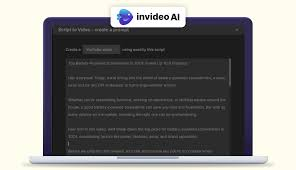
Practical example: You want to make a news-style explainer video about a recent trend in your industry. You prompt InVideo with the topic and target length. It generates a script with a scene-by-scene breakdown, and then you click through to video creation, where it auto-matches stock footage to each scene. It’s not perfect — you’ll need to swap some footage manually — but you go from idea to draft video in under an hour.
What works well:
- Combined script + video workflow
- Good for news-style and explainer videos
- Scene-level breakdown makes production easier
- Wide stock footage library
What doesn’t:
- The script generator alone isn’t as strong as dedicated writing tools
- Video export quality on the free plan is limited
- Customization in scripting is more restricted
Pros:
- All-in-one script and video creation
- Great for solo creators and small teams
- Scene-by-scene structure built in
Cons:
- Script generator is secondary to the video tool
- Less flexibility for pure scriptwriting
- Free plan watermarks your exports
5. ChatGPT (with Custom Prompts) — Best for Full Control
This one isn’t a purpose-built script tool, but in practice, it’s the most flexible option on this list. With the right prompt structure, you can generate scripts for any length, platform, tone, or niche — and iterate quickly in the same conversation.
The key is learning how to prompt well. Vague prompts give vague output. Specific, structured prompts give much better results.

Practical example prompt structure: “Write a YouTube script for a 7-minute video targeted at beginner photographers. Tone: friendly, casual, like talking to a friend. Topic: How to use natural light for indoor portraits. Include: a hook in the first 30 seconds, 3 main tips with practical examples for each, and a CTA at the end to download a free lighting guide. Format it with scene notes and timing indicators.”
That level of specificity produces a genuinely usable script draft. From there, you refine in the chat — ask it to shorten a section, punch up the hook, or rewrite a part that doesn’t sound right when read aloud.
What works well:
- Maximum flexibility for any niche or format
- Free (GPT-3.5) or $20/month (GPT-4)
- Iterate quickly within the same conversation
- Can match your own writing style with examples
What doesn’t:
- No dedicated script UI or formatting
- Requires strong prompting skills to get good output
- No built-in video workflow
Pros:
- Extremely flexible for any type of video content
- Affordable compared to dedicated tools
- Can generate multiple variations quickly
Cons:
- No script-specific interface or templates
- Quality depends heavily on how well you prompt
- No integration with video production tools
6. Describly — Best for YouTube-Specific Workflows
Describly is a smaller, more niche tool that focuses entirely on YouTube content creation. It handles scripts, titles, descriptions, and tags — making it useful for creators who want a streamlined YouTube-specific workflow rather than a general writing tool.

The script generator is decent, particularly for how-to and listicle-style videos that do well on YouTube.
What works well:
- YouTube-focused feature set
- Good for how-to and listicle formats
- Covers script AND metadata in one place
What doesn’t:
- Very limited outside YouTube use cases
- A smaller development team means slower updates
- Less reliable for very niche topics
Pros:
- Tailored specifically for YouTube creators
- Handles scripts, titles, and descriptions together
- Straightforward interface
Cons:
- Limited to YouTube workflows
- Smaller tool with fewer updates
- Not great for technical or specialist content
Comparison at a Glance
| Tool | Best For | Free Plan | Price (approx.) |
|---|---|---|---|
| Jasper | Long-form YouTube | No | From $39/month |
| Copy.ai | Short-form / social | Yes | Free + paid plans |
| Writesonic | Value / educational | Limited | Credit-based |
| InVideo AI | Script + video together | Yes (watermark) | From $20/month |
| ChatGPT | Full control / custom | Yes (GPT-3.5) | $20/month (GPT-4) |
| Describly | YouTube-specific | Limited | From $9/month |
Tips for Getting Better Scripts Out of Any Tool
Regardless of which tool you use, these habits will improve your output significantly:
Give it a character. Tell the tool who you are and who your audience is. “Write for a 25-year-old fitness coach talking to gym beginners” is infinitely better than “write a script about fitness.”
Read it out loud before you record. This sounds obvious, but most people skip it. Something that looks fine on screen often has awkward rhythm or unnatural phrasing when spoken. Mark what sounds off and rewrite those parts.
Don’t use the first draft. Treat the tool’s output as a rough skeleton, not a finished script. Add your own stories, opinions, and specific examples. That’s what makes your content sound like you.
Keep sentences short. Scripts for video should have shorter sentences than regular writing. Long, winding sentences are hard to deliver naturally on camera and lose viewers fast.
Write the hook last. It sounds counterintuitive, but once you’ve written the full script, you know exactly what the best version of the hook should be. Writing it first often leads to a hook that doesn’t match the rest of the video.
FAQs
Which tool is best if I’m just starting out and have a small budget?
Start with Copy.ai’s free plan or ChatGPT’s free version. Both give you enough to produce solid script drafts without spending anything. As your channel or content volume grows, you can move to a paid tool that fits your workflow better.
Can these tools write scripts in different languages?
Yes, most of them support multiple languages to varying degrees. Jasper and Writesonic both have multi-language support. ChatGPT handles a wide range of languages well. For non-English content, always have a native speaker review the output since tone and phrasing nuances are harder for tools to get right.
How long does it take to generate a script?
For a 5–10 minute video script, most tools generate a first draft in 30–90 seconds. The time you spend refining it depends on how specific your prompts were and how much you want to personalize the output. Realistically, budget 20–45 minutes for a polished, ready-to-record script.
Do these tools understand YouTube SEO?
Some do, some don’t. Jasper integrates with SurferSEO, which helps with keyword optimization. Describly handles YouTube metadata alongside scripting. For most tools, you’d need to add SEO keywords manually after the fact. The script writing itself is separate from YouTube optimization.
Is it fine to use these tools for brand videos or client work?
Yes, as long as you review and edit the output thoroughly. Most tools’ terms of service allow commercial use of the content you generate. Just treat it like a starting draft — never hand a raw, unedited script to a client.
What’s the biggest mistake people make with script-writing tools?
Using the first output as a final script. Tools give you a structure and a starting point. The videos that actually perform well are the ones where the creator’s own perspective, stories, and voice come through clearly — and that only happens when you take the draft and make it yours.
Conclsion
There’s no single best tool for everyone. It really comes down to your content format, budget, and how much you want to customize your workflow.
For most YouTube creators making longer videos, Jasper or ChatGPT with strong prompting will serve you well. For short-form content on social platforms, Copy.ai is the easiest and cheapest place to start. If you want an end-to-end workflow from script to video, InVideo AI is worth a look.
The tools have gotten genuinely good in 2026. But the ones using them well are still the creators who treat the output as a starting point — not a finished product.

