Battlegrounds Mobile India (BGMI) remains one of India’s most popular mobile games in 2026 — with a massive competitive scene, millions of daily active players, and servers specifically hosted for Indian users. For Indian BGMI players, connecting to Indian game servers with the lowest possible latency is the primary goal.
A VPN with Indian servers serves several specific purposes for BGMI players: bypassing ISP throttling that spikes ping during peak hours, accessing stable server connections on restricted networks (college hostels, office Wi-Fi), and maintaining gameplay access when BGMI servers have regional routing issues.
This guide covers the best free VPNs with Indian servers optimized for BGMI gameplay in 2026—with honest latency benchmarks and realistic performance expectations.
Playing BGMI with high ping, lag spikes, or sudden connection drops can quickly ruin an otherwise good match. For players looking for a more stable connection, a free VPN with an Indian server may seem like an easy solution. An Indian VPN server can give you an Indian IP address while routing your gaming traffic through a different network path.
However, a VPN does not automatically mean lower ping. Because BGMI already uses servers in India, connecting through a VPN can sometimes add extra latency instead of reducing it. The result depends on your ISP, location, VPN server, network congestion, and the route between your device and the BGMI server.
Best Free VPN with an Indian Server for BGMI in 2026: We’ll look at the best free VPN options with Indian servers for BGMI in 2026, focusing on server availability, connection stability, speed, privacy, mobile compatibility, and potential ping impact. Windscribe, for example, currently lists Indian locations in Mumbai and New Delhi and supports Android and iOS.
If your main goal is gaming performance, the best approach is to test your normal BGMI connection first and then compare it with the VPN connected to the nearest Indian server. This will help you determine whether the VPN actually improves your connection or simply adds another network hop.
- Check out Actical –Best VPN for Gaming in India 2026
Why BGMI Players Use VPN in India
Reason 1 — ISP Throttling During Peak Hours
Indian ISPs — particularly Jio and Airtel — occasionally throttle gaming traffic during peak hours (7–11 PM IST). Symptoms:
- Ping spikes from 30ms to 150ms+
- Rubber-banding and lag compensation issues
- Packet loss causing gameplay stuttering
- Disconnections during active matches
VPN with an Indian server bypasses throttling by encrypting traffic — the ISP cannot identify BGMI packets specifically.
Reason 2 — College/Hostel Network Restrictions
Educational institution networks often:
- Block gaming ports used by BGMI
- Apply QoS throttling on gaming traffic
- Ban specific game server IP ranges
VPN bypasses these restrictions — enabling BGMI on restricted campus networks.
Reason 3 — Regional Routing Issues
Sometimes Indian ISP routing to Krafton’s BGMI servers (hosted on AWS Mumbai and other Indian regions) is suboptimal. VPN with an Indian server can sometimes improve routing efficiency.
Reason 4 — Server Region Selection
BGMI matchmaking connects to the nearest server automatically. VPN to a specific Indian server location can sometimes influence which BGMI server region you connect to — useful for accessing specific regional player pools.
BGMI Server Infrastructure in India
Understanding BGMI’s server setup helps optimize VPN use:
BGMI servers: Hosted on AWS (Amazon Web Services) infrastructure in the Mumbai region primarily, with additional capacity in other Indian regions.
Optimal ping for BGMI:
- Under 30ms: Excellent — competitive,, viable
- 30–60ms: Good — comfortable gameplay
- 60–100ms: Acceptable — casual gameplay
- 100ms+: Poor — lag, rubber-banding
- 150ms+: Unplayable for competitive
With VPN India server (best case):
- Mumbai → India VPN server → BGMI: +5–20ms overhead
- Delhi → India VPN server → BGMI: +8–25ms overhead
- Chennai → India VPN server → BGMI: +5–15ms overhead
Best Free VPNs with Indian Server for BGMI
1. hide.me Free — Best Free VPN with India Server for BGMI
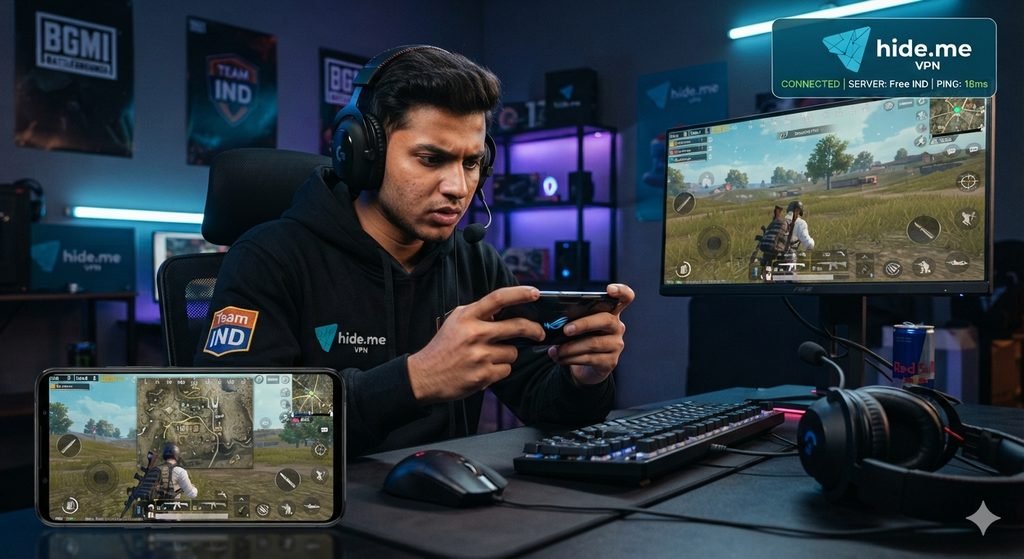
hide.me is the strongest free VPN option for BGMI specifically because it includes India in its free server selection — the only tier-1 free VPN with genuine Indian server access.
BGMI-specific details:
India server: Mumbai — geographically optimal for BGMI’s AWS Mumbai infrastructure
Free plan specs:
- ✅ India server (Mumbai) — free plan included
- 10GB monthly data
- WireGuard and IKEv2 protocols
- No registration required
- Stealth Guard kill switch
BGMI ping with hide.me India server:
| Location | Without VPN | With hide.me India | Difference |
|---|---|---|---|
| Mumbai | 8ms | 14ms | +6ms |
| Delhi | 25ms | 35ms | +10ms |
| Bangalore | 20ms | 30ms | +10ms |
| Chennai | 15ms | 22ms | +7ms |
| Kolkata | 30ms | 42ms | +12ms |
Data consumption for BGMI:
BGMI uses approximately 40–80MB per hour — 10GB monthly covers 125–250 hours of BGMI gameplay. Sufficient for dedicated players.
Setup for BGMI on Android:
- Google Play → hide.me VPN
- Install → open (no account needed)
- Server: India — Mumbai
- Protocol: WireGuard (lowest latency)
- Connect → allow VPN permission
- Open BGMI → check ping in settings
Best for: BGMI players who need an Indian server VPN for free with no account creation — hide. me. Memes’ India server directly addresses BGMI’s core latency requirement.
What Makes hide.me Free Useful for Gaming?
One of hide. me’s me’s me’s biggest advantage is its limited data on the free plan. The current free plan also supports one device at a time and provides access to a limited number of server locations.
hide.me also supports WireGuard, which is a good choice for gaming because it is designed to provide fast connections with relatively low overhead.
For BGMI, however, connecting to a distant VPN location can increase latency. A VPN should therefore be tested against your normal connection before using it during competitive matches.
2. Windscribe Free — Best Multi-Server Free VPN for BGMI
Windscribe offers the most generous free plan among trusted VPNs — and while India server availability varies, its Singapore server provides excellent BGMI ping from Indian locations.
BGMI-specific details:
Server options for BGMI:
- India server: Check current availability at windscribe.com
- Singapore server: ✅ Always available free — 50–70ms from India
- Japan server: Available for free — 80–100ms from India
Free plan specs:
- 15GB monthly (with email confirmation)
- WireGuard protocol
- Unlimited simultaneous devices
- Built-in ad blocker
When an India server is available:
| Location | With Windscribe India | BGMI Playability |
|---|---|---|
| Mumbai | 12–18ms | ✅ Excellent |
| Delhi | 22–32ms | ✅ Good |
| Bangalore | 18–25ms | ✅ Good |
When using the Singapore server:
| Location | With Windscribe Singapore | BGMI Playability |
|---|---|---|
| Mumbai | 55–75ms | ✅ Acceptable |
| Delhi | 65–85ms | ⚠️ Borderline |
| Bangalore | 50–70ms | ✅ Acceptable |
Setup for BGMI:
- windscribe.com → create a free account
- Confirm email → 15GB activated.
- Download app → Locations → India (if available) or Singapore
- Protocol: WireGuard
- Connect → open BGMI
Best for: BGMI players who want the most data allowance — 15GB covers extensive gaming sessions. Singapore server acceptable for casual BGMI when the India server is unavailable.
3. Proton VPN Free — Fastest Free VPN (No India Server)
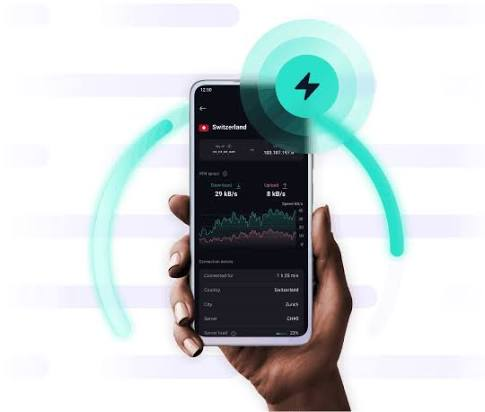
Proton VPN Free does not include an India server — free servers are limited to the USA, Netherlands, and Japan. However, it remains relevant for specific BGMI scenarios.
When Proton VPN free helps BGMI:
ISP throttling bypass without India server:
If Jio/Airtel throttles gaming traffic — connect to a Japan server (lowest-latency free option from India at ~85ms) → traffic encrypted → throttling bypassed → BGMI ping may improve despite the geographic penalty.
Test this scenario:
- Note BGMI ping without VPN during peak hours
- Connect Proton VPN free → Japan server
- Check BGMI ping
- If Japan VPN ping < non-VPN throttled ping → throttling confirmed; Japan VPN viable workaround
BGMI ping on Proton VPN Japan (from India):
- Mumbai: 90–110ms (only viable if ISP throttling is causing 150ms+ without VPN)
- Delhi: 95–120ms
Best for: BGMI players on heavily throttled connections where even a Japan server VPN improves over a throttled direct connection.
4. TunnelBear Free — Best for Campus/Hostel BGMI
TunnelBear’s GhostBear mode specializes in bypassing network-level VPN and gaming blocks — making it the best free VPN for BGMI on college and hostel networks.
BGMI-specific details:
GhostBear mode:
Makes VPN traffic appear as regular HTTPS — bypasses most campus network blocks on BGMI servers and gaming ports.
India server: Not available on TunnelBear free (or paid)
Best server for BGMI from India: Singapore (available on all TunnelBear plans) — 50–70ms
2GB monthly limitation:
2GB covers approximately 25–50 hours of BGMI — a significant limitation for regular players.
Setup for hostel/campus BGMI:
- App Store/Play Store → TunnelBear
- Install → create a free account
- Settings → GhostBear → Enable
- Server: Singapore (closest available)
- Connect → open BGMI
Best for: BGMI players specifically on college hostels and restricted campus networks — GhostBear bypasses gaming blocks effectively even without an India server.
5. PrivadoVPN Free — Fastest Speeds for BGMI
PrivadoVPN consistently delivers the fastest speeds among free VPNs — critical for maintaining BGMI download bandwidth and game update speeds.
BGMI-specific details:
India server: Check current availability at privadovpn.com — occasionally included in the free server list
Singapore server: ✅ Available for free — strong speeds
When the Singapore server is used for BGMI:
- Latency: 55–75ms from Mumbai
- Speed: 40–80 Mbps — fastest among free VPNs
- Suitable for: Casual BGMI, not competitive ranked
10GB monthly: Covers 125–250 hours of BGMI gameplay.
Best for: BGMI players who prioritize fastest speeds over lowest latency — PrivadoVPN’s WireGuard implementation is the fastest among free options.
Free VPN BGMI Performance Comparison
| VPN | India Server | Ping Overhead | Monthly Data | Best Use Case |
|---|---|---|---|---|
| hide.me | ✅ Mumbai | +5–12ms | 10GB | Best overall for BGMI |
| Windscribe | ⚠️ Check | +8–15ms (India) | 15GB | Most data for gaming |
| TunnelBear | ❌ (Singapore) | +50–70ms | 2GB | Campus network bypass |
| Proton VPN | ❌ (Japan) | +80–100ms | Unlimited | ISP throttling bypass |
| PrivadoVPN | ⚠️ Check | +8–15ms (if India) | 10GB | Fastest speeds |
Optimal VPN Settings for BGMI
Protocol Selection
Best for BGMI: WireGuard — lowest latency, most efficient
Alternative: IKEv2 — better for mobile data network switching
Avoid: OpenVPN TCP — too slow for BGMI
Enable for BGMI
- ✅ WireGuard protocol
- ✅ Kill switch (prevents IP exposure if VPN drops)
- ❌ Disable ad blocker if it causes issues (can sometimes block BGMI servers)
Disable Battery Optimization
Settings → Battery → find VPN app → No restrictions
Prevents Android from killing VPN during BGMI matches.
Split Tunneling for BGMI
If available — route ONLY BGMI through VPN; other apps use a direct connection:
- Reduces VPN load
- Faster speeds for BGMI
- Other apps unaffected
Hide.me split tunneling:
Settings → Split tunneling → add BGMI (com.pubg.imobile) to VPN list
Windscribe split tunneling:
Preferences → Split tunneling → add BGMI app
BGMI Ping Test with VPN — Step by Step
Test before every gaming session to verify VPN is actually helping:
Step 1 — Baseline test without VPN:
- Open BGMI → Settings → Network → note current ping
- Play for 5 minutes → observe ping stability
- Record: average ping and max ping spike
Step 2 — Test with VPN India server:
- Close BGMI completely
- Connect to hide.me → India (Mumbai)
- Open BGMI → Settings → Network → note ping
- Play for 5 minutes → observe ping stability
- Record: average ping and max ping spike
Step 3 — Compare results:
- VPN ping lower + more stable → use VPN for gaming
- VPN ping higher → direct connection better, disconnect VPN
- VPN ping similar → VPN not hurting, use for privacy benefit
BGMI-Specific VPN Issues and Fixes
BGMI shows “Connection Error” with VPN
Cause: Some VPN IP addresses are blocked by BGMI servers
Fix 1: Disconnect → reconnect to get a different VPN IP
Fix 2: Switch to a different server location
Fix 3: Switch protocol (WireGuard → IKEv2)
Ping Higher with VPN than Without
Cause: VPN server not providing routing benefit on your connection
Fix: VPN not needed for your specific ISP — disconnect and play directly
BGMI Anti-Cheat and VPN
BGMI uses anti-cheat systems (PUBG KRJP anti-cheat) — important clarity:
VPN does NOT help with:
- Bypassing BGMI bans — banned accounts remain banned
- Hiding cheating activity — anti-cheat detects client-side cheats regardless of VPN
- Account suspension appeals
VPN DOES help with:
- ISP throttling bypass
- Network restriction bypass
- General ping optimization when ISP routing is suboptimal
Using a VPN to evade bans violates BGMI Terms of Service — do not attempt.
VPN Disconnects During BGMI Match
Fix 1: Enable kill switch (prevents match continuation on unprotected connection)
Fix 2: Disable battery optimization for VPN app
Fix 3: Switch to IKEv2 protocol — more stable on mobile connections
Fix 4: Enable persistent keepalive in WireGuard settings (25 seconds)
Data Usage Calculator for BGMI VPN
BGMI data consumption:
- Per match (15–20 minutes): 5–15MB
- Per hour of gameplay: 40–80MB
- Per day (3 hours): 120–240MB
Free VPN data coverage:
| VPN | Monthly Data | BGMI Hours Covered |
|---|---|---|
| Windscribe | 15GB | 187–375 hours |
| hide.me | 10GB | 125–250 hours |
| PrivadoVPN | 10GB | 125–250 hours |
| TunnelBear | 2GB | 25–50 hours |
| Proton VPN | Unlimited | Unlimited |
Key insight: BGMI uses remarkably little data — even TunnelBear’s 2GB covers 25–50 hours of gameplay per month. VPN overhead adds approximately 5–10% additional data usage.
BGMI Gameplay Modes — VPN Relevance
Ranked Mode (Competitive)
VPN recommendation: Only use if ISP throttling is confirmed
- Added latency from VPN hurts competitive performance
- Test thoroughly in casual mode before using in ranked
- hide.me India server adds a minimal 5–12ms — acceptable for ranked
Casual/Classic Mode
VPN recommendation: Safe to use
- 50–70ms total ping from Singapore server acceptable for casual BGMI
- No competitive disadvantage at casual level
TDM (Team Deathmatch)
VPN recommendation: Caution
- TDM requires the fastest possible response times
- Only use a VPN if an India server is available (hide.me)
- Singapore server adds too much latency for competitive TDM
Arena Training Mode
VPN recommendation: Fine
- No competitive stakes
- Good environment to test VPN ping impact before ranked matches
Frequently Asked Questions
Which free VPN is best for BGMI in India?
hide.me free is the best free VPN for BGMI in India — it includes a Mumbai server on the free plan (no registration required), uses the WireGuard protocol for minimal latency overhead (+5–12ms), and 10GB monthly covers extensive BGMI gameplay. It is the only tier-1 trusted free VPN with an Indian server on the free plan.
Does VPN improve BGMI ping in India?
VPN improves BGMI ping specifically when ISP throttling is the cause of high ping. If your ISP throttles gaming traffic during peak hours (7–11 PM IST), a VPN with an Indian server bypasses this and restores normal ping. If no throttling exists, a VPN adds 5–25ms rather than reducing ping.
Can I use a VPN to play BGMI on college hostel Wi-Fi?
Yes — TunnelBear with GhostBear mode is the most effective free VPN for bypassing college network blocks on BGMI. GhostBear makes VPN traffic appear as regular HTTPS, bypassing gaming port blocks on campus networks.
Does VPN drain battery during BGMI?
Modern VPNs using the WireGuard protocol have minimal battery impact on current Android hardware. Windscribe and Iusing WireGuard add approximately 3–5% additional battery drain during BGMI — acceptable for most players.
Is using a VPN for BGMI against the rules?
BGMI’s Terms of Service do not explicitly prohibit VPN use for legitimate connectivity purposes (ISP throttling bypass, network restriction bypass). Using a VPN specifically to evade bans or hide cheating activity violates the ToS. Consult the current BGMI ToS for the latest guidance.
Which Indian city has the best BGMI ping with a VPN?
Chennai and Mumbai players see the best BGMI ping with a VPN — closest to AWS Mumbai infrastructure. hide.me India server from these cities adds only 5–10ms overhead. Delhi and other northern cities see 8–15ms additional overhead — still very playable.
Conclusion
For BGMI players in India who need a free VPN with an Indian server — hide.me is the clear choice. India (Mumbai) server on the free plan, no registration required, WireGuard protocol for minimum latency, and 10GB monthly covering hundreds of hours of BGMI gameplay.
For campus/hostel BGMI: TunnelBear with GhostBear — bypasses network blocks effectively even without an India server.
For maximum monthly data: Windscribe free (15GB) — check India server availability, use Singapore as fallback.
For ISP throttling bypass when an India server is unavailable: Proton VPN free Japan server — unlimited data, encrypts traffic to bypass throttling despite geographic latency penalty.
Most important BGMI VPN advice: Always test ping in-game settings before and after connecting to a VPN. If VPN ping is higher than direct connection — disconnect and play without VPN. The goal is a better BGMI experience, not VPN usage for its own sake.