Android users have more VPN configuration options than any other platform — from simple app-based installation to manual OpenVPN configuration, WireGuard profile import, and even built-in Android VPN settings. The challenge is finding trustworthy free VPN servers with reliable performance, knowing which servers to use for which purpose, and configuring Android to connect securely.
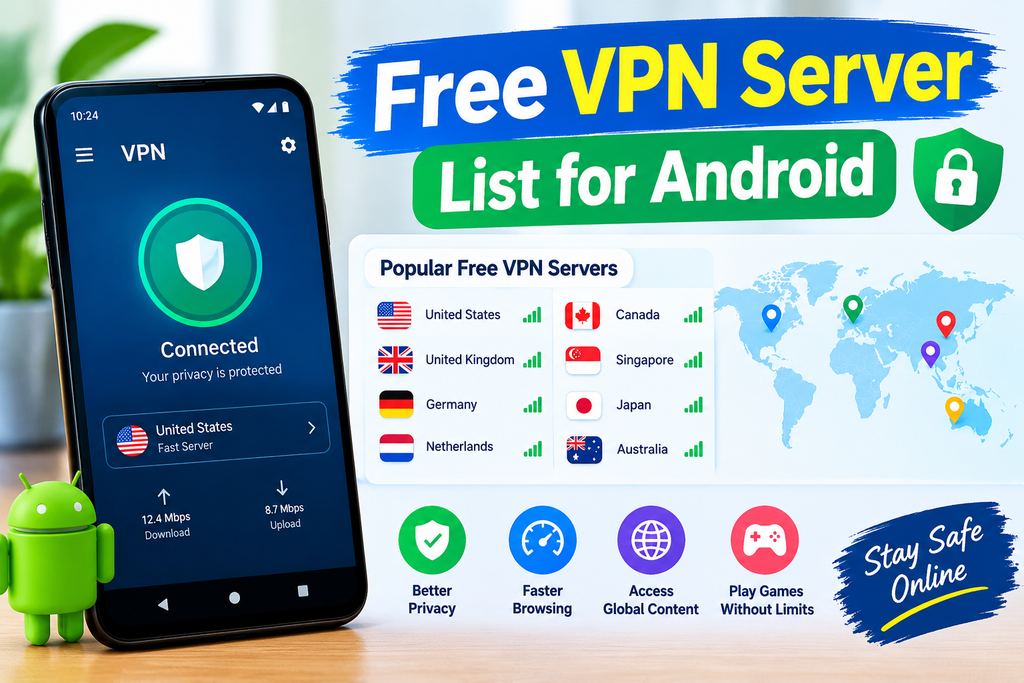
This guide provides the most comprehensive free VPN server list for Android in 2026 — covering trusted free VPN apps with their server locations, manual configuration servers for advanced Android users, and complete setup instructions for each configuration method.
Best Free VPN Server List for Android. A free VPN server list for Android can help users find VPN locations without paying for a premium subscription. Depending on the provider, free Android VPN apps may offer servers in countries such as the United States, United Kingdom, Germany, Netherlands, Canada, Singapore, Japan, and Australia. However, the exact locations available can change based on the provider, account type, and current network capacity.
When choosing a free VPN server, location is only one factor to consider. Connection speed, data limits, privacy policies, server availability, and Android app features can have a major impact on the experience. A nearby server may provide better speed and lower latency, while a server in another country can give you an IP address associated with that region.
| Server Location | Common Use | Possible Limitation |
|---|---|---|
| 🇺🇸 USA | US websites and services | Can have higher latency from India |
| 🇬🇧 UK | UK websites and browsing | Free servers may be crowded |
| 🇩🇪 Germany | European browsing | Speed varies by provider |
| 🇳🇱 Netherlands | General browsing and European access | Limited free availability |
| 🇨🇦 Canada | Canadian websites | Fewer free server choices |
| 🇸🇬 Singapore | Asia-based connections | Availability varies |
| 🇯🇵 Japan | Japanese websites and services | Long-distance connection for some users |
| 🇦🇺 Australia | Australian websites | Higher latency for users in India |
How to Choose a Free VPN Server on Android
First, install the VPN application from the official Google Play Store or the provider’s official website. After opening the app, look through the available locations and select a server that matches your purpose.
For everyday browsing, a nearby server is usually a practical choice. For accessing services that are limited to a particular country, you may need to select a server in that country. For gaming, pay particular attention to ping and stability, because a distant VPN server can increase latency.
Free VPNs can also have restrictions. Some providers limit monthly data, while others restrict the number of available countries or place free users on shared servers. Therefore, a server appearing in a provider’s free list does not necessarily mean it will always deliver the same speed or availability.
Most importantly, avoid choosing a free VPN solely because it offers many countries. Check its privacy policy, permissions, logging practices, encryption claims, and reputation before using it for sensitive activities.
Android VPN Configuration Methods
Method 1: VPN App (Recommended)
Install a free VPN app from the Play Store → sign in → select a server → connect.
Best for: Most Android users — simplest setup, automatic updates, best security.
Method 2: Android Built-in VPN
Settings → Network → VPN → Add VPN → manual configuration.
Best for: Connecting to specific servers (work VPN, university VPN) without a dedicated app.
Method 3: WireGuard App + Config
Install WireGuard from the Play Store → import .conf file → connect.
Best for: Self-hosted VPN or provider-specific WireGuard config.
Method 4: OpenVPN Connect
Install OpenVPN Connect → import .ovpn file → connect.
Best for: VPN Gate community servers, VPNBook free servers.
Best Free VPN Server List for Android in 2026:-
Best Free VPN Apps for Android — Server Lists
1. Proton VPN Free — Server List
Android app: ✅ Google Play — “Proton VPN: Fast & Secure”
Free data: Unlimited
Account: Free at proton.me
Free Server List (Always Available):
| Server | Location | Best For |
|---|---|---|
| US-FREE#1 | USA (Iowa) | US content, general privacy |
| US-FREE#2 | USA (Virginia) | US content, backup |
| NL-FREE#1 | Netherlands (Amsterdam) | European privacy |
| NL-FREE#2 | Netherlands | European backup |
| JP-FREE#1 | Japan (Tokyo) | Asia-Pacific content |
| JP-FREE#2 | Japan | Asia-Pacific backup |
Proton VPN Android setup:
- Play Store → Proton VPN → Install
- Sign in with a free Proton account
- Tap Quick Connect → fastest free server
- Or tap Countries → select from list above
- Protocol: WireGuard (auto-selected) → Connect
Best free Proton server for India: JP-FREE#1 (Tokyo) — lowest latency from India among free options (85–120ms).
2. Windscribe Free — Server List
Android app: ✅ Google Play — “Windscribe VPN proxy & firewall”
Free data: 15GB monthly
Account: Free at windscribe.com
Free Server List (Consistently Available):
| Server | City | Data Limit Impact | Best For |
|---|---|---|---|
| CA | Toronto | Moderate | Privacy |
| US | New York | Higher | US content |
| US | Atlanta | Higher | US South |
| UK | London | Moderate | UK content |
| DE | Frankfurt | Moderate | EU content |
| NL | Amsterdam | Moderate | EU privacy |
| FR | Paris | Moderate | French content |
| NO | Oslo | Low | Privacy |
| RO | Bucharest | Low | Privacy |
| CH | Zurich | Low | Swiss privacy |
| DK | Copenhagen | Low | Nordic |
| HK | Hong Kong | Moderate | Asia |
| SG | Singapore | Moderate | SEA content |
| JP | Tokyo | Moderate | Japan content |
| KR | Seoul | Moderate | Korean content |
⚠️ Availability varies: Some servers rotate in/out of the free tier. Check windscribe.com/servers for current free locations.
Windscribe Android setup:
- Play Store → Windscribe → Install
- Create a free account → 15GB activated
- Open app → Locations tab
- Select server from list above
- Protocol: WireGuard → Connect → verify IP
Best Windscribe servers for Indian users:
- HK (Hong Kong) — 50–80ms from India
- SG (Singapore) — 45–75ms from India
- JP (Tokyo) — 70–110ms from India
3. TunnelBear Free — Server List
Android app: ✅ Google Play — “TunnelBear: VPN & Wifi Proxy”
Free data: 2GB monthly
Account: Required
Free Server List (47 Countries — All Available):
Asia Pacific:
Australia, India, Japan, Singapore, South Korea, New Zealand, Hong Kong, Taiwan, Malaysia, Philippines, Indonesia, Vietnam, Thailand
Americas:
USA, Canada, Brazil, Mexico, Argentina, Colombia, Peru, Chile
Europe:
UK, Germany, France, Netherlands, Switzerland, Sweden, Norway, Denmark, Finland, Italy, Spain, Portugal, Belgium, Austria, Poland, Czech Republic, Romania, Hungary, Ireland, Greece
Middle East/Africa:
Israel, South Africa, Turkey, UAE
TunnelBear Android setup:
- Play Store → TunnelBear → Install
- Create account → verify email
- Tap bear icon → select country → connect
- GhostBear: Settings → GhostBear → On (restricted networks)
Best for: Most country variety — 47 countries in a single free app.
4. hide.me Free — Server List
Android app: ✅ Google Play — “hide.me VPN Fast & Secure”
Free data: 10GB monthly
Account: Not required
Free Server List:
| Server | Location | Protocol | Best For |
|---|---|---|---|
| India | Mumbai | WireGuard/IKEv2 | India server/gaming |
| USA | Beaumont, TX | WireGuard | US content |
| Netherlands | Amsterdam | WireGuard | EU privacy |
| Germany | Frankfurt | WireGuard | German content |
| Canada | Toronto | WireGuard | Canadian content |
| Singapore | Singapore | WireGuard | SEA content |
hide.me Android setup:
- Play Store → hide.me VPN → Install
- Open immediately — no account
- Tap server name → select from list
- Protocol: WireGuard → Connect
Best for Indian users: India Mumbai server — no account, instant connect, lowest latency from India.

5. PrivadoVPN Free — Server List
Android app: ✅ Google Play — “PrivadoVPN”
Free data: 10GB monthly
Account: Required
Free Server List:
| Server | Location | Speed | Best For |
|---|---|---|---|
| USA | Chicago | ✅ Fast | US content |
| USA | New York | ✅ Fast | US East |
| UK | London | ✅ Fast | UK content |
| Germany | Frankfurt | ✅ Fast | EU content |
| Netherlands | Amsterdam | ✅ Fast | EU privacy |
| Canada | Montreal | ✅ Fast | Canadian content |
| France | Paris | ✅ Fast | French content |
| Switzerland | Zurich | ✅ Fast | Swiss privacy |
| Brazil | São Paulo | ✅ Fast | Brazil content |
| Mexico | Mexico City | ✅ Fast | LATAM |
| Argentina | Buenos Aires | ✅ Fast | LATAM |
| Singapore | Singapore | ✅ Fast | SEA content |
| Japan | Tokyo | ✅ Fast | Japan content |
PrivadoVPN Android setup:
- Play Store → PrivadoVPN → Install
- Create a free account
- Select server from list
- WireGuard protocol → Connect
Best for: Fastest free Android VPN — PrivadoVPN consistently delivers 80–120 Mbps speeds.
Free OpenVPN Servers for Android — Manual Configuration
VPNBook Free Servers
VPNBook provides completely free OpenVPN servers — manual configuration required.
Current VPNBook servers (check vpnbook.com for the latest):
| Server | Location | Protocol |
|---|---|---|
| vpnbook.com | Poland | OpenVPN UDP/TCP |
| vpnbook.com | USA | OpenVPN UDP/TCP |
| vpnbook.com | UK | OpenVPN UDP/TCP |
| vpnbook.com | Canada | OpenVPN UDP/TCP |
| vpnbook.com | France | OpenVPN UDP/TCP |
| vpnbook.com | Germany | OpenVPN UDP/TCP |
Credentials:
- Username: vpnbook (check vpnbook.com — changes weekly)
- Password: Check the current password on vpnbook.com
Android OpenVPN setup:
- Play Store → OpenVPN Connect → Install
- Visit vpnbook.com on an Android browser
- Download .ovpn config bundle → extract
- OpenVPN Connect → Import Profile → select .ovpn file
- Enter username: vpnbook + current password
- Connect → free VPN active
Limitation: VPNBook passwords change weekly — check vpnbook.com regularly.
VPN Gate Community Servers
VPN Gate provides volunteer-operated free VPN servers worldwide — the largest free VPN server list available.
VPN Gate server categories:
| Country | Servers Available | Protocol |
|---|---|---|
| Japan | 50–100+ | OpenVPN, L2TP |
| USA | 20–50+ | OpenVPN, L2TP |
| South Korea | 15–30+ | OpenVPN |
| Thailand | 10–20+ | OpenVPN |
| Russia | 10–20+ | OpenVPN |
| Various | 200+ total | OpenVPN |
Android VPN Gate setup:
- Play Store → OpenVPN Connect → Install
- Visit vpngate.net on Android
- Browse server list → find desired country
- Download .ovpn config → tap → open with OpenVPN
- Connect → community server active
Server quality varies: VPN Gate servers are volunteer-run — performance is inconsistent. Test multiple servers to find a reliable option.
Privacy note: Volunteer operators can see traffic — use for non-sensitive browsing only.
Free WireGuard Servers for Android
Proton VPN WireGuard Config
For advanced Android users wanting the WireGuard config file approach:
- protonvpn.com → account → Downloads → WireGuard
- Select a free server → download the .conf file.
- Play Store → WireGuard (official app) → Install
- Import .conf file → Connect
Advantage: The WireGuard app is more lightweight than the Proton VPN full app — lower battery usage.
Windscribe WireGuard Config
- windscribe.com → My Account → Config Generators
- Select WireGuard → choose a free server
- Download config → import to WireGuard Android app
- Connect
Android Built-in VPN Configuration
Manual IKEv2 Setup on Android
For connecting to specific VPN servers without an app:
Settings → Network & Internet → VPN → Add VPN
Fill in:
- Name: Any description
- Type: IKEv2/IPSec MSCHAPv2 (most compatible)
- Server: VPN server address
- IPSec identifier: Usually blank
- Username: From provider
- Password: From provider
Save → tap → connect.
Free IKEv2 credentials:
- hide.me provides manual connection credentials for some servers
- VPNBook provides an IKEv2 option alongside OpenVPN
Android VPN Server Selection by Use Case
Best Free Server for Indian Users
| Use Case | Best Server | VPN App |
|---|---|---|
| General privacy | India Mumbai | hide.me (no account) |
| Streaming US content | USA | Windscribe or PrivadoVPN |
| UK content | UK London | Windscribe or PrivadoVPN |
| Japanese content | Japan Tokyo | Proton VPN or Windscribe |
| Korean content | South Korea | Windscribe |
| German content | Germany | Windscribe or PrivadoVPN |
| Maximum data | Any | Proton VPN (unlimited) |
Ping Expectations — Indian Android Users
| Server Location | VPN | Approximate Ping |
|---|---|---|
| India (Mumbai) | hide.me | 15–40ms |
| Singapore | Windscribe | 45–75ms |
| Hong Kong | Windscribe | 50–80ms |
| Japan | Proton VPN | 85–120ms |
| UAE/Dubai | Various | 80–120ms |
| Germany | Windscribe/PrivadoVPN | 130–165ms |
| UK | Windscribe/PrivadoVPN | 140–175ms |
| USA | Various | 180–220ms |
Android VPN Optimization Settings
Battery Optimization
Disable battery restriction for VPN app:
Settings → Battery → Battery optimization → VPN app → Don’t optimize
Use WireGuard protocol:
WireGuard = lowest battery consumption → extends battery life with VPN active.
Trusted networks:
Windscribe: Settings → Trusted Networks → add home Wi-Fi → VPN auto-disconnects at home → saves battery.
Best Protocol by Android Use
| Use Case | Protocol | VPN |
|---|---|---|
| Daily browsing | WireGuard | Proton/Windscribe |
| Streaming | WireGuard | PrivadoVPN |
| Gaming | WireGuard/IKEv2 | hide.me India |
| Restricted network | Stealth/GhostBear | Windscribe/TunnelBear |
| Old Android (6-8) | IKEv2 | hide.me |
Split Tunneling on Android
Route only specific apps through VPN:
Windscribe:
Settings → Split Tunneling → Include or Exclude mode → select apps
Proton VPN:
Settings → Split tunneling → add apps to bypass VPN
hide.me:
Settings → Split Tunneling → add apps to tunnel
Use case: Browser through VPN (privacy) + streaming apps direct (speed) + banking app direct (compatibility).
Free VPN Android Server Data Budget
| VPN | Monthly Data | Best Usage Strategy |
|---|---|---|
| Proton VPN | Unlimited | Always-on privacy, heavy streaming |
| Windscribe | 15GB | Primary server-variety VPN |
| hide.me | 10GB | India server, no-account access |
| PrivadoVPN | 10GB | Fast streaming sessions |
| TunnelBear | 2GB | Light use, many countries |
| VPNBook | Unlimited | Backup, non-sensitive browsing |
| VPN Gate | Unlimited | Last resort, specific countries |
Optimal Android stack:
Proton VPN (unlimited, primary) + Windscribe (15GB, server variety) + hide.me (India server backup) = comprehensive free Android VPN coverage.
Android VPN Troubleshooting
VPN Connected But No Internet
Fix:
- Disconnect → reconnect → try a different server
- Switch protocol: WireGuard → IKEv2
- Clear VPN app cache: Settings → Apps → [VPN] → Storage → Clear cache
- Check DNS: VPN may need DNS leak protection enabled
Android VPN Keeps Disconnecting
Fix:
- Battery optimization: Settings → Battery → VPN app → Don’t optimize
- Background restrictions: Settings → Apps → VPN → Battery → Allow background activity
- IKEv2 is more stable than WireGuard on Android mobile data
OpenVPN Import Failed on Android
Fix:
- Ensure OpenVPN Connect is installed (not OpenVPN for Android)
- File must be .ovpn extension
- Download to internal storage (not SD card)
- Try importing from the Downloads folder directly
High Ping on VPN Server
Fix:
- Choose a geographically closer server
- Switch from WireGuard to IKEv2 (sometimes better routing)
- Different time of day → less congested server
- Check server load in Windscribe (shows percentage)
Frequently Asked Questions
Which free VPN has the most servers for Android in 2026?
TunnelBear free has the most countries (47) — servers in Asia, the Americas, Europe, the Middle East, and Africa. Windscribe free has the most reliable selection of high-quality servers (15 consistent locations). PrivadoVPN has the fastest servers across 13 free locations. For maximum country variety: TunnelBear. For maximum data + quality servers: Windscribe.
What is the best free VPN server for Android in India?
hide.me free Mumbai server is best for Indian Android users — no account required, WireGuard protocol, India server delivers 15–40ms ping for gaming and browsing. Windscribe Singapore (45–75ms) is best for Southeast Asian content access from India. Proton VPN Japan (85–120ms) for unlimited data with an Asian server.
Can I use OpenVPN servers on Android for free?
Yes — install OpenVPN Connect from the Play Store → download a free .ovpn config from VPNBook or VPN Gate → import → connect. VPNBook provides Poland, USA, UK, Canada, and Germany servers for free (password changes weekly). VPN Gate provides 200+ community servers globally. Both work on Android without a subscription.
Which Android VPN server is fastest?
PrivadoVPN delivers the fastest speeds (80–120 Mbps) consistently across all free server locations. Windscribe Singapore and Hong Kong servers deliver 40–70 Mbps from India. hide.me India Mumbai delivers 30–60 Mbps within India. Proton VPN Japan delivers 25–50 Mbps from India. Speed varies by time of day and server load.
How do I manually configure a VPN on Android?
Settings → Network & Internet → VPN → + (Add) → enter VPN name, type (IKEv2), server address, username, password → Save → tap VPN name → Connect. For WireGuard: install WireGuard app → import .conf file → Connect. For OpenVPN: install OpenVPN Connect → import .ovpn file → Connect.
Complete Free Android VPN Server List — Summary
Install This Stack for Complete Coverage
App 1: Proton VPN
Servers: USA (2), Netherlands (2), Japan (2) | Data: Unlimited
→ Primary always-on Android VPN
App 2: Windscribe
Servers: 15 countries including SG, HK, JP, KR, UK, DE, US | Data: 15GB
→ Best server variety + Korean/German/UK content
App 3: hide.me
Servers: India, USA, Netherlands, Germany, Canada, Singapore | Data: 10GB
→ Best India server, no account needed
App 4: PrivadoVPN
Servers: 13 locations — USA, UK, DE, NL, CA, SG, JP + more | Data: 10GB
→ Fastest speeds for streaming
App 5: TunnelBear (backup)
Servers: 47 countries | Data: 2GB
→ Widest geographic coverage backup
Total free monthly data: 35GB across 4 apps + unlimited Proton + unlimited community servers
Conclusion
Choosing the best free VPN server for Android in 2026 depends on what you need most—privacy, speed, location availability, streaming, gaming, or everyday browsing. Free VPN services can be useful when you need a quick connection without paying for a subscription, but they often come with limitations such as fewer server locations, data caps, slower speeds, or restricted features.
Before connecting, check the available server locations, privacy policy, data limits, connection speed, and Android app features. A nearby server will generally provide a better connection than a distant one, while a server in a specific country may be useful when you need an IP address from that region.
For regular browsing, choose a service with a clear privacy policy and a reliable Android application. If you need unlimited data, more server locations, or consistently higher speeds, a paid VPN may be more suitable.
The best approach is to compare the available free VPN servers based on your actual requirements rather than choosing a server simply because it is free. This can help you find a suitable balance between speed, privacy, server availability, and ease of use on Android in 2026.