
Short answer: DaVinci Resolve is the best free video editing software for PC in 2026. It is professional-grade, exports 4K without a watermark, and costs absolutely nothing. If you want something simpler and faster for social media content, CapCut for PC is the better choice.
This guide breaks down every major free PC video editing software worth considering in 2026 — with honest assessments of quality, ease of use, and who each one actually suits.
Best free video editing software for PC in 2026 isn’t as easy as it sounds. While there are hundreds of free editors available, many include watermarks, limited export options, or require a paid upgrade to unlock essential features. The good news is that several professional-quality video editors are completely free and offer everything you need to create YouTube videos, social media content, business presentations, or personal projects.
In this guide, we’ve tested and compared the best free video editing software for Windows PCs in 2026 based on ease of use, editing features, export quality, performance, and overall value. Whether you’re a beginner looking for a simple editor or an experienced creator who needs advanced tools like 4K editing, color grading, motion graphics, or AI-powered features, you’ll find the right option here. By the end, you’ll know which free video editor best matches your needs without spending a single rupee or dollar.
- Check now –Windows VPN Software Free 2026
The Best Free PC Video Editing Software at a Glance
| Software | Best For | Watermark | Max Export | Learning Curve |
|---|---|---|---|---|
| DaVinci Resolve | Professional YouTube, films | None | 4K | High |
| CapCut | Social media, Reels, Shorts | None (standard) | 4K | Low |
| Clipchamp | Windows beginners | None | 1080p | Very Low |
| Kdenlive | Open-source, privacy | None | 4K | Medium |
| Shotcut | Older PCs, format support | None | 4K | Medium |
| OpenShot | True beginners | None | 4K | Very Low |
| VSDC Free | Windows-only, advanced | None | 4K | Medium-High |
1. DaVinci Resolve — Best Free Video Editing Software for PC Overall
DaVinci Resolve is the single most powerful free video editing software available for PC. The free version includes tools that rival — and in many cases surpass — paid software like Adobe Premiere Pro and Sony Vegas.
Platform: Windows 10/11, Mac, Linux
What the free version includes:
- Full professional multi-track timeline with unlimited video and audio tracks
- Fairlight — a complete professional audio mixing suite built in
- Fusion — visual effects and motion graphics compositing built in
- Color grading tools used in Hollywood film and major streaming productions
- Neural Engine AI tools: Magic Mask, Speed Warp, noise reduction, face refinement
- Collaborative editing for team projects
- 4K export with no watermark
- No project limits, no time limits, no subscription
What it does well: DaVinci Resolve’s color grading tools are the industry benchmark — the same tools used on major films and Netflix productions. The Fairlight audio suite means you never need separate audio software. For YouTube creators who want cinematic-looking videos, the free version delivers professional results that paid editors struggle to match.
Minimum PC specs:
- Windows 10 or 11 (64-bit)
- 16GB RAM recommended (8GB minimum)
- Dedicated GPU with 2GB VRAM minimum (4GB+ recommended)
- 2.5GB storage for installation
Limitations: Steep learning curve — plan on spending several weeks becoming comfortable with the interface. Resource-intensive — older or budget PCs will struggle with real-time 4K playback. The paid Studio version ($295 one-time) unlocks advanced collaboration and noise reduction features, but most creators never need them.
Best for: Serious YouTube creators, film students, video production professionals, and anyone willing to invest time learning software that will never need an upgrade.
Verdict: Best free video editing software for PC in 2026, no question.
2. CapCut for PC — Best Free Editor for Social Media and Short-Form Content
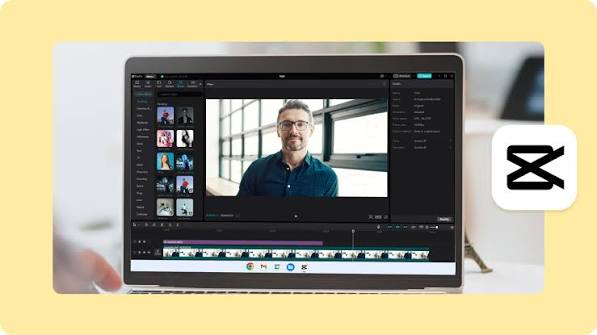
CapCut’s Windows desktop app is far more capable than most people expect from a free tool associated with mobile editing. It is the best free PC editor for creators producing Reels, Shorts, TikTok content, and fast-turnaround social media videos.
Platform: Windows, Mac, browser, mobile
What the free version includes:
- Multi-track timeline editing
- Auto-captions with high accuracy — supports Hindi and regional Indian languages
- AI background removal
- Beat sync — automatically matches cuts to music rhythm
- Keyframe animation and speed ramping
- Text-to-speech in multiple voices
- AI video enhancer — upscales footage quality
- Chroma key (green screen removal)
- 4K export — no watermark on standard exports
- Trending templates updated weekly for Reels, Shorts, and TikTok
What it does well: CapCut is engineered for the way people create and consume video in 2026. Auto-captions save hours on every video. Beat sync produces scroll-stopping edits without manual work. The template library mirrors current trending formats — a real competitive advantage for social media creators who want content that performs.
PC specs: Runs well on most modern PCs. Minimum 4GB RAM, Windows 10 or later.
Limitations: Developed by ByteDance (TikTok’s parent company) — data privacy concerns exist for some users. Premium effects and templates require CapCut Pro. Not suitable for complex long-form productions that need advanced color grading or multi-camera editing.
Best for: Social media creators, Indian YouTubers needing Hindi auto-captions, faceless content channels, anyone making Reels or Shorts at volume.
Verdict: Best free PC video editor for social media content in 2026.
3. Clipchamp — Best Built-In Free Video Editor for Windows
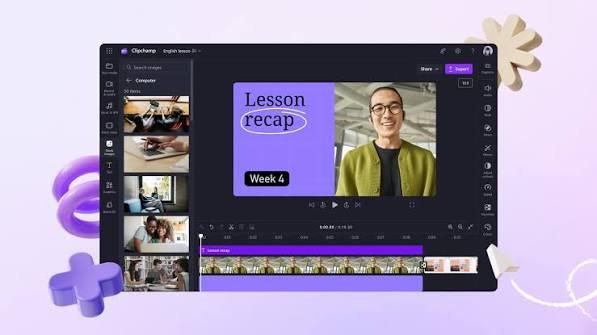
Clipchamp is Microsoft’s video editor, built directly into Windows 11 and available free with any Microsoft account. It is the most convenient starting point for Windows users who want basic editing without installing anything.
Platform: Windows 11 (built-in), browser
What the free version includes:
- Multi-track timeline with drag-and-drop simplicity
- AI auto-compose — creates videos from clips automatically
- Text-to-speech with natural-sounding voices
- Built-in stock footage and music library
- Auto-captions
- Green screen support
- Templates for YouTube, TikTok, Instagram
- 1080p export — no watermark
- Direct export to YouTube and OneDrive
What it does well: Clipchamp is the only free PC video editor that is truly plug-and-play — it is already in your Windows 11 Start menu. Clean 1080p export with no watermark at zero cost is hard to beat. The text-to-speech voices are among the most natural-sounding of any free editor.
PC specs: Runs on any PC that runs Windows 11. Very low resource usage.
Limitations: No 4K export on the free plan. Less powerful than DaVinci Resolve or CapCut for advanced editing. The stock library is smaller than paid alternatives. AI features are more limited than CapCut.
Best for: Windows 11 users who want simple, clean editing without installing software, beginners creating their first videos.
Verdict: Best free built-in video editing software for Windows PC.
4. Kdenlive — Best Free Open-Source Video Editing Software for PC
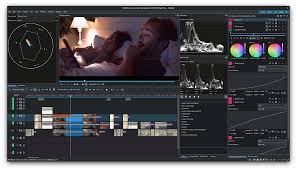
Kdenlive is a mature, open-source video editor for Windows and Linux that offers professional timeline editing at zero cost with zero data collection.
Platform: Windows, Linux, Mac
What the free version includes:
- Multi-track timeline with unlimited tracks
- Keyframe animation for effects and transitions
- Color correction with scopes
- Audio mixing and filters
- Proxy editing for smooth performance on older hardware
- Hundreds of built-in effects and transitions
- 4K export — no watermark
- No account required, no data collection
- Regular community updates
What it does well: Kdenlive is the strongest free open-source video editor for Windows in 2026. Unlike CapCut (ByteDance) and Clipchamp (Microsoft), Kdenlive collects no user data — a meaningful advantage for privacy-conscious creators. Proxy editing makes it usable on older PCs that would struggle with DaVinci Resolve. The feature set covers most professional editing needs without corporate dependencies.
PC specs: Works on PCs with as little as 4GB RAM. Proxy editing helps on older hardware.
Limitations: Interface is less polished than commercial alternatives. Occasional stability issues on some Windows configurations — save work frequently. Fewer AI features than CapCut. Color grading is less advanced than DaVinci Resolve.
Best for: Privacy-conscious creators, Linux users, open-source advocates, PC users with older hardware who need a full timeline editor.
Verdict: Best free open-source video editing software for PC in 2026.
5. Shotcut — Best Free Editor for Older PCs and Format Compatibility
Shotcut is a lightweight, open-source video editor that runs on almost any Windows PC — including older machines that cannot handle DaVinci Resolve or CapCut.
Platform: Windows, Mac, Linux
What the free version includes:
- Multi-track timeline editor
- Extremely wide format support — handles almost any video format without conversion
- Audio filters and mixing
- Color grading with professional scopes
- Keyframe animation
- 4K export — no watermark
- No account required
- Portable installation option (run from USB without installing)
What it does well: Shotcut’s format compatibility is unmatched among free editors. Import GoPro footage, drone video, phone recordings, and camera files in any format and Shotcut handles them natively — no conversion step. The portable installation option is unusual and useful for creators who work across multiple PCs. Runs on PCs with 2GB RAM.
PC specs: Minimum 2GB RAM, Windows 7 or later. Works on very old hardware.
Limitations: Interface is functional but dated. Fewer AI features than modern alternatives. Learning curve for beginners. Color tools are less advanced than DaVinci Resolve.
Best for: Users with older or low-spec Windows PCs, creators working with many different camera formats, anyone who wants a lightweight open-source editor that works everywhere.
Verdict: Best free video editing software for older or low-spec Windows PCs.
6. OpenShot — Best Free Editor for Complete Beginners
OpenShot is a free, open-source video editor specifically designed for simplicity. If DaVinci Resolve feels overwhelming and you want to learn editing basics first, OpenShot is the right starting point.
Platform: Windows, Mac, Linux
What the free version includes:
- Simple multi-track timeline
- Drag-and-drop editing
- Built-in effects and transitions
- Title and text overlays
- Basic color adjustments
- Animated titles
- 4K export — no watermark
- No account required
What it does well: OpenShot is the most beginner-accessible desktop video editor with a real timeline. Everything is drag and drop. The interface is clean and unintimidating. For someone editing their first video who finds DaVinci Resolve overwhelming, OpenShot teaches the basics without the complexity.
PC specs: Runs on most Windows PCs. 4GB RAM recommended.
Limitations: Performance can be sluggish on complex projects — rendering is slower than competing free editors. Feature set is significantly less advanced than DaVinci Resolve or CapCut. Not suitable for professional or high-volume production work. Limited AI features.
Best for: Absolute beginners learning video editing fundamentals, students, casual creators making personal videos.
Verdict: Best free video editing software for PC beginners with no prior experience.
7. VSDC Free Video Editor — Best Free Windows-Only Editor with Advanced Features
VSDC is a free video editor built specifically for Windows, offering a surprisingly deep feature set at zero cost.
Platform: Windows only
What the free version includes:
- Non-linear timeline editor
- Color correction and grading tools
- Audio editing and mixing
- Video stabilization
- Chroma key (green screen)
- Motion tracking
- Masking tools
- 4K export — no watermark
- Wide format support
What it does well: VSDC packs more advanced features into its free version than most competitors. Motion tracking, masking, and video stabilization are included at no cost — features that cost money in many paid editors. For Windows-only creators who want advanced tools without DaVinci Resolve’s learning curve, VSDC fills a useful gap.
PC specs: Windows 7 or later. Works on older hardware. Low RAM requirements.
Limitations: Windows only — no Mac or Linux version. Interface is not as modern or polished as DaVinci Resolve or CapCut. Some advanced export options (hardware acceleration) are locked behind the paid VSDC Pro version ($19.99 one-time). Steeper learning curve than Clipchamp or CapCut.
Best for: Windows users who want advanced features like motion tracking and masking without paying, creators who find DaVinci Resolve too complex but want more than basic editing tools.
Verdict: Best free Windows-exclusive video editing software for creators who want advanced features without a heavy learning investment.
Which Free PC Video Editing Software Should You Choose?
You want professional quality for YouTube or film: → DaVinci Resolve. No other free software comes close.
You create social media content (Reels, Shorts, TikTok): → CapCut for PC. Fastest workflow, best AI features, trending templates.
You are a complete beginner on Windows 11: → Clipchamp. Already installed, zero setup, clean 1080p output.
You care about privacy and open-source: → Kdenlive. No corporate ownership, no data collection, full timeline editor.
Your PC is old or low-spec: → Shotcut (2GB RAM minimum) or Kdenlive with proxy editing.
You are an absolute beginner learning to edit: → OpenShot. Simplest timeline, most beginner-friendly interface.
You want advanced features on Windows without the DaVinci learning curve: → VSDC Free.
PC Requirements Comparison
| Software | Minimum RAM | GPU Needed | Works on Old PC |
|---|---|---|---|
| DaVinci Resolve | 8GB (16GB ideal) | Yes | No |
| CapCut | 4GB | No | Yes |
| Clipchamp | 4GB | No | Yes |
| Kdenlive | 4GB | No | Yes (proxy editing) |
| Shotcut | 2GB | No | Yes |
| OpenShot | 4GB | No | Yes |
| VSDC Free | 2GB | No | Yes |
FAQs
Q: Which free PC video editor has no watermark?
All seven editors in this guide — DaVinci Resolve, CapCut, Clipchamp, Kdenlive, Shotcut, OpenShot, and VSDC Free — export without watermarks on their free versions.
Q: Is DaVinci Resolve completely free?
Yes. The free version includes professional-grade editing, color grading, audio mixing, and visual effects at no cost. The paid Studio version ($295 one-time) adds advanced features most creators never need.
Q: Which free video editing software is best for YouTube on PC?
DaVinci Resolve for long-form YouTube content needing quality editing and color grading. CapCut for YouTube Shorts and faster-paced content.
Q: Can I edit 4K video for free on PC?
Yes. DaVinci Resolve, CapCut, Kdenlive, Shotcut, OpenShot, and VSDC Free all support 4K editing and export at no cost. You need a reasonably powerful PC — at least 8GB RAM and a dedicated GPU — for smooth 4K playback in DaVinci Resolve.
Q: Which free PC video editor is best for Indian creators?
CapCut supports Hindi auto-captions and trending Indian social media formats. InVideo AI has Hindi voiceover. Both are widely used by Indian YouTube and Instagram creators.
Q: Is VSDC really free?
The core VSDC Free version is completely free with 4K export and no watermark. The paid VSDC Pro version ($19.99 one-time) unlocks hardware-accelerated export and a few advanced features — but is not required for most users.
Q: Which free video editing software works on the oldest Windows PCs?
Shotcut works on Windows 7 with as little as 2GB RAM. VSDC also runs on very old Windows hardware. Both are significantly lighter than DaVinci Resolve or CapCut.
Conclusion
For PC users in 2026, DaVinci Resolve is the definitive answer to “best free video editing software.” It is genuinely professional, exports 4K cleanly, and has no meaningful feature limitations compared to paid alternatives. The investment is time, not money — and that investment pays off across an entire career of video production.
If you make social media content and need speed over depth, CapCut for PC is the right tool. For Windows users who want nothing complicated, Clipchamp is already waiting in your Start menu.
The rest of this list — Kdenlive, Shotcut, OpenShot, VSDC — all solve specific situations: privacy, older hardware, beginners, Windows-only use. Match the software to your situation and you will not need to pay for video editing software for years.
Start with whichever tool matches your current skill level and hardware. Upgrade your software when you outgrow it — not before.

