
AI has completely transformed how creators, marketers, and businesses produce video and photo content in 2026. What used to require expensive software, professional training, and hours of manual editing can now be done in minutes — often with results that rival professional studios.
Whether you’re a content creator in India running an Instagram page, a D2C brand producing product videos, a YouTuber scaling your output, or a marketing team needing consistent visual content at speed — this guide covers the best AI tools for video and photo editing available in 2026.
Creating high-quality videos and photos no longer requires expensive cameras, advanced editing skills, or a large creative team. In 2026, AI-powered creative tools can help users generate images, enhance photos, remove backgrounds, create video clips, animate still images, and produce professional-looking content in significantly less time. Image-to-video technology has also improved, with leading platforms offering better motion, subject consistency, camera control, and creative effects.
Best AI Tools for Video and Photos: Whether you are a YouTube creator, social media marketer, photographer, freelancer, ecommerce seller, or beginner, choosing the right tool can make your workflow faster and more efficient. Popular options such as Runway, Kling, Luma, Pika, Google Veo, and specialized photo-editing platforms each focus on different creative needs.
Why AI Video and Photo Tools Have Exploded in 2026
Three things happened simultaneously that accelerated AI creative tool adoption:
Computing got cheaper: Cloud-based AI processing means you no longer need a ₹2,00,000 editing workstation. A mid-range laptop or even a smartphone handles AI-powered editing through browser-based tools.
Quality crossed the professional threshold: Early AI video and photo tools produced obviously artificial results. In 2026, the best tools produce output indistinguishable from professional human editing in most use cases.
Indian creator economy scaled rapidly: With over 500 million smartphone users and one of the world’s largest creator economies, India’s demand for fast, affordable, high-quality content production tools has driven massive adoption of AI creative tools.
Best AI Tools for Video and Photos in 2026:-
Best AI Tools for Video Editing in 2026
1. Runway ML (Gen-3 Alpha)
Best for: Professional video generation and editing
Runway ML remains the gold standard for AI video generation in 2026. Its Gen-3 Alpha model produces cinematic-quality video from text prompts, image inputs, or existing footage — making it the tool of choice for professional video creators and agencies.
Key features:
- Text-to-video generation up to 10 seconds per clip
- Image-to-video animation — bring still photos to life
- Video-to-video style transfer — apply cinematic looks to raw footage
- AI background removal and replacement in video
- Motion brush — animate specific elements in a still image
- Inpainting — remove unwanted objects from video seamlessly
- Multi-motion camera controls for cinematic movement
Pricing: Free tier available (limited credits). Standard plan from $12/month (~₹1,000/month). Pro plan: $28/month (~₹2,300/month).
For Indian creators: Runway’s browser-based interface works well on Indian internet speeds. No high-end hardware required — all processing happens in the cloud. INR payment via international credit card.
Best use cases: Brand films, social media content, YouTube intros, product showcases, creative storytelling.
2. CapCut (Pro AI Features)
Best for: Social media video editing — Instagram Reels, YouTube Shorts, TikTok
CapCut has become the dominant video editing tool for Indian social media creators — and its AI features in 2026 are significantly more powerful than earlier versions. The free plan is genuinely useful, making it accessible to creators at every level.
Key AI features:
- AI script to video — type a script, get a complete video with stock footage, captions, and music
- Auto captions in Hindi and English with 95%+ accuracy
- AI background remover for video — no green screen needed
- Smart cut — automatically removes filler words and silences from talking head videos
- AI enhance — upscales low-resolution video to HD
- Auto reframe — reformats 16:9 video to 9:16 vertical automatically
- Face enhancement — smooths skin, brightens eyes in talking head videos
- AI voiceover in Hindi and English
Pricing: Free plan available with watermark. Pro from ₹399/month. Very affordable for Indian creators.
For Indian creators: CapCut’s Hindi caption accuracy is among the best available — critical for Indian content. The mobile app works smoothly on mid-range Android phones common in India.
Best use cases: Instagram Reels, YouTube Shorts, WhatsApp Status videos, product demos, vlogs.
3. Descript
Best for: Podcast and talking head video editing via text
Descript takes a completely different approach to video editing — instead of a traditional timeline, you edit video by editing the transcript. Delete a word from the transcript, and it’s removed from the video. It’s the fastest way to edit talking head videos and podcast recordings.
Key AI features:
- Overdub — clone your voice to fix mistakes without re-recording
- Filler word removal — automatically removes “um,” “uh,” “you know” with one click
- Studio Sound — removes background noise and enhances audio quality
- Green screen — AI background removal
- Eye contact correction — makes you appear to look atthe camera even when reading notes
- Underlord AI — generates video from text, adds B-roll automatically
- Chapters — automatically generates video chapters for YouTube
Pricing: Free plan available (limited watermark). Creator plan from $12/month (~₹1,000/month). Pro from $24/month (~₹2,000/month).
For Indian creators: Descript’s filler word removal works with Indian English accents — though Hindi speech editing requires manual transcript correction. Best for English-language content creators.
Best use cases: YouTube tutorials, podcast clips, educational content, talking head videos, webinar recordings.
4. Synthesia
Best for: AI avatar videos for training, explainers, and corporate content
Synthesia lets you create professional videos featuring realistic AI avatars — no camera, no studio, no filming required. Type your script, choose an avatar, and Synthesia generates a complete video with a lifelike presenter delivering your content.
Key AI features:
- 230+ AI avatars in diverse ethnicities and styles — including South Asian avatars ✅
- 140+ languages including Hindi ✅
- Custom AI avatar — create a digital version of yourself
- PPTX to video — convert PowerPoint presentations to narrated video automatically
- Screen recorder with AI avatar overlay
- Brand kit — consistent fonts, colors, logos across all videos
- AI script assistant — generate scripts from bullet points
Pricing: Starter from $18/month (~₹1,500/month). Creator from $64/month (~₹5,300/month). Enterprise custom pricing.
For Indian creators and businesses: Synthesia’s Hindi support and South Asian avatar options make it particularly relevant for Indian corporate training, e-learning, and explainer video production. Massive time saver for businesses producing multilingual content.
Best use cases: Employee training videos, product explainers, e-learning content, multilingual marketing videos, onboarding videos.
5. Pictory AI
Best for: Converting blog posts and scripts into videos automatically
Pictory is the fastest way to turn written content into video — paste a blog post URL or script, and Pictory automatically selects relevant stock footage, adds captions, and generates a complete video in minutes.
Key AI features:
- Article to video — paste any URL, get a complete video
- Script to video — turn scripts into videos with stock footage
- Auto highlight — extracts the most engaging clips from long videos
- AI voiceover in multiple languages
- Auto captions with custom styling
- Brand kit for consistent visual identity
- Social media format templates
Pricing: Starter from $19/month (~₹1,580/month). Professional from $39/month (~₹3,250/month).
For Indian creators: Pictory is excellent for repurposing long-form blog content from researchvpn.com and foundorasystems.com into short social media videos. Article-to-video workflow is particularly powerful for content marketing.
Best use cases: Repurposing blog posts, YouTube Shorts from articles, social media content at scale, newsletter videos.
6. InVideo AI
Best for: Indian creators needing affordable professional video production
InVideo AI is one of the most popular video creation tools among Indian creators — and for good reason. It’s affordable in INR, has strong Hindi support, and produces professional results without requiring any video editing experience.
Key AI features:
- Text to video with AI — describe your video in plain language, get a complete production
- 5,000+ templates for every use case
- AI voiceover in Hindi and English
- Auto subtitles in Hindi and English
- Stock footage library with 8 million+ assets
- Brand preset for consistent visuals
- One-click social media resizing
Pricing: Free plan available. Business plan from ₹1,660/month. Unlimited plan from ₹2,490/month. INR billing ✅
For Indian creators: InVideo’s INR pricing, Hindi voiceover, and India-specific templates make it the most accessible professional video tool for Indian creators. Particularly popular among digital marketers, educators, and small business owners in India.
Best use cases: Social media ads, YouTube content, educational videos, business explainers, real estate videos.
Best AI Tools for Photo Editing in 2026
7. Adobe Firefly (Photoshop AI)
Best for: Professional photo editing with AI assistance
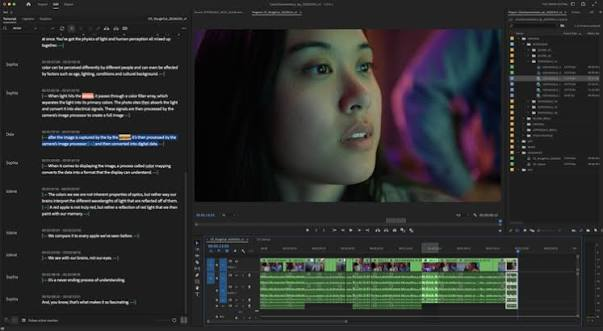
Adobe Firefly has been fully integrated into Photoshop in 2026, making AI-powered photo editing accessible within the industry-standard tool. The Generative Fill feature alone has transformed professional photo editing workflows globally.
Key AI features:
- Generative Fill — add, remove, or replace any element in a photo using text prompts
- Generative Expand — extend photos beyond their original borders seamlessly
- Remove Tool — removes objects with one click, fills background intelligently
- Neural Filters — skin smoothing, eye enhancement, facial expression editing
- Sky Replacement — swap skies with realistic results
- Subject Select — perfectly selects complex subjects like hair with one click
- Generative Recolor — change colors of specific elements with text prompts
Pricing: Included with Adobe Creative Cloud Photography plan from ₹1,675/month. Standalone Firefly from $4.99/month (~₹415/month) for limited credits.
For Indian creators: Adobe’s INR pricing has improved significantly. The Photography plan includes both Photoshop and Lightroom — excellent value for professional photo editors and photographers in India.
Best use cases: Product photography editing, portrait retouching, background replacement, creative compositing, real estate photo editing.
8. Canva AI (Magic Studio)
Best for: Non-designers needing professional visual content fast
Canva‘s Magic Studio suite has made AI-powered design accessible to everyone — no design skills required. For Indian businesses, marketers, and content creators who need consistent, professional visuals at scale, Canva AI is often the first and only tool they need.
Key AI features:
- Magic Media — text-to-image and text-to-video generation
- Magic Edit — replace elements in photos with text prompts
- Magic Eraser — remove unwanted objects from photos
- Background Remover — one-click background removal
- Magic Resize — resize designs for any platform automatically
- Magic Write — AI copywriting for design text
- Dream Lab — advanced AI image generation with style control
- Translate — translate designs into 100+ languages including Hindi
Pricing: Free plan available. Canva Pro from ₹3,999/year (~₹333/month). Teams from ₹3,500/user/year. INR billing ✅
For Indian creators: Canva’s INR pricing, Hindi interface, and massive template library tailored for Indian festivals, social media formats, and business needs make it the most widely used design tool in India.
Best use cases: Social media graphics, presentations, marketing materials, thumbnails, infographics, brand assets.
9. Luminar Neo
Best for: Photographers needing AI-powered photo enhancement

Luminar Neo is a standalone photo editor built entirely around AI — every major feature uses machine learning to automate what used to require hours of manual adjustment.
Key AI features:
- Sky AI — replaces and enhances skies with photorealistic results
- Portrait AI — skin retouching, eye enhancement, face reshaping
- Structure AI — enhances detail and texture intelligently
- Relight AI — changes lighting direction after the photo is taken
- Remove Powerlines AI — removes powerlines and wires from landscape shots
- Noiseless AI — removes grain from high-ISO photos
- Upscale AI — enlarges photos up to 6x without quality loss
- Background Removal AI — precise subject isolation
Pricing: One-time purchase from $69 (~₹5,750) or subscription from $9.95/month (~₹830/month).
For Indian photographers: Luminar Neo’s one-time purchase option is attractive for Indian photographers who prefer avoiding recurring subscriptions. Sky AI is particularly useful for Indian landscape and wedding photographers dealing with overcast monsoon skies.
Best use cases: Landscape photography, portrait photography, real estate photos, wedding photography editing, product photography.
10. Remove.bg
Best for: Instant background removal — single purpose, best in class
Remove.bg does exactly one thing — removes backgrounds from photos — and does it better than almost any other tool available. For e-commerce sellers, product photographers, and anyone needing clean product shots, it’s indispensable.
Key features:
- Instant background removal — results in under 5 seconds
- High-resolution output on paid plans
- Bulk processing for multiple images simultaneously
- API access for automated workflows
- Photoshop, Figma, and Canva integrations
Pricing: Free for low-resolution previews. Paid from $0.20/image (~₹17/image). Subscription plans from $9/month (~₹750/month) for 40 images.
For Indian e-commerce sellers: Remove.bg is the fastest way to create clean product photos for Amazon India, Flipkart, and Meesho listings. The per-image pricing is very affordable for occasional use.
Best use cases: Product photography, e-commerce listings, passport photo backgrounds, profile photos, social media cutouts.
AI Video and Photo Tools Comparison Table
| Tool | Category | Free Plan | INR Billing | Hindi Support | Best For |
|---|---|---|---|---|---|
| Runway ML | Video Generation | ✅ Limited | ❌ | ❌ | Cinematic video |
| CapCut Pro | Video Editing | ✅ | ✅ | ✅ | Social media |
| Descript | Video/Podcast | ✅ | ❌ | Limited | Talking head |
| Synthesia | Avatar Video | ❌ | ❌ | ✅ | Corporate/training |
| Pictory AI | Blog to Video | ❌ | ❌ | ❌ | Content repurposing |
| InVideo AI | Video Creation | ✅ | ✅ | ✅ | Indian creators |
| Adobe Firefly | Photo Editing | ✅ Limited | ✅ | ❌ | Professional editing |
| Canva AI | Design/Photo | ✅ | ✅ | ✅ | Non-designers |
| Luminar Neo | Photo Editing | ❌ | ❌ | ❌ | Photographers |
| Remove.bg | Background Removal | ✅ | ❌ | ❌ | E-commerce |
How to Choose the Right AI Video and Photo Tool
For Indian social media creators:
Start with CapCut (free, Hindi captions, Reels-optimized) + Canva AI (graphics and thumbnails). These two tools cover 90% of social media content needs.
For Indian businesses and marketers:
InVideo AI (INR billing, Hindi voiceover) for video + Canva Pro for graphics. Add Synthesia if you need multilingual explainer or training videos.
For professional photographers:
Adobe Photoshop with Firefly for editing + Luminar Neo for AI-specific enhancements. Add Remove.bg for product photo workflows.
For YouTube content creators:
Descript for talking head editing + Pictory for article-to-video repurposing + CapCut for Shorts.
For D2C e-commerce brands:
Remove.bg for product photos + Canva AI for marketing graphics + InVideo AI for product videos.
AI Video and Photo Trends to Watch in 2026
Real-time AI video generation: Tools are moving toward generating video in real time — not just as a post-production step but as a live creation tool. Expect this to change live streaming and video calls significantly.
Voice cloning going mainstream: AI voice cloning — already available in Descript and ElevenLabs — is becoming standard in video production tools. Indian language voice cloning (Hindi, Tamil, Telugu) is improving rapidly.
AI-native mobile editing: Smartphone processors in 2026 are powerful enough to run significant AI models locally. On-device AI editing — without cloud processing — is becoming standard on flagship Android and iPhone models.
Deepfake detection becoming essential: As AI video generation quality improves, deepfake detection tools are becoming as important as creation tools — particularly for news, legal, and financial content.
Regional language AI content: The next wave of AI video tools targeting India will focus on regional language support beyond Hindi — Tamil, Telugu, Kannada, Bengali, and Marathi content creation at scale.
Frequently Asked Questions
Q: Which is the best free AI video editing tool in India in 2026?
CapCut is the best free AI video editor for Indian creators — free plan available, Hindi caption support, Instagram Reels and YouTube Shorts optimized, and works on mid-range Android phones.
Q: Which AI photo editing tool is best for beginners in India?
Canva AI is the most beginner-friendly — no design skills required, INR pricing, Hindi interface, and thousands of templates. Remove.bg is the easiest single-purpose tool for background removal.
Q: Can AI video tools create Hindi language videos?
Yes. InVideo AI, CapCut, and Synthesia all support Hindi voiceover and captions. Synthesia additionally supports Hindi avatar presentations.
Q: Is Adobe Firefly available in India with INR pricing?
Yes. Adobe Creative Cloud plans including Firefly are available in India with INR billing starting from ₹1,675/month for the Photography plan.
Q: Which AI tool is best for converting blog posts to videos in India?
Pictory AI and InVideo AI are both excellent for article-to-video conversion. InVideo AI has INR billing, making it more accessible for Indian users.
Q: Can I use AI video tools on a mid-range Android phone in India?
CapCut and InVideo AI both work well on mid-range Android phones — processing happens in the cloud, so device hardware is less important. Canva AI also runs smoothly on mid-range devices.
Q: Which AI photo tool is best for Indian e-commerce product photos?
Remove.bg for background removal + Canva AI for adding branded backgrounds and marketing elements. Adobe Firefly’s Generative Fill is the most powerful option for professional product photography editing.
Q: Is Runway ML available in India?
Yes — Runway ML is browser-based and accessible from India. Payment requires an international credit card. No INR billing currently available.
Q: Which AI video tool is best for YouTube in India?
Descript for editing talking head content + CapCut for Shorts + Pictory for repurposing blog content into videos. InVideo AI is the best all-in-one option with INR billing.
Q: Are AI-generated videos and photos legal to use commercially in India?
Generally yes — content generated by AI tools you’ve paid for can be used commercially per most providers’ terms of service. Always check the specific tool’s commercial license terms. AI-generated content depicting real people without consent raises separate legal considerations.
Conclsion
The best AI tools for video and photo in 2026 have democratized content creation in a way that was unimaginable five years ago. For Indian creators and businesses, the combination of affordable INR-priced tools, Hindi language support, and cloud-based processing that works on mid-range devices has removed almost every barrier to professional-quality content production.
For most Indian creators, start with CapCut + Canva AI — both free, both India-ready, both powerful enough for professional results. Scale up to InVideo AI for video and Adobe Firefly for photo editing as your content operation grows.
The tools exist. The results are professional. The only remaining variable is how you use them.

