Photography in 2026 has been transformed by artificial intelligence more profoundly than any technology since digital cameras replaced film. AI tools now handle the most time-consuming parts of professional photography workflow — culling thousands of images to select the best shots, retouching skin and backgrounds automatically, enhancing low-light images beyond what the camera captured, and managing the business side of photography from client communication to invoicing.
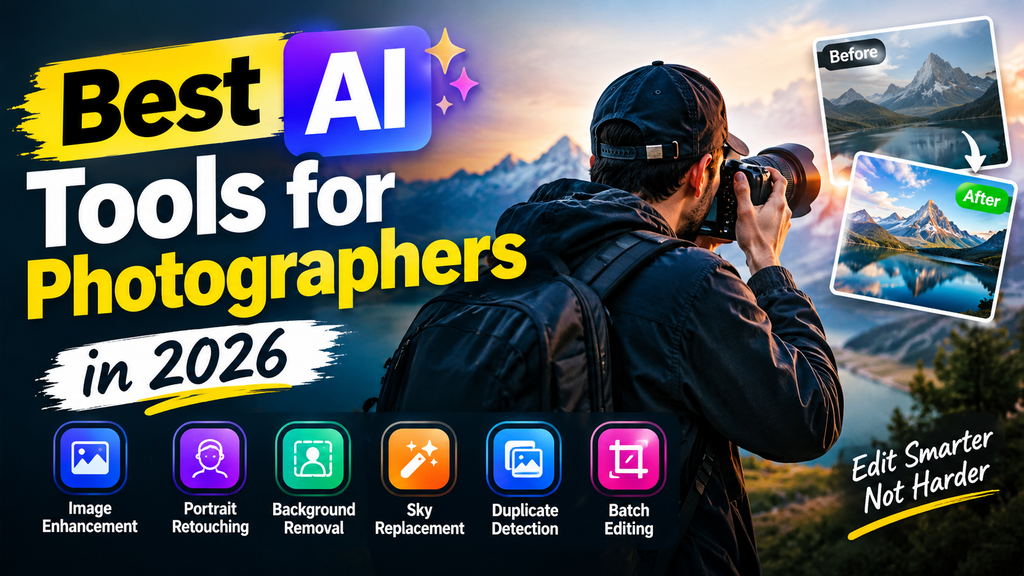
For Indian photographers specifically — whether shooting weddings, portraits, commercial projects, or wildlife — AI tools address the unique challenges of photography as a profession: the enormous volume of images from a single shoot, the time pressure of client delivery deadlines, the competitive pressure on pricing, and the business management overhead of running an independent photography practice.
This guide covers the best AI tools for photographers in 2026 — organized by photography workflow stage, with honest assessments of which tools deliver genuine time savings and quality improvements.
Over the past few years, artificial intelligence has evolved from a simple gimmick into an indispensable engine for professional photography businesses. Today, AI does not replace the artistic vision, creative direction, or human touch that defines a photographer’s unique style; instead, it removes the heavy operational friction of post-production.
By automating tedious tasks—such as culling thousands of RAW images, applying precise subject and sky masks, restoring low-light noise, and conducting non-destructive skin retouching—AI tools allow photographers to cut post-processing time by up to 80%. As a result, creative professionals can deliver full client galleries in days rather than weeks, focus on high-value business operations, and scale their client output without burning out.
- Check Now: Actical –Photo and Video Editing AI Tool 2026
How AI Has Changed Photography in 2026
Culling: AI selects the best images from thousands — eliminating hours of manual review by identifying sharp, well-exposed, expression-rich shots automatically.
Editing: AI applies style-consistent edits to entire photo sets — color grading, exposure correction, and style presets applied intelligently rather than uniformly.
Retouching: AI removes blemishes, smooths skin, removes backgrounds, and fixes common portrait issues — automatically and non-destructively.
Upscaling: AI enhances rethe solution of images beyond original capture quality — older files and lower-resolution shots upscaled to print-ready resolution.
Business management: AI handles client communication, contract generation, invoicing, and portfolio presentation — reducing administrative overhead.
Best AI Tools for Photographers in 2026
AI Photo Culling Tools
AI photo culling tools help photographers quickly sort through large batches of images and identify the photos worth keeping. Instead of manually checking every shot, these tools can analyze images for sharpness, focus, exposure, facial expressions, duplicates, and image quality. This is especially useful for wedding photography, portraits, events, travel shoots, and professional photo sessions where hundreds or thousands of images may be captured.
A good photo culling tool can automatically flag blurry images, closed eyes, duplicate shots, and technically weak photos while highlighting the strongest images. This can reduce the time spent reviewing a shoot and give photographers more time for editing and client work. When choosing a tool, look for features such as AI-based image analysis, duplicate detection, face recognition, customizable ratings, Lightroom integration, RAW support, and batch processing.
1. Aftershoot — Best AI Photo Culling Tool

Aftershoot is the most widely used AI culling tool among professional photographers — reducing image selection time by 90% compared to manual culling.
Aftershoot is an AI-powered desktop application designed to eliminate the time-consuming process of manually sorting and filtering high-volume photo shoots.
Photography culling capabilities:
Automated selection:
Import 2,000 wedding images → Aftershoot AI analyzes every image for:
- Focus sharpness (eye detection, subject sharpness)
- Exposure quality (highlights, shadows)
- Expression quality (eyes open, smiling, natural)
- Composition
- Motion blur
AI selects the top 400–600 best images automatically → photographer reviews the AI selection rather than all 2,000.
Smart rating system:
- 5 stars: Absolute best — hero shots
- 4 stars: Strong keepers
- 3 stars: Acceptable alternates
- Rejects: Duplicates, blurry, eyes closed
Learning from photographer:
Aftershoot learns your culling preferences over time — what you typically keep and reject → selections become more accurate with each shoot.
Duplicate removal:
AI identifies burst sequences → selects the sharpest frame → removes redundant duplicates automatically.
Time saving:
Manual culling: 3–5 hours for 2,000 images
Aftershoot AI: 15–30 minutes to review AI selections
Time saved: 2.5–4.5 hours per shoot
Lightroom integration:
Direct export to Adobe Lightroom with ratings applied — seamless workflow integration.
Pricing: Free (limited shoots). Pro from $9.99/month.
Best for: Wedding and event photographers shooting high volume — Aftershoot’s culling automation is the single highest-ROI AI tool for high-volume photographers.
2. Narrative Select — Best AI Culling for Portrait Photographers
Narrative Select specializes in portrait and people photography culling — superior face and expression analysis compared to general culling tools.
Photography culling capabilities:
Face detection and ranking:
AI identifies every face in every image → rates expression quality:
- Eyes open/closed
- Smile authenticity
- Eye contact with camera
- Expression consistency across group shots
Group photo optimization:
For group shots → AI selects the frame where most faces have the best expressions → solves the “someone always has eyes closed” problem.
Similar image grouping:
AI groups nearly identical shots → shows best from each group → review groups rather than individual images.
Pricing: Free (limited). Pro from $9/month.
Best for: Portrait, family, and wedding photographers where expression quality is primary selection criteria.
AI Photo Editing Tools
AI photo editing tools make it easier to improve, retouch, and enhance images without requiring advanced editing skills. These tools can automatically handle tasks such as background removal, object removal, color correction, image enhancement, skin retouching, noise reduction, and portrait adjustments. They are useful for photographers, content creators, marketers, ecommerce sellers, and beginners who want professional-looking results with less manual work.
Many modern photo editors also offer features such as AI upscaling, sky replacement, generative editing, automatic lighting adjustments, and one-click enhancements. Instead of spending several minutes fixing each image individually, users can apply automated adjustments to multiple photos and then fine-tune the results when needed. When choosing an AI photo editing tool, consider its editing features, image quality, supported file formats, batch editing options, ease of use, pricing, and export limitations.
3. Adobe Lightroom with AI — Best AI Photo Editing Platform

Adobe Lightroom’s AI features make it the most powerful photo editing platform — AI-assisted masking, subject selection, and enhancement tools that would have required hours of manual work in previous versions.
Photography editing capabilities:
AI Subject Select:
One click → Lightroom AI selects the subject perfectly — person, product, or animal — with precise edge detection, including hair and fur.
AI Sky Select:
One click → sky perfectly selected → replace or enhance the sky independently of the foreground.
AI Masking:
Lightroom AI creates masks for:
- Subject (person)
- Background
- Sky
- Vegetation
- Buildings
- Water
Each mask is editable independently — professional-grade selection in seconds.
Denoise AI:
Lightroom AI removes noise from high-ISO images:
- ISO 12800 → clean, smooth result
- Recovers detail lost to digital noise
- Batch processing entire shoot overnight
Enhance:
AI upscales images 2x or 4x with detail enhancement — old images and lower-resolution files print-ready.
Auto Settings with AI:
Lightroom auto-analyzes each image → applies optimal exposure, contrast, and color balance → the starting point for each edit is significantly improved.
Sync with AI adjustments:
Apply AI edits to one image → sync across 500 images → AI intelligently adapts each adjustment to individual image content.
Indian photography context:
Lightroom’s skin tone profiles include Indian skin tones — accurate color representation for Indian wedding and portrait photography.
Pricing: Lightroom + Photoshop plan: ₹576/month (India) — most affordable entry to professional AI editing.
Best for: Every professional photographer — Lightroom AI tools are the most impactful professional editing tools available at any price point.
4. Luminar Neo — Best Standalone AI Photo Editor
Luminar Neo offers the most impressive standalone AI editing — creative AI tools that go beyond correction into artistic enhancement.
Photography editing capabilities:
Relight AI:
AI adds realistic 3D lighting to portraits— change light direction, add fill light, create dramatic lighting effects post-capture.
Portrait Bokeh AI:
AI creates realistic background blur on any portrait — smartphone photos get DSLR-quality background separation.
Skin AI:
Automated portrait retouching:
- Smooth skin texture
- Remove blemishes and spots
- Enhance portrait lighting
- Adjust facial features subtly
Sky AI:
Most advanced sky replacement — detects sky, replaces with realistic alternative, including reflections in water and windows.
Background Removal AI:
One-click background removal for product and portrait photography — Photoshop-quality selection without Photoshop.
Style Transfer:
Apply artistic styles to photographs — oil painting, watercolor, vintage film effects applied with AI realism.
Pricing: One-time purchase from $79. Subscription from $9.95/month.
Best for: Photographers wanting advanced creative AI tools beyond correction — Luminar Neo’s artistic AI features differentiate photographic style.
5. Topaz Photo AI — Best AI Image Enhancement
Topaz Photo AI is the most powerful AI tool specifically for image quality enhancement — sharpening, noise reduction, and upscaling that consistently outperforms competitors.
Photography enhancement capabilities:
Topaz Sharpen AI:
AI sharpens images affected by:
- Camera shake (motion blur)
- Focus miss (out-of-focus subjects)
- Lens softness
- Difficult shooting conditions
Recovers shots that would otherwise be deleted — significant for wildlife and sports photographers.
Topaz DeNoise AI:
Most powerful AI noise reduction available:
- Processes ISO 25600+ images with clean results
- Preserves fine detail while removing noise
- Before/after comparison shows dramatic improvement
Topaz Gigapixel AI:
AI upscales images 2x, 4x, or 6x:
- Phone photos → print-ready resolution
- Cropped images → full-resolution prints
- Old photographs → high-resolution digital restoration
Topaz Video AI:
Upscale and enhance video footage — relevant for photographers who also shoot video.
Pricing: One-time $199 (all three apps). Or individual app purchases.
Best for: Wildlife, sports, and event photographers shooting in challenging conditions — Topaz AI saves images that would otherwise be unusable due to blur or noise.
6. Photoshop with Generative AI — Best for Creative Retouching
Adobe Photoshop’s Generative Fill and Generative Expand AI features enable creative retouching capabilities previously requiring expert Photoshop skills.
Photography retouching capabilities:
Generative Fill:
Select any area → describe what to add → AI generates photorealistic content:
- Remove distracting element from background
- Add element to composition
- Change clothing color or style
- Fix environmental distractions
Generative Expand:
Extend image beyond original boundaries:
- Landscape photo too narrow → expand sky and foreground
- Portrait too close → expand background
- Wrong crop → recover missing areas
Remove Tool:
AI-powered object removal — remove people, vehicles, trash, or any distracting element seamlessly.
Neural Filters:
- Skin Smoothing: Non-destructive skin retouching
- Smart Portrait: Adjust age, expression, gaze direction
- Photo Restoration: Enhance old, damaged photographs
- Colorize: Add color to black-and-white images
Pricing: Photoshop plan ₹1,675/month. Photography plan (LR + PS): ₹576/month in India.
Best for: Commercial and portrait photographers needing advanced retouching and creative compositing — Generative Fill enables compositing without stock photography.
AI Portrait Retouching Tools
AI portrait retouching tools help photographers, creators, and everyday users improve portrait photos with less manual editing. These tools can automatically detect faces and make adjustments such as skin smoothing, blemish removal, teeth whitening, eye enhancement, lighting correction, and facial detail improvement while keeping the editing process simple. They are useful for professional headshots, social media photos, wedding photography, profile pictures, and personal portraits.
Many AI retouching tools also provide controls for adjusting the intensity of each effect, so users can choose between a natural-looking result and a more polished style. Some tools support batch processing, allowing photographers to retouch multiple portraits at once. When choosing an AI portrait retouching tool, look for natural-looking results, face detection accuracy, RAW or high-resolution support, batch editing, manual controls, export quality, and pricing.
7. PortraitPro — Best Dedicated AI Portrait Retoucher
PortraitPro specializes exclusively in portrait retouching — the deepest AI portrait enhancement available in standalone software.
Portrait retouching capabilities:
Automatic face detection:
AI detects every face in the image → applies individual retouching to each subject simultaneously.
Skin retouching:
- Blemish removal
- Skin smoothing (adjustable intensity)
- Skin tone evening
- Pore reduction
- Under-eye circle reduction
Facial enhancement:
- Teeth whitening
- Eye brightening
- Eye bag reduction
- Eyebrow enhancement
- Lip enhancement
Indian skin tones:
PortraitPro includes Indian skin tone profiles — accurate retouching without over-lightening or incorrect hue shifting common in tools designed for Western skin tones.
Batch processing:
Process entire portrait session automatically → 200 portraits retouched while the photographer sleeps.
Pricing: Studio Max from $149.95 (one-time).
Best for: Wedding and portrait photographers who need consistent, professional retouching across large numbers of images — PortraitPro’s automation transforms post-processing workflow.
8. Remove.bg — Best AI Background Remover for Photographers

Remove.bg provides the fastest, most accurate background removal — essential for product and portrait photographers.
Photography background removal:
One-click removal:
Upload image → background removed in seconds → download transparent PNG → 100% automatic.
Accuracy:
Hair, fur, and complex edges handled remarkably well — previously required hours of Photoshop masking.
Batch processing:
API access for bulk background removal — process entire product catalog automatically.
Use cases for Indian photographers:
- Product photography for Indian e-commerce (Flipkart, Amazon India)
- Corporate headshots with custom backgrounds
- Wedding portraits for album compositing
- Passport and ID photo background replacement
Pricing: Free (preview quality). HD images from ₹9 per image. Subscription from ₹899/month (50 images).
Best for: Product photographers and portrait photographers who regularly need clean background removal.BG’s speed is unmatched.
AI Photo Organization Tools
9. Google Photos with AI — Best for Photo Organization
Google Photos’ AI provides the most intelligent photo organization — automatic face recognition, scene detection, and search capability.
Photography organization capabilities:
Face recognition:
AI groups all photos of the same person automatically — find all photos of a specific client instantly.
Smart search:
“Show me wedding photos with dancing” → AI understands content → relevant images surface.
Auto-albums:
AI creates albums automatically:
- By location
- By event date
- By people
- By type (portraits, landscapes, groups)
Cinematic photos:
AI creates short video clips from still photos — add movement to static images.
Memories:
AI resurfaces best photos from the same date in previous years — useful for anniversary content creation.
Free storage: Google Photos (free, compressed quality). Google One for original quality storage.
Best for: Photographers wanting intelligent search and organization of large photo libraries — particularly useful for finding specific client photos quickly.

AI for Photography Business
10. ChatGPT / Claude — Best for Photography Business AI
AI assistants handle the significant writing and business management workload of a photography practice.
Photography business prompts:
Client proposal writing:
Write a professional photography proposal for:
Client: Corporate company in Bangalore
Project: Annual employee headshots (150 employees)
My services: 2-day shoot, professional retouching,
              online delivery, 1 hero shot per employee

Include: Pricing rationale, deliverables,
timeline, what client needs to provide,
my portfolio statement. Tone: Professional, confident.
Pricing strategy:
“Help me price my wedding photography packages for the Bangalore market in 2026. I have 5 years of experience, shoot with a Canon R5, and deliver 500+ edited images. Current packages: ₹40,000, ₹60,000, ₹85,000. Am I priced correctly? How should I structure packages to upsell?
Client emails:
- Inquiry response with pricing
- Booking confirmation
- Pre-shoot preparation guide
- Post-shoot delivery notification
- Review request email
Social media captions:
“Write 5 Instagram captions for a Bangalore wedding photography post. Mix of storytelling, behind-the-scenes, and technical insight. Include relevant hashtags for Indian wedding photography.”
Contract clauses:
“Write a cancellation and rescheduling policy for my photography contract. Include different terms for cancellations more than 60 days, 30 days, and less than 30 days before the event.”
Free plan: Claude free and ChatGPT free handle all photography business writing effectively.
Best for: Freelance photographers who handle their own business administration — AI saves 3–5 hours weekly on client communication and business writing.
11. Canva AI — Best for Photography Marketing
Canva‘s AI tools make creating professional photography marketing materials fast — portfolio presentations, price lists, social media content.
Photography marketing capabilities:
Portfolio presentation:
Upload best images → Canva AI generates professional portfolio layout → customize with branding → share as a link or PDF.
Price list design:
Describe photography packages → Canva generates professional price list design → customize colors and fonts → print or share digitally.
Social media templates:
Photography-specific templates for:
- Before/after edit reveals
- Behind-the-scenes posts
- Client testimonial graphics
- Package announcement posts
Mood board creation:
Create style mood boards for wedding consultations — share with clients to align on photography style before the shoot.
Indian photography context:
Canva includes Indian wedding photography templates, Bollywood-inspired design styles, and Devanagari font support — relevant for Indian photographers serving local clients.
Pricing: Free (limited). Pro:: ₹499/montin h India.
Best for: Photography businesses wanting professional marketing materials without graphic design expertise — Canva AI produces marketing collateral at a fraction of designer cost.
AI Tools by Photography Specialty
Wedding Photography AI Stack
| Tool | Function | Time Saved |
|---|---|---|
| Aftershoot | Cull 2,000+ images | 3–4 hours/wedding |
| Lightroom AI | Batch edit selections | 2–3 hours/wedding |
| PortraitPro | Portrait retouching | 1–2 hours/wedding |
| ChatGPT/Claude | Client communication | 1–2 hours/week |
| Canva AI | Album previews and marketing | 1 hour/week |
Total time saved: 7–11 hours per wedding + 2–3 hours weekly
Portrait Photography AI Stack
| Tool | Function |
|---|---|
| Narrative Select | Cull portrait sessions |
| Lightroom AI | Batch color and exposure |
| PortraitPro | Skin retouching |
| Remove.bg | Background removal |
| Claude free | Client emails and proposals |
Wildlife Photography AI Stack
| Tool | Function |
|---|---|
| Topaz Sharpen AI | Fix motion blur, focus miss |
| Topaz DeNoise AI | Clean high-ISO images |
| Aftershoot | Cull large bursts |
| Lightroom AI | Batch RAW processing |
| Topaz Gigapixel | Upscale cropped subjects |
Wildlife photographers benefit most from Topaz AI — recovering shots from challenging conditions that would otherwise be deleted.
Product Photography AI Stack
| Tool | Function |
|---|---|
| Remove.bg | Background removal |
| Lightroom AI | Color accuracy and batch editing |
| Photoshop Generative Fill | Background replacement |
| Topaz Gigapixel | Upscale for print |
| Canva AI | E-commerce-ready presentations |
Free AI Photography Tool Stack
| Tool | Function | Cost |
|---|---|---|
| Google Photos AI | Organization and search | Free |
| Remove.bg | Basic background removal | Free (preview) |
| Lightroom free | Basic editing (limited) | Free |
| Claude/ChatGPT free | Business writing | Free |
| Canva free | Basic marketing materials | Free |
Paid tools worth investing in:
- Aftershoot ($9.99/month) — highest ROI for high-volume photographers
- Lightroom Photography plan (₹576/month in India) — professional editing
- Topaz Photo AI ($199 one-time) — image quality recovery
Frequently Asked Questions
Which AI tool is most important for photographers in 2026?
Aftershoot for high-volume photographers (wedding, events) — culling automation saves more time than any other single tool. Lightroom AI for all photographers — AI masking, denoise, and enhance features transform editing efficiency. Topaz Photo AI for wildlife and sports photographers — recovers images from challenging conditions. The right answer depends on photography specialty.
Can AI replace photo editing skills?
AI dramatically accelerates editing and handles technical corrections automatically — but creative vision, style development, and client relationship management remain human skills. AI-assisted photographers deliver faster at higher consistency — AI does not replace the artistic judgment that defines a photographer’s distinctive style.
Which free AI tools are useful for photographers?
Google Photos AI (organization), Remove.bg free tier (background removal preview), Canva free (basic marketing), Claude/ChatGPT free (business writing). Lightroom has a free mobile version with some AI features. For serious photography work, key paid tools (Aftershoot, Lightroom subscription, Topaz AI) deliver ROI that justifies investment.
How much time can AI save professional photographers?
Wedding photographers typically save 7–12 hours per wedding with Aftershoot culling + Lightroom AI batch editing. Portrait photographers save 2–4 hours per session. Wildlife photographers recover otherwise deleted shots. Business communication AI saves 3–5 hours weekly. Total potential savings: 15–25 hours per week for full-time photographers.
Which AI tool is best for Indian wedding photographers specifically?
Aftershoot (culling 2,000+ images) + Lightroom AI (batch editing with Indian skin tone profiles) + PortraitPro (portrait retouching) + Claude free (client communication in Indian English) = complete Indian wedding photography AI stack covering all workflow stages.
Conclusion
AI tools have created the largest productivity shift in photography since digital cameras — photographers who build effective AI workflows deliver faster, maintain higher consistency, and can handle more clients without proportionally more work time.
Highest-impact AI tools for photographers:
For culling: Aftershoot — transforms 4-hour culling sessions into 30-minute reviews. Single highest-ROI tool for high-volume photographers.
For editing: Adobe Lightroom with AI — AI masking, denoising, and batch processing at ₹576/month in India. Essential platform for professional photography workflow.
For portrait retouching: PortraitPro — automated skin retouching across the entire portrait session while the photographer sleeps.
For image recovery: Topaz Photo AI — saves shots from challenging conditions that would otherwise be deleted.
For business: Claude or ChatGPT free — client proposals, emails, contracts, and social media captions at zero cost.
Start with Aftershoot free trial and Lightroom subscription — these two tools alone transform the most time-consuming photography workflow stages. Add Topaz AI for specialty needs and Claude free for business writing. The photographers thriving in 2026 are those who let AI handle technical production while they focus on creative vision and client relationships.