Creating a professional presentation no longer requires hours of manual slide design. In 2026, free AI presentation tools can turn a simple topic, outline, or document into a structured and visually appealing slide deck in minutes. Tools such as Gamma, Canva, SlidesAI, and Presentations.ai offer free options, although their limits on AI credits, exports, or branding can vary.

Whether you are a student, teacher, freelancer, marketer, or business owner, these tools can help you create presentations faster without needing advanced design skills. In this guide, we’ll compare the best free AI tools for presentations in 2026, their key features, free-plan limitations, and which tool is best for creating PowerPoint or PDF presentations.
Creating a presentation used to take hours. You had to find the right template, write the content, design each slide, pick fonts and colors, add visuals, and then tweak everything until it looked professional. Most people still dread it.
Best AI Tools for Presentations for Free. In 2026, AI has changed this completely. A growing number of tools can now take a topic, a prompt, or even a document — and turn it into a complete, well-designed presentation in under two minutes. Many of these tools are free or have generous free plans that cover everything a student, blogger, or business professional needs.
This guide covers the best free AI tools for creating presentations in 2026 — what they do, how they work, and which one is right for your use case.
Why Use AI for Presentations?
The traditional way of building slides is slow and inconsistent. AI presentation tools solve several real problems:
Speed — Generate a complete 10-slide deck in under two minutes from a single prompt or document upload.
Design consistency — AI tools apply professional design rules automatically — font pairing, color harmony, spacing, and visual hierarchy — without you needing to know any of it.
Content generation — AI writes the slide content for you based on your topic. You edit and refine rather than starting from a blank page.
No design skills required — Anyone can produce a presentation that looks like it was made by a professional designer.
Multiple formats — Most tools export to PowerPoint (.pptx), PDF, or allow direct sharing via link.
Best AI Tools for Presentations for Free in 2026
1. Gamma (Free — Best Overall)
Gamma is the most popular AI presentation tool in 2026 — and for good reason. It produces genuinely beautiful, well-structured presentations from a simple text prompt, and its free plan is generous enough for regular use.
What it does:
- Generates complete presentations from a topic or detailed prompt
- Creates documents and webpages in the same interface
- Applies professional design templates automatically
- Lets you edit content, layout, and visuals after generation
- Embeds images, videos, and GIFs directly into slides
- Shares via a public link or exports to PDF and PowerPoint
Free plan:
- 400 AI credits on signup (each generation uses approximately 40 credits)
- Unlimited manual editing after generation
- Gamma branding on shared presentations
- Export to PDF (PowerPoint export requires paid plan)
How to use:
- Go to gamma.app and sign up for free
- Click New → Generate with AI
- Type your topic or paste an outline
- Select a theme and number of slides
- Click Generate and review your presentation in seconds
- Edit any slide by clicking directly on it
Best for: Students, bloggers, marketers, and professionals who want the fastest route from idea to finished presentation.
2. Canva (Free Plan with Magic Design)
Canva is already the most popular design tool globally, and its AI presentation features make it a strong free option for anyone who wants more control over design while still getting AI assistance.
What it does:
- Magic Design generates presentation templates from your content or topic
- AI image generation adds visuals directly to slides
- Magic Write generates slide text from prompts
- Thousands of manually customizable templates
- Presenter mode with speaker notes and timer
- Direct social media sharing and link publishing
Free plan:
- Access to thousands of free templates
- Magic Design available on free plan (limited uses)
- Export to PDF, PowerPoint, and image formats
- Canva branding on some templates is removed on the free plan
How to use:
- Go to canva.com and sign up for free
- Search for Presentation and select a template
- Use Magic Design to generate a themed deck from your content
- Edit slides manually or use Magic Write for text suggestions
- Present directly from Canva or export to PowerPoint
Best for: Users who want maximum design flexibility alongside AI assistance — especially those already familiar with Canva for other content.
3. Beautiful.ai (Free Trial)
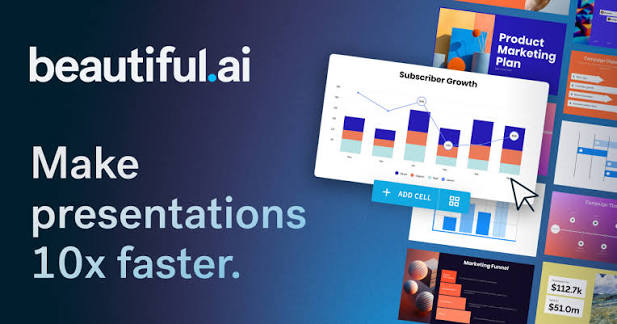
Beautiful.ai is a presentation tool built around Smart Slides — templates that automatically adjust layout and design as you add content. Its AI layer handles the design decisions, so you focus purely on content.
What it does:
- Smart Slides resize and reformat automatically as you type
- AI suggests layout options based on your content type
- DesignerBot generates entire presentations from prompts
- Professional templates across dozens of categories
- Real-time collaboration for team presentations
Free plan:
- Free trial available (limited slides and features)
- Paid plan starts at approximately $12/month
- DesignerBot AI generation requires paid plan
Note: Beautiful.ai’s free access is limited compared to Gamma and Canva. It earns its place on this list for users who prioritize design quality and are willing to use the trial period for occasional presentations.
Best for: Business professionals and teams who need consistently polished presentations and can use the trial for occasional projects.
4. SlidesAI (Free — Google Slides Integration)
SlidesAI is a Google Workspace add-on that generates presentations directly inside Google Slides from text input. If you live in Google’s ecosystem, this is the most seamless free option available.
What it does:
- Paste any text — article, blog post, notes, script — and it generates slides
- Works directly inside Google Slides (no new tool to learn)
- Chooses appropriate layouts and designs for each slide
- Supports multiple languages including Hindi and English
- Customizable themes and color schemes
Free plan:
- 3 free presentations per month
- Up to 2,500 characters per generation
- Access to basic themes
- Google Slides export (native — no conversion needed)
How to use:
- Go to slidesai.io and install the Google Slides add-on
- Open a new Google Slides presentation
- Click Extensions → SlidesAI → Generate Slides
- Paste your text or topic
- Selecta theme and click Generate
Best for: Students, teachers, and professionals who work primarily in Google Workspace and want AI slides without leaving Google Slides.
5. Tome (Free Tier)
Tome is an AI storytelling tool that creates presentation-style narratives — blending slides with scrollable documents for a more modern, web-native format.
What it does:
- Generates complete presentations from a single prompt
- Creates a narrative flow rather than traditional bullet-point slides
- Embeds live data, videos, and web content
- AI image generation built in for every slide
- Shares via link — no export needed for sharing
Free plan:
- 500 AI credits on signup
- Unlimited pages after generation
- Tome branding on shared presentations
- Export options limited on free plan
How to use:
- Go to tome.app and sign up for free
- Click Create → type your topic
- Select tone and format preferences
- Review and edit the generated presentation
- Share via public link
Best for: Marketers, founders, and creators who want modern, visually rich presentations that go beyond traditional slide formats.
6. Microsoft Copilot in PowerPoint (Free Tier)
Microsoft has integrated Copilot directly into PowerPoint, allowing users to generate presentations from prompts or Word documents. For existing Microsoft 365 users, this is the most natural free option.
What it does:
- Generates presentations from text prompts or Word document uploads
- Suggests design improvements and slide reorganization
- Writes speaker notes automatically
- Summarizes long presentations into key points
- Works inside familiar PowerPoint interface
Free plan:
- Basic Copilot features available with free Microsoft account
- Full PowerPoint Copilot requires a Microsoft 365 subscription (approximately ₹5,000/year)
- PowerPoint itself is free to use on the web at office.com
How to use:
- Go to office.com and open PowerPoint online
- Create a new presentation
- Click the Copilot button in the toolbar
- Type your prompt or upload a document
- Review and edit generated slides
Best for: Windows users and professionals already in the Microsoft 365 ecosystem who want AI assistance inside PowerPoint without learning a new tool.
7. Decktopus (Free Plan)
Decktopus is an AI presentation builder focused on speed and simplicity. It asks a few questions about your presentation goal and audience, then generates a complete deck tailored to your needs.
Decktopus is an online presentation maker designed to help users create professional-looking slides quickly, even without advanced design skills.
Key features:
- Presentation creation: Build presentations from templates and structured layouts.
- Templates: Offers ready-made presentation designs for business, education, marketing, and other use cases.
- AI-assisted creation: Helps generate presentation content and organize slides from a topic or prompt.
- Customization: Users can edit text, images, colors, layouts, and other slide elements.
- Sharing: Presentations can be shared digitally for viewing.
- Beginner-friendly: Suitable for students, teachers, freelancers, and small businesses.
What it does:
- Questionnaire-based generation — answers about topic, audience, and goal shape the output
- Generates slides with content, visuals, and speaker notes
- Built-in form embedding for collecting audience responses
- Presenter mode with notes
- PDF and PowerPoint export
Free plan:
- 1 presentation on free plan
- Basic themes and templates
- Decktopus branding on export
- PDF export available free
Best for: First-time users who want the most guided, beginner-friendly AI presentation experience available.
Free Plan: The free tier is useful for testing Decktopus and creating basic presentations, but some advanced features, export options, branding, and usage limits may require a paid plan. Free-plan limits can change, so check the current pricing before publishing exact limits in your article.
Best for: Beginners who want to create a presentation quickly without designing every slide from scratch.
Main advantage: Fast presentation creation with templates and automated assistance.
Main limitation: The free plan has fewer capabilities than the paid plans.
8. Pitch (Free Plan — Team Presentations)
Pitch is a collaborative presentation tool with AI features designed for teams. Its free plan is generous and makes it one of the best options for group projects and startup pitch decks.
Pitch is a presentation platform designed for creating professional slides and collaborating with teams. Its Free plan is useful for students, startups, freelancers, and small teams that want to create presentations without paying.
Key Features
- Free forever: Create unlimited presentations.
- Up to 5 members: The Free workspace supports up to five members.
- AI presentation creation: Pitch Agent can generate a complete presentation from a prompt and help refine existing slides.
- 100 AI credits: New Free accounts receive 100 lifetime AI credits; these do not renew.
- Templates: Pitch provides 150+ customizable templates for different presentation types.
- Real-time collaboration: Team members can edit, comment, and work together on presentations.
- Sharing: Presentations can be shared using links.
- PDF export: Available on the Free plan, but with Pitch branding.
What it does:
- AI generates slide content and suggests layouts
- Real-time collaboration with comments and version history
- Professional templates for pitch decks, reports, and proposals
- Analytics — see who viewed your presentation and for how long
- Direct integration with Unsplash for free stock images
Free plan:
- Unlimited presentations
- Up to 3 workspaces
- Basic AI features included
- PDF and PowerPoint export
Best for: Startup founders, students working on group projects, and teams who need collaborative presentation building with AI assistance.
Quick Comparison Table
| Tool | Free Plan | AI Generation | Export Options | Best For |
|---|---|---|---|---|
| Gamma | 400 credits | ✅ Full | PDF (PPT paid) | Fastest generation |
| Canva | Generous | ✅ Limited | PDF, PPT, Image | Design flexibility |
| Beautiful.ai | Trial only | ✅ Paid only | PPT, PDF | Design quality |
| SlidesAI | 3/month | ✅ Full | Google Slides | Google Workspace users |
| Tome | 500 credits | ✅ Full | Limited | Modern narrative format |
| Copilot PowerPoint | Basic | ✅ Limited | PPT native | Microsoft 365 users |
| Decktopus | 1 deck | ✅ Full | PDF, PPT | Beginners |
| Pitch | Unlimited | ✅ Basic | PDF, PPT | Team collaboration |
How to Choose the Right Free AI Presentation Tool
If you need a presentation right now with zero learning curve: Use Gamma. Type your topic, click generate, and you have a professional presentation in 90 seconds. Nothing else comes close for speed.
If you want maximum design control: Use Canva. The AI handles structure while you customize every element exactly how you want it.
If you work in Google Workspace: Use SlidesAI. It plugs directly into Google Slides and keeps everything in the ecosystem you already use.
If you are presenting to investors or clients: Use Pitch. Its analytics tell you exactly how long viewers spent on each slide — invaluable feedback for refining your deck.
If you are a student or first-time user: Start with Gamma or Decktopus. Both are designed for users who have never built a presentation with AI before.
If you already use Microsoft 365: Use Copilot in PowerPoint. Stay inside the tools you know and let AI handle the heavy lifting.
Tips for Getting the Best Results from AI Presentation Tools
Be specific in your prompt. Instead of “make a presentation about marketing,” try “create a 10-slide presentation about digital marketing strategies for small Indian businesses, targeting beginners, with practical tips and examples.” The more detail you give, the better the output.
Always review and edit. AI-generated content is a starting point, not a finished product. Review every slide, check facts, and adjust the tone to match your voice.
Add your own data and examples. AI generates generic content. Replace generic statistics with real data from your industry or experience to make the presentation more credible.
Use your brand colors. Most tools allow you to customize the color palette. Apply your brand colors after generation to make the presentation look like yours.
Keep slides minimal. The best presentations have less text, not more. Use AI to generate content, then cut it down to key points only — three to five lines per slide maximum.
Frequently Asked Questions
Which is the best free AI tool for making presentations?
Gamma is the best overall free AI presentation tool in 2026 for most users. It generates complete, professional presentations from a single prompt in under two minutes, and its free plan includes enough credits for regular use.
Can I export AI-generated presentations to PowerPoint?
Yes. Most tools, including Canva, Pitch, Decktopus, and SlidesAI, export to PowerPoint (.pptx) on their free plans. Gamma requires a paid plan for PowerPoint export but offers free PDF export.
Are AI presentation tools good for student projects?
Yes. Tools like Gamma, Canva, and SlidesAI work extremely well for student assignments and project presentations. SlidesAI is particularly useful for students already using Google Classroom and Google Slides.
Do these tools work in India?
Yes. All tools listed here are accessible in India without any VPN or workaround. Most offer free plans with no credit card required to start.
Can I use AI presentations for professional client work?
Yes, with editing. AI-generated presentations need review and customization before using in professional settings. Add your branding, real data, and client-specific details after generation.
Which tool is best for a startup pitch deck?
Pitch is the strongest free option for startup pitch decks — it has purpose-built templates for investor presentations and includes viewer analytics. Gamma is the fastest alternative if you need something generated quickly.
Conclusion
The best free AI presentation tools in 2026 have made professional-quality slide creation accessible to everyone — students, content creators, small business owners, and corporate professionals alike.
Gamma leads the pack for pure speed and output quality on the free plan. Canva is the right choice when design flexibility matters. SlidesAI wins for Google Workspace users. And Pitch stands out for team collaboration and startup pitch decks.
Start with Gamma if you are trying AI presentations for the first time. It takes less than two minutes to go from a blank prompt to a finished deck — and the first time you see it work, you will wonder why you ever built slides manually.