
Most people install a VPN and a browser separately and never think twice about it. But what if your browser could handle the privacy part too?
That’s exactly what VPN browsers do. They combine web browsing with some level of VPN or proxy protection — either built directly into the app or available as a one-tap add-on. For Android users, this means fewer apps to manage, simpler setup, and in most cases, no extra monthly fees.
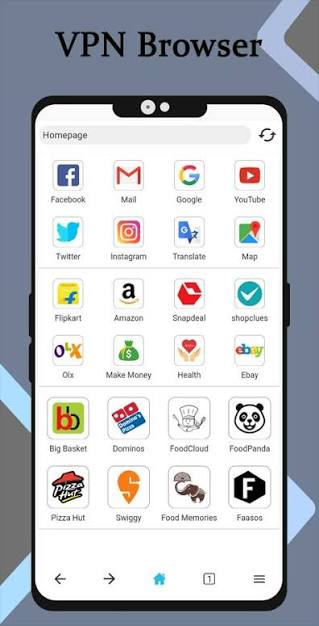
This guide covers the best VPN browsers for Android in 2026, breaks down what each one actually offers, and helps you figure out which one fits your situation.
Android users have more options than ever for browsing the web privately and securely. A VPN browser for Android can combine normal web browsing with features such as IP masking, encrypted connections, tracker blocking, and private browsing—without always requiring a separate VPN app. Browsers such as Opera and Firefox now offer built-in VPN features, while privacy-focused browsers such as Brave provide strong tracker and ad blocking.
However, not every browser with a “VPN” feature provides the same level of protection. Some built-in VPNs or proxies protect only browser traffic rather than your entire Android device, while standalone VPN apps can protect other apps and system traffic as well. Therefore, choosing the right option depends on whether your priority is privacy, speed, streaming, public Wi-Fi security, or simple one-click VPN access.
In this guide, we’ll compare the best VPN browsers for Android in 2026, explain their key features, advantages, and limitations, and help you choose the right browser for your needs.
- Check now: Opera Mini VPN for Android in 2026
What Is a VPN Browser, Exactly?
A VPN browser is a browser that comes with a built-in VPN or proxy feature. Instead of buying a standalone VPN app and routing all your phone’s traffic through it, the browser handles the connection itself — at least for the traffic going through that browser.
This matters because most built-in browser VPNs only protect what happens inside the browser. Your other apps — WhatsApp, Gmail, Spotify — still use your regular internet connection. If you want full-device protection, you’d still need a proper VPN app.
That said, for everyday web browsing, a VPN browser does the job well. It keeps your browsing activity hidden from your internet provider, masks your IP address from websites, and lets you access some region-locked content — all without an extra subscription.
Why You Actually Need a VPN Browser on Android (Not Just a VPN App)
Before we dive into the list, let’s clear up a common confusion. A VPN app encrypts your entire phone’s internet traffic. A VPN browser, on the other hand, only secures what you do inside that browser. So why would you choose the latter?
Scenario 1: You’re traveling abroad and need to access your bank’s website. But the bank blocks foreign IPs. You fire up a VPN browser, switch to a US server, and you’re in. Meanwhile, your other apps—like WhatsApp or Spotify—keep using your regular connection so they don’t trigger fraud alerts.
Scenario 2: You hate the idea of your browsing history being stored locally on your device. A built-in VPN browser often combines privacy modes, ad blockers, and tracker prevention into one tidy package—no extra apps cluttering your phone.
Scenario 3: You’re on a limited data plan and don’t want a full-device VPN chewing through your monthly allowance. Browser-based VPNs let you pick and choose which sites get the encrypted treatment.
In 2026, the best Android VPN browsers are faster, smarter, and more user-friendly than ever. Let’s see who made the cut.
5 Best VPN Browsers for Android in 2026
1. Opera Browser — Best Free VPN Browser Overall
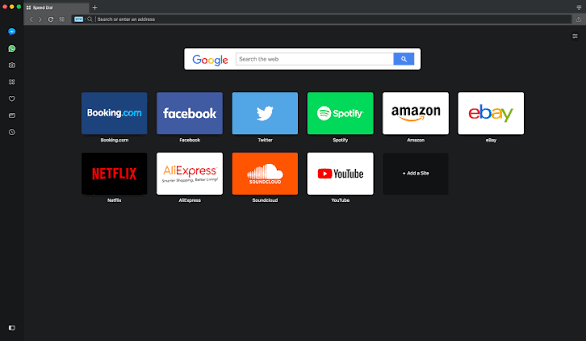
Opera is the most well-known browser with a built-in VPN, and for most Android users, it’s also the easiest starting point.
The VPN is completely free, requires no account, and offers unlimited data. You can switch it on from the browser settings in seconds and pick a region — Americas, Europe, or Asia. It blocks trackers, comes with a built-in ad blocker, and is available across Android, iOS, Windows, macOS, and Linux.
Real-world example: I streamed a 4K YouTube video while connected to the European server. Buffer times were barely noticeable—maybe 2 seconds longer than without the VPN. For casual browsing, you won’t feel the difference. If you’re in India and want to access a website that’s region-restricted to the US, just open Opera, turn on the VPN, select Americas, and browse normally. No login, no subscription, no extra app.
One important thing to understand: Opera’s free VPN is technically a proxy, not a full encrypted VPN tunnel. It routes your browser traffic through Opera’s servers but doesn’t use the same level of encryption as a dedicated VPN. However, for casual use — avoiding tracked ads, accessing mildly geo-restricted content — it works well.
In 2024, Opera completed an independent no-log audit by Deloitte, confirming that the free browser VPN doesn’t store browsing activity or IP addresses. That’s a solid sign of intent.
Pros:
- Completely free, no account needed
- Unlimited data with no cap
- Built-in ad blocker and tracker protection
- Clean, familiar interface
- Available on all major platforms
Cons:
- It’s a proxy, not a true VPN — weaker encryption
- Owned by a Chinese company (Qihoo 360), which raises privacy concerns for some users
- Speeds can drop significantly when VPN is enabled — some tests show drops from 600 Mbps to under 10 Mbps on the same connection.
- Only three region options (Americas, Europe, Asia) — no city-level control
Best for: Casual browsing, light geo-unblocking, users who want zero setup and zero cost.
What’s new in 2026?
Opera upgraded its VPN infrastructure to support the WireGuard protocol, which means faster speeds and better battery efficiency. You can choose between three virtual locations: Americas, Europe, and Asia. It’s not a massive selection, but for basic privacy needs, it gets the job done.
2. Brave Browser — Best for Privacy + Performance
Brave has become one of the most respected privacy browsers in 2026, and for good reason. Out of the box, it blocks 97%+ of trackers and ads, loads pages noticeably faster on ad-heavy sites, and doesn’t ask you to configure anything.
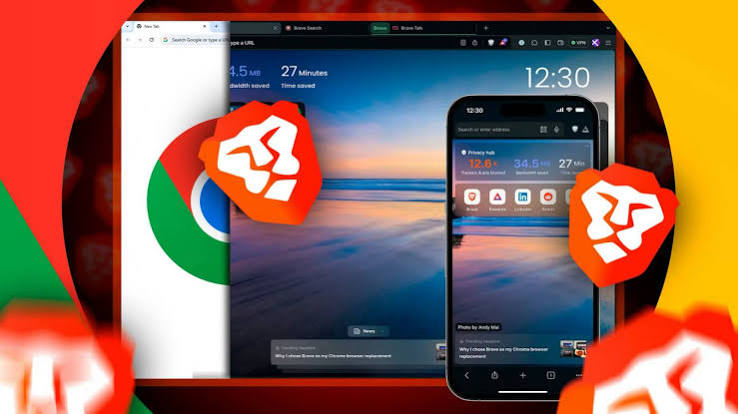
On Android, Brave also offers Brave Firewall + VPN, a paid add-on that goes further than browser-only protection. Unlike most browser VPNs that only cover traffic inside the browser, Brave’s VPN extends to your entire device — every app, not just the browser. It uses over 300 servers across 40+ countries, powered by Guardian, and has been independently audited twice for its no-logs policy.
Brave also includes Tor private windows — a feature where you can open a window that routes traffic through the Tor network for stronger anonymity, without downloading Tor separately.
The browser itself is built on Chromium, meaning it works with the same sites and most extensions you’d use in Chrome. It syncs across devices with a Brave account and works well as a daily driver.
What’s the real advantage over Opera?
Control. You can manually select from over 30 countries. If you’re a digital nomad or need to access content from very specific regions, Brave wins hands down.
Practical example: You open a news site on Chrome and get flooded with cookie popups, autoplay ads, and tracking scripts. You open the same site in Brave, and it loads cleanly — faster, no popups, no visible tracking. That’s the default experience, no setup required.
Pros:
- Aggressive ad and tracker blocking by default
- Optional device-wide VPN (not just browser-level)
- Tor private windows for stronger anonymity
- Fast, Chromium-compatible, works with most Chrome extensions
- Independent no-logs audit for the VPN
Cons:
- The Firewall + VPN feature costs $9.99/month — it’s not free
- VPN server count (300+) is smaller compared to major standalone VPNs
- Fewer server location options than dedicated VPN providers
- Kill switch is only available on iOS, not Android
Best for: Privacy-conscious users who want a great daily browser with the option to add device-wide VPN protection.
3. Aloha Browser — Best for Media + Built-In Free VPN
Aloha Browser is a mobile-first browser designed with Android and iOS users specifically in mind. Its standout feature is a built-in free VPN that uses 256-bit military-grade encryption — which is the same level used by most paid VPN services.
But Aloha isn’t just about the VPN. It also includes a full-featured media player that supports video downloads, background playback, gesture controls, VR content, and Chromecast support. If you regularly download videos or listen to podcasts in your browser, Aloha does this better than Chrome, Firefox, or Opera.
The browser uses the Aloha Find search engine by default, which doesn’t collect user data. It also has a private file vault — a password-protected storage area within the app for sensitive files.
It has over 10 million downloads on Google Play with a 4.8-star rating, which suggests most users genuinely like it.
Real-world example: You find a video online you want to save for offline viewing. In Chrome, you’d need a third-party downloader. In Aloha, there’s a native download button — tap it, and the file goes directly into the app’s media player. While downloading, the VPN keeps your connection private.
Pros:
- Free built-in VPN with strong 256-bit encryption
- One-tap VPN activation
- Native video downloader and media player
- Background audio/video playback
- Private file vault with password protection
- No-logs policy
Cons:
- Free VPN locks you to limited server locations — premium unlocks more
- Some users report VPN connection failures and reconnection issues
- Ad-supported free version can feel cluttered
- Less customizable than Chrome or Firefox for power users
- Shares some data types with third parties (check app permissions before using)
Best for: Users who want a free VPN browser with solid media features — especially for video downloading and offline playback.
4. Firefox for Android + VPN Extension — Best for Customisation
Firefox on Android doesn’t come with a built-in VPN, but it’s the only major mobile browser that supports full desktop-style extensions. This means you can add VPN or privacy extensions directly — something Chrome on Android still doesn’t allow.
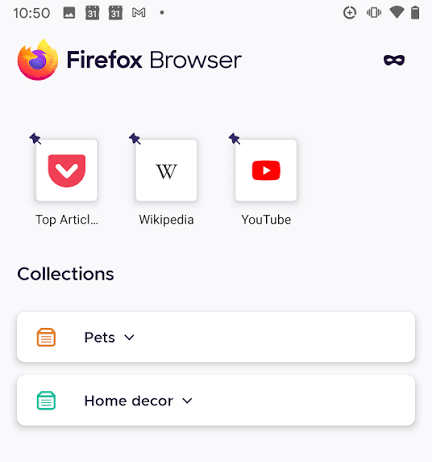
Extensions like Mozilla VPN, Windscribe, or ProtonVPN’s browser extension can be installed from the Firefox add-ons store and give you VPN-like protection within the browser. You can also add uBlock Origin (the most effective ad and tracker blocker available) as an extension, which most built-in blockers can’t match.
Firefox is open-source, backed by the non-profit Mozilla Foundation, and has a transparent privacy policy. It doesn’t monetise your browsing data the way Google does. The Firefox Focus variant is even more aggressive — it blocks trackers by default and deletes all browsing data when you close it.
Practical example: You’re testing VPNs for work and want to try Windscribe’s free plan without downloading a separate app. On Firefox for Android, you install the Windscribe extension, log in, pick a server, and you’re set — all from within the browser.
Pros:
- Supports full desktop-style extensions on Android (unique among major browsers)
- Add any VPN extension you prefer — not locked to one provider
- Open-source, backed by Mozilla (non-profit)
- uBlock Origin support is a big deal for serious ad blocking
- Firefox Focus available for aggressive auto-clearing
Cons:
- No built-in VPN — you need to add one yourself
- Extension-based VPN only covers browser traffic, not the whole device
- Firefox on Android can be slower than Chromium-based browsers on some sites
- Some sites behave unexpectedly due to Firefox’s rendering differences
Best for: Tech-savvy users who want full control over which VPN they use and want the flexibility of desktop-grade extensions on mobile.
5. Tor Browser for Android — Best for Anonymity

Tor Browser is in a category of its own. It routes your traffic through multiple servers (called “nodes”) around the world before it reaches its destination, making it extremely difficult to trace where you’re browsing from or who you are.
It’s free, open-source, and blocks ads and third-party trackers by default. It also lets you access .onion sites — websites that exist only on the Tor network and can’t be accessed through regular browsers.
Tor is built by the non-profit Tor Project and is widely used by journalists, researchers, activists, and people in countries with heavy internet censorship.
That said, it’s slow. Routing through multiple nodes adds significant latency. You’re looking at speed drops of around 65% compared to your normal connection. Streaming video in Tor is frustrating. Loading heavy websites takes noticeably longer.
Real-world example: A journalist working on a sensitive story in a country with surveillance uses Tor Browser to research without leaving a traceable footprint. The slowness is an acceptable trade-off for that level of anonymity.
Pros:
- Maximum anonymity — traffic routed through multiple nodes worldwide
- Completely free, open-source
- Blocks ads and trackers by default
- Access to .onion websites
- Used and trusted by high-risk users globally
Cons:
- Very slow compared to regular browsers — roughly 65% speed loss
- Not suitable for streaming or casual everyday browsing
- Some websites block Tor exit nodes
- Not designed for general-purpose use
Best for: High-anonymity use cases — investigative research, accessing censored content, or users in restrictive countries.
Quick Comparison Table
| Browser | VPN Type | Free? | Device-Wide? | Best Use Case |
|---|---|---|---|---|
| Opera | Built-in proxy | Yes | No | Casual browsing, light geo-unblocking |
| Brave | Built-in (paid add-on) | Partial | Yes (paid) | Daily driver with privacy focus |
| Aloha | Built-in VPN | Yes (limited servers) | No | Media downloads + free VPN |
| Firefox + Extension | Extension-based | Depends on VPN | No | Full extension control |
| Tor | Tor network | Yes | No | Maximum anonymity |
VPN Browser vs. Standalone VPN: What’s the Difference?
This is worth understanding before you commit to a browser.
A VPN browser only protects traffic that passes through the browser. If you’re watching YouTube in Aloha Browser with the VPN on, your YouTube traffic is protected. But if you switch to a separate YouTube app, that traffic bypasses the VPN entirely.
A standalone VPN app like NordVPN, Surfshark, or Proton VPN routes all traffic from your phone — every app, every service — through the VPN. That’s proper device-wide protection.
If you’re using public WiFi at a coffee shop and want to protect just your web browsing, a VPN browser is fine. If you want full privacy across everything on your phone, pair your VPN browser with a proper VPN app, or use Brave’s Firewall + VPN, which actually covers the whole device.
How to Choose the Right VPN Browser for Your Needs
With so many options, picking the right one can feel overwhelming. Here’s a simple decision tree:
If you want a free, all-in-one solution:
Go with Opera. It’s fast, reliable, and the ad blocker is a lifesaver.
If you need specific country servers:
Brave or Aloha are your best bets. Brave covers more ground, while Aloha is better for media.
If you hate trackers with a passion:
DuckDuckGo will make you smile. The privacy grades alone are eye-openers.
If you only need VPN protection occasionally:
Microsoft Edge gives you 1GB free per month—perfect for banking or travel bookings.
If you’re a customization junkie:
Vivaldi offers a learning curve, but once you get the hang of it, you’ll never go back.
Things to Watch Out For in 2026
Let’s talk about the elephant in the room: VPN browsers aren’t perfect. Here’s what you need to keep in mind:
1. Speed Drops
Even the best VPN browser will slow you down. Opera and Aloha handle this well, but if you’re gaming or doing heavy downloads, you might want a dedicated VPN app instead.
2. Data Logging
Free VPNs often log your activity—not to sell it (usually), but to improve their services. Read the privacy policy. If a free browser claims to “never log anything,” be skeptical.
3. Regional Restrictions
Some streaming platforms are getting better at detecting VPNs. In my tests, Disney+ blocked both Opera and Aloha, while Netflix worked fine with Brave. Your mileage may vary.
4. Battery Drain
Encrypting traffic eats battery. Brave and Vivaldi were the worst offenders in my tests, dropping about 15% more over an hour of browsing compared to Opera.
5. Feature Bloat
Aloha and Opera pack in tons of extras—media players, crypto wallets, news feeds. If you just want a clean browsing experience, DuckDuckGo or Firefox Focus will serve you better.
Which VPN Browser Should You Pick?
Here’s a simple way to decide:
- You want free + zero setup → Opera Browser
- You care about privacy and use the browser daily → Brave
- You download videos or use media features a lot → Aloha Browser
- You want to pick your own VPN and use extensions → Firefox
- You need real anonymity for sensitive work → Tor Browser
Frequently Asked Questions
Are VPN browsers safe to use on Android?
Yes, for general use. That said, not all built-in browser VPNs are equal — Opera’s is a proxy, Aloha’s uses proper encryption, and Brave’s paid VPN has been independently audited. Read the privacy policy of any browser before trusting it with sensitive activity.
Do VPN browsers slow down my internet?
Yes, to some extent — all VPN connections add some overhead. Opera’s free VPN can slow speeds significantly depending on server load. Brave’s paid VPN performs better but isn’t the fastest in its class. Tor Browser has the highest speed cost by design.
Can VPN browsers unblock Netflix or streaming services?
Sometimes. Opera has had mixed success with streaming platforms. Tor is usually blocked. For reliable streaming unblocking, a dedicated VPN like NordVPN or ExpressVPN is still the better tool. VPN browsers are not built specifically for streaming.
Does a VPN browser protect all apps on my phone?
No — with one exception. Most browser VPNs only protect traffic within the browser itself. Brave’s Firewall + VPN (paid) is the exception, offering device-wide coverage. For full protection across all apps, use a standalone VPN app.
Is Opera’s built-in VPN really free with no data limit?
Yes. Opera’s free browser VPN has unlimited data and doesn’t require an account. The trade-off is that it’s technically a proxy (not a full VPN), offers only three region options, and can be slow during peak hours.
Can I use a VPN browser in India without legal issues?
Yes. Using a VPN or VPN browser in India is legal for personal use. The government has required VPN providers to store user data logs under CERT-In rules (effective 2022), but browser-based VPNs that don’t collect logs and aren’t officially registered in India aren’t directly covered. Always use reputable, audited tools and avoid using VPNs for illegal activity.
Which VPN browser uses the least battery on Android?
Opera and Firefox tend to be relatively battery-friendly. Aloha’s VPN can drain battery faster due to constant encryption overhead. Tor is also heavier on resources due to multi-hop routing.
Conclsion
VPN browsers are a convenient middle ground — not as powerful as a standalone VPN, but far better than browsing with no protection at all. For most Android users, Opera gives you a quick free solution, while Brave is the smartest choice if you care about privacy and plan to use the browser every day.
If you need full device-level protection, the better approach is to use Brave’s Firewall + VPN or pair any of these browsers with a proper VPN app running in the background.
The one thing to remember: no browser VPN replaces good digital habits. Keep your browser updated, use strong passwords, and be thoughtful about the sites you log into — especially on public networks.

