
If you just got a MacBook Air M2 and you’re looking for a free VPN that doesn’t slow everything down or ask for your credit card, you’re in the right place.
The M2 chip is fast. The last thing you want is a VPN dragging it back to 2015. The good news? A few free VPNs are genuinely worth installing on your Mac. The bad news? Most free VPNs out there are either useless, shady, or both.
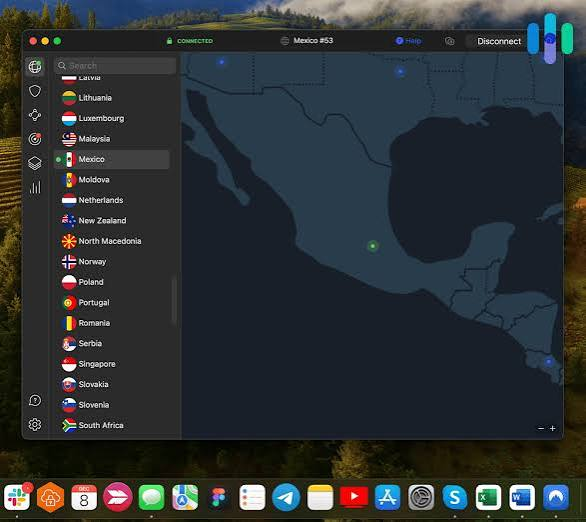
This guide cuts through the noise and gives you the best free VPN options for MacBook Air M2 — with honest pros, cons, and real-world examples of when each one makes sense.
The MacBook Air M2 is known for its impressive performance, long battery life, and strong security features. However, even with Apple’s advanced privacy protections, your online activity can still be exposed to hackers, trackers, and internet service providers. That’s where a free VPN comes in. A reliable free VPN for MacBook Air M2 can encrypt your internet connection, protect your personal data on public Wi-Fi networks, and help you access geo-restricted content safely.
While free VPNs often come with limitations such as data caps or fewer server locations, some trusted providers offer excellent security and decent speeds without any cost. In this guide, we’ll explore the best free VPNs for MacBook Air M2 in 2026, comparing their features, privacy policies, and performance to help you choose the right option for your needs. Proton VPN is frequently recommended because it offers unlimited data on its free plan, while other reputable options provide strong privacy protections and user-friendly Mac apps.
Why You Even Need a VPN on Your MacBook Air M2
Let’s be real — a lot of people assume Macs are safe enough without extra tools. And yes, macOS is solid. But a VPN isn’t about protecting you from viruses. It’s about protecting your connection.
Here’s when a VPN actually matters on your MacBook Air M2:
You use public Wi-Fi. Coffee shops, airports, university networks — these are open playgrounds for anyone trying to sniff your traffic. A VPN encrypts what you send and receive, so even if someone’s watching the network, they see nothing useful.
You want to access geo-blocked content. Streaming platforms show different libraries depending on where you are. A VPN lets you browse as if you’re in another country.
You don’t want your ISP tracking everything. Your internet service provider can see every site you visit. A VPN hides that.
You’re working remotely. Some companies require a VPN to access internal tools and dashboards.
Now, can a free VPN do all of this? Partly. Free plans always have limits. But for casual use — checking a website while traveling, browsing on a café network, or testing geo-blocked content — a free VPN does the job.
What to Look for in a Free VPN for MacBook Air M2
Before we jump into the list, here’s what actually matters when choosing a free VPN for your Mac:
M2 Compatibility — Not every VPN app is fully optimized for Apple Silicon. Some still run through Rosetta (Apple’s translation layer), which works but isn’t as smooth as native M2 support.
A Strict No-Logs Policy — Free VPNs have to make money somehow. Some do it by selling their browsing data. Look for VPNs that have been independently audited.
Speed on Free Tier — Free plans often throttle your speed or put you on crowded servers. Test it on your actual connection before relying on it.
Data Limits — Many free VPNs cap you at 500MB to 10GB per month. For light browsing, that’s fine. For streaming or downloads, it’ll run out fast.
macOS App Quality — A buggy, outdated Mac app is frustrating. You want something that works cleanly with macOS Sonoma or Ventura and doesn’t hog your RAM.
Best Free VPNs for MacBook Air M2
1. Proton VPN Free — Best Overall Free VPN for Mac
If you only try one free VPN, make it Proton VPN. It’s the one free option that doesn’t compromise on the things that matter most.
What makes it stand out: Proton VPN’s free plan has no data limit. Zero. You can use it all day and never hit a cap. Most free VPNs cut you off at a few gigabytes — Proton doesn’t.
The company is based in Switzerland, outside the surveillance reach of the US and EU. They publish open-source apps and have had their no-logs claims independently audited. That’s rare for a free service.
Their Mac app is clean, works natively on M2, and doesn’t eat up system resources. Installation takes two minutes.
Real-world example: Say you’re at a hotel in Mumbai and the Wi-Fi is completely open. You need to check your banking app or log into work tools. Proton VPN free keeps your traffic encrypted without worrying about a data cap killing the session halfway through.
The catch: On the free tier, you only get three server locations — the US, Netherlands, and Japan. And since a lot of free users pile onto those servers, speeds can be slower during peak hours. You can’t choose a specific city either, just the country.
Pros:
- No data cap — unlimited usage on free plan
- Verified no-logs policy, open-source apps
- Works natively on Apple Silicon (M2)
- Clean macOS app, easy to set up
- Based in Switzerland, with strong privacy laws
Cons:
- Only 3 server locations on the free plan
- No streaming support (Netflix, etc.) on the free tier
- Speeds can dip during busy times
2. Windscribe Free — Best for Data Allowance Flexibility
Windscribe is the closest runner-up to Proton VPN. The free plan gives you 10GB of data per month, which is generous compared to most competitors.
What’s interesting about Windscribe is how they let you earn more data. Confirm your email, and you get an extra 5GB. Tweet about them and get 1GB more. It’s a bit unusual, but for a free plan, 15GB a month is actually workable.

They have servers in around 11 countries on the free plan, which is much better than Proton’s 3. That means more options if you’re trying to access content from a specific region.
The Mac app supports both Intel and M2 Macs,s and it’s one of the more polished interfaces in this list. It also includes a built-in ad and tracker blocker, which is a nice bonus — especially if you browse a lot and want cleaner pages.
Real-world example: You’re working from a co-working space in Bangalore and want to use a US-based project management tool that’s geo-restricted. With Windscribe’s free US server, you can access it without burning through your data too fast if you’re mostly loading dashboards and sending messages.
Pros:
- 10GB free data per month (up to 15GB with extras)
- 11 server locations on the free plan
- Built-in ad and tracker blocker
- Good Mac app, works on M2
- No credit card needed to sign up
Cons:
- Data cap means heavy users will run out
- Some server locations are slower than others
- Customer support is limited on the free tier
3. TunnelBear Free — Best for Beginners
TunnelBear is the most beginner-friendly VPN on this list. The interface is simple, the bear animations are oddly charming, and setup is painless even if you’ve never used a VPN before.
The free plan gives you 500MB of data per month. That’s very low — enough for quick browsing sessions or checking a few emails on public Wi-Fi, but definitely not for streaming or downloading. They used to offer 1.5GB with a tweet, but that promotion isn’t always active.

What TunnelBear does well is trust. They’re one of the few free VPNs that publish annual security audits. The results are public, and they take the findings seriously. That transparency is rare.
Their Mac app is lightweight and M2 native, and it has a “VigilantBear” feature (basically a kill switch) that cuts your internet if the VPN drops — stopping any accidental data leaks.
Real-world example: You’re at an airport waiting for a flight and want to browse safely for 30 minutes. TunnelBear’s 500MB is enough for that. You’re not streaming anything — just checking emails, reading articles, maybe logging into a few accounts. It handles this perfectly.
Pros:
- Very easy to use — great for first-time VPN users
- Independently audited security
- Kill switch included (VigilantBear)
- Works on M2, lightweight app
- Trusted, transparent company
Cons:
- Only 500MB free per month — runs out fast
- Not useful for heavy browsing or streaming
- No streaming unblockingon then free plan
4. Hide.me Free — Best for Speed
Hide.me‘s free plan is one of the fastest among free VPNs. They offer 10GB per month with access to 5 server locations. Not a ton of options, but the ones they offer are stable and quick.
They have a clear no-logs policy and are based in Malaysia, which has no mandatory data retention laws. The Mac app works on M2 and doesn’t require a workaround or Rosetta.
One thing that sets Hide.me apart is that they don’t require you to create an account to use the free plan. You can download the app and connect without signing up with an email. For users who value privacy even at the sign-up stage, that’s a big deal.
Real-world example: You’re working from home, and your regular connection is fine, but you want to test how a website looks from a different region. Hide.me’s free server lets you do that without the speed hit that ruins the experience on other free plans.
Pros:
- Fast speeds on the free plan
- 10GB monthly data
- No account required to use
- No-logs policy, Malaysia-based
- Works on Apple Silicon
Cons:
- Only 5 server locations
- No streaming support on the free tier
- Free plan limited to 1 device
5. PrivadoVPN Free — Best for Streaming (Limited)
PrivadoVPN isn’t as well-known as the others, but their free plan is surprisingly generous. You get 10GB of data per month and access to servers in 12 cities worldwide. That’s one of the wider selections you’ll find on a free VPN.
What makes PrivadoVPN interesting is that some users have reported being able to access streaming platforms on the free tier — though results vary by server and location. It’s not a guarantee, but if you want to test whether you can watch something from another country without spending money, this is worth trying.
The Mac app is compatible with M2 and runs smoothly on macOS.
Pros:
- 10GB monthly data
- Servers in 12 cities on the free plan
- Potential streaming access (varies)
- Clean Mac app, M2 compatible
- No credit card required
Cons:
- Lesser-known, smaller company
- Streaming access isn’t consistent
- After 10GB, speeds drop significantly
Free VPN Comparison Table
| VPN | Free Data | Server Locations | M2 Native | No-Logs Audit | Streaming |
|---|---|---|---|---|---|
| Proton VPN | Unlimited | 3 countries | ✅ | ✅ | ❌ |
| Windscribe | 10GB/month | 11 countries | ✅ | ✅ | ❌ |
| TunnelBear | 500MB/month | 40+ countries | ✅ | ✅ | ❌ |
| Hide.me | 10GB/month | 5 locations | ✅ | ✅ | ❌ |
| PrivadoVPN | 10GB/month | 12 cities | ✅ | ✅ | Partial |
How to Set Up a Free VPN on MacBook Air M2 (Step-by-Step)
Setting up any of these VPNs follows the same basic steps:
- Go to the VPN’s official website (don’t download from random third-party sites)
- Create a free account if required
- Download the macOS version of the app
- Open the downloaded file and drag it to your Applications folder
- Open the app and log in
- Choose a server location from the free plan options
- Click Connect
That’s it. The whole process takes under five minutes. On M2 Macs, all the VPNs on this list install cleanly without needing to allow Rosetta.
One tip: after connecting, visit a site like whatismyip.com to confirm your IP address has changed. If it shows your VPN’s server location instead of your real one, it’s working correctly.
Things to Avoid: Free VPNs You Should Skip
Not every free VPN is worth your time — or safe to use. A few red flags to watch out for:
No clear privacy policy. If a VPN doesn’t explicitly say what data they collect (and don’t collect), assume the worst.
Very old Mac apps. Some free VPNs haven’t updated their Mac apps in years. They may not support macOS Sonoma properly and might cause stability issues on M2.
Apps found only on third-party sites. Always download from the official VPN website or the Mac App Store. Never from random download portals.
VPNs that sell “anonymized” data. Some free services make money by selling what they call anonymized browsing data to advertisers. It’s technically not your name, but it’s still your behavior being sold.
Names like Hola VPN, SuperVPN, and some no-name VPN apps on the App Store have had documented privacy issues. Avoid them.
FAQs About Free VPNs for MacBook Air M2
Will a free VPN slow down my MacBook Air M2?
It depends on the VPN and server. Proton VPN and Hide.me are known for decent speeds even on free plans. During peak hours, shared servers can slow down. If speed matters, try connecting at off-peak times or choose a server closer to your real location.
Can I use a free VPN for Netflix on my Mac?
Most free VPNs don’t reliably unblock Netflix. Netflix actively blocks known VPN IP addresses. Paid VPNs invest in rotating IPs to stay ahead of these blocks. On free plans, your best bet is PrivadoVPN, though even that isn’t consistent.
Is it safe to use a free VPN on macOS?
Yes — if you use a reputable one. The five VPNs listed here are all from trustworthy companies with verified privacy practices. What’s not safe is downloading a random “free VPN” from an unfamiliar source. Stick to well-known names.
Do free VPNs work on macOS Sonoma?
All five VPNs in this guide have confirmed macOS Sonoma support. Their apps are actively maintained and work fine with the latest macOS versions.
How many devices can I connect to a free VPN?
It varies. Proton VPN free allows 1 device. Windscribe allows unlimited devices on the free plan. TunnelBear allows 1. Hide.me allows 1. PrivadoVPN allows 1. If you want to cover your phone and Mac simultaneously, Windscribe is your best bet.
Will a VPN drain my MacBook Air M2 battery?
Slightly. Any background process uses some energy. But modern VPN apps on M2 are well-optimized. The battery impact is minimal during regular browsing. You’d only notice a difference during very long sessions with heavy data transfer.
Can I use a free VPN for torrenting?
Proton VPN allows P2P on certain paid servers. Most free plans don’t support torrenting, and even if they technically allow it, the data limits make it impractical.
Conclsion
For most MacBook Air M2 users, Proton VPN Free is the easiest recommendation. No data cap, no credit card, trusted privacy standards, and a clean app that works natively on M2. Start there.
If you need more server variety, go with Windscribe. If you’re brand new to VPNs and just want something simple and safe for occasional use, TunnelBear is perfect despite the 500MB limit.
Free VPNs have real limits. But if you’re using one for what they’re actually good at — securing your connection on public Wi-Fi, occasional region access, or just keeping your browsing private from your ISP — they’re more than enough.

