
Artificial intelligence is transforming the way people in India work, study, create content, and run businesses. From writing and graphic design to video editing, coding, customer support, and productivity, AI tools are helping individuals and organizations save time, reduce costs, and improve efficiency. With hundreds of platforms available, choosing the right AI tool can be overwhelming.
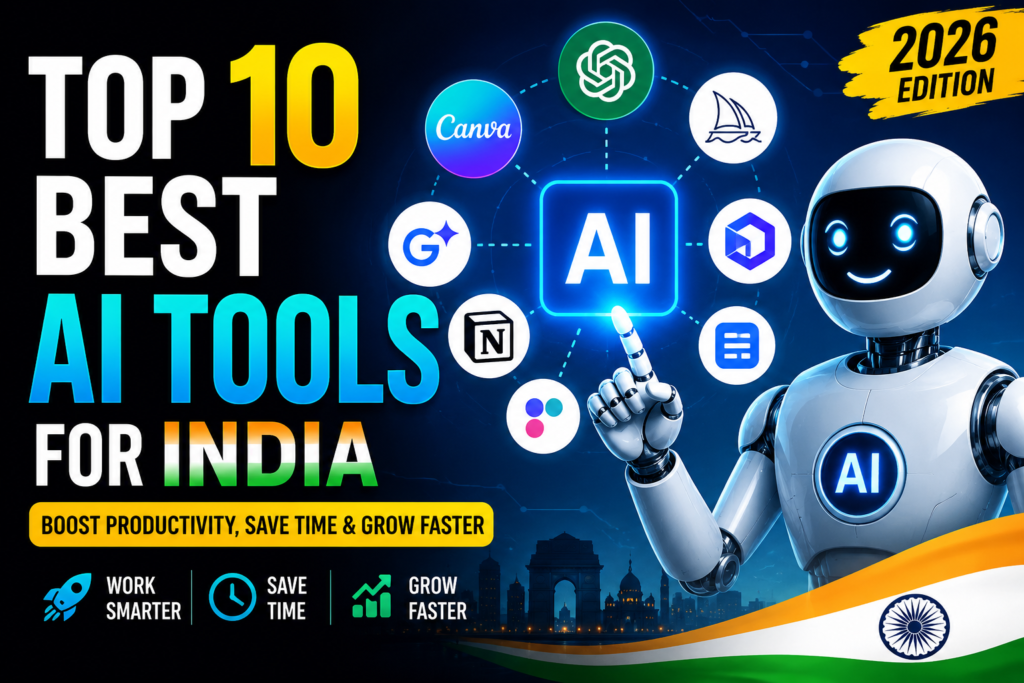
In this guide, we’ve handpicked the Top 10 Best AI Tools for India in 2026 based on features, ease of use, pricing, performance, and overall value. Whether you’re a student, freelancer, content creator, entrepreneur, marketer, or business owner, you’ll find AI tools that can help you work smarter and achieve better results.
Read on to compare the best AI tools available in India and discover which platforms are worth using in 2026 to boost productivity, creativity, and business growth.
If you’ve been scrolling through YouTube or Twitter lately, you’ve probably seen people talking about smart software that writes, designs, edits videos, or even manages your daily tasks. A lot of Indian students, freelancers, and small business owners are now using these tools to save time and get more done — without hiring extra help or spending a lot of money.
But here’s the problem: there are hundreds of tools out there, and most “best tools” lists are copy-pasted from international blogs that don’t think about Indian pricing, UPI payments, or local use cases like regional language support.
This guide is different. We’ve picked 10 tools that actually make sense for people in India — whether you’re a student in Pune, a YouTuber in Lucknow, or a small business owner in Coimbatore. Each one is broken down with real use cases, pricing in rupees where possible, and honest pros and cons.
Top 10 Best AI Tools for India:-
1. ChatGPT
Everyone’s heard of this one by now, and for good reason. It’s a text-based assistant that can help you write emails, draft college assignments, brainstorm business ideas, or just explain a tough topic in simple words.
ChatGPT is one of the most popular AI tools in India, helping students, professionals, freelancers, business owners, developers, and content creators complete tasks faster. Developed by OpenAI, ChatGPT can answer questions, generate content, write code, summarize documents, translate languages, brainstorm ideas, and even assist with research and learning.
The free version is powerful enough for everyday use, while paid plans unlock access to more advanced AI models, faster responses, image generation, deeper research capabilities, and enhanced productivity features. Whether you’re writing blog posts, preparing presentations, solving programming problems, or creating marketing content, ChatGPT adapts to a wide range of workflows.
For Indian users, ChatGPT is especially useful because it supports English and many Indian languages, making it easier to communicate, learn, and work across different audiences. It can also help prepare for exams, draft emails, create resumes, generate business plans, and automate repetitive writing tasks.
Real use case: A college student in Bangalore uses it to summarize long research papers before exams. A small trader in Delhi uses it to draft WhatsApp messages for customers in both Hindi and English.
Pricing: Free version available. Paid plan starts around ₹1,700–2,000 per month depending on currency conversion.
Pros:
- Works well for both English and Hindi
- Great for writing, brainstorming, and quick research
- Mobile app is smooth and easy to use
Cons:
- Free version has usage limits during busy hours
- Can sometimes give outdated information without a source
- Paid plan feels expensive when converted to rupees
2. Canva (with Magic Studio features)
Canva has been around for design work for years, but its newer smart features make it much faster to create social media posts, YouTube thumbnails, and presentation slides without any design background.
Canva has evolved from a simple graphic design platform into a comprehensive AI-powered creative suite with Magic Studio. It enables users to create professional-quality social media graphics, presentations, YouTube thumbnails, marketing materials, resumes, posters, logos, and videos without requiring advanced design skills. With its intuitive drag-and-drop editor and AI-assisted tools, Canva is an excellent choice for students, entrepreneurs, educators, marketers, and content creators across India.
Magic Studio includes powerful AI features such as Magic Design, which generates design ideas from text prompts; Magic Write, which helps create blog posts, captions, emails, and marketing copy; Magic Edit and Magic Eraser for editing images; and Background Remover for producing clean, professional visuals. Canva also offers AI-powered presentation generation, instant resizing for multiple social media platforms, and brand management tools that help businesses maintain a consistent visual identity.
For Indian users, Canva is particularly valuable because it offers thousands of customizable templates for festivals, business promotions, educational content, and regional events. It also supports collaboration, allowing teams to work together on projects in real time from any device.
Real use case: A home bakery in Jaipur uses it to design Instagram posts for festival offers. A college fest organizing team uses it to make posters in ten minutes instead of two hours.
Pricing: The free plan is generous. Pro plan is around ₹500–600 per month if billed annually.
Pros:
- Beginner-friendly, no design skills needed
- Huge template library, including festival and Indian wedding themes
- Works well on both mobile and desktop
Cons:
- Some premium templates and elements are locked behind Pro
- Can feel slow on older phones or laptops
- Auto-generated designs sometimes need manual tweaking
3. CapCut
If you’re into short-form video — Reels, YouTube Shorts, or full YouTube videos — CapCut has become the go-to editing app for a lot of Indian creators. It has smart features like auto-captions, background removal, and voice cleanup.
Real use case: A fitness creator in Mumbai uses it to auto-generate captions for workout Reels so people can watch without sound. A small business uses it to add Hindi voiceovers to product demo videos.
Pricing: Free with watermark-free exports. Pro features are optional and reasonably priced.
Pros:
- Free version is genuinely usable, not just a trial
- Auto-captions save a lot of editing time
- Works on both Android and iPhone smoothly
Cons:
- Some effects require a stable internet connection
- Occasional app crashes on budget phones
- Data privacy concerns have come up in the past, so it’s worth checking permissions
4. Grammarly
For anyone writing in English — emails, LinkedIn posts, college essays — Grammarly checks grammar, tone, and clarity as you type. It’s especially useful for Indian users who studied in regional-medium schools and want to sound more polished in professional English.
Real use case: A job seeker in Hyderabad uses it to polish his resume and cover letters before applying. A content writer uses it as a final check before submitting client work.
Pricing: Free version covers basic grammar. Premium is around ₹1,000–1,200 per month.
Pros:
- Catches mistakes that spellcheck usually misses
- Tone suggestions are genuinely helpful for professional writing
- Browser extension works almost everywhere you type
Cons:
- Premium pricing feels steep for casual users
- Sometimes over-corrects casual or regional phrasing
- Needs internet connection to work properly
5. Notion AI
Notion started as a note-taking and project management app, and its smart writing assistant now helps you summarize meeting notes, draft to-do lists, and organize scattered ideas into clean documents.
Real use case: A startup team in Gurgaon uses it to turn messy meeting notes into clear action points. A freelancer uses it to manage multiple client projects in one place.
Pricing: Free plan works for individuals. Paid plans start around ₹700–800 per month per user.
Pros:
- Combines note-taking, task management, and writing help in one app
- Clean, distraction-free interface
- Good for teams working remotely
Cons:
- Has a learning curve for first-time users
- Can feel like overkill if you just need simple notes
- Mobile app is less smooth than the desktop version
6. ElevenLabs
This one’s great if you need natural-sounding voiceovers without hiring a voice artist. It’s popular among YouTubers making explainer videos, audiobook creators, and even small businesses making product videos.
Real use case: A faceless YouTube channel about finance uses it to generate voiceovers in different tones for different video styles. An ed-tech creator uses it to convert written lessons into audio for students who prefer listening.
Pricing: Free tier has limited characters per month. Paid plans start at a reasonable monthly rate.
Pros:
- Voice quality is impressively natural, not robotic
- Supports multiple languages and accents
- Saves a lot of money compared to hiring voice talent
Cons:
- Free tier runs out quickly if you’re making regular content
- Indian regional language support is still limited
- Some voices sound better than others, so testing is needed
7. Perplexity
Think of this as a research assistant that gives you answers along with sources, instead of just a list of links like a regular search engine. It’s especially useful for students and content writers who need quick, credible information.
Real use case: A journalism student uses it to quickly fact-check claims for an assignment. A content writer researching a blog post uses it to get a summary with sources instead of opening ten tabs.
Pricing: The free version is quite capable. Pro plan is optional for heavier use.
Pros:
- Shows sources, so you can verify information yourself
- Faster than manually searching and reading multiple articles
- Clean, ad-free interface
Cons:
- Free plan has daily limits on advanced searches
- Occasionally misses very recent news
- Not as good for creative writing tasks compared to other tools
8. Descript
If you make podcasts or long-form videos, Descript lets you edit audio and video just by editing text — like editing a Word document. It also removes filler words like “um” and “uh” automatically.
Real use case: A podcast duo in Chennai uses it to cut down editing time from hours to minutes. A course creator uses it to clean up recorded lectures before uploading them.
Pricing: Free plan available with a watermark on exports. Paid plans start at a moderate monthly cost.
Pros:
- Editing by text is a huge time-saver for beginners
- Filler word removal actually works well
- Good for both audio and video projects
Cons:
- Free plan has export limitations
- Takes some time to get used to the interface
- Works best with clear audio; struggles with noisy recordings
9. Leonardo.ai
For anyone into digital art, product mockups, or design assets, Leonardo lets you generate images from text descriptions. A lot of Etsy sellers and print-on-demand business owners in India use it to create designs without hiring an illustrator.
Real use case: A small Etsy seller uses it to create wall art designs for digital downloads. A local business owner uses it to generate product mockup images for Instagram ads.
Pricing: Free plan includes daily credits. Paid plans unlock more generations per month.
Pros:
- Good quality output, especially for artistic styles
- Free daily credits are enough for casual use
- Useful for commercial projects like Etsy or print-on-demand
Cons:
- Free credits run out fast if you’re generating a lot of images
- Learning to write good prompts takes practice
- Some styles look inconsistent between generations
10. Otter.ai
This one transcribes meetings, lectures, or interviews into text in real time. It’s a favourite among students who want to focus on listening instead of writing notes, and professionals who need meeting records.
Real use case: A law student uses it to transcribe long lecture recordings for revision later. A remote team uses it to keep written records of client calls without anyone manually taking notes.
Pricing: Free plan covers a limited number of transcription minutes per month. Paid plans increase the limit.
Pros:
- Transcription accuracy is quite good for clear English speech
- Real-time transcription is genuinely useful in live meetings
- Searchable transcripts make it easy to find specific points later
Cons:
- Struggles with heavy accents or mixed Hindi-English conversations
- Free plan minutes run out quickly for regular users
- Needs a stable internet connection during live use
How to Choose the Right Tool for You
With so many options, it’s easy to get overwhelmed. Here’s a simple way to think about it:
- If you’re a student: Start with a writing assistant and a transcription tool. These two alone will save hours during exam season.
- If you’re a content creator: Focus on video editing and voiceover tools first, then add a design tool for thumbnails.
- If you run a small business: A design tool and a writing assistant will cover most day-to-day needs without heavy investment.
- If you’re a freelancer managing multiple projects: An organization tool that combines notes and tasks will help more than a flashy design tool.
Don’t try to use all ten at once. Pick two or three that match your actual work, get comfortable with them, and expand later.
A Quick Word on Pricing in India
Most of these tools are priced in dollars, which means the rupee cost changes with exchange rates. A few tips that have worked well for Indian users:
- Check if the tool offers a local payment option through Paytm, UPI, or Razorpay — some do now, and it avoids international transaction fees.
- Annual plans are almost always cheaper per month than monthly billing, so if you’re sure you’ll use a tool regularly, pay yearly.
- Many tools offer student discounts if you sign up with a college email ID, so it’s worth checking before paying full price.
FAQs
1. Are these tools legal and safe to use in India?
Yes, all the tools mentioned here are legal, mainstream platforms used worldwide, including by businesses and professionals in India. Just make sure you’re downloading them from official app stores or official websites, not third-party APKs.
2. Do I need a credit card to try these tools?
Most tools listed here offer a free plan or free trial that doesn’t require a credit card. A few premium plans may ask for card details, so always check before entering payment information.
3. Can I use these tools for regional Indian languages like Tamil, Telugu, or Bengali?
Support varies by tool. Writing assistants like ChatGPT handle several Indian languages reasonably well, while voice and transcription tools are still catching up on regional language accuracy.
4. Which tool is best for someone just starting with no budget?
Canva and ChatGPT both have strong free plans that cover most beginner needs — design and writing — without spending anything.
5. Are there any hidden costs with the free plans?
Generally no, but free plans often come with limits like fewer generations per month, watermarks on exports, or slower processing during peak hours. Read the free plan details before assuming it covers everything you need.
6. Is it worth paying for the premium versions of these tools?
If you’re using a tool daily for work or business, the premium version usually pays for itself in saved time. For occasional or personal use, the free plans are often more than enough.
Conclsion
There’s no single “best” tool on this list — it really depends on what you’re trying to get done. A student prepping for exams needs different software than a YouTuber editing Reels or a small business owner designing festival posters.
The good news is that most of these tools offer solid free plans, so you can try two or three before committing to a paid subscription. Start small, see what actually fits into your daily routine, and build from there.

