
If you’ve searched for a free VPN lately, there’s a good chance “Super VPN” showed up in your results or someone recommended it to you. It’s one of the most downloaded free VPN apps in the world, with hundreds of millions of installs across Android and iOS.
But popularity doesn’t equal safety — and with VPNs, that gap matters more than with almost any other app.
Free VPN Super 2026 This guide covers everything you need to know about Free VPN Super in 2026: what it actually does, what the risks are, how it compares to better alternatives, and what to use instead if privacy is something you care about.
What Is Super VPN?
Super VPN is a free VPN app available on both Android and iOS. It markets itself on simplicity — you open the app, tap one button, and you’re connected. No account needed, no settings to configure, no payment required.
That pitch works. It’s why the app has been downloaded over 100 million times on Android alone.
The app promises to hide your IP address, encrypt your traffic, and let you access geo-restricted content. On paper, those are standard VPN features. In practice, Super VPN has a complicated history that any user should know before installing it.
The Safety Problem With Super VPN
Here’s where things get uncomfortable.
Super VPN has shown up in multiple cybersecurity research reports over the years — and not in a good way. In 2020, a VPNpro study found that Super VPN was among a group of popular free VPN apps linked to Chinese-owned companies, despite presenting themselves as independent Western products. The same report flagged concerns about excessive data permissions and questionable privacy practices.
In 2022, a data breach exposed the records of approximately 360 million users across several free VPN services — Super VPN was among them. The leaked data reportedly included email addresses, original IP addresses, server locations users connected from, and device details. For an app that’s supposed to protect your privacy, having your real IP address in a public data leak is about as bad as it gets.
In 2026, the app is still available and still being downloaded by millions of users who haven’t heard about any of this.
Does that mean Super VPN will definitely harm you if you use it once? Not necessarily. But it does mean the risk profile is much higher than with verified, audited alternatives — and for an app whose entire purpose is protecting your privacy, that’s a serious problem.
What Super VPN Gets Right
Super VPN does have some genuine appeal, which is why it keeps getting downloaded.
It’s extremely easy to use. Open the app, press connect. There’s genuinely no simpler VPN experience available. For someone who has never used a VPN before and just wants to get connected quickly, that one-tap experience removes all friction.
It’s completely free. No subscription, no data cap displayed upfront, no account required. For users in regions where paid VPNs are unaffordable or inaccessible, that zero-cost entry point is real.
It works on basic tasks. If you just want to mask your IP address quickly or access a blocked website in a pinch, Super VPN will technically do the job in many cases.
Pros of Super VPN
- One-tap connect, no account required
- Available on both Android and iOS
- Completely free with no upfront cost
- Works for basic IP masking and accessing blocked content
Cons of Super VPN
- Linked to data breaches affecting hundreds of millions of users
- Unclear ownership and opaque privacy policy
- No independent security audit has been published
- Likely logs user data, including real IP addresses
- Excessive app permissions reported by security researchers
- No transparency about how the free service is funded
How Super VPN Makes Money (And Why That Matters)
This is a question worth asking about any free VPN.
Running VPN infrastructure — servers in multiple countries, bandwidth for millions of users, technical staff — costs real money. Proton VPN, for example, funds its free tier through paid subscribers. Windscribe sells premium plans. The business model is visible and understandable.
Super VPN doesn’t clearly explain its revenue model. That’s a red flag.
The most common way shady free VPNs make money is by collecting user data — browsing habits, device identifiers, location history — and selling it to data brokers or advertising networks. Some inject tracking code into web traffic. Others bundle adware into their apps.
None of this is visible to you as a user. You’re browsing, you think you’re protected, and behind the scenes,s your data is being harvested and monetized. The VPN that was supposed to protect your privacy becomes the biggest privacy threat to your phone.
Free VPN Super 2026:-Better Free VPN Alternatives in 2026
If Super VPN’s appeal is the price (free) and simplicity (one tap), here’s the good news: some VPNs match both of those qualities and are actually trustworthy.
Proton VPN Free — Best Overall Alternative
Proton VPN is the gold standard for free VPNs in 2026. It’s built by the same team behind ProtonMail, a privacy-focused email service used by journalists and activists worldwide.
Proton VPN Free is a strong alternative for users who want a secure and trustworthy VPN without spending money. It is especially popular because it offers unlimited data on its free plan, which is rare in the VPN market. This means you can browse, use apps, and stay connected for long periods without worrying about hitting a data limit.
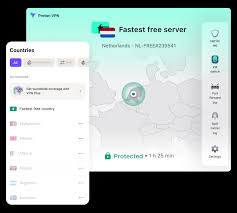
One of the biggest advantages of Proton VPN Free is its focus on privacy. Based in Switzerland, it follows strict privacy laws and has a no-logs policy, meaning your online activity is not tracked or stored. It also uses strong encryption and includes important security features like a kill switch and DNS leak protection, helping keep your data safe even on public Wi-Fi.
The app is available on iPhone and other devices, and it’s easy to use with a simple “Quick Connect” feature that automatically connects you to the fastest available server. While the free plan offers solid performance, it does come with some limitations. You get access to fewer server locations, and speeds may slow down during peak times due to high user demand.
Overall, Proton VPN Free is an excellent alternative if you want a safe, unlimited, and privacy-focused VPN. It’s best suited for everyday browsing and security, even if it’s not ideal for heavy streaming or advanced features.
Free plan includes:
- Unlimited data — no cap whatsoever
- Servers in 3 countries (US, Netherlands, Japan)
- Open-source apps verified by independent auditors
- No logs, no ads, no data selling
- Based in Switzerland with strong legal privacy protections
The one-tap experience isn’t quite as instant as Super VPN since you need a free account, but setup takes about two minutes, and you get a genuinely private connection in return. For everyday browsing, checking email on public Wi-Fi, or general privacy protection, Proton VPN Free is hard to beat.
Practical example: A freelance writer working from various coffee shops uses Proton VPN for free on their Android phone. They connect automatically whenever they’re on public Wi-Fi, keeping client work and login sessions private. They’ve never hit a data cap in three months of regular use.
Windscribe Free — Best for Server Variety
Windscribe gives free users 10GB of data per month (with email signup) and access to servers in around 10 countries — more geographic variety than most free VPNs offer.
Windscribe Free is an excellent choice for users who want access to multiple server locations without paying for a premium VPN. Unlike many free VPNs that restrict you to just one or two regions, Windscribe offers servers in around 10–11 countries on its free plan, giving you more flexibility to browse content from different parts of the world.

This wide server selection makes it especially useful for bypassing geo-restrictions, testing different locations, or accessing region-specific websites. Whether you want a US server, a European location, or something in Asia, Windscribe gives you more variety than most free competitors.
In addition to server variety, Windscribe Free includes up to 10 GB of monthly data (or 2 GB without email verification), which is enough for casual browsing, streaming short videos, and social media use. The VPN also supports unlimited device connections, meaning you can use it on your iPhone, laptop, and other devices simultaneously without extra cost.
Security is another strong point. Windscribe uses encryption, follows a no-logs policy, and includes features like a firewall (kill switch) and an ad-blocking tool called R.O.B.E.R.T., which helps block trackers and unwanted content.
However, the free version does come with limitations. The server network is smaller than the paid plan, and speeds can slow down during peak hours due to high demand.
Overall, Windscribe Free is a great option if you want a free VPN with good server variety, solid features, and flexible usage across devices.
Free plan includes:
- 10GB/month data
- ~10 server locations
- Built-in ad and tracker blocker
- No logs policy
- Works on Android, iOS, Windows, Mac
Windscribe is a Canadian company with a published privacy policy and a track record of transparency — including a 2021 incident where a server was seized by authorities, and Windscribe publicly confirmed that no user data was on it, because they don’t store any.
Practical example: A university student uses Windscribe free on their laptop and phone. They mainly need a VPN for accessing research databases and staying private on the campus network. 10GB covers about two to three weeks of regular browsing and research use before they have to either upgrade or wait for the monthly reset.
Tunnelbear Free — Best for Simplicity
If Super VPN’s appeal is simplicity, Tunnelbear is the honest equivalent. The app is visually clean, fun to use, and takes 60 seconds to set up. The bears-and-tunnels theme is silly, but the security underneath it is serious — Tunnelbear publishes annual third-party security audits, one of the very few free VPN providers to do so.
Free plan includes:
- 2GB/month data
- Servers in 47+ countries
- Annual independent security audit
- GhostBear mode to bypass VPN detection
- No logs policy
The 2GB cap is the main limitation. It’s enough for occasional use — checking sensitive accounts on hotel Wi-Fi, browsing privately at an airport, short research sessions — but not for daily heavy use.
hide.me Free — Best for No-Account Privacy
hide.me lets you use its free plan without registering at all. Download the app, connect. That’s it. In that sense, it matches Super VPN’s zero-friction appeal while being a much safer choice.
Free plan includes:
- 10GB/month
- 5 server locations
- No account required
- WireGuard protocol support (faster and more secure)
- No logs, based in Malaysia (outside 14 Eyes)
Practical example: Someone who doesn’t want to hand over an email address to yet another service downloads Hide.me, connects without signing up, and uses it whenever they’re on an unfamiliar network. Simple, private, and no trail left behind.
Side-by-Side Comparison
| VPN | Data Limit | Server Locations | Account Needed | Audited | Safe to Use |
|---|---|---|---|---|---|
| Super VPN | Appears unlimited | Multiple | No | No | Questionable |
| Proton VPN | Unlimited | 3 | Yes (free) | Yes | Yes |
| Windscribe | 10GB/month | ~10 | Yes (free) | Partial | Yes |
| Tunnelbear | 2GB/month | 47+ | Yes (free) | Yes (annual) | Yes |
| hide.me | 10GB/month | 5 | No | Yes | Yes |
What to Look For in Any Free VPN
Whether you’re evaluating Super VPN or any other app, here’s a quick checklist:
1. Clear privacy policy. The policy should specifically say what data is collected and what isn’t. Phrases like “we may share data with partners” are warning signs. Look for explicit statements that connection logs and browsing activity are not stored.
2. Independent security audit. Anyone can claim to be secure. An independent audit by a cybersecurity firm — where the results are published — means someone actually checked. Proton VPN, Tunnelbear, and hide.me all have published audit results.
3. Transparent ownership: Who owns the company? Where is it registered? This matters because a VPN company registered in a country with strong data privacy laws (Switzerland, Iceland, Malaysia) has legal protections that a company in a data-sharing country doesn’t.
4. A visible business mod: el How does the company make money? Paid premium plans, donations, or enterprise services are all legitimate answers. “We’re not sure,” or no answer at all is a problem.
5. Minimal permissions: A VPN app needs network access. It doesn’t need access to your contacts, call logs, photos, or microphone. Check the permissions list before installing.
Is Super VPN Ever Acceptable to Use?
There are edge cases where someone might argue the risk is low enough.
If you need to quickly access a blocked website in a low-stakes situation — a region-locked YouTube video, a website blocked by a workplace filter — and you’re not doing anything that involves personal data, the practical risk from a single session is limited.
But here’s the thing: the safer alternatives listed above are just as fast to download and just as free. Proton VPN and hide.me both connect with minimal friction. There’s no real reason to choose Super VPN over the others,m even in a casual scenario.
The risk-to-reward calculation simply doesn’t favor Super VPN when equivalent or better options exist at the same price point of zero.
FAQs: Free VPN Super 2026
Is Super VPN safe to use in 2026?
Based on its history — including a major data breach in 2022, opaque ownership, and no published security audits — Super VPN carries significantly more risk than established alternatives like Proton VPN or Windscribe. For anyone who values privacy, it’s not the recommended choice.
Did Super VPN have a data breach?
Yes. In 2022, Super VPN was among several free VPN apps whose user data was leaked online. The breach exposed email addresses, real IP addresses, and device information for millions of users.
Is Super VPN really free?
The app is free to download and use, but the true cost may be your data. Free VPNs without a transparent business model often fund themselves by collecting and selling user data to advertisers or data brokers.
What is the best completely free VPN in 2026?
Proton VPN’s free plan is the strongest option — it offers unlimited data, a verified no-logs policy, and open-source apps that have been independently audited. It requires a free account but takes about two minutes to set up.
Can I use a free VPN for streaming?
Most free VPNs, including the recommended ones in this guide, struggle with streaming. Platforms like Netflix actively block VPN IP addresses, and free servers are typically the first to be blacklisted. For reliable streaming unblocking, a paid VPN plan is a better fit.
Is it legal to use a VPN?
In most countries, yes. VPN use is legal across the US, UK, EU, Canada, Australia, and most of Asia. Some countries — including China, Russia, and the UAE — have restrictions on VPN use. If you’re traveling, it’s worth checking the local rules.
What should I do if I’ve already been using Super VPN?
First, uninstall the app. Then change passwords for any accounts you logged into while connected to Super VPN — especially email, banking, and social media. Consider running a check on haveibeenpwned.com to see if your email has appeared in any known data breaches.
Conclsion
Super VPN’s massive download count reflects how many people want a simple, free VPN solution — and that’s a completely legitimate need. The problem is that Super VPN doesn’t meet the basic standard of what a VPN is supposed to do: protect your privacy.
For the same price — free — you can use Proton VPN with unlimited data and a genuine no-logs policy. Or Windscribe with 10GB and a verified track record. Or hide me without even creating an account.
The appeal of Super VPN lies in its convenience. But in 2026, its safer alternatives are just as convenient. There’s no real tradeoff anymore.
Pick a VPN that actually has your back.

