
A free VPN for MacBook Pro can help protect your online privacy, secure your internet connection, and give you safer access to websites and online services. Whether you’re working remotely, browsing on public Wi-Fi, streaming content, or managing sensitive data, a reliable VPN adds an extra layer of security by encrypting your internet traffic and hiding your IP address.
MacBook Pro users often choose free VPNs to improve privacy without paying for a subscription. Many reputable VPN providers offer free plans that include strong encryption, no-log policies, and easy-to-use macOS applications. Popular options include Proton VPN, Windscribe, hide.me, and PrivadoVPN. These VPNs are compatible with modern MacBook Pro models and support the latest versions of macOS.

While free VPNs can be useful for everyday browsing and security, they often come with limitations such as data caps, fewer server locations, or reduced speeds compared to premium plans. Therefore, it’s important to choose a trusted provider that offers strong security features and transparent privacy practices.
In this guide, we’ll explore the best free VPNs for MacBook Pro, compare their features, advantages, and drawbacks, and help you find the right VPN for secure browsing, streaming, remote work, and online privacy in 2026.
If you’ve been searching for a free VPN for your MacBook Pro, you already know the options are overwhelming — and a lot of them aren’t worth your time. Some are too slow to use. Some cap your data at 200MB per day. And some are flat-out sketchy, collecting your browsing data and selling it to the highest bidder, which completely defeats the purpose of a VPN.
This guide focuses on free VPNs that are actually worth installing on macOS. Not trials. Not freemium bait-and-switch apps. Genuinely usable free options — with honest notes on what each one can and can’t do.
Why You Might Need a VPN on Your MacBook Pro
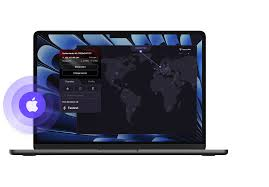
Before getting into the list, it’s worth knowing what a VPN actually does on a Mac — because a lot of people install one without fully understanding what they’re protecting against.
A VPN (Virtual Private Network) encrypts your internet traffic and routes it through a server in a location of your choice. On your MacBook Pro, this means:
Public Wi-Fi protection. Coffee shops, airports, hotel lobbies — these networks are convenient but often unsecured. Anyone on the same network with the right tools can potentially intercept unencrypted data. A VPN puts a wall around your traffic.
IP address masking. Websites and services see the VPN server’s IP address, not yours. This gives you a layer of anonymity and can help bypass geo-restrictions.
ISP privacy. Without a VPN, your internet service provider can see every site you visit. With one, they only see that you’re connected to a VPN server.
Accessing region-locked content. If you’re abroad and want to access US-based content, a VPN with US servers lets you appear as though you’re browsing from home.
Now, free VPNs can cover most of these use cases — with limitations. Here’s what’s actually worth using.
1. Proton VPN — Best Free VPN for MacBook Pro Overall
Proton VPN‘s free tier is the most straightforward recommendation for anyone on macOS. It offers unlimited data on the free plan — something almost no other free VPN can claim — and it has a dedicated, well-built Mac app that works cleanly on both Intel and Apple Silicon Macs.

What makes it stand out: Proton VPN is based in Switzerland, operates under Swiss privacy laws (some of the strictest in the world), and has been independently audited. The Mac app is open source, which means anyone can inspect the code for hidden behavior. For a free product, that level of transparency is rare.
macOS experience: The Proton VPN app on Mac is polished. It shows a server map, connection status, and clearly indicates when the kill switch is active. Setup takes under five minutes — download, install, create a free account, and connect.
Practical example: You’re working from a Starbucks, connected to their public Wi-Fi. You open Proton VPN, select a US server, and connect. Your MacBook’s traffic is now encrypted end-to-end, and anyone on the same network sniffing packets sees encrypted data rather than your actual browsing activity.
Free tier limits: Servers in three countries (the US, the Netherlands, and Japan). One device at a time. No access to streaming-optimized servers or the Stealth protocol (useful for networks that block VPNs).
Speeds: Moderate. Noticeably slower than paid tiers during peak hours, but fine for browsing, email, and video calls.
2. Windscribe — Best for Monthly Data Allowance
Windscribe gives you 10GB of free data per month with a registered account — and that’s on macOS with a proper native app, not a browser extension workaround. Servers in 10+ countries are available on the free plan, including US locations.

What makes it stand out: Windscribe’s free tier is one of the most generous in the market. On top of the data allowance, it includes a built-in ad and tracker blocker (called ROBERT) that works at the network level. This means it blocks ads across every app on your Mac, not just in browsers.
macOS experience: The Windscribe Mac app is clean and responsive. You can see your remaining data allowance directly in the interface, which helps you manage usage. It supports WireGuard protocol, which is the fastest modern VPN protocol available.
Practical example: You’re a remote worker who travels occasionally and uses your MacBook Pro for light tasks — browsing the web, checking emails, and occasionally joining a video call from hotel Wi-Fi. At 10GB per month, Windscribe’s free plan covers that usage comfortably, and ROBERT blocking ads on top makes it feel like a premium experience.
Free tier limits: 10GB/month data cap. No access to port forwarding. Windscribe’s most premium server locations (like those optimized for streaming) are behind the paid plan.
Speeds: Generally good, especially on WireGuard. Among the faster free VPNs for macOS.
3. Tunnelbear — Most Beginner-Friendly Free VPN for Mac
TunnelBear is the easiest free VPN to set up on a MacBook Pro. If you’ve never used a VPN before and want something that works without any learning curve, this is the one to start with.
What makes it stand out: The Mac app is beautifully designed — it bears tunneling through maps, animated connections, and clear status indicators. It sounds gimmicky, but it means even someone who has never configured a VPN can get connected in under a minute. TunnelBear has also been independently audited, which puts it in the trusted category alongside Proton VPN and Windscribe.
macOS experience: TunnelBear integrates well with macOS and supports the menu bar for quick access. Switching server locations is as simple as clicking a country on the map.
Practical example: Your parents visit and need to use your MacBook briefly in a hotel with sketchy Wi-Fi. You open Tunnelbear, click connect, and they’re protected without you having to explain anything technical. The simplicity is the point.
Free tier limits: 500MB per month. This is the major drawback — 500MB disappears quickly. A few hours of regular browsing, a short video call, and you’re done for the month. TunnelBear runs occasional social media promotions where you can earn extra GB by sharing posts, but the base allowance is genuinely tight.
Best use case: Tunnelbear works best as a backup VPN for occasional, brief use — not as a daily driver.
4. Hide.me — Best Speed on Free Tier
Hide.me offers 10GB of free data per month with access to five server locations. What consistently sets it apart in testing is speed — the free servers are less congested than competitors, which makes a meaningful difference when you’re actually trying to use the internet through a VPN.
What makes it stand out: Hide.me supports WireGuard on the free tier for macOS, which is the fastest and most modern VPN protocol. Many free VPN providers only offer WireGuard on paid plans. The privacy policy has been independently verified, and the company doesn’t log connection data.
macOS experience: The Hide.me Mac app is functional and straightforward. No unnecessary features cluttering the interface — you connect, you choose a server, you’re done. It works cleanly on macOS Sequoia and handles reconnections after sleep well (a common pain point with some VPN apps on Mac).
Practical example: You’re on your MacBook Pro in an airport lounge and need to join a video call before boarding. You want encryption on, but you also can’t afford a laggy connection during the meeting. Hide.me on WireGuard gives you the fastest possible free VPN connection, making it the right tool for that specific situation.
Free tier limits: 10GB/month, five server locations, one simultaneous connection. No streaming servers on the free plan.
5. Opera Browser (Built-in VPN) — Best Zero-Setup Option
Technically, this is a browser, not a standalone VPN app — but Opera’s built-in VPN deserves a mention because it requires zero setup, zero account creation, and zero cost. If all you need is encrypted browsing within a browser window on your MacBook, it’s the simplest possible solution.
What makes it stand out: You download Opera, go to Settings > Privacy & Security, and toggle the VPN on. That’s it. No account, no subscription prompt, no data cap within the browser.
Limitations: Opera’s VPN only covers traffic inside the Opera browser. Everything else on your Mac — other browsers, apps, terminal connections, downloads — goes through your regular unencrypted connection. It’s not a full-device VPN. Also, Opera is owned by a Chinese consortium, which raises privacy questions that some users find disqualifying.
Best use case: Quick, occasional browser-only privacy. Not for anything requiring full-system coverage.
macOS-Specific Setup Tips
A few things worth knowing when using a free VPN on your MacBook Pro specifically:
Check for Apple Silicon compatibility. If you have an M1, M2, M3, or M4 MacBook Pro, make sure the VPN app has a native Apple Silicon build. Apps running through Rosetta 2 work but use more battery and run slightly slower. Proton VPN, Windscribe, and Hide.me all have native Apple Silicon builds.
Use the kill switch feature. Most of the VPNs on this list include a kill switch — a setting that cuts your internet connection if the VPN drops unexpectedly. This prevents your real IP from leaking if the VPN connection fails. On macOS, this is especially important because the OS sometimes routes traffic around a VPN during sleep/wake cycles.
Check for DNS leaks. After connecting to your VPN, visit a DNS leak test website (search “DNS leak test”) to confirm your real DNS server isn’t showing through. This is a common issue on macOis Sis and the verification once after initial setup.
Battery impact. VPNs consume slightly more battery than browsing without one, since your traffic is being encrypted in real time. On a MacBook Pro with Apple Silicon, this impact is minimal — the chips are efficient enough that you won’t notice it under normal use.
Pros and Cons of Free VPNs on MacBook Pro
Pros
No cost for genuine protection. For encrypting your connection on public Wi-Fi, masking your IP, and basic privacy, free VPNs from reputable providers do the job without spending anything.
Easy setup on macOS. Installing a VPN on a MacBook Pro is straightforward. Download the app, sign in, cand onnect. No technical configuration required.
Solid for light use. If you’re not streaming video through your VPN and you use it selectively — public networks, travel, sensitive logins — the data limits on Windscribe or Hide.me are workable.
Try before you buy. Free tiers from reputable providers are fully functional versions of their products with usage caps, not stripped-down demos. You get a real sense of the product before committing to a paid plan.
Works across macOS versions. The top free VPN apps work on current macOS versions, including Sequoia, and receive regular updates.
Cons
Data caps make them impractical for daily use. Unless you use Proton VPN (unlimited), you’ll hit a data ceiling. 10GB sounds generous until you stream a few videos or join video calls regularly.
Slower speeds. Free servers handle more users and less infrastructure investment. You will notice the difference compared to a paid plan, especially during peak hours.
Limited server locations. Being restricted to 3–10 server locations limits your ability to appear in specific countries or find a fast nearby server.
No streaming support. Netflix, BBC iPlayer, and other platforms actively block known VPN IP addresses. Free servers are the first to get blocked and the last to get refreshed. Reliable streaming access requires a paid plan.
Privacy risk from unknown providers. This applies specifically to free VPNs not on this list — many apps on the Mac App Store from unverifiable developers log your data. Stick to providers with independent audits and transparent ownership.
Free vs. Paid VPN for MacBook Pro
If you’re on the fence about whether a free VPN is enough, here’s a direct comparison:
For public Wi-Fi protection and basic privacy, free VPNs are sufficient. Proton VPN’s free tier handles this well.
For streaming geo-restricted content, you need a paid plan. Streaming services block free VPN IPs aggressively.
For daily full-device use, a paid plan makes more practical sense. Monthly data caps on free tiers create frustrating interruptions.
For business or remote work, an AI plan offers better speeds, more server options, and typically includes better support. The $3–$10/month that most reputable VPNs charge is worth it for professional use.
For occasional travel use, a free VPN is perfectly fine. Enable it when you’re on hotel or airport Wi-Fi, turn it off when you’re home.
Frequently Asked Questions
Is it safe to use a free VPN on a MacBook Pro?
It depends on the provider. Free VPNs from audited, reputable companies like Proton VPN, Windscribe, and Hide.me are safe. Unknown apps from the Mac App Store with no published privacy policy or ownership information are risky. Always verify the provider before trusting it with your traffic.
Does a VPN slow down my MacBook Pro?
Slightly, yes. The encryption process adds a small amount of overhead, and routing through a remote server adds latency. On Apple Silicon MacBook Pros, the performance impact is minimal for everyday use. Free server congestion is a bigger factor than the encryption itself.
Can I use a free VPN for streaming on Maa c?
Rarely. Streaming platforms like Netflix detect and block VPN IP addresses. Free server IPs are among the most commonly blocked. For reliable streaming access, a paid plan with actively maintained server IPs is necessary.
Does macOS have a built-in VPN?
macOS has built-in VPN client support for protocols like IKEv2, L2TP, and Cisco IPSec — but these require you to configure a connection to a VPN server you already have access to (like a corporate VPN). There’s no free consumer VPN service built into macOS itself.
Will a VPN affect my MacBook’s battery life?
On Apple Silicon MacBook Pros (M1 and later), the battery impact of running a VPN is minimal — less than a percentage point per hour for light use. On older Intel MacBook Pros, the impact is slightly more noticeable but still not a major concern.
Can I use a free VPN on my MacBook Pro and iPhone at the same time?
Most free VPN tiers limit you to one simultaneous connection. If you want coverage on both devices, you’d need to upgrade to a paid plan, which typically includes 5–10 simultaneous connections.
Is Proton VPN really unlimited on the free plan?
Yes. Proton VPN’s free tier has no data cap — this is one of its most distinctive features. The trade-off is slower speeds and fewer server locations compared to the paid plan.
What’s the best free VPN for a MacBook Pro for students?
Proton VPN for unlimited data, or Windscribe if you want 10GB with faster speeds and ad blocking included. Both work well for student use cases — campus Wi-Fi protection, accessing research resources, and general privacy.
Do these VPNs work on older macOS versions?
Generally, yes, though support varies. Proton VPN and Windscribe both support macOS 12 (Monterey) and later, with limited support for older versions. If you’re running an older macOS, check the provider’s system requirements before downloading.
Should I leave the VPN on all the time on my MacBook?
If you’re on a free plan with a data cap, leaving it on all the time will drain your monthly allowance quickly. A smarter approach is to enable it on public or unfamiliar networks and turn it off on your trusted home network, saving your data for when it matters.
Conclsion
For MacBook Pro users who need reliable, free VPN coverage, Proton VPN is the clear first choice — unlimited data and a polished macOS app make it the most practical option for daily use. Windscribe earns its spot as the best alternative with a more generous data cap than most, and WireGuard support built in.
If you’re only using a VPN occasionally — hotel Wi-Fi, airport connections, coffee shops — any of the options on this list will protect you without costing a cent. For anything more intensive, the free tiers will start showing their limitations, and a paid plan at a few dollars a month becomes the sensible upgrade.
What matters most is using a VPN from a provider you can trust. The ones on this list have track records, audits, and transparent policies. That’s the baseline that every VPN — free or paid — should meet before you install it on your Mac.

