
If you just picked up a MacBook Air M4 and you’re looking for a free VPN to go with it, you’re not alone. A lot of people want basic privacy protection without committing to a paid subscription right away — and that’s completely fair.
The good news? There are a few genuinely solid free VPN options that work well on the M4 chip. The not-so-good news? A lot of “free VPNs” out there are either painfully slow, cap your data at 500MB, or make money by selling your browsing data, which defeats the whole point.
This guide cuts through the noise. You’ll find the best free VPNs for MacBook Air M4, what each one actually offers, and what to watch out for before you install anything.

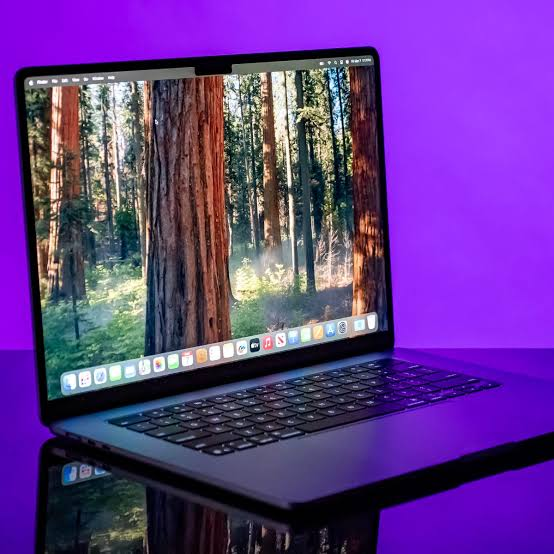
The MacBook Air M4 is one of Apple’s fastest and most efficient laptops, offering exceptional performance, battery life, and security features. However, even with Apple’s strong privacy protections, your online activity can still be exposed to hackers, trackers, internet service providers, and geo-restrictions. A free VPN for MacBook Air M4 adds an extra layer of security by encrypting your internet connection, protecting sensitive data, and allowing you to browse privately from anywhere.
Whether you’re using public Wi-Fi, accessing region-restricted content, or simply looking to enhance your online privacy, a reliable free VPN can make a significant difference. The best free VPNs for Mac in 2026 offer strong encryption, user-friendly macOS apps, and generous data allowances without requiring a paid subscription. Options such as Proton VPN, Windscribe, and Hide.me are widely recognized for balancing privacy, performance, and ease of use.
In this guide, we’ll explore the best free VPNs for MacBook Air M4, compare their features, and help you choose the right option based on your privacy, streaming, and browsing needs. MacBook
Why MacBook Air M4 Users Need a VPN
Before jumping into the list, here’s a quick reality check on why a VPN matters — even for casual use.
When you connect to public Wi-Fi at a café or airport, anyone on the same network can potentially see your traffic. A VPN encrypts your connection, so even if someone intercepts your data, it’s unreadable.
Beyond security, VPNs also help with:
- Accessing region-locked content — If you’re traveling and your favorite streaming service isn’t available in that country, a VPN can route your connection back home.
- Avoiding price discrimination — Some websites show higher prices based on your location. A VPN lets you shop around.
- Bypassing ISP throttling — Some internet providers slow down certain types of traffic (like video streaming). A VPN can work around this.
- Basic anonymity — Your real IP address stays hidden from the websites you visit.
Now, one thing worth noting: the MacBook Air M4 runs macOS Sequoia, and not every VPN app is fully optimized for Apple Silicon yet. The ones on this list have all confirmed M4 compatibility, either through a native arm64 build or Rosetta 2 support.
What to Look for in a Free VPN for MacBook
Not all free VPNs are built the same. Here’s what actually matters when you’re choosing one:
Data limits — Most free VPNs cap your usage somewhere between 500MB and 10GB per month. If you’re doing anything beyond basic browsing, 500MB runs out fast. Even 10GB disappears quickly if you stream video.
Server locations — Free plans often limit you to a handful of servers. If the only available server is in a country far from you, your connection speed will take a hit.
No-logs policy — This is non-negotiable. A VPN that logs your activity is a privacy risk, not a privacy solution. Look for services that have been independently audited.
Native macOS app — Some VPNs only offer Windows clients or browser extensions. You want a proper macOS desktop app that integrates well with the system.
Connection protocols — WireGuard and OpenVPN are the gold standards. IKEv2 is also solid. Avoid anything that only offers PPTP — it’s outdated and easy to crack.
Best Free VPN for MacBook Air M4
1. Proton VPN Free — Best Overall
Proton VPN is the standout choice for free users, and it’s not particularly close.
Here’s what makes it different from every other free VPN: no data limits. You can use it all month without worrying about hitting a cap. That’s genuinely rare in the free tier world.
What you get on the free plan:
- Unlimited data
- Servers in 3 countries (Netherlands, Japan, USA)
- 1 device connection
- VPN Accelerator technology (Proton’s speed optimization feature)
- No ads, no logs
Speed and performance on M4: Proton VPN has a native macOS app that runs natively on Apple Silicon. On the M4, the app is snappy and doesn’t noticeably drain battery — which matters on a machine known for its all-day battery life. Speeds on free servers are slower than paid, but still workable for browsing and video calls.
Privacy credentials: Proton is based in Switzerland, under some of the world’s strongest privacy laws. The no-logs policy has been independently audited. They also publish transparency reports showing government data requests (and what they couldn’t provide because they simply don’t have the data). MacBook
Example use case: You’re working from a hotel Wi-Fi on a client project. Proton VPN Free keeps your work traffic encrypted without you worrying about running out of data by day 3 of a week-long trip.
Pros:
- Unlimited data — genuinely the only free VPN to offer this
- Trustworthy privacy policy with independent audits
- Native Apple Silicon support
- No ads or data selling
Cons:
- Only 3 server locations on the free plan
- Speeds noticeably slower than the paid tier
- No streaming server access is free
- Only 1 simultaneous device
2. Windscribe Free — Best for Server Variety
Windscribe gives free users access to servers in 10+ countries, which is unusually generous for a free tier. You get 10GB of data per month by default, and you can bump that up to 15GB by simply confirming your email address.

What you get on the free plan:
- 10GB data/month (15GB with email confirmation)
- Servers in 10+ countries
- 1 device (but can be used across browsers too)
- R.O.B.E.R.T. ad and malware blocker
- Browser extension available
Speed and performance on M4: The macOS app works via Rosetta 2 on M4, meaning it’s not a native arm64 build yet. You might notice slightly higher CPU usage compared to Proton’s native app, but in practice, it’s not a dealbreaker for most users. The app is clean and easy to set up.
Best feature: The built-in R.O.B.E.R.T. tool blocks ads and malware at the VPN level — not just in your browser. This means ads are blocked even inside apps, not just Safari or Chrome.
Example use case: You’re a student who switches between studying, streaming YouTube, and browsing Reddit. Windscribe’s 15GB should cover a decent chunk of that, and the ad blocker makes the experience cleaner across the board.
Pros:
- Generous data allowance (up to 15GB/month)
- Wide server selection for a free plan
- Built-in ad and tracker blocking
- Can be used on multiple browsers simultaneously
Cons:
- Not a native Apple Silicon app (uses Rosetta 2)
- 10GB goes faster than you’d think if you stream anything
- Speeds vary significantly by server
- Customer support is limited on the free tier
3. TunnelBear Free — Best for Occasional Use
TunnelBear is one of the most beginner-friendly VPNs out there. The interface is clean, setup takes under a minute, and the bear-themed design makes it oddly enjoyable to use.
The free plan gives you 2GB per month. That’s on the lower end, but if you only need a VPN occasionally — when you’re on public Wi-Fi, for instance — 2GB is actually enough to stretch across several sessions.
What you get on the free plan:
- 2GB data/month
- Servers in 47+ countries
- Unlimited devices
- GhostBear mode (obfuscation for restrictive networks)
- Independent security audits (published publicly)
Speed and performance on M4: TunnelBear has a native macOS app that supports Apple Silicon. It’s lightweight and doesn’t sit heavily on system resources. The one downside is that free servers can get congested, especially during peak hours.
Standout feature: TunnelBear publishes annual independent security audits — every year, a third-party firm reviews their systems and the report is made public. Very few VPNs do this, free or paid.
Example use case: You travel a few times a year and mostly want protection when you’re at airports or hotel lobbies. 2GB per month is enough for browsing and checking email during those trips without spending anything.
Pros:
- Incredibly easy to use — great for beginners
- Access to servers in 47+ countries, even on the free tier
- Native Apple Silicon app
- Transparent annual security audits
- Unlimited devices
Cons:
- Only 2GB/month — the lowest on this list
- Not viable as a daily driver
- No split tunneling on the free plan
- Can be slow during high-traffic periods
4. Hide.me Free — Best for Speed
Hide.me sits in an interesting spot. The free plan gives you 10GB per month and access to 5 server locations, but what it’s actually known for is speed. Free tier users often report faster connection speeds compared to the free offerings from other providers.
What you get on the free plan:
- 10GB data/month
- 5 server locations
- 1 simultaneous connection
- P2P allowed on some servers
- No-logs policy (audited)
Speed and performance on M4: The macOS app is well-optimized and has been updated for Apple Silicon. WireGuard is available on the free plan, which is a big deal — WireGuard is the fastest modern VPN protocol, and many providers lock it behind paid tiers.
Example use case: You work remotely and occasionally need a VPN to connect to a client’s secure portal. Hide.me’s speed and WireGuard support make it a practical tool for work tasks where you can’t afford a sluggish connection.
Pros:
- Faster speeds than most free VPNs
- WireGuard is available on the free plan
- 10GB monthly data
- No registration required to get started
- Audited no-logs policy
Cons:
- Only 5 server locations
- 1 device at a time
- 10GB cap can be restrictive for heavy users
- Support response times are slow on the free tier
5. PrivadoVPN Free — Best for Streaming
PrivadoVPN is a newer name, but it earns its place here specifically because the free tier actually works for streaming. Many free VPNs are blocked by Netflix, YouTube TV, and similar platforms. PrivadoVPN’s free servers have a better track record of getting through.
What you get on the free plan:
- 10GB data/month
- Servers in 12 cities
- 1 device
- Streaming-friendly servers
- SOCKS5 proxy included
Speed and performance on M4: The macOS app works well on M4 hardware. It’s not a native arm64 build for every feature, but performance is solid for what free users need.
Example use case: You’re visiting a country where your home streaming service isn’t available. PrivadoVPN’s free plan gives you a real shot at getting through the geo-restriction — at least for the 10GB you have.
Pros:
- Free plan actually works with some streaming services
- 12 city server options
- SOCKS5 proxy included at no cost
- Clean, simple macOS app
Cons:
- 10GB data cap
- Newer company with less of a track record than Proton or TunnelBear
- Only 1 device on the free plan
- Speeds can drop during busy hours
Free VPN Comparison Table
| VPN | Data Limit | Server Locations | Native M4 App | Best For |
|---|---|---|---|---|
| Proton VPN | Unlimited | 3 countries | Yes | Daily use |
| Windscribe | 10–15GB/mo | 10+ countries | Rosetta 2 | Variety + ad blocking |
| TunnelBear | 2GB/mo | 47+ countries | Yes | Occasional/travel use |
| Hide.me | 10GB/mo | 5 locations | Yes | Speed |
| PrivadoVPN | 10GB/mo | 12 cities | Partial | Streaming |
What Free VPNs Won’t Do
It’s worth being upfront about the limitations so you’re not caught off guard:
They won’t replace a paid VPN for heavy use. If you stream video daily, game online, or need a VPN running 24/7, a free plan will hit its limits quickly. Even Proton VPN Free slows down noticeably on its limited server options.
They won’t guarantee full anonymity. A VPN hides your IP from websites and encrypts traffic on the network level. It doesn’t make you untraceable — your browser fingerprint, cookies, and logged-in accounts still identify you on most platforms.
They won’t work reliably in heavily censored regions. If you’re trying to use a VPN in a country with deep packet inspection (like China), most free VPNs won’t hold up. You’d need a paid plan with obfuscation features for that.
How to Install a Free VPN on MacBook Air M4
The process is the same for all the options above:
- Go to the VPN provider’s official website (don’t download from random sources)
- Create a free account
- Download the macOS app
- Open the downloaded file and drag the app to your Applications folder
- Open the app, sign in, and connect to a server
For any of these, you can also find them on the Mac App Store, which adds an extra layer of verification that the app hasn’t been tampered with.
FAQs
Is it safe to use a free VPN on MacBook Air M4?
It depends on the provider. The five options listed above have been independently audited and have clear no-logs policies. Avoid random free VPNs you find through ads — many of them collect and sell your data.
Will a free VPN slow down my MacBook Air M4?
Some speed loss is normal with any VPN. The M4 chip handles encryption efficiently, so the hardware isn’t the bottleneck. The slowdown usually comes from server congestion on free tiers, not your Mac.
Can I use a free VPN for Netflix on a MacBook?
Most free VPNs get blocked by Netflix. PrivadoVPN Free has the best chance among free options, but it’s hit or miss. For reliable Netflix unblocking, a paid VPN is more dependable.
Does macOS have a built-in VPN?
macOS has built-in VPN client support (you can configure it manually under System Settings → VPN), but it doesn’t include a VPN service. You still need a VPN provider — you’re just using a different client.
How much data do I need from a free VPN?
Basic browsing and email use roughly 50–100MB per hour. HD video streaming uses 700MB–1GB per hour. Voice/video calls use around 300MB per hour. Plan based on how you’ll actually use it.
Are free VPNs legal in India?
Yes, using a VPN is legal in India. VPN providers are required to maintain certain logs under CERT-In guidelines, which is worth knowing — but using a VPN for privacy, security, or accessing content isn’t prohibited for individuals.
Can I use Proton VPN Free indefinitely?
Yes. Proton VPN’s free tier has no trial period or time limit. You can stay on it as long as you want, though you’ll be limited to 3 server locations and slower speeds.
Coclsion
If you want one recommendation: start with Proton VPN Free. The unlimited data alone makes it a tier above everything else in the free category. It works natively on the M4, the privacy credentials are solid, and there’s no pressure to upgrade unless you need more servers or faster speeds.
If you need more server options and don’t mind the data cap, Windscribe is a strong second. And if you travel occasionally and just want something simple for airport Wi-Fi, TunnelBear gets the job done without any fuss.
For most MacBook Air M4 users who are just starting with VPNs, the free options above are genuinely useful — not just stripped-down demos designed to push you toward a paid plan.

