
If you’ve got an Android TV box or a smart TV running Android TV, you already know how much content is out there — but not all of it is available in every country. A VPN helps you get around those restrictions, protect your connection, and browse more privately. The best part? You don’t need to pay for one to get started.
This guide covers the best free VPN APKs for Android TV, how to install them, what to watch out for, and which ones are actually worth your time.
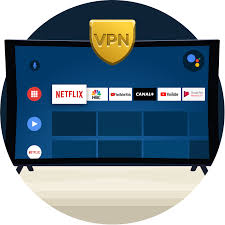
Free VPN for Android TV APK in 2026. A free VPN for Android TV helps users improve privacy, secure internet connections, and access global streaming content directly from their smart TVs or Android TV boxes. Many people use VPNs on Android TV for streaming, safer browsing, bypassing geo-restrictions, and protecting personal data on public or shared networks.
Android TV supports VPN apps directly from the Google Play Store, making setup simple even for beginners. Popular free VPNs often include basic security features, encrypted connections, and limited free server access.
Some widely used free VPN options for Android TV include:
- Proton VPN
- Windscribe
- Hide.me
- Planet Free VPN for Android TV
Proton VPN is especially popular because it offers unlimited data on its free plan, which is rare among free VPN services. However, free users usually get fewer server locations and limited streaming support.
Windscribe is another well-known option that provides free monthly data and multiple server locations. Many Android TV users like it for occasional streaming and browsing.
Free VPN apps for Android TV commonly include:
- Encrypted internet traffic
- IP address masking
- Public Wi-Fi protection
- Access to region-restricted content
- Basic streaming privacy
Installing a VPN on Android TV is usually simple:
- Open the Google Play Store on Android TV
- Search for a VPN app
- Install the application
- Sign in or create an account
- Connect to a server
Although free VPNs can work well for light usage, they often have limitations such as:
- Slower speeds
- Data caps
- Fewer server choices
- Limited streaming support
- Occasional ads
Some Reddit users report that free VPNs on Android TV can become crowded during peak streaming times, causing inconsistent speeds.
For casual streaming, browsing, and privacy protection, free VPNs can still be useful. However, heavy streaming users often prefer premium VPN services for better speed, stability, and broader server access.
Why Use a VPN on Android TV?
Most people set up a VPN on their phone or laptop without thinking about their TV. But Android TV is where a lot of streaming actually happens — and it’s often the least protected device in the house.
Here’s why a VPN on Android TV makes sense:
- Access geo-restricted content — Some streaming libraries are only available in specific countries. A VPN lets you connect through a server in that country and access the content.
- Use streaming APKs more safely — If you’re using third-party APKs to stream content, a VPN adds a layer of privacy.
- Avoid ISP throttling — Some internet providers slow down streaming traffic. A VPN can help bypass that.
- Safer use on shared networks — If your TV is connected through a shared or public Wi-Fi, a VPN protects your data.
Now, let’s get into the actual options.
Free VPN for Android TV APK: Best Free VPN APKs for Android TV
1. Proton VPN (Free Plan) — Best Overall Free Option
Proton VPN‘s free plan is the most trustworthy free VPN available right now, full stop. Unlike most free VPNs, it has no data cap — you can use it as much as you want without hitting a limit. It’s also one of the few free VPNs with a clear, audited no-logs policy.
Proton VPN is a popular privacy-focused VPN service developed by the team behind Proton, the company known for encrypted email services. It is widely recognized for strong security, a strict no-logs policy, and one of the best free VPN plans available today.
The VPN is designed to help users browse privately, secure internet connections, protect data on public Wi-Fi, and access global online content. It supports major platforms including Windows, Android, macOS, Linux, iPhone, Android TV, and web browsers.
One of Proton VPN’s biggest advantages is its free plan, which offers unlimited bandwidth without showing ads or selling user data. Free users can connect to servers in multiple countries, although server selection and speeds are more limited compared to paid plans.
Premium plans include:
- Faster VPN speeds
- Thousands of servers worldwide
- Streaming support
- P2P and torrent support
- Ad and malware blocking
- Split tunneling
- Secure Core privacy routing
Proton VPN uses strong encryption and supports modern VPN protocols such as WireGuard and OpenVPN for secure internet connections. The company is based in Switzerland, which is known for strong privacy laws.
The service is especially popular among:
- Privacy-focused users
- Remote workers
- Travelers
- Students
- Streaming users
- Android and Windows users
Independent reviews often praise Proton VPN for its security, transparency, and reliable free version.
However, the free plan has some limitations:
- Slower speeds during busy periods
- Fewer server choices
- Limited streaming access
- No torrenting on free servers
Many Reddit users describe the free version as good for basic browsing and privacy, but less suitable for heavy streaming or downloading.
Proton VPN continues expanding its network and improving performance. Recent updates include improved Windows and Android apps, faster infrastructure, and stronger anti-censorship technology.
For users looking for a secure VPN with a trusted reputation and a strong free plan, Proton VPN remains one of the best-known options in the VPN industry.
What you get on the free plan:
- Unlimited data
- Servers in 3 countries (US, Netherlands, Japan)
- One device connection
- No ads
Practical example: You want to watch a US-based streaming service that’s not available in India. Connect to Proton VPN’s free US server on your Android TV, open the streaming app, and you’re in. No subscription needed.
How to install: Proton VPN has an official Android TV app, so you can search for it directly in the Google Play Store on your TV. If your device doesn’t have the Play Store, download the APK from Proton VPN’s official website on your phone or computer, transfer it via USB or a file-sharing app, and sideload it.
Pros:
- No data limit on the free plan
- Strong privacy reputation — Swiss-based, open source
- Clean interface that works well on TV remotes
- No logs, independently audited
Cons:
- Only 3 server locations on the free plan
- Speeds can be slower during peak hours
- No access to streaming-optimized servers (those are paid only)
- One device at a time
2. Windscribe (Free Plan) — Best for Streaming Variety
Windscribe gives you 10GB of free data per month, which isn’t unlimited but is generous compared to most free VPNs. More importantly, it gives you access to servers in over 10 countries on the free plan — more options than almost any competitor at this price point.

If you sign up with an email address, you get the full 10GB. If you tweet about them (yes, really), they give you an extra 5GB.
What you get on the free plan:
- 10GB data/month (15GB with email + tweet)
- Servers in 10+ countries, including the US, UK, Canada, Germany, and more
- No device limit
Practical example: You want to watch BBC iPlayer from outside the UK. Windscribe has a UK server on the free plan. Connect, open the iPlayer app or website on your Android TV, and it should work — BBC iPlayer is one of the services Windscribe’s free tier can unlock.
How to install: Windscribe has an Android TV app in the Play Store. If you’re sideloading, download the Android APK from their official site. It works on most Android TV devices,s including Nvidia Shield, Mi Box, and Fire TV Stick with Android TV.
Pros:
- Generous data allowance for a free plan
- Good server variety
- Works on unlimited devices
- No-logs policy
Cons:
- 10GB goes fast if you’re streaming video
- Some servers are slow
- Occasional connection drops are reported on older Android TV boxes
- Paid plan needed for consistent streaming performance
3. Hide.me (Free Plan) — Best for Speed
Hide.me is less well known than Proton or Windscribe, but its free plan deserves attention. You get 10GB of data per month with access to 5 server locations, and the speeds are consistently better than most free options. It’s also one of the cleaner apps to navigate on a TV interface.
What you get on the free plan:
- 10GB/month
- 5 server locations
- One simultaneous connection
- No registration required (you can use it anonymously)
Practical example: You’re streaming a live sports event that’s being throttled by your ISP. Connect through Hide. My free server, and the stream quality improves because your ISP can no longer see what traffic you’re generating.
How to install: Hide.me has an Android app that works on Android TV. Search for it in the Play Store or sideload the APK from their official website. Setup takes about two minutes.
Pros:
- Faster speeds than most free VPNs
- No registration required
- Clear privacy policy, based in Malaysia (outside 5/9/14 Eyes)
- Works well on the Android TV interface
Cons:
- The 10GB limit is restrictive for heavy use
- Only 5 server locations
- One device only on the free plan
- No split tunneling on the free tier
4. TunnelBear (Free Plan) — Best for Occasional Use
TunnelBear gives you 500MB of free data per month, which is very little for streaming, but fine if you just need a VPN occasionally to check something or briefly access a geo-blocked page. The app is well designed and one of the easiest to use on any device.
What you get on the free plan:
- 500MB/month
- Servers in 47 countries
- No device limit
Practical example: You want to quickly check if a specific show is available in the US library of a streaming platform before subscribing. Connect through TunnelBear’s US server, verify the content, then disconnect. 500MB is enough for that.
How to install: TunnelBear has an Android app. It’s available on the Play Store and can be sideloaded as an APK if your device doesn’t have Play Store access.
Pros:
- Servers in 47 countries (more than most free plans)
- User-friendly interface
- Independently audited
- Works on unlimited devices
Cons:
- 500MB per month is extremely limited for streaming
- Not suitable for regular video use
- No way to earn extra data without paying
- Speeds are inconsistent on free servers
5. Urban VPN — Best for No-Account Access
Urban VPN lets you connect without creating an account and has no data limits. It’s available as an Android app and can be sideloaded on Android TV. However, it’s worth noting that Urban VPN is ad-supported and uses a peer-to-peer model — meaning other users’ traffic may route through your connection.
What you get:
- Unlimited data
- Servers in 80+ locations
- No account needed
Practical example: You want a quick, no-signup VPN on a secondary Android TV box in your guest room. Urban VPN installs in minutes and connects without any registration.
Pros:
- No account required
- Unlimited data
- Large server network
Cons:
- Peer-to-peer model raises privacy concerns
- Ad-supported experience
- Not recommended for sensitive activity
- Slower speeds due to P2P routing
How to Sideload a VPN APK on Android TV
Not all Android TV devices have the Google Play Store. If yours doesn’t — or if a specific VPN isn’t listed on the Play Store — here’s how to sideload the APK manually.
What you’ll need:
- The VPN’s APK file (downloaded from their official website only)
- A USB drive or a file transfer app like Send Files to TV
Steps:
- On your Android TV, go to Settings → Device Preferences → Security & Restrictions
- Enable Unknown Sources (this allows APK installs from outside the Play Store)
- Transfer the APK to your TV — either via USB drive or using the Send Files to TV app (available on the Play Store)
- Open the APK file using a file manager app like FX File Explorer or ES File Explorer.
- Follow the on-screen install prompts
- Open the VPN app and log in or connect
Important: Only download APKs from the official VPN provider’s website. Third-party APK sites frequently bundle modified versions with malware or spyware.
What to Watch Out For With Free VPNs
Free VPNs vary wildly in quality and safety. A few things to keep in mind:
Data logging: Some free VPNs collect and sell your browsing data to advertisers. This defeats the purpose of using a VPN. Stick with providers that publish a clear no-logs policy — Proton VPN, Windscribe, and Hide.me all do this.
Malware risk from APKs: If you download an APK from anywhere other than the official provider’s website or the Play Store, you’re taking a real risk. Fake VPN APKs are a known method for distributing malware on Android devices.
Speed limitations: Free plans almost always have slower speeds than paid plans. For 4K streaming, a free VPN often won’t be fast enough. For HD or SD streaming and general browsing, it’s usually fine.
Data caps: Most free plans cap your monthly data. If you stream regularly, 10GB disappears quickly. Proton VPN is the exception with its unlimited free plan.
Free vs Paid VPN for Android TV: Is Free Enough?
For most casual users, a free VPN does the job. If you want to occasionally unlock a geo-blocked show, protect your connection on a shared network, or test whether a VPN works for your use case, free is a perfectly reasonable starting point.
Where free falls short:
- Streaming in 4K or HD consistently
- Using the VPN across multiple devices simultaneously
- Accessing heavily restricted content (some streaming platforms actively block VPN servers)
- Needing fast, reliable speeds every day
If you find yourself hitting data caps every month or dealing with slow speeds on every connection, that’s a signal to consider a paid plan. Many paid VPNs cost less than a streaming subscription and offer dramatically better performance.
FAQs
Is it legal to use a VPN on Android TV?
In most countries, yes. VPNs are legal tools for privacy and security. However, using a VPN to access content you don’t have a subscription for may violate a platform’s terms of service. Check local laws if you’re in a country with VPN restrictions.
Will a free VPN slow down my streaming?
It depends on the provider and the server you connect to. Proton VPN and Hide.me tend to have better speeds on their free plans. Expect some slowdown, but for SD and HD streaming, it’s usually manageable.
Can I use a free VPN on a Fire TV Stick?
Fire TV Stick runs Fire OS, which is based on Android. Most VPN apps that work on Android TV will also work on Fire TV Stick, either through the Amazon Appstore or by sideloading the APK.
What’s the safest free VPN for Android TV?
Proton VPN is the safest free option available. It has no data cap, is open source, independently audited, and based in Switzerland with strong privacy laws.
Why isn’t the VPN APK installing on my Android TV?
Make sure you’ve enabled “Unknown Sources” in your device settings. Also, check that the APK is compatible with your Android TV version. Some older devices run Android 7 or 8 and may not support newer APK versions.
Can I use a free VPN to watch Netflix from another country?
Netflix actively detects and blocks most VPN servers, including many free ones. Proton VPN’s paid plan has streaming-optimized servers, but the free plan is not reliable for Netflix. Windscribe occasionally works, but it’s inconsistent.
Do I need to keep the VPN on all the time?
No. You can turn it on only when you need it — for accessing geo-blocked content or protecting your connection. Keeping it on all the time on a free plan will drain your data allowance faster.
Conclsion
For most Android TV users, the free plan from Proton VPN is the obvious starting point — unlimited data, solid privacy, and a reliable app that works with a TV remote. If you need more server options or don’t mind the 10GB monthly cap, Windscribe is a close second.
Whatever you choose, download APKs only from official sources, read the privacy policy before connecting, and treat the free plan as a trial run. Most people who start with a free VPN and use it consistently end up switching to a paid plan within a few months — once you know it works for your setup, the upgrade is usually worth it.

