
Best Freeware VPN for PC in 2026
If you want to protect your privacy online without spending a rupee, you’re in the right place. This guide covers the best free VPNs for PC that actually work — no credit card, no trial period, no catch.
Finding a reliable freeware VPN for PC can help protect your privacy, secure your internet connection, and access content safely without spending money. While free VPNs often come with limitations such as data caps, fewer server locations, or reduced speeds, several reputable providers offer free plans that are suitable for everyday browsing and basic online security.
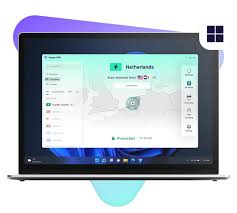
One of the top choices in 2026 is Proton VPN Free, which stands out for offering unlimited data usage, a strict no-logs policy, and strong encryption. It is ideal for users who want continuous protection without worrying about monthly bandwidth limits.
Windscribe Free is another popular option, providing a generous monthly data allowance, servers in multiple countries, and useful privacy features such as ad and tracker blocking. It is well-suited for casual browsing and occasional streaming.
For users who prioritize speed, Hotspot Shield Free remains a strong contender. It offers fast connections and an easy-to-use interface, making it a good choice for beginners. However, its free version includes some limitations compared to premium plans.
When choosing a freeware VPN for your PC, look for essential features such as strong encryption, a no-logs policy, reliable speeds, and trustworthy company practices. Avoid unknown free VPN services that may collect or sell user data.
Overall, the best freeware VPN for PC in 2026 depends on your needs, but Proton VPN Free, Windscribe Free, and Hotspot Shield Free continue to be among the most trusted and feature-rich free VPN options available.
Why Use a Free VPN on Your PC?

Not everyone needs a premium VPN subscription. Maybe you travel occasionally and want to use public Wi-Fi safely. Maybe you want to access a website that’s blocked in your region. Or maybe you just want your browsing to be a little more private without committing to a monthly plan.
Free VPNs have a mixed reputation — some are genuinely useful, while others are slow, limited, or worse, not trustworthy at all. The key is knowing which ones fall into which category.
This guide focuses specifically on freeware VPNs for PC — meaning tools you can download and use on Windows without paying anything. Each pick has been evaluated on speed, data limits, privacy policy, server access, and ease of use.
What to Look for in a Free VPN for PC
Before jumping into the list, here’s what actually matters when choosing a free VPN:
No-logs policy: The VPN should not record what you do online. Always check the privacy policy — not just the marketing page.
Data limit: Most free VPNs cap your usage at 500MB to 10GB per month. That’s fine for occasional use, but not for streaming or heavy browsing.
Server locations: More server options mean more flexibility — especially if you need to access content from a specific country.
Connection speed: Free VPNs are often slower than paid ones because servers are shared by more users. Look for ones with a reputation for reasonable speeds.
No hidden costs: Some “free” VPNs push aggressive upsells or, worse, collect and sell your data. Avoid anything with a vague privacy policy.
1. Proton VPN Free — Best Overall Free VPN for PC
Proton VPN‘s free plan is the gold standard for free VPNs in 2026. The reason is simple: it’s one of the very few free VPNs with no data limit whatsoever. You can use it all day, every day, without hitting a cap.
It’s built by the same team behind ProtonMail, a Swiss-based privacy company with a strong reputation in the security space. The no-logs policy has been independently audited, which means it’s not just a marketing claim.
What you get on the free plan:
- Unlimited data
- Servers in 3 countries (US, Netherlands, Japan)
- One device at a time
- No ads, no data selling
Practical example: You’re working from a café in Delhi, and the Wi-Fi network is open and unsecured. You connect to Proton VPN Free on your Windows laptop before opening your banking app or logging into your work email. Your connection is encrypted, and your data is protected — for free, with no time limit.
Pros:
- Truly unlimited data — no monthly cap
- Strong privacy credentials, Swiss-based, audited no-logs policy
- Clean and easy-to-use Windows app
- No ads and no data monetization
- Upgrades to the paid plan are available, but never pushed aggressively
Cons:
- Only 3 server locations on the free plan
- Speeds can drop during peak hours due to server load
- Only one device at a time
- No access to streaming servers (Netflix unblocking is a paid feature)
Best for: Everyday privacy, secure browsing on public Wi-Fi, users who need unlimited data without paying
Download: protonvpn.com
2. Windscribe Free — Best for Server Variety
Windscribe gives free users access to servers in 10+ countries, which is far more than most free VPN competitors offer. You get 10GB of free data per month by default — and if you confirm your email address, that goes up to 15GB.
It’s a Canadian-based service with a clear no-logs policy and a reputation for being transparent with users. The Windows app is well-designed, with a firewall feature (called ROBERT) that blocks ads and trackers at the network level — something you don’t typically get on free plans.

What you get on the free plan:
- 10GB/month (15GB with email confirmation)
- Servers in 10+ countries, including the US, UK, Canada, Germany, and more
- Built-in ad and tracker blocker
- One device
Practical example: You’re a student who uses a VPN mainly for research — accessing academic sites, bypassing regional restrictions on certain journals, and staying private on your college network. Windscribe’s free 15GB is more than enough for a month of this kind of use, and the variety of server locations means you’re not stuck with just one country.
Pros:
- Generous server selection for a free plan
- Built-in ad blocker adds real value
- Clean Windows app with useful settings
- Transparent privacy policy
- Referral system lets you earn extra data
Cons:
- 10–15GB monthly cap won’t suit heavy users
- Speeds vary depending on the server and the time of day
- Some popular servers (like US streaming) are limited on the free tier
- Customer support is limited for free users
Best for: Students, researchers, users who need access to multiple regions
Download: windscribe.com
3. Hide.me Free — Best for Speed

Hide.me consistently ranks among the fastest free VPNs available, and the free plan is cleaner than most — no ads, no logs, and a straightforward setup on Windows.
You get 10GB of data per month across 5 server locations. It’s based in Malaysia, which is outside major data-sharing alliances (Five Eyes, Nine Eyes, Fourteen Eyes), meaning there’s less legal pressure on the company to hand over user data.
What you get on the free plan:
- 10GB/month
- 5 server locations
- One simultaneous connection
- No registration required to start
Practical example: You need a VPN for a short trip — say, a week-long work trip where you’ll be using hotel Wi-Fi and want your connections secured. Hide.me’s free plan covers that without needing to sign up with an email address, which many users prefer for privacy reasons.
Pros:
- Consistently good speeds for a free service
- No registration required to use
- Malaysia-based, outside major surveillance alliances
- Clean, no-nonsense Windows client
- No ads or data selling
Cons:
- 10GB monthly cap
- Only 5 server locations
- No streaming support on the free plan
- One device limit
Best for: Users who prioritize speed, occasional travelers, short-term use cases
Download: hide.me
4. TunnelBear Free — Best for Beginners
TunnelBear is the most beginner-friendly VPN on this list. The Windows app is visually simple — you pick a country, flip a switch, and you’re connected. There’s almost no learning curve involved.
The free plan gives you 500MB per month, which is genuinely limited. But TunnelBear runs annual security audits conducted by third-party firms and publishes the results publicly — a level of transparency that’s rare even among paid VPNs.
What you get on the free plan:
- 500MB/month (can be increased with social sharing)
- Servers in 47 countries
- All standard VPN protocols
- One device
Practical example: You’re helping a family member set up a VPN for the first time — maybe an older relative who wants to access a foreign news website occasionally. TunnelBear’s interface is simple enough that you can walk them through it in five minutes over the phone, and 500MB is enough for a few hours of news reading per month.
Pros:
- Easiest setup and interface on this list
- Access to 47 countries, even on the free plan
- Independently audited security — results published publicly
- Canadian and US-based, with transparent operations
- Fun design that removes the intimidation factor
Cons:
- 500MB is very limited — the most restrictive cap on this list
- Not useful for streaming or regular daily use
- Paid plan required for anything beyond very light usage
Best for: Beginners, first-time VPN users, very occasional use
Download: tunnelbear.com
5. Hotspot Shield Free — Best for Streaming Occasional Content
Hotspot Shield has been around for years,s and the free version still holds up for basic use in 2026. You get 500MB per day (roughly 15GB per month), which is more practical than a hard monthly cap because it resets daily.
The free plan is US-only in terms of server access, but the speeds are generally strong — the paid version is known for being one of the fastest VPNs available, and some of that performance carries over to the free tier.
Hotspot Shield Free is a popular VPN option for PC users who want a simple and fast way to secure their internet connection while occasionally accessing streaming content. Known for its user-friendly design and reliable performance, the free version provides a good balance between speed and security, making it suitable for everyday browsing, public Wi-Fi protection, and light streaming.
One of the biggest advantages of Hotspot Shield Free is its connection speed. The service uses its proprietary VPN technology to maintain stable and responsive connections, which helps reduce buffering and loading times when watching videos online. This makes it a practical choice for users who occasionally stream content and need a VPN that performs well without requiring a paid subscription.
The software also includes essential security features such as military-grade encryption, malware protection, and privacy safeguards that help keep your online activities secure. Installation is quick, and the interface is easy to navigate, making it a good option for beginners who are new to VPN services.
What you get on the free plan:
- 500MB/day (approximately 15GB/month)
- US server only
- One device
- Ad-supported
Practical example: You want to watch a US-only YouTube video or access a website that restricts content outside North America. Hotspot Shield’s free US server handles this well, and the daily reset on data means you’re not locked out mid-month if you use it regularly.
Pros:
- Daily data reset is more practical than monthly caps
- Good speeds, especially for US-based content
- Simple Windows app, easy setup
- No registration required
Cons:
- US server only on the free plan — no location variety
- Ads displayed on the free tier
- Privacy policy is less transparent than Proton VPN or Windscribe
- One device limit
Best for: Accessing US content, users who need consistent daily data rather than a monthly pool
Download: hotspotshield.com
Side-by-Side Comparison
| VPN | Data Limit | Server Countries | Speed | Logs Policy | Best For |
|---|---|---|---|---|---|
| Proton VPN Free | Unlimited | 3 | Medium | No logs, audited | Everyday use |
| Windscribe Free | 15GB/month | 10+ | Medium | No logs | Server variety |
| Hide.me Free | 10GB/month | 5 | Fast | No logs | Speed |
| TunnelBear Free | 500MB/month | 47 | Medium | No logs, audited | Beginners |
| Hotspot Shield Free | 500MB/day | 1 (US) | Fast | Partial logs | US content |
Which Free VPN Should You Pick?
If you want zero restrictions on da, a: Proton VPN Free is the only real answer. The unlimited data plan makes it the most practical option for daily use on a PC.
If you need access to multiple countries, Windscribe gives you the most server variety on a free plan — 10+ countries versus the 1–5 that most competitors offer.
If speed is your priority, Hide.me consistently performs well on connection speed tests for a free tier.
If you’re brand new to VPNs: TunnelBear’s interface is built for non-technical users and won’t overwhelm you.
If you mainly want to access US content, Hotspot Shield’s daily reset model keeps you covered without burning through a monthly cap in one sitting.
Limitations of Free VPNs — Be Realistic
Free VPNs are genuinely useful, but they’re not a replacement for a paid subscription if you have heavy needs. Here’s what to keep in mind:
Streaming is mostly off-limits. Netflix, Disney+, and similar platforms actively block VPN servers — especially free ones. If streaming is your main reason for wanting a VPN, a paid plan is more reliable.
Speeds will fluctuate. Free servers are shared across more users, so peak hours (evenings, weekends) often bring slower connections. This is normal.
You’re limited to one device. Every option on this list limits the free plan to a single simultaneous connection. If you need coverage across your laptop, phone, and tablet at the same time, you’ll need a paid plan.
Not all free VPNs are safe. There are hundreds of free VPN apps available — many of them operate with unclear privacy policies or make money by selling user data. Stick with established names that have published privacy audits or transparent policies.
FAQs
Q: Is it safe to use a free VPN on my PC?
It depends on which one you choose. The options listed in this guide — Proton VPN, Windscribe, Hide TunnelBear — all have clear no-logs policies and transparent operations. Avoid random free VPNs from unknown developers, particularly ones with no published privacy policy.
Q: Can I use a free VPN to access Netflix?
Generally, no. Netflix blocks most VPN servers, and free tiers are usually the first to get blocked. If streaming is your goal, a paid VPN with dedicated streaming servers is a better investment.
Q: Will a free VPN slow down my internet?
Some slowdown is normal, especially on shared servers. Hide. Hotspot Shield and I tend to have the least noticeable impact on speed among free options. For tasks like browsing and email, the difference is usually minimal.
Q: Is Proton VPN really free forever?
Yes. Proton VPN’s free plan has no time limit and no data cap. You don’t need to enter payment details, and the free plan doesn’t automatically convert into a paid subscription.
Q: How many devices can I connect to a free VPN plan?
Almost all free VPN plans limit you to one device at a time. If you need multiple devices covered simultaneously, you’ll need to upgrade to a paid plan.
Q: Are free VPNs legal in India?
Yes, using a VPN is legal in India. There are no laws prohibiting VPN use for personal privacy. However, using a VPN to carry out illegal activities remains illegal regardless of the tool used.
Q: What’s the difference between a free VPN and a paid VPN?
Paid VPNs typically offer faster speeds, more server locations, support for streaming, simultaneous connections on multiple devices, and better customer support. Free VPNs are a solid starting point, but have real limitations for heavy or streaming use.
Conclsion
The best freeware VPN for PC in 2026 depends on what you actually need it for. For most people who want basic privacy and security on their Windows computer, Proton VPN Free is the easiest recommendation — unlimited data, a trustworthy privacy record, and a clean app that works without fuss.
If you need more server locations, go with Windscribe. If speed matters most, try Hide.me. And if you’ve never used a VPN before and want the simplest possible experience, TunnelBear is the most approachable starting point.
None of these will cost you anything to try. Start with one, test it for a week, and see if it fits your needs before considering an upgrade.

