
The iPhone 15 Pro is one of the most powerful smartphones available, but protecting your online privacy is just as important as having top-tier performance. Whether you use public Wi-Fi, stream content, or simply want to keep your browsing activity secure, a reliable free VPN can add an extra layer of protection without costing anything. In 2026, several free VPN services offer strong security, user-friendly iOS apps, and generous data allowances, making them excellent choices for iPhone 15 Pro users. This guide explores the best free VPNs for iPhone 15 Pro, helping you find the perfect balance between privacy, speed, and ease of use.
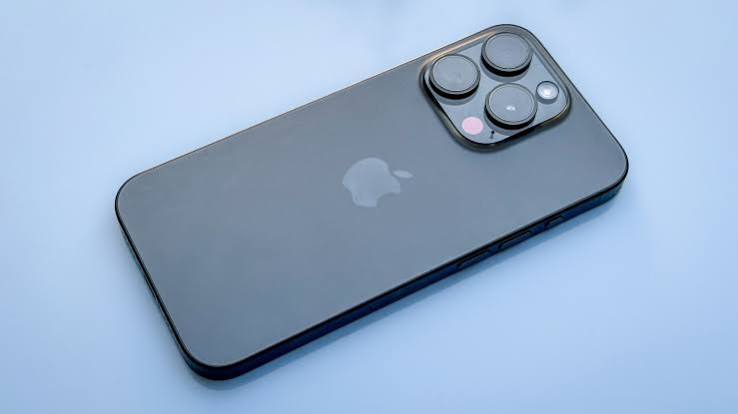
VPN for iPhone 15 Pro: Your iPhone 15 Pro is a powerful device. The camera is incredible, the chip is fast, and the display is sharp. But none of that protects your data when you’re connected to a coffee shop Wi-Fi or a hotel network. That’s where a VPN comes in. iPhone 15 Pro
The problem? Most good VPNs cost money. And the free ones? A lot of them are slow, full of ads, or worse — they log your data and sell it to third parties.
So this guide cuts through the noise. Below are the best free VPNs that actually work on iPhone 15 Pro — ones that are safe, usable, and don’t require your credit card.
Why iPhone 15 Pro Users Need a VPN
Before the list, let’s be clear about why this matters.
When you use public Wi-Fi at an airport, a café, or a mall, your internet traffic is exposed. Anyone on the same network — with the right tools — can potentially see what you’re doing. A VPN encrypts that traffic, so even if someone is watching, they only see scrambled data.
Beyond security, a VPN also helps with:
- Privacy from your ISP: Your internet provider tracks your browsing by default. A VPN blocks that.
- Bypassing geo-restrictions: Want to access content that’s not available in your region? A VPN can help.
- Avoiding price discrimination: Some websites show different prices based on your location. Switching your VPN server can sometimes surface better deals.
Now, iPhones are already more secure than most Android devices. But iOS security doesn’t protect your network traffic. For that, you still need a VPN.
What to Look for in a Free VPN for iPhone 15 Pro
Not all free VPNs are the same. Before picking one, keep these things in mind:
No-logs policy — The VPN should not store records of your browsing activity. Look for ones that have been independently audited.
Data limit — Most free VPNs cap your usage. Some give you 500MB/day, others 10GB/month. If you stream video or do video calls, you’ll burn through these fast.
Speed — Free servers are often shared with thousands of users. That means slower speeds. The best free VPNs minimize this.
iOS compatibility — You want a VPN with a clean, easy-to-use app for iPhone. Not all do this well.
No selling your data — This is the big one. Some “free” VPNs are free because they monetize your browsing data. Avoid those completely.
Best Free VPNs for iPhone 15 Pro
1. ProtonVPN Free — Best Overall Free VPN
ProtonVPN is the gold standard for free VPNs. Unlike most, it has no data limit on its free plan. You can browse all day without worrying about hitting a cap.
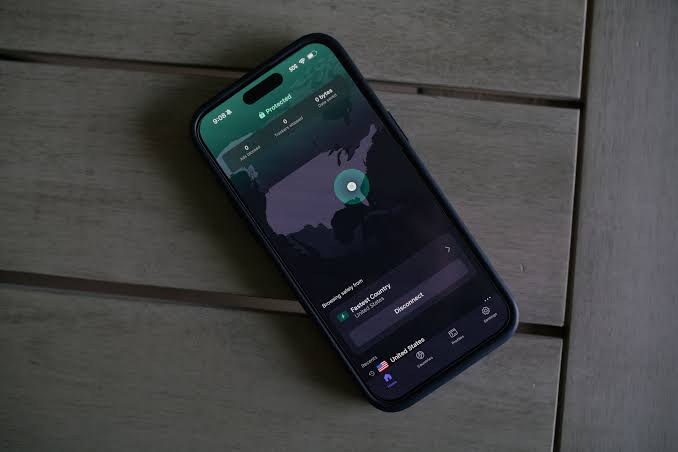
It’s made by the same team behind ProtonMail, which has a strong reputation in the privacy space. Their free tier gives you access to servers in three countries: the US, the Netherlands, and Japan.
What’s good:
- No data cap — use it as much as you want
- Strict no-logs policy, verified by independent audits
- Strong encryption (AES-256)
- Clean app on iOS, easy to set up
- No ads
What’s not ideal:
- Speeds can be slower on free servers during peak hours
- Only 3 server locations on the free plan
- No streaming support on the free tier (Netflix and similar sites won’t work)
- One device at a time on the free plan
Practical example: If you travel frequently and want a VPN, you can keep running in the background on your iPhone 15 Pro without worrying about data limits. ProtonVPN Free is the most practical option.
2. Windscribe Free — Best for Data Allowance
Windscribe gives free users 10GB of data per month — more than most competitors. And if you tweet about them or confirm your email, they bump it up a bit more. There’s also a “Build a Plan” option where you can add specific server locations cheaply.
The free plan includes servers in 10+ countries, which is generous for a free tier.

What’s good:
- 10GB/month free data (generous compared to most)
- Servers in over 10 countries on the free plan
- No-logs policy with independent audit
- Works well on iOS — app is clean and intuitive
- Has a built-in ad blocker (called ROBERT)
What’s not ideal:
- Data cap means heavy users will run out mid-month
- Some servers can be slow
- Customer support is limited for free users
Practical example: You use your iPhone 15 Pro mostly for messaging, light browsing, and checking email on public Wi-Fi. 10GB/month will likely last you through the whole month without issue.
3. Tunnelbear Free — Best for Beginners
If you’ve never used a VPN before, TunnelBear is the most beginner-friendly option out there. The app is clean, uses a simple bear-themed interface, and setup takes about 30 seconds.
The free plan gives you 500MB/month, which is genuinely limited — but it’s enough for occasional use when you’re on a sketchy network.
What’s good:
- Super easy to use — great for VPN beginners
- Independent security audits published publicly
- Servers in 47 countries (even on the free plan)
- No-logs policy
- Fun interface that doesn’t feel intimidating
What’s not ideal:
- Only 500MB/month is very limited
- Not suitable for streaming or regular daily use
- No customer support for free users
Practical example: You’re at a hotel on a business trip and need to check your bank account over the hotel’s Wi-Fi. You won’t need much data for that — Tunnelbear’s free plan is fine for this kind of occasional, short session.
4. Hotspot Shield Free — Best for Speed
Hotspot Shield is one of the fastest VPNs available — even on its free tier. It uses its own proprietary Hydra protocol, which is designed for speed. If your main concern is not slowing down your connection, this is worth trying.
The free plan gives you 500MB/day (roughly 15GB/month) and access to one US server location.
Hotspot Shield Free is an excellent option for iPhone 15 Pro users who prioritize fast connection speeds without paying for a premium VPN subscription. Powered by its proprietary Hydra protocol, Hotspot Shield is designed to deliver quicker performance than many traditional free VPN services, making it ideal for browsing, streaming, and downloading content with minimal slowdowns.
The iOS app is easy to install and use, featuring a clean interface that allows users to connect with a single tap. Once connected, Hotspot Shield encrypts your internet traffic using strong security protocols, helping protect sensitive information from hackers, especially when using public Wi-Fi networks in cafes, airports, or hotels.
One of the biggest advantages of Hotspot Shield Free is its ability to maintain stable and responsive connections. Websites load quickly, videos stream smoothly, and everyday online activities feel more seamless compared to many competing free VPNs. The service also includes built-in malware and phishing protection features that help improve online security while browsing.
The free version does come with certain limitations, such as restricted server access and fewer customization options than the premium plan. However, for users who mainly want a fast, secure, and easy-to-use VPN on their iPhone 15 Pro, Hotspot Shield Free remains a strong choice. Its combination of speed, reliability, and user-friendly design makes it one of the most attractive free VPN options available for iOS users in 2026.
What’s good:
- Very fast speeds compared to most free VPNs
- 500MB/day is decent for daily light use
- Simple iOS app
- Good for basic security on public Wi-Fi
What’s not ideal:
- Only one server location (US)
- Shows ads in the free version
- Privacy policy has been a point of criticism in the past — worth reading it yourself.
- Limited to one device
Practical example: You stream music on Spotify and want a VPN that won’t make your audio buffer. Hotspot Shield’s speed advantage makes it a reasonable pick for data-light media consumption.
5. Atlas VPN Free — Decent All-Rounder
Atlas VPN is a newer player, but it’s built a solid reputation quickly. The free plan is straightforward — unlimited data on a limited set of servers (currently US and Netherlands).
It’s owned by Nord Security (the same company behind NordVPN), which gives it credibility.
Atlas VPN Free is a solid choice for iPhone 15 Pro users who want a simple and reliable VPN without spending money. The app offers a clean, beginner-friendly interface that makes connecting to a secure server quick and effortless. With strong encryption and a strict no-logs approach, Atlas VPN helps protect your online activity from hackers, advertisers, and other third parties when browsing on public Wi-Fi networks.
One of Atlas VPN Free’s biggest advantages is its balanced performance. While it may not match the speed of premium VPN services, it delivers stable connections that are suitable for everyday activities such as web browsing, social media, online banking, and light streaming. The app is optimized for iOS, ensuring smooth performance on the iPhone 15 Pro without significantly affecting battery life.
Atlas VPN Free also includes useful security features such as SafeBrowse technology, which helps block access to potentially malicious websites. This added layer of protection can improve your overall online safety while using your device. The setup process is straightforward, and users can start securing their connection within minutes.
Although the free plan comes with limitations, including fewer server locations and some restrictions compared to the premium version, it remains a practical option for users seeking basic privacy protection. For casual VPN users who want an easy-to-use service with dependable security and decent speeds, Atlas VPN Free serves as a capable all-around solution for the iPhone 15 Pro.
What’s good:
- No data cap
- Backed by a reputable parent company
- Simple, clean iOS app
- No-logs policy
What’s not ideal:
- Only 2-3 server locations on the free plan
- Speeds fluctuate depending on server load
- No live support for free users
Practical example: You mainly need a VPN for privacy at home or on your local network — not for accessing geo-restricted content. Atlas VPN Free covers this use case without a data cap.
Quick Comparison Table
| VPN | Data Limit | Servers (Free) | Speed | No-Logs | Ads |
|---|---|---|---|---|---|
| ProtonVPN Free | Unlimited | 3 countries | Medium | Yes (audited) | No |
| Windscribe Free | 10GB/month | 10+ countries | Medium | Yes (audited) | No |
| Tunnelbear Free | 500MB/month | 47 countries | Good | Yes (audited) | No |
| Hotspot Shield Free | 500MB/day | 1 (US) | Very Fast | Partial | Yes |
| Atlas VPN Free | Unlimited | 2-3 countries | Medium | Yes | No |
VPNs to Avoid on iPhone
Not every “free VPN” in the App Store is trustworthy. Here are some red flags to watch out for:
- No privacy policy or a vague one — If a VPN doesn’t clearly explain how it handles your data, stay away.
- Unknown developers — Stick to established names. A random free VPN from an unknown developer is a risk.
- Too many permissions — A VPN app asking for access to your contacts or camera is a bad sign.
- No encryption details mentioned — Legitimate VPNs are transparent about their encryption standards.
Specific ones to avoid: Hola VPN (routes your traffic through other users’ devices), SuperVPN (multiple data breach incidents), and any VPN with thousands of 5-star reviews but no credible third-party mentions.
How to Set Up a Free VPN on iPhone 15 Pro
Setting up a VPN on your iPhone 15 Pro takes less than 2 minutes. Here’s how it works with ProtonVPN as an example:
- Open the App Store on your iPhone 15 Pro.
- Search for ProtonVPN and download the app.
- Create a free account on proton.me (you’ll need an email address).
- Open the app, log in, and tap Quick Connect.
- iOS will ask you to allow the VPN to add a configuration — tap Allow.
- Done. The VPN is now running.
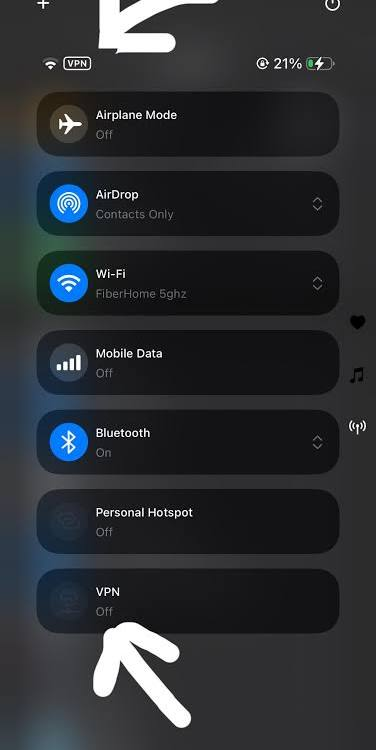
You’ll see a small VPN icon at the top of your screen when it’s active. To disconnect, open the app and tap the button again.
Free vs Paid VPN: Is a Free One Enough?
For most casual users — checking email, browsing, staying secure on public Wi-Fi — a free VPN is enough.
But if you want to:
- Stream Netflix or other services from a different country
- Use a VPN on multiple devices simultaneously
- Get consistently fast speeds without throttling
- Access servers in 50+ countries
…then a paid plan is worth it. Services like NordVPN, ExpressVPN, and Surfshark cost around $3–5/month on annual plans, and they’re significantly more capable.
For iPhone 15 Pro users who travel often, handle sensitive work data, or care deeply about privacy, upgrading to a paid plan is a smart investment.
Frequently Asked Questions
Q: Will a free VPN slow down my iPhone 15 Pro?
Yes, to some extent, all VPNs add a small amount of latency because your traffic is routed through an extra server. Free VPNs can be slower than paid ones because their servers handle more users. ProtonVPN and Atlas VPN tend to hold up reasonably well for browsing.
Q: Is it safe to use a free VPN on an iPhone?
It depends on the VPN. The ones listed in this guide — ProtonVPN, Windscribe, Tunnelbear, Hotspot Shield, and Atlas VPN — are considered safe and have published privacy policies. Avoid random free VPN apps from the App Store that have no credible background.
Q: Can a free VPN access Netflix on the iPhone 15 Pro?
Most free VPNs cannot reliably unblock Netflix. Streaming platforms actively block VPN IPs. If streaming is your main goal, a paid VPN like NordVPN or ExpressVPN is a better option.
Q: Does iPhone have a built-in VPN?
iOS supports VPN configurations natively, but it doesn’t include a VPN service itself. You still need to download a VPN app or manually configure a VPN connection through Settings > General > VPN & Device Management.
Q: How do I know if my VPN is working on my iPhone 15 Pro?
Look for the VPN icon in the status bar at the top of your screen. You can also visit a site like whatismyipaddress.com — if the IP shown is different from your usual one, the VPN is working.
Q: Can I use a free VPN for banking on my iPhone?
Yes — in fact, using a VPN on public Wi-Fi before accessing your bank account is a good security habit. Just make sure the VPN you’re using is from a reputable provider like the ones listed here.
Q: Are free VPNs legal in India?
Yes, using a VPN is legal in India. However, VPN providers operating in India are now required to maintain user logs for 5 years under CERT-In guidelines. Many reputable providers — like ProtonVPN — have removed Indian servers rather than comply, which means they serve Indian users through servers in nearby countries like Singapore or the Netherlands.
Conclsion
If you want one recommendation: go with ProtonVPN Free. No data cap, clean iOS app, no ads, strong privacy credentials. It’s the most complete free VPN for everyday use on iPhone 15 Pro. iPhone 15 Pro
If you need more server options, Windscribe Free is the next best choice — 10GB/month and access to 10+ countries is hard to beat at zero cost. iPhone 15 Pro
And if you’re completely new to VPNs and just want something simple for occasional use, Tunnelbear is the most beginner-friendly option available.
Just remember: no free VPN is perfect. They have limits — on data, speed, or server locations. But for staying safe on public Wi-Fi and keeping your browsing private, any of the above will do the job.

