
If you own an Amazon Fire TV Stick, you already know how handy it is. Plug it in, fire up your streaming apps, and you’re good to go. But there’s a catch — your internet provider, Amazon, and advertisers can all see what you’re watching, when you’re watching it, and where you’re doing it from. That’s where a VPN comes in.
Now, paid VPNs are great, but not everyone wants to spend money every month just to browse privately. So naturally, people search for the best free VPN for Firestick 2026 — and that’s exactly what this guide covers.
We’ll go through the top free VPNs that actually work on Firestick, what each one is good for, where they fall short, and what to look out for before you install anything.
Why Use a VPN on Your Fire TV Stick at All?
Before we get into the list, let’s talk about why this matters.
Privacy: Without a VPN, your internet service provider (ISP) can log every site and app you connect to. On a Fire TV Stick, that means they know what streaming services you use and when.
Bypass geo-restrictions: Some content on apps like BBC iPlayer, Disney+, or Crunchyroll is locked to specific countries. A VPN lets you switch your virtual location and access that content.
Avoid throttling: Some ISPs deliberately slow down your connection when they detect streaming. A VPN hides your traffic so they can’t target it.
Use Kodi more safely: Many Fire TV Stick users also run Kodi with third-party add-ons. A VPN adds a layer of protection here.
What Makes a Good Free VPN for Firestick?
Not all free VPNs are created equal. Here’s what to look for:
- A native Fire TV app — if you can’t install it directly from the Amazon App Store or sideload it easily, skip it
- No-logs policy — the VPN shouldn’t store records of what you do
- Decent speed — free tiers often throttle speed; look for ones that don’t strangle streams to SD quality
- Enough data — some free VPNs cap you at 500MB per month, which is basically useless for video
- Transparency — who owns the company? Where are they based? These things matter
Best Free VPN for Firestick 2026:Best Free VPNs for Firestick in 2026
1. Proton VPN Free — Best Overall Free VPN
Proton VPN’s free tier is genuinely one of the best you’ll find. Unlike most free VPNs, it doesn’t cap your data. You get unlimited bandwidth, which is huge if you’re streaming.
Proton VPN is one of the most trusted free VPN services available today, especially for users who care about privacy and security. Developed by the team behind Proton Mail, it focuses strongly on protecting user data while delivering a simple and reliable experience.
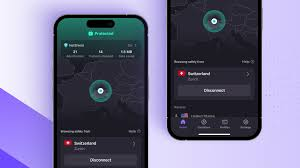
One of its biggest advantages is the unlimited free plan. Unlike many free VPNs that restrict data usage, Proton VPN allows you to browse without worrying about daily or monthly limits. This makes it a great option for basic tasks like web browsing, streaming light content, or accessing blocked websites.
Proton VPN uses strong encryption and has a strict no-logs policy, meaning your online activity is not tracked or stored. It also includes features like Secure Core servers, which route your traffic through multiple locations for extra protection.
However, the free version does have some limitations. You only get access to a few server locations, and speeds can be slower compared to paid plans. Streaming services like Netflix may also not work consistently on the free tier.
Overall, Proton VPN is a solid choice for beginners who want a safe, free, and easy-to-use VPN without compromising on privacy.
How it works on Fire TV Stick: Proton VPN has a dedicated Android app. Since Fire TV runs a version of Android, you can sideload the APK using apps like Downloader. It takes about five minutes to set up.
What you get on the free tier:
- Unlimited data
- Servers in 3 countries (US, Netherlands, Japan)
- One device connection
- No ads, no logs
Pros:
- No data cap — this alone puts it above most free VPNs
- Strong privacy reputation; based in Switzerland
- Clean interface that works well with Fire TV’s remote
- Open-source apps (independently audited)
Cons:
- Free servers are sometimes slow during peak hours
- Only 3 server locations — limited for unlocking geo-restricted content
- No torrenting on the free tier
- Streaming services like Netflix often block free server IPs
Best for: General privacy, casual browsing, and users who stream occasionally and don’t need a specific country’s library.
2. Windscribe Free — Best for Streaming Flexibility
Windscribe gives you 10GB of free data per month, which is a fair amount for light-to-moderate streaming. Create a free account, and you can access servers in around 11 countries, which is more than most free plans.
Windscribe is a popular free VPN known for its strong features and flexible free plan. It offers up to 10GB of free data per month, which is more generous than many other free VPNs. This makes it a good option for streaming, browsing, and occasional downloads without upgrading to a paid plan.

One of the standout features of Windscribe is its built-in ad blocker and tracker blocker, called R.O.B.E.R.T. This helps improve browsing speed and keeps your online activity cleaner and more private. It also supports multiple devices, including Fire TV Stick, Windows, Android, and browsers, making it a versatile choice.
Windscribe provides access to several server locations in the free plan, allowing users to bypass geo-restrictions and access content from different regions. The setup process is simple, even for beginners.
However, there are some limitations. Speeds can vary depending on server load, and the 10GB monthly cap may not be enough for heavy streaming users. Also, some advanced features are only available in the paid version.
Overall, Windscribe is a reliable free VPN that balances performance, security, and usability for everyday users.
How it works on Fire TV Stick: Windscribe has an Android app you can sideload on Fire TV Stick. The process is the same as Proton VPN — use the Downloader app to grab the APK from Windscribe’s website.
What you get on the free tier:
- 10GB/month data (upgrades to 15GB if you tweet about them, which is a bit odd, but it works)
- Servers in 11 countries
- Built-in ad and tracker blocker (“R.O.B.E.R.T.”)
Pros:
- Generous country selection for a free plan
- Strong privacy policy with a solid no-logs track record
- Ad blocker is genuinely useful
- Works on multiple devices
Cons:
- 10GB cap goes fast if you watch HD video (roughly 3–4 hours of HD content)
- Canada-based, so subject to Five Eyes intelligence sharing
- Some server IPs are blocked by Netflix and other major platforms
- Customer support is minimal on the free tier
Best for: Users who want more server variety and use the Fire TV Stick for occasional streaming and general browsing.
3. Tunnelbear Free — Best for Occasional Use
TunnelBear is one of the most user-friendly VPNs out there. It’s been independently audited multiple times, which is rare for a free product. The interface is fun (bears and tunnels — you’ll see), and it’s very straightforward.

What you get on the free tier:
- 2GB/month data
- Servers in 47+ countries
- One device
Pros:
- Extremely easy to use — ideal if you’re not technical
- Independently audited security
- Large server network, even on the free tier
- Trusted by security researchers
Cons:
- Only 2GB/month — that’s barely an hour of HD streaming
- No dedicated Fire TV app; sideloading required
- McAfee owns TunnelBear, which makes some privacy-conscious users uneasy
Best for: New VPN users who want something simple, or people who just need occasional, short bursts of VPN use on their Fire TV Stick.
4. Hide.me Free — Best for Consistent Speeds
Hide.me has a reliable free tier that’s been around for years. They offer 10GB per month and have a decent reputation in the VPN space. Their Android app works well on Fire TV when sideloaded.

What you get on the free tier:
- 10GB/month
- 5 server locations
- No logs, no ads
Pros:
- Consistently good speeds — better than many free VPN competitors
- Based in Malaysia, outside major surveillance alliances
- Transparent privacy policy
- Allows P2P on some free servers
Cons:
- Only 5 server locations on the free plan
- Some servers are shared and can get congested
- No live support on the free tier
- Not as fast at unblocking geo-locked streaming libraries
Best for: Users who prioritize stable, predictable speeds and want a VPN that won’t slow their Fire TV Stick to a crawl.
5. PrivadoVPN Free — Best for Netflix Unblocking
PrivadoVPN is newer but has earned a spot on this list specifically because its free tier actually unblocks Netflix US — something that most free VPNs fail at. You get 10GB per month, which is modest, but it refreshes each month.
What you get on the free tier:
- 10GB/month
- Servers in 12 cities
- One device
Pros:
- One of the few free VPNs that reliably works with Netflix
- No-logs policy
- Easy sideload setup for Firestick
- Good server speeds for a free tier
Cons:
- 10GB cap limits streaming sessions
- Smaller company with less of a track record than Proton or Windscribe
- Limited customer support
- Free plan restricted to one device at a time
Best for: Anyone specifically looking to access US Netflix content on their Fire TV Stick without paying for a full VPN subscription.
Comparison Table
| VPN | Data Limit | Server Countries | Netflix? | Best For |
|---|---|---|---|---|
| Proton VPN Free | Unlimited | 3 | Sometimes | All-around use |
| Windscribe Free | 10GB/month | 11 | Rarely | Flexibility + privacy |
| Tunnelbear Free | 2GB/month | 47+ | No | Occasional use |
| Hide.me Free | 10GB/month | 5 | No | Stable speeds |
| PrivadoVPN Free | 10GB/month | 12 | Yes | Netflix unblocking |
How to Install a VPN on Your Fire TV Stick (Step-by-Step)
Since most free VPNs aren’t available directly in the Amazon App Store, you’ll usually need to sideload them. Here’s how:
Step 1: On your Fire TV Stick, go to Settings → My Fire TV → Developer Options → turn on “Apps from Unknown Sources.”
Step 2: Search for “Downloader” in the Amazon App Store and install it. This is a free app that lets you download APK files.
Step 3: Open Downloader and type in the direct URL to your VPN’s APK file. For example, for Proton VPN, go to protonvpn.com/download on your phone, find the Android APK link, and type that URL into Downloader.
Step 4: Once downloaded, click “Install” when prompted.
Step 5: Open the VPN app, create a free account if you haven’t already, and connect to a server.
The whole process usually takes under 10 minutes, even if you’ve never done it before.
Red Flags to Avoid in Free VPNs
Not every free VPN is worth your time — or safe. Here’s what to watch out for:
Free VPNs that sell your data: If a VPN is completely free and doesn’t have a paid tier, ask yourself how they make money. Many do it by logging your browsing data and selling it to advertisers. Hola VPN, for example, was caught turning users’ connections into exit nodes for other users’ traffic.
No privacy policy: Any legit VPN will have a clear, readable privacy policy. If it’s missing or written in legalese that sidesteps the real questions, be careful.
Asking for unusual permissions: A VPN app needs network access, obviously. But if it’s asking for access to your contacts, microphone, or camera, that’s a problem.
Based in a country with strong surveillance laws: VPNs based in the US, UK, Australia, Canada, or New Zealand (Five Eyes countries) are potentially subject to government data requests. Not a dealbreaker, but worth knowing.
Are Free VPNs Good Enough for Fire TV Stick?
Honestly, it depends on what you need.
If you just want to hide your traffic from your ISP, protect yourself on public Wi-Fi, or occasionally access content from another country, a free VPN like Proton VPN or Windscribe is perfectly fine.
If you want to consistently stream Netflix US, access BBC iPlayer, or use a VPN every day for hours at a time, you’ll eventually hit the limits of the free tier. In those cases, it might be worth looking at affordable paid plans — many cost less than $3–4 a month on annual plans.
But for the average Fire TV Stick user? Free options are a solid starting point.
Frequently Asked Questions
Q: Can I use a free VPN on Fire TV without sideloading?
A: It depends on the VPN. IPVanish and ExpressVPN have official Fire TV apps in the Amazon App Store, but those are paid services. Most free VPNs require sideloading using the Downloader app, which is simple once you do it once.
Q: Will a free VPN slow down my Fire TV Stick?
A: It can. Free VPN servers are shared by many users, so speeds can dip during peak hours. Proton VPN and Hide.me tend to perform better than average in this regard. If you notice heavy buffering, try switching to a different server within the app.
Q: Can I use a free VPN to watch BBC iPlayer on Firestick?
A: Most free VPNs won’t work with BBC iPlayer because the BBC actively blocks known VPN IP addresses. Some Windscribe servers have worked in the past, but it’s inconsistent. For reliable iPlayer access, a paid VPN is more dependable.
Q: Is it legal to use a VPN on a Fire TV Stick?
A: Yes, using a VPN is legal in most countries. However, using it to access content that’s restricted in your country may violate a streaming service’s terms of service. That’s a contractual issue, not a legal one — the worst that typically happens is your account gets flagged or temporarily restricted.
Q: How much data does streaming use through a VPN?
A: Streaming adds a little overhead, but roughly speaking, SD video uses about 1GB per hour, HD uses 3–4GB per hour, and 4K can use 7GB or more per hour. This matters a lot if you’re on a free VPN with a data cap.
Q: Do free VPNs work with Kodi on Firestick?
A: Yes. A VPN works at the network level, so it covers all traffic on your device — including Kodi. Just connect your VPN before opening Kodi, and all your Kodi traffic will route through the VPN.
Q: Which free VPN is best if I only care about privacy, not streaming?
A: Proton VPN Free. It has no data cap, a proven no-logs policy, and is based in Switzerland — one of the strongest privacy jurisdictions in the world.
Conclsion
Finding a genuinely useful free VPN for Fire TV Stick in 2026 takes a little research, but it’s not impossible. Proton VPN Free is the top pick for most people because of its unlimited data and strong privacy credentials. If you specifically want to try Netflix unblocking, PrivadoVPN is worth testing. And if you just need occasional coverage, Windscribe or Tunnelbear will do the job.
Whatever you choose, make sure it’s a VPN with a clear privacy policy and a known reputation. A free VPN that sells your data is worse than no VPN at all.
Set it up once, get familiar with how to connect and switch servers, and you’ll be in a much better position — both privacy-wise and in terms of what you can watch.

