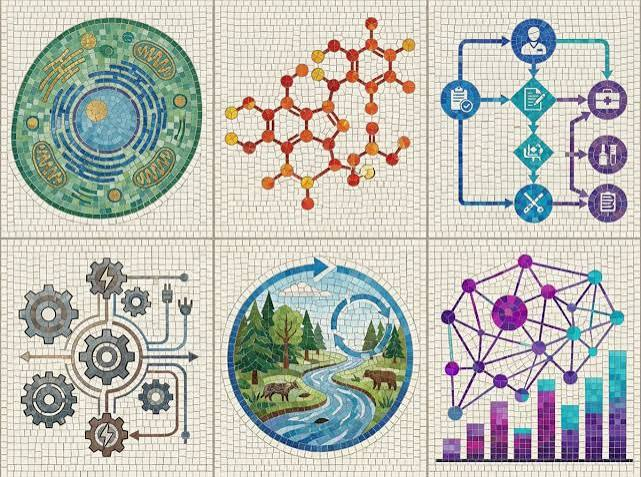
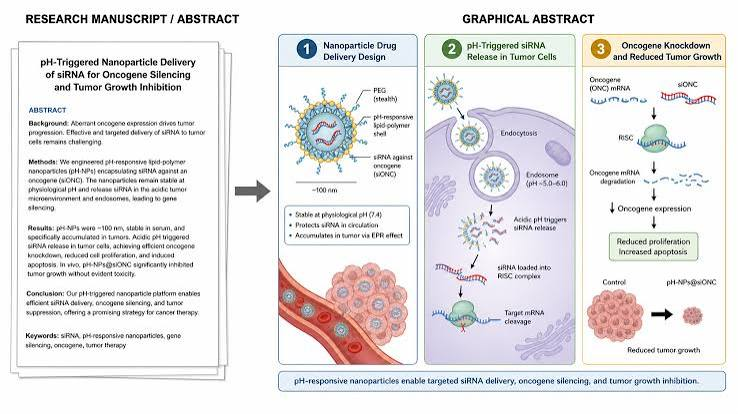
Graphical abstracts have become mandatory or strongly recommended by leading scientific journals in 2026 — Nature, Cell, ACS, Elsevier, and hundreds of other publishers now require visual summaries that communicate research findings at a glance. A well-designed graphical abstract increases article visibility, improves social media shareability, and helps readers quickly grasp research significance before committing to full paper reading.
For Indian researchers — at IITs, IISCs, AIIMS, research institutes, and universities — graphical abstract creation presents a significant challenge: most scientists have no formal design training, commercial scientific illustration services are expensive, and deadline pressure leaves little time for manual design work. Artificial intelligence tools have democratized graphical abstract creation — enabling researchers to produce publication-quality visual summaries without design expertise.
This guide covers the best AI tools for graphical abstract creation in 2026 — from dedicated scientific illustration platforms to AI-powered design tools adapted for research communication.
What Makes a Good Graphical Abstract
Before tools — understand requirements:
Journal specifications (typical):
- Dimensions: 1200 × 628 pixels (horizontal) or square formats
- File format: TIFF, EPS, or high-resolution PNG/JPEG
- Resolution: 300 DPI minimum
- Color mode: RGB for online, CMYK for print
Content requirements:
- One main finding or message
- No text-heavy explanations
- Clear visual flow (left to right or top to bottom)
- Consistent visual style
- No copyrighted images
Common mistakes AI helps avoid:
- Too much information → visual clutter
- Inconsistent icon styles → unprofessional appearance
- Poor color contrast → accessibility issues
- Missing visual hierarchy → unclear message
Types of Graphical Abstracts
Schematic/mechanistic: Shows biological or chemical mechanism — most common in life sciences.
Process flow: Sequential steps of research method or finding.
Before/after: Comparison of intervention vs control.
Infographic: Data visualization with icons and statistics.
Molecular illustration: Chemical structures, protein interactions, cellular processes.
Clinical/medical: Patient pathway, treatment comparison, clinical outcomes.
Best AI Tools for Graphical Abstract 2026
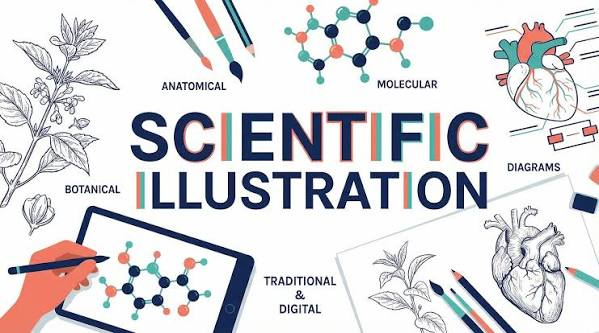
Dedicated Scientific Illustration Platforms
1. BioRender — Best AI for Life Science Graphical Abstracts
BioRender is the most widely used scientific illustration platform — specifically designed for life science graphical abstracts with 50,000+ pre-made scientific icons.
BioRender is a science-focused visual design platform built for researchers, students, laboratories, and life science professionals. It is particularly useful for creating graphical abstracts, scientific figures, biological diagrams, and publication-ready illustrations without requiring advanced graphic-design skills. BioRender currently combines its large library of scientifically reviewed visuals with AI-powered tools for creating and editing figures.
For graphical abstracts, BioRender provides templates, scientific icons, alignment tools, labels, arrows, and layout guidance that help researchers turn complex research findings into a single visual summary. Its graphical abstract tools are designed around clear visual flow, minimal text, and highlighting the main research finding.
BioRender also added AI capabilities in 2026. Users can generate figure drafts from text prompts, apply BioRender-style visuals to uploaded images, and make certain AI-generated figures editable depending on their plan. Free users can generate flat figure drafts, while more advanced editable-figure capabilities are available on paid plans.
Graphical abstract capabilities:
Scientific icon library:
50,000+ scientifically accurate icons:
- Cell biology (organelles, cell types, signaling molecules)
- Microbiology (bacteria, viruses, fungi)
- Neuroscience (neurons, brain regions, neural circuits)
- Biochemistry (proteins, DNA, RNA, enzymes)
- Clinical (organs, medical devices, patient figures)
- Lab equipment (pipettes, plates, microscopes)
AI-powered features in 2026:
Smart Layout:
Describe graphical abstract concept → BioRender AI suggests layout → icons arranged automatically → adjust to preference.
Figure Legend Generator:
AI generates figure legend text for graphical abstract → publication-ready description.
Style consistency:
AI ensures all icons maintain consistent visual style → professional appearance.
Template library:
1,000+ graphical abstract templates by research area:
- Cell signaling pathways
- Drug mechanism of action
- Gene expression regulation
- Clinical trial design
- Immunology cascades
Journal-specific templates:
Templates pre-sized for:
- Nature journals
- Cell Press journals
- ACS Publications
- Elsevier journals
- PLOS ONE
Export:
High-resolution PNG, SVG, PDF — journal-ready formats.
License statement:
BioRender provides publication license — required by journals using platform illustrations.
Pricing: Free (watermarked). Academic from $35/month. Institution licenses available.
Indian institution access:
Many Indian universities have BioRender institutional licenses — check with library before individual subscription.
Best for: Life science researchers — BioRender’s scientific accuracy and icon library is unmatched for biology, medicine, and biochemistry graphical abstracts.
2. Mindthegraph — Best Alternative Scientific Illustration AI
Mindthegraph provides AI-powered scientific illustration specifically for graphical abstracts — strong alternative to BioRender.
Mindthegraph is a science-focused visual design platform that helps researchers, students, academics, and healthcare professionals create scientific illustrations, graphical abstracts, infographics, posters, and presentation figures. It offers more than 75,000 scientifically accurate illustrations across 80+ fields, including biology, medicine, microbiology, and molecular sciences.
One of its main advantages is its simple drag-and-drop editor. Users can start with 300+ templates, customize illustrations, add text and shapes, change colors, and arrange elements without advanced graphic-design skills. It also provides AI image-generation features on paid plans.
Mindthegraph has a free Starter plan, although free creations have restrictions such as limited illustration access and watermarks. Paid plans provide broader access to the illustration library, AI image generation, higher-quality exports, and publishing rights.
Graphical abstract capabilities:
AI figure creation:
Describe research → Mindthegraph AI generates initial graphical abstract layout → customize with drag-and-drop.
Scientific figure library:
65,000+ scientifically accurate illustrations:
- Life sciences
- Chemistry
- Environmental science
- Physics
- Agriculture and food science
AI text-to-figure:
Type description of research process → AI selects relevant icons → arranges in logical flow → complete draft generated.
Color theme:
AI applies consistent color palette → journal-appropriate professional appearance.
Templates:
Pre-designed graphical abstract templates → adapt for specific research.
Export:
High-resolution journal-ready formats.
Pricing: Free (basic). Premium from $29/month.
Best for: Researchers wanting BioRender alternative with strong AI generation — Mindthegraph’s text-to-figure AI is most automated graphical abstract creation available.
AI Design Tools Adapted for Graphical Abstracts
3. Canva AI — Best for Non-Life-Science Graphical Abstracts
Canva‘s AI tools make professional graphical abstract creation accessible for engineering, social science, and humanities researchers.
Graphical abstract capabilities:
Magic Design:
Describe research findings → Canva AI generates multiple graphical abstract options → select best direction → customize.
Scientific templates:
Canva includes research poster and graphical abstract templates → journal dimensions pre-set.
AI image generation:
Generate custom scientific illustrations → conceptual visuals for non-biological research → unique visuals not in stock libraries.
Icon library:
Millions of icons including scientific and technical → filter by category → consistent style.
Infographic tools:
Data visualization → charts, graphs, statistics → integrate into graphical abstract.
Journal dimensions:
Custom canvas size → set exact journal specifications → pixel-perfect output.
Text overlay:
Minimal text labels → AI suggests optimal placement → readable hierarchy.
Export:
PNG, PDF at 300 DPI → journal submission ready.
Pricing: Free (limited). Pro ₹499/month India.
Best for: Engineering, social science, environmental, and interdisciplinary researchers — Canva’s versatility covers non-biological research that BioRender’s life science focus misses.
4. Adobe Express with AI — Best for Professional Graphical Abstract Design
Adobe Express provides professional-quality graphical abstract creation with Firefly AI integration.
Graphical abstract capabilities:
Firefly AI image generation:
Generate custom scientific illustrations from text:
“Schematic showing nanoparticle drug delivery to cancer cell, cross-section view, professional medical illustration style”
→ Unique scientific illustration generated.
Template library:
Scientific poster and figure templates → adapt for graphical abstract dimensions.
Brand consistency:
Apply consistent visual style across all research figures — graphical abstract matches other paper figures.
Typography:
Professional scientific font options → readable at small sizes.
Export:
High-resolution PNG, PDF, SVG.
Pricing: Free (limited). Premium from $9.99/month.
Best for: Researchers wanting most professional graphical abstract design quality — Adobe’s design heritage delivers most polished output.
AI for Graphical Abstract Content
5. Claude — Best AI for Graphical Abstract Planning
Claude provides the most valuable pre-design AI assistance — planning graphical abstract content, structure, and visual narrative before opening design tools.
Graphical abstract planning:
Content extraction:
Extract the single most important finding from
this research for graphical abstract focus:

Paper title: [title]
Abstract: [paste abstract]
Key figures: [describe main figures]

Output:
1. One-sentence core message
2. 3-4 visual elements needed
3. Suggested visual flow (left to right)
4. Recommended graphical abstract type
   (schematic, process flow, comparison)
Visual element planning:
Plan graphical abstract visual elements for:

Research: [describe study]
Main finding: [key result]
Target journal: [journal name]
Dimensions: [journal specs]

Suggest:
- Number of panels
- Icons/illustrations needed
- Color palette recommendation
- Text labels needed (minimal)
- Visual flow direction
Journal guideline interpretation:
“This journal requires graphical abstract with these specifications: [paste journal guidelines]. What format and content should I prioritize?”
Revision guidance:
“This graphical abstract was rejected by reviewer with comment: [paste comment]. What changes should I make?”
Free plan: Claude free handles all graphical abstract planning effectively.
Best for: Pre-design planning — Claude’s analytical reasoning identifies the single most important visual message to communicate, preventing over-complicated graphical abstracts.
6. ChatGPT — Best for Graphical Abstract Description Writing
ChatGPT excels at generating the text elements associated with graphical abstracts — figure legends, social media captions, and journal submission descriptions.
Graphical abstract text capabilities:
Figure legend:
“Write a 2-sentence figure legend for a graphical abstract showing [describe content]. Journal: [name]. Style: formal scientific.”
Social media caption:
“Write Twitter/X thread introducing this research using the graphical abstract as visual: [describe research]. Audience: scientific community and general public.”
Journal submission description:
“Write 50-word graphical abstract description for [journal] submission explaining visual content: [describe graphical abstract].”
Accessibility description:
“Write alt-text description for this graphical abstract for visually impaired readers: [describe content].”
Best for: All text associated with graphical abstract — ChatGPT reduces time spent on written components of graphical abstract submission.
AI for Specific Graphical Abstract Types
7. ChemDraw with AI — Best for Chemistry Graphical Abstracts
ChemDraw remains essential for chemical structure graphical abstracts — AI features accelerate chemical illustration.
Chemistry graphical abstract capabilities:
Structure drawing AI:
Draw complex chemical structures → ChemDraw AI suggests correct bond angles, stereochemistry.
Reaction scheme:
Input reactants and products → ChemDraw generates publication-quality reaction scheme → integrate into graphical abstract.
3D structure generation:
2D structure → ChemDraw generates 3D representation → more visually engaging graphical abstract.
Journal templates:
ACS, RSC, Wiley Chemistry journal dimensions → pre-formatted output.
Export:
EPS, TIFF → highest quality chemical structure export for journals.
Pricing: Subscription through institution — check with chemistry department.
Best for: Chemistry and chemical biology researchers — ChemDraw’s structural accuracy is essential for chemistry graphical abstracts.
8. Inkscape + AI Plugins — Best Free Scientific Illustration
Inkscape (free, open source) combined with AI plugins provides powerful free graphical abstract creation.
Capabilities:
Vector-based:
Infinite scalability → any journal resolution requirement met.
AI plugins:
InkAI and similar plugins → AI-assisted element placement → layout suggestions.
Scientific icon libraries:
Free SVG scientific icon sets → import to Inkscape → customize colors and sizes.
BioRender SVG export:
BioRender free tier → export SVG (with watermark) → practice design → upgrade for final submission.
Cost: Completely free.
Best for: Budget-conscious researchers wanting full design control — Inkscape’s vector capabilities match commercial tools for graphical abstract creation.
Complete Graphical Abstract Workflow
Step 1 — Content Planning (10 minutes)
Claude:
My paper: [title and abstract]
Main finding: [key result]
Target journal: [name + specs]

Plan my graphical abstract:
- Core message (1 sentence)
- 3-4 visual elements needed
- Suggested layout
- Color recommendations
Step 2 — Icon/Illustration Selection (15 minutes)
BioRender (life science) or Canva (other fields):
- Search icons matching planned elements
- Maintain consistent icon family/style
- Note icon sizes for layout
Step 3 — Layout Design (20 minutes)
BioRender/Canva/Mindthegraph:
- Use template matching research type
- Arrange icons in planned flow
- Add minimal text labels
- Apply consistent color palette
Step 4 — AI Enhancement (10 minutes)
Canva Magic Design or Mindthegraph AI:
- Check visual balance
- Verify color contrast
- Ensure visual hierarchy clear
Step 5 — Text Elements (10 minutes)
ChatGPT:
- Generate figure legend
- Write social media caption
- Prepare submission description
Step 6 — Export (5 minutes)
- Check journal dimension requirements
- Export at 300 DPI minimum
- Verify file format (TIFF/PNG/EPS)
- Check file size within journal limits
Total: 70 minutes → publication-ready graphical abstract
Free Graphical Abstract AI Stack
| Tool | Function | Cost |
|---|---|---|
| Claude free | Content planning | Free |
| ChatGPT free | Text generation | Free |
| BioRender free | Scientific icons (watermarked) | Free |
| Canva free | Design and layout | Free |
| Inkscape | Vector editing | Free |
Free stack covers: Complete graphical abstract creation — watermark limitation requires BioRender paid for final journal submission. Canva free provides watermark-free alternative for non-life-science fields.
Journal-Specific Graphical Abstract Requirements
Nature Journals
Dimensions: 1224 × 624 pixels
Format: PNG or TIFF
Resolution: 300 DPI
Style: Clean, white background
Cell Press Journals
Dimensions: 1200 × 628 pixels
Format: PNG
Resolution: 150 DPI (digital)
ACS Publications
Dimensions: 3.25 × 1.75 inches
Format: TIFF or EPS
Resolution: 600 DPI
Elsevier Journals
Dimensions: 400–1328 × 400–1100 pixels
Format: EPS, PDF, PNG, JPEG
Resolution: 300 DPI
BioRender for Any Journal:
BioRender → Figures → set custom dimensions → export at required resolution → journal-ready.
Indian Research Context
Common Indian Research Fields Needing Graphical Abstracts
Biomedical research:
AIIMS, PGIMER, CMC Vellore — BioRender essential for clinical/biological research graphical abstracts.
Engineering/technology:
IIT research → Canva AI or Adobe Express → non-biological technical graphical abstracts.
Agricultural science:
IARI, state agricultural universities → Mindthegraph agriculture icon library.
Chemistry:
IIT chemistry, IISER → ChemDraw + BioRender combination.
Institutional BioRender Access
Many Indian institutions have BioRender group licenses:
- Check with research library/department
- CSIR institutes often have access
- IIT libraries increasingly providing BioRender
Before purchasing individual subscription: Email research library → confirm institutional access → save significant cost.
Frequently Asked Questions
Which AI tool is best for creating graphical abstracts in 2026?
BioRender is best for life science graphical abstracts — 50,000+ scientifically accurate icons, journal templates, publication license. Canva AI is best for engineering and social science research — versatile design tools, AI generation, free tier. Mindthegraph is best AI-automated graphical abstract generator — text-to-figure AI creates initial draft automatically. Claude is essential for pre-design content planning regardless of field.
Can AI create a graphical abstract automatically?
Mindthegraph’s text-to-figure AI generates initial graphical abstract from research description — most automated approach available. BioRender’s Smart Layout suggests icon arrangements. Canva’s Magic Design generates multiple visual options. However, fully automated graphical abstract still requires researcher review and customization — AI handles design execution, researcher provides scientific accuracy verification.
Which free AI tool is best for graphical abstract?
Claude free (content planning), ChatGPT free (text elements), BioRender free (scientific icons with watermark — practice only), and Canva free (design and layout) together cover complete graphical abstract creation at zero cost. Watermark limitation requires BioRender paid ($35/month) for final journal submission in life sciences. Canva Pro (₹499/month) provides watermark-free alternative for non-biological research.
What size should a graphical abstract be?
Dimensions vary by journal — Nature journals: 1224 × 624 pixels, Cell Press: 1200 × 628 pixels, ACS: 3.25 × 1.75 inches at 600 DPI, Elsevier: 400–1328 × 400–1100 pixels. Always check target journal’s author guidelines for exact specifications. BioRender and Canva both allow custom canvas dimensions — set journal-specific size before designing.
Is BioRender worth the subscription cost for Indian researchers?
Check institutional access first — many Indian university libraries and CSIR institutes have BioRender group licenses. If institutional access unavailable: BioRender Academic ($35/month) worth it for regular journal submitters — publication license required by journals using BioRender illustrations. Canva Pro (₹499/month) is more affordable alternative for non-life-science fields without institutional BioRender access.
Conclusion
AI has made professional graphical abstract creation accessible to every researcher — eliminating the traditional barrier of design skills while maintaining scientific accuracy.
Best AI tools for graphical abstracts:
For life science research: BioRender — scientifically accurate icons, journal templates, publication license. Check institutional access before subscribing.
For engineering/social science: Canva AI — versatile design tools, AI generation, affordable ₹499/month Pro.
For automated generation: Mindthegraph — most automated text-to-graphical-abstract AI available.
For content planning: Claude free — identify core message, plan visual elements, interpret journal guidelines.
For text elements: ChatGPT free — figure legends, social media captions, submission descriptions.
For chemistry: ChemDraw — essential for accurate chemical structure graphical abstracts.
Recommended workflow: Claude (plan) → BioRender or Canva (design) → ChatGPT (text elements) → export → submit. This workflow produces publication-quality graphical abstracts in under 90 minutes — making visual research communication accessible to every Indian researcher regardless of design background.