Animated video creation has been democratized by artificial intelligence — what previously required professional animators, expensive software, and weeks of production time can now be accomplished in hours using AI animation tools. From explainer videos and marketing animations to social media content and educational material, AI animation tools produce professional-quality results accessible to non-animators.
For Indian content creators, marketers, educators, and businesses, AI animation tools address the core challenges: creating professional animated content at a fraction of traditional production costs, producing multilingual animated videos for diverse Indian audiences, and generating consistent animation output for social media content calendars.
This guide covers the best AI tools for animated video generation in 2026 — from text-to-animation platforms to AI-enhanced traditional animation tools.
Creating animated videos used to require expensive software, animation skills, and many hours of manual work. In 2026, AI video and animation tools have made the process much easier. You can start with a text prompt, image, sketch, or short script and turn the idea into an animated video clip.
These tools are useful for YouTube creators, social media managers, marketers, teachers, freelancers, businesses, and beginners. Some focus on cinematic text-to-video generation, while others are designed for cartoons, characters, explainers, avatars, or image-to-video animation.
In this guide, we compare the best AI tools for animated video generation in 2026, explain what each tool does, discuss their main use cases, and show how beginners can create animated videos.
Quick answer: The right animation tool depends on your project. Runway is designed for advanced generative video workflows, Adobe Firefly combines animation and video generation with multiple models, while dedicated animation platforms can be more suitable for character-based explainers and presentations.
Types of AI Animated Video
Text-to-animation: Describe scene → AI generates animated video
Explainer video AI: Script → AI creates animated explainer with characters
Whiteboard animation: Content → AI generates whiteboard-style drawing animation
2D character animation: Static characters → AI animates movement and lip sync
3D animation AI: AI-assisted 3D scene generation and character animation
Motion graphics: Text and data → AI generates animated motion graphics
Best AI Tools for Animated Video Generation in 2026
Text-to-Animation AI..
1. Runway Gen-3 Alpha — Best AI for Text-to-Video Animation
Runway’s Gen-3 Alpha is the most capable text-to-video AI in 2026 — generating cinematic, animated-style video from text descriptions.
Animation capabilities:
Text-to-video:
“A cartoon fox running through an enchanted forest, warm golden lighting, Studio Ghibli style, smooth animation”
→ Runway generates a complete animated clip — 5–10 seconds of smooth animation.
Image-to-video:
Upload character illustration → Runway animates → character moves naturally.
Style control:
Specify animation style:
- “Pixar 3D animation style”
- “2D anime style”
- “Flat design motion graphics”
- “Watercolor animation”
- “Stop motion style”
Motion control:
Camera movements:
- Pan left/right
- Zoom in/out
- Tracking shot
- Drone-style aerial
Motion brush:
Select specific elements → paint direction → only that element moves → precise animation control.
Consistency:
Gen-3 maintains character and style consistency across multiple clips — essential for longer animated videos.
Duration: 5–10 second clips → chain together for longer video.
Pricing: Free (limited credits). Standard from $12/month.
Best for: Creative animators wanting the most cinematic AI-generated animation quality — Runway Gen-3 produces the highest visual quality of any text-to-animation tool.
2. Kling AI — Best Free Text-to-Animation
Kling AI from Kuaishou provides remarkably high-quality text-to-video animation — the most impressive free tier of any animation AI.
Animation capabilities:
Text-to-video quality:
Kling 2.0 generates smooth, realistic-looking animated content:
- Character movement
- Environmental animation
- Physics-based motion
Image-to-video:
Upload any image → Kling animates → characters and environments come to life.
5-second clips:
High-quality 5-second animated clips → combine for longer animations.
Style diversity:
- Realistic animation
- Cartoon styles
- Abstract animation
- Fantasy environments
Free tier:
Kling AI provides 66 free credits daily — sufficient for significant daily animation production.
Pricing: Free (66 credits/day). Standard from $8/month.
Best for: Content creators wanting generous free animated video generation — Kling’s free tier is most valuable in the text-to-animation category.
Explainer Video AI Platforms
3. Synthesia — Best AI for Explainer Videos with Avatars
Synthesia creates professional explainer videos with AI presenters — type script → AI avatar presents → animation-style backgrounds.
Explainer video capabilities:
AI avatars:
150+ realistic AI presenters → diverse ethnicities,, including Indian presenters → natural lip sync.
Script to video:
Type script → select avatar → choose background → Synthesia generates complete video.
Indian language support:
Hindi, Tamil, Telugu, Bengali, Marathi — AI avatar speaks in Indian languages → multilingual explainer videos.
Animated backgrounds:
Pre-built animated scenes:
- Corporate office
- Tech/digital
- Nature
- Abstract motion
Select appropriate animated background for brand.
Screen recording integration:
Combine avatar with screen recording → product demo explainer videos.
Brand customization:
Upload brand colors, logo, fonts → Synthesia applies them consistently.
Pricing: Starter from $29/month. Creator from $89/month.
Best for: Businesses and educators wanting professional explainer videos with human presenters — Synthesia’s Indian language support is particularly valuable for Indian corporate training and marketing.
4. Pictory AI — Best for Script-to-Animation
Pictory converts scripts and blog posts into animated videos — strong for content repurposing into an animated format.
Animation capabilities:
Script to video:
Paste explainer script → Pictory selects relevant animated stock footage and graphics → adds AI voiceover → animated explainer complete.
Blog to animated video:
Enter blog URL → Pictory extracts key points → generates animated summary video → social media ready.
AI voiceover:
Multiple AI voice options → natural-sounding narration → Indian English voices available.
Animated text:
Key points appear as animated text overlays → kinetic typography style.
Auto-captions:
AI generates animated captions → accessibility and engagement.
Pricing: Starter from $19/month.
Best for: Content marketers wanting the fastest script-to-animated-video conversion — Pictory’s speed sacrifices customization for rapid production.
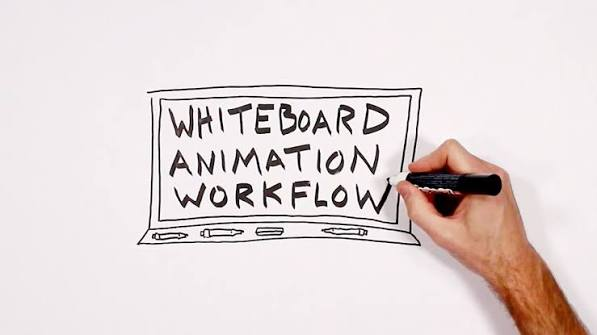
Whiteboard and Explainer Animation
5. VideoScribe — Best Whiteboard Animation AI
VideoScribe is the leading whiteboard animation platform — AI features accelerate the classic hand-drawing animation style.
Whiteboard animation capabilities:
AI scene generation:
Describe content → VideoScribe AI suggests:
- Relevant illustrations
- Drawing sequence
- Timing
Massive library:
10,000+ hand-drawn style images → cover virtually any topic.
AI timing:
AI calculates optimal drawing speed and timing → professional whiteboard pacing.
Text animation:
Animated handwriting effect → words appear as if being written in real time.
Music integration:
AI suggests background music matching video mood and pace.
Export:
MP4, MOV → direct social media upload.
Pricing: Essentials from $25/month.
Best for: Educators and trainers wanting classic whiteboard explainer style — VideoScribe’s hand-drawn aesthetic remains most effective for educational content.
6. Doodly — Best for Custom Whiteboard Animations
Doodly provides the most customizable whiteboard animation with AI assistance — a draw-on-screen effect with custom characters.
Whiteboard animation capabilities:
Custom characters:
Upload any image → Doodly creates a draw-on animation → your custom character is drawn on screen.
Scene builder:
Drag and drop characters, props, backgrounds → AI handles draw-on animation timing.
Smart draw:
AI determines optimal drawing path for each element → natural-looking hand animation.
Multiple styles:
- Whiteboard (classic)
- Glassboard (dark background)
- Blackboard (chalk effect)
- Cork board
Pricing: One-time purchase options from $67.
Best for: Businesses wanting custom-branded whiteboard animation — Doodly’s custom character import enables brand-consistent whiteboard videos.
2D Character Animation AI
7. Steve.AI — Best AI for 2D Animated Videos
Steve.AI converts scripts into fully animated 2D videos — characters, scenes, and motion all AI-generated.
2D animation capabilities:
Script to 2D animation:
Type script → Steve.AI generates:
- 2D character selection
- Scene composition
- Character movement
- Lip sync to voiceover
- Complete animated video
Character library:
500+ animated characters → diverse representation → select characters matching brand or story.
Scene transitions:
AI adds smooth transitions between scenes → professional animated video flow.
AI voiceover:
25+ language voiceovers → Hindi available → multilingual 2D animated videos.
Text animations:
Animated text effects → kinetic typography → reinforce key messages.
Social formats:
Export in:
- 16:9 (YouTube, landscape)
- 9:16 (Reels, TikTok, Shorts)
- 1:1 (Instagram square)
Pricing: Lite from $20/month. Agency from $60/month.
Best for: Marketing teams wanting fast 2D animated explainer and social media video production — Steve.AI’s character library and scene AI deliver consistent quality.
8. Animaker — Best for Comprehensive 2D Animation
Animaker is the most feature-complete browser-based 2D animation platform — AI features assist throughout production.
2D animation capabilities:
Character creator:
Create custom animated characters:
- Appearance customization
- Clothing and accessories
- Expressions and emotions
AI actions:
Select character → describe action → AI animates:
“Character walks confidently to right side of screen”
→ Smooth character animation applied.
Scene templates:
1,000+ animated scene templates → customize for specific content.
Auto lip sync:
Upload voiceover → Animaker AI syncs character mouth movements → realistic lip sync.
Smart move:
AI-powered movement transitions — characters move naturally between positions.
Multilingual:
Hindi, Tamil, Telugu text-to-speech → animated Indian language videos.
Infographic animation:
Charts, graphs, statistics → AI animates data visualization → engaging data animation.
Pricing: Free (watermarked). Basic from $12.5/month.
Best for: Indian content creators and educators wanting comprehensive 2D animation — Animaker’s Indian language support and affordable pricing suit the Indian market.
AI Motion Graphics Tools
9. Adobe After Effects with Sensei AI — Best for Motion Graphics
Adobe’s Sensei AI brings intelligent automation to After Effects — industry-standard motion graphics accelerated by AI.
Motion graphics capabilities:
Auto-reframe:
Resize motion graphics for different aspect ratios → AI identifies focal point → reframes intelligently.
Content-Aware Fill:
Remove unwanted elements from motion graphics → AI fills seamlessly.
Scene Edit Detection:
AI identifies cuts in video → automatically separates sequences → faster editing.
Roto Brush AI:
Select moving element → AI tracks through video → precise isolation of animated elements.
3D integration:
AI-assisted 3D text and shape animation → depth and dimension.
Pricing: After Effects from ₹1,675/month (India) as part of Creative Cloud.
Best for: Professional motion designers — After Effects Sensei AI accelerates professional-grade motion graphics production.
10. Canva AI Animation — Best for Simple Animated Marketing Content
Canva’s animation features with AI assistance make motion graphics accessible to non-designers.
Animation capabilities:
Animate feature:
Select any design → Animate → choose an animation style:
- Rise
- Breathe
- Fade
- Pan
- Drift
- Tumble
- Stomp
AI-generated animations:
Canva AI suggests an appropriate animation style for design content.
Magic Animate:
Select element → Magic Animate → AI applies contextually appropriate animation — logo breathes, text rises, images fade.
Animated social media:
Instagram Stories, Reels covers, LinkedIn animations — sized and animated for each platform.
Animated presentations:
Slide transitions → element animations → complete animated presentation.
GIF export:
Animated designs exported as GIFs→ web and social use.
Video export:
Full MP4 animation export → social media ready.
Indian content:
Animated Diwali, Holi, Independence Day templates → festive animated content for Indian brands.
Pricing: Free (limited). Pro: ro₹499/monthnin Northh India.
Best for: Indian social media managers and small businesses wanting quick animated marketing content — Canva’s familiarity and Indian templates make it the most accessible animation tool.
AI for 3D Animation
11. Meshy AI — Best AI for 3D Animation Assets
Meshy generates 3D models and animations from text descriptions — the most accessible 3D animation AI available.
3D animation capabilities:
Text to 3D model:
“Cartoon robot character, friendly expression, blue and silver, ready for animation”
→ Complete 3D model generated → ready for animation software.
3D animation:
Generated models include basic animation-ready rigging → import to Blender or Maya.
Texture generation:
AI generates textures for 3D models → realistic or stylized appearance.
Game-ready assets:
Low-poly 3D animated characters → ready for Unity/Unreal Engine → game and interactive animation.
Pricing: Free (limited). Pro from $20/month.
Best for: 3D animators and game developers needing rapid 3D character and asset generation — Meshy AI reduces 3D modeling time from days to minutes.
12. Cascadeur — Best AI for Character Animation
Cascadeur uses AI to generate physically realistic character animation — the most sophisticated AI character movement system.
Character animation capabilities:
AutoPhysics:
AI adds realistic physics to character animations — gravity, momentum, weight — automatically.
AutoPosing:
Describe character pose → AI generates natural body position → eliminates unnatural joint positions.
Quick Rigging:
AI analyzes 3D character model → generates animation rig automatically.
Ghost Pose:
AI predicts intermediate frames between key poses → smoother animation with less manual keyframing.
Pricing: Free (basic). Pro from $24/month.
Best for: 3D animators wanting AI-assisted character animation — Cascadeur’s physics AI produces the most natural character movement of any AI animation tool.
Best AI Animation Tool for Different Users
There is no single tool that is perfect for every animation project.
For YouTube Creators
Look for tools that support short clips, image-to-video generation, vertical video, and easy editing.
Runway, Firefly, Pika, and similar generative platforms can be useful for creating individual scenes that you later combine in a video editor.
For Beginners
A simple interface is more important than having dozens of advanced settings.
Dedicated platforms such as Animaker or Vyond can be easier for beginners creating structured animated videos.
For Businesses
Businesses often need consistent characters, branding, narration, subtitles, and reusable templates.
Vyond, Synthesia, HeyGen, and Adobe Firefly can fit different business workflows.
For Social Media
Short-form content usually benefits from quick generation and vertical formats.
Look for:
- 9:16 support
- Short generation times
- Image-to-video
- Text-to-video
- Captions
- Easy editing
Adobe Firefly supports vertical 9:16 generation in its current video workflows, while Runway supports multiple aspect ratios in its Gen-4 documentation.
How to Create an Animated Video With AI
You don’t need to start with complicated animation software.
Follow these steps.
Step 1: Choose Your Story
Start with a simple idea.
For example:
“A young astronaut discovers a mysterious glowing city on Mars.”
Step 2: Write a Short Script
Break the story into several scenes.
Scene 1: Astronaut lands on Mars.
Scene 2: Astronaut walks toward a glowing city.
Scene 3: The city lights turn on.
Scene 4: The astronaut looks at the enormous buildings.
Step 3: Create Your Character
You can create a character image using an image-generation tool or use an existing illustration.
Try to keep the character’s appearance consistent.
Step 4: Animate the Image
Upload the character or scene image to an image-to-video tool.
Describe the movement rather than repeating every visual detail.
For example:
The astronaut slowly walks forward while the camera follows from behind. Dust moves gently across the ground and the character’s clothing reacts naturally to the wind.
Runway’s prompting guidance specifically recommends using the text prompt to focus on the desired motion when an input image already establishes the visual appearance.
Step 5: Generate Several Versions
The first generation may not be perfect.
Create several variations and choose the strongest clip.
Step 6: Edit the Clips
Combine your generated clips in a video editor.
Add:
- Voiceover
- Background music
- Sound effects
- Captions
- Transitions
- Logo
- Intro and outro
Step 7: Export for Your Platform
For YouTube Shorts, Reels, and similar vertical content, use a 9:16 format.
For standard YouTube videos, a 16:9 format is usually appropriate.
AI Animation for Specific Use Cases
Indian Educational Animation
Best stack:
- Animaker (Hindi/regional language support)
- VideoScribe (concept explanation)
- Steve.AI (curriculum content)
Indian educational use:
- School curriculum animated explanations
- Competitive exam (JEE, NEET) concept videos
- Government scheme explainers in regional languages
- Corporate training in Hindi
Social Media Animated Content India
Best stack:
- Canva AI (fastest production)
- Kling AI free (text-to-animation)
- Pictory (blog to animated video)
Indian social media use:
- Diwali/Holi animated greetings
- Product launch animations
- Festival offer animated posts
- Brand story animated reels
Marketing Explainer Videos
Best stack:
- Synthesia (avatar-based professional)
- Steve.AI (2D character animation)
- Pictory (script-to-video fastest)
Free AI Animation Tool Stack
| Tool | Function | Cost |
|---|---|---|
| Kling AI | Text-to-animation (66 credits/day) | Free |
| Animaker free | 2D character animation (watermarked) | Free |
| Canva free | Animated social media content | Free |
| Runway free | High-quality clips (limited) | Free |
| Meshy free | 3D model generation | Free |
Covers: Most animated content needs at zero cost — watermarks on some tools require a paid upgrade for commercial use.
AI Animation Workflow — Complete Guide
Short Animated Explainer (2 minutes)
Step 1 — Script (15 min):
Claude/ChatGPT → write explainer script → 300 words for a 2-minute video.
Step 2 — Storyboard (10 min):
Claude → “Create shot-by-shot storyboard description for this script: [paste script]….”
Step 3 — Animation (30–60 min):
Steve.AI or Animaker → paste script → select characters → generate animation → review and adjust.
Step 4 — Voiceover (10 min):
Built-in AI voiceover or ElevenLabs → natural narration.
Step 5 — Export (5 min):
MP4 → YouTube, LinkedIn, website.
Total: Under 2 hours foa r a professional 2-minute animated explainer
Frequently Asked Questions
Which AI tool is best for animated video generation in 2026?
Depends on animation type. Runway Gen-3 for the highest-quality text-to-animation cinematic clips. Synthesia for professional avatar-based explainer videos with Indian language support. Steve.AI for complete 2D animated explainer videos from a script. Animaker for comprehensive browser-based 2D animation with Hindi support. Kling AI for the best free text-to-animation daily allowance.
Can AI create animated videos automatically from text?
Yes — Runway Gen-3, Kling AI, and Pictory all generate animated video from text description or script. Quality ranges from Runway’s cinematic output to Pictory’s stock-footage-based approach. Fully automated animation from pure text is most advanced for short clips (5–10 seconds) — longer animated videos still benefit from human direction and editing.
Which free AI tool is best for animated video?
Kling AI (66 free credits daily for text-to-video animation), Animaker free tier (2D character animation with watermark), Canva free (animated social media content), and Runway free (limited high-quality clips) together provide comprehensive free animated video capability. For commercial use without watermarks — Animaker Basic ($12.5/month) offers the best value.
Which AI animation tool supports Hindi and Indian languages?
Synthesia supports Hindi, Tamil, Telugu, Bengali, and Marathi — AI avatar presents in Indian languages. Animaker includes Hindi text-to-speech. Steve.AI offers Hindi voiceover. Pictory supports Indian language voiceover options. For Indian educational and corporate content, Synthesia’s Indian language avatar capability is most impactful.
How long does AI animated video generation take?
Short social media animation (15 seconds): Canva AI — 5 minutes. Text-to-animation clip (5–10 seconds): Kling AI or Runway — 2–5 minutes. Complete 2D explainer video (2 minutes): Steve.AI or Animaker — 30–60 minutes. Professional avatar explainer (3 minutes): Synthesia — 20–30 minutes. AI has reduced animated video production time by 80–90% vs .traditional animation.
Conclusion
AI animation tools in 2026 have made professional animated video creation accessible to every content creator, marketer, and educator — eliminating the traditional barriers of animation skills, expensive software, and long production timelines.
Best AI animated video tools:
Highest quality animation: Runway Gen-3 — most cinematic text-to-animation, best for premium content.
Best free animation: Kling AI — 66 free credits daily, impressive quality, best free text-to-animation.
Best explainer videos: Synthesia — professional AI avatars, Indian language support, corporate quality.
Best 2D animation: Animaker — comprehensive 2D character animation, Hindi support, affordable for Indian creators.
Best whiteboard animation: VideoScribe — classic hand-drawing style, educational content optimized.
Best social media animation: Canva AI — fastest production, Indian festival templates, Pro ₹499/month in India.
Start with a free stack: Kling AI (text-to-animation daily) + Canva free (social content) + Animaker free (2D animation watermarked) = comprehensive free animated video production. Upgrade to Animaker Basic ($12.5/month) for watermark-free commercial use — the most cost-effective paid upgrade for Indian animated video producers.