The best AI image generation has gone from a novelty to a genuinely useful creative tool in just a few years. In 2026, the best free AI image generators produce results that would have required a professional photographer or illustrator just three years ago — and several of them require no payment, no subscription, and in some cases no account at all.
Whether you need images for your blog, social media, YouTube thumbnails, presentations, or simply want to explore what AI can create, this guide covers the best free AI image generators available in 2026 — what they produce, how they work, and exactly how to get the best results from each one.
How AI Image Generation Works
AI image generators use text-to-image models — you type a description (called a prompt), and the AI generates a matching image. The quality, style, and accuracy of the output depend on:
The underlying model — Different AI models (DALL-E, Stable Diffusion, Midjourney, Flux) produce distinctly different visual styles and have different strengths.
Prompt quality — More detailed, specific prompts produce better results than vague descriptions.
Generation parameters — Image size, style settings, number of variations, and guidance strength all affect output.
Training data — Models trained on different datasets produce different aesthetic tendencies.
Understanding these factors helps you get better results from any free AI image generator.
Best Free AI Image Generators in 2026
1. Microsoft Designer / Bing Image Creator — Best Free AI Image Generator Overall
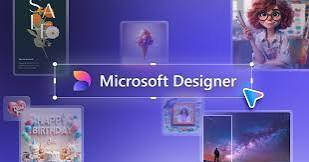
Microsoft’s AI image generation tool — powered by DALL-E 3 from OpenAI — is the most accessible and highest-quality free image generator available in 2026. It requires only a free Microsoft account and generates four image variations per prompt.
What it produces:
- Photorealistic images from text descriptions
- Illustrations, artwork, and design graphics
- Product mockups and concept visualizations
- Social media graphics and blog images
Free plan:
- Completely free with a Microsoft account
- Boosted generations (fast) use credits — resets weekly
- Unlimited slow generations after credits are exhausted
- No watermark on generated images
- Commercial use permitted
How to use:
- Visit bing.com/images/create or designer.microsoft.com
- Sign in with a free Microsoft account
- Type your prompt in the text box
- Click Create → four image variations generated
- Click any image → download
Prompt tips for Bing Image Creator:
- Be specific: “A professional Indian woman working at a laptop in a modern Mumbai office, golden hour lighting, photorealistic” produces better results than “woman working”
- Specify style: “digital art,” “photorealistic,” “watercolor,” “oil painting”
- Include lighting details: “soft natural light,” “studio lighting,” “dramatic shadows”
Best for: Bloggers, content creators, and social media managers who need high-quality free images for commercial use — no watermark and commercial license make it the most practically useful free option.
2. Adobe Firefly (Free Tier) — Best for Commercial-Safe Images
Adobe Firefly is specifically designed for commercial use — trained exclusively on licensed Adobe Stock images, openly licensed content, and public domain material. This makes it the only major AI image generator where commercial use is completely safe without legal concerns.
What it produces:
- Commercially safe images for business use
- Text effects — stylized text integrated into images
- Generative fill — add, remove, or replace elements in photos
- Vector artwork generation
Free plan:
- 25 generative credits per month
- All generated images commercially licensed
- No watermark on downloads
- Access via browser at firefly.adobe.com
How to use:
- Visit firefly.adobe.com
- Sign in with a free Adobe account
- Type prompt in text-to-image
- Select style, aspect ratio, and content type
- Generate → download
Unique features:
- Content Type selector — Photo, Art, Graphic, B&W — guides the model toward your desired output
- Style Reference — upload a reference image for style matching
- Structure Reference — maintain composition from reference image while changing style
- Generative Fill in Photoshop — same technology inside Adobe’s photo editor
Commercial safety advantage: For Indian businesses, agencies, and content creators producing commercial content, Firefly’s commercial licensing is a significant advantage over other free generators where commercial use terms are less clear.
Best for: Businesses, agencies, and professional creators who need commercially safe images — 25 credits covers regular business use when managed carefully.
3. Stable Diffusion (Local — Completely Free, Unlimited)
Stable Diffusion is an open-source image generation model that runs entirely on your own computer — no internet required, no usage limits, no credits, completely free forever.
What it produces:
- Any image style imaginable — photorealistic, artistic, anime, concept art
- Unlimited generations with no restrictions
- Complete control over every parameter
- Custom model support — thousands of community-trained models
Free plan: Completely free — no subscription, no credits, no watermark. The only cost is electricity.
System requirements:
- NVIDIA GPU with 4GB+ VRAM (8GB+ recommended)
- 16GB RAM recommended
- Windows, Mac, or Linux
- Works on CPU but significantly slower
Best interfaces for Stable Diffusion:
- Automatic1111 (AUTOMATIC1111/stable-diffusion-webui) — most feature-rich, browser-based interface
- ComfyUI — node-based workflow interface for advanced users
- Forge — optimized fork of Automatic1111, faster generation
How to install (Windows):
- Install Python 3.10
- Download Automatic1111 from GitHub
- Run
webui-user.bat - Browser opens at localhost:7860
- Type prompt → Generate
Popular free Stable Diffusion models (download from Civitai.com):
- Realistic Vision — photorealistic portraits and scenes
- DreamShaper — versatile, artistic style
- AbsoluteReality — highly photorealistic
- Counterfeit — anime and illustration style
Best for: Power users, developers, and serious creators who want unlimited generation with full control — willing to invest time in setup for completely unrestricted free image generation.
4. Ideogram (Free Tier) — Best for Text in Images
Ideogram solves one of the biggest problems with AI image generation — accurate text rendering inside images. Most AI generators produce garbled, unreadable text when asked to include words in images. Ideogram handles this dramatically better.
What it produces:
- Images with accurate, readable text
- Logos and wordmarks
- Posters and banners with text overlays
- Quote graphics and announcement images
- Social media graphics with text
Free plan:
- 10 slow generations per day
- No watermark
- Commercial use permitted
- Prompt history saved
How to use:
- Visit ideogram.ai
- Create a free account
- Type prompt — include text you want in quotes:
A motivational poster with the text "Dream Big" in bold gold letters - Select aspect ratio and style
- Generate → download
Text rendering advantage:
Where DALL-E and Stable Diffusion might produce “Dreeam Bigg” or scrambled letters, Ideogram produces clean, accurately spelled text integrated naturally into images.
Best for: Content creators who need images with readable text — quote graphics, announcement posters, promotional banners, YouTube thumbnails with text overlays.
5. Leonardo.ai (Free Tier) — Best for Creative and Artistic Images
Leonardo.ai is a powerful AI image platform with generous free credits and one of the strongest artistic image generation capabilities available at no cost.
What it produces:
- High-quality artistic and photorealistic images
- Game assets and concept art
- Character design and illustrations
- Product visualization
- Architecture and interior design concepts
Free plan:
- 150 tokens daily (resets every day)
- Access to multiple AI models
- Image upscaling
- Background removal
- Private generation mode
- No watermark
How to use:
- Visit leonardo.ai
- Create a free account
- Select AI model (Leonardo Diffusion XL, Leonardo Phoenix, etc.)
- Enter prompt
- Set image dimensions and number of images
- Generate → download
Key free features:
- Image to Image — transform existing photos with AI
- Inpainting — edit specific parts of generated images
- Prompt Magic — automatically enhances your prompts for better results
- Multiple models — different models for different styles
Best for: Artists, game developers, and creative professionals who want high-quality artistic image generation with daily free credits — 150 tokens per day covers significant creative work.
6. Canva AI Image Generator (Free Plan) — Best for Design Integration
Canva‘s built-in AI image generator integrates directly into its design platform — generate custom images and immediately use them in presentations, social media posts, and marketing materials without switching applications.
What it produces:
- Custom images for design projects
- Background images and textures
- Illustration and graphic elements
- Portrait and people images
Free plan:
- Limited free generations per month
- Generated images usable in Canva designs
- Export as part of complete design
- Multiple style options
How to use:
- Open Canva → create new design
- Click Apps → AI Image Generator
- Enter prompt and select style
- Generate → insert directly into design
- Resize and position in your project
Design integration advantage:
Unlike standalone image generators, Canva’s tool produces images that slot directly into your design workflow — generate a background image and place it on your slide or social media template in one step.
Best for: Bloggers and marketers who already use Canva for design — generate custom images without leaving the design tool.
7. Playground AI (Free Tier) — Best for Volume Generation
Playground AI offers one of the most generous free plans among dedicated AI image platforms — 500 free images per day, making it ideal for creators who need high volume generation.
What it produces:
- Photorealistic and artistic images
- Multiple style presets
- High resolution outputs
- Consistent character generation
Free plan:
- 500 images per day — most generous free tier available
- Playground v3 model access
- Image editing tools
- No watermark
How to use:
- Visit playground.com
- Create a free account
- Enter prompt → select model and style
- Generate → download
Volume advantage:
500 free images daily is extraordinary compared to competitors — ideal for content creators, social media managers, and anyone who needs to generate large numbers of images regularly.
Best for: High-volume creators — social media managers, content agencies, and bloggers who need to generate many images daily without hitting credit limits.
8. Craiyon (Free — No Account Required) — Best No-Signup Option
Craiyon (formerly DALL-E mini) is the most accessible free AI image generator — no account, no sign-up, no credits. Open the website and start generating immediately.
What it produces:
- 9 image variations per prompt
- Artistic and stylized images
- Photorealistic attempts
- Varied creative interpretations
Free plan:
- Completely free — no account required
- Unlimited generations (slower without account)
- Ad-supported interface
- Some generations may include a watermark on the free tier
How to use:
- Visit craiyon.com
- Type prompt in text box
- Click Draw — no account needed
- Nine variations generated (takes 1–2 minutes)
- Download preferred image
Quality note: Craiyon uses less advanced models than Bing Image Creator or Adobe Firefly — output quality is lower but still useful for rough concepts and quick ideation.
Best for: Users who want to generate images immediately without any account creation — concept testing, quick ideation, and casual image generation.
9. Freepik AI Image Generator (Free Tier)
Freepik — one of the world’s largest stock image platforms — has integrated AI image generation directly into its platform.
What it produces:
- Stock-style photorealistic images
- Illustrations and vectors
- Social media graphics
- Business and lifestyle imagery
Free plan:
- Limited free generations per month
- Commercial license on generated images
- Freepik integration — use alongside stock library
- Multiple model options
How to use:
- Visit freepik.com/ai/image-generator
- Create a free Freepik account
- Enter prompt → select style
- Generate → download
Stock integration advantage:
Generate an image that combines AI creation with Freepik’s editing tools — modify generated images using Freepik’s design features.
Best for: Marketers and designers who use Freepik for stock images and want AI generation integrated into the same workflow.
10. Google ImageFX (Free) — Best for Experimental Generation
Google’s AI image generator — powered by Imagen — is available free through Google Labs and produces distinctive, high-quality images with interesting aesthetic characteristics.
What it produces:
- Photorealistic and artistic images
- Strong compositional awareness
- Distinctive Google/DeepMind aesthetic
- High consistency across generations
Free plan:
- Free with Google account
- Limited generations
- No watermark
- Experimental — features may change
How to use:
- Visit labs.google/fx/tools/image-fx
- Sign in with a Google account
- Enter prompt
- Generate → download
Best for: Google ecosystem users who want to try Google’s AI image generation — particularly useful for exploring different aesthetic directions before committing to a specific generator.
Free AI Image Generator Comparison Table
| Tool | Free Generations | Account Required | Watermark | Commercial Use | Best For |
|---|---|---|---|---|---|
| Bing Image Creator | Unlimited (slow) | Microsoft account | ❌ No | ✅ Yes | Best overall free |
| Adobe Firefly | 25/month | Adobe account | ❌ No | ✅ Yes | Commercial safety |
| Stable Diffusion | Unlimited | ❌ No | ❌ No | ✅ Yes | Power users |
| Ideogram | 10/day | Required | ❌ No | ✅ Yes | Text in images |
| Leonardo.ai | 150 tokens/day | Required | ❌ No | ✅ Check ToS | Artistic images |
| Canva AI | Limited/month | Canva account | ❌ No | ✅ Yes | Design integration |
| Playground AI | 500/day | Required | ❌ No | ✅ Yes | High volume |
| Craiyon | Unlimited | ❌ No | ⚠️ Some | ⚠️ Check ToS | No signup needed |
| Freepik AI | Limited/month | Freepik account | ❌ No | ✅ Yes | Stock integration |
| Google ImageFX | Limited | Google account | ❌ No | ⚠️ Check ToS | Experimental |
How to Write Better Prompts for AI Image Generation
The quality of AI-generated images depends heavily on prompt quality. Here is a framework for consistently better results:
Basic Prompt Structure
[Subject] + [Setting/Background] + [Style] + [Lighting] + [Camera/Perspective] + [Quality modifiers]
Example:
“A young Indian woman smiling, sitting in a modern cafe, photorealistic digital photography, warm golden hour lighting, shot on Canon 5D, bokeh background, 8K resolution”
Style Keywords That Work
- Photorealistic: “photorealistic,” “hyperrealistic,” “shot on DSLR,” “8K”
- Artistic: “digital art,” “concept art,” “oil painting,” “watercolor”
- Illustration: “flat design,” “vector illustration,” “cartoon style”
- Cinematic: “cinematic lighting,” “movie still,” “film grain”
Lighting Keywords
- “Natural light,” “golden hour,” “soft diffused lighting”
- “Studio lighting,” “dramatic shadows,” “rim lighting”
- “Neon lighting,” “candlelight,” “overcast sky”
What to Avoid
- Vague prompts: “a nice picture” → too broad
- Contradictory elements: “bright and dark simultaneously”
- Too many subjects: focus on one main subject per generation
- Copyrighted character names: use descriptions instead
Negative Prompts (Stable Diffusion)
Stable Diffusion supports negative prompts — tell the AI what NOT to include:
“ugly, blurry, low quality, distorted, watermark, text, bad anatomy” — adding these to the negative prompt significantly improves output quality.
AI Image Generation for Indian Content Creators
Indian bloggers, YouTubers, and social media creators have specific needs — here is how to use free AI image generators effectively for Indian content:
Indian subjects and settings:
Most AI models are trained predominantly on Western imagery — getting accurate Indian settings requires specific prompting:
- Specify “Indian woman/man” or specific regional appearance
- Name specific Indian locations: “Mumbai cityscape,” “Kerala backwaters,” “Rajasthan desert”
- Include Indian cultural elements: “traditional Indian jewelry,” “saree,” “kurta”
- Specify Indian architecture: “Mughal architecture,” “South Indian temple,” “modern Mumbai skyline”
Best models for Indian content:
- Bing Image Creator (DALL-E 3) — handles Indian subjects well with specific prompting
- Adobe Firefly — good with Indian cultural elements
- Leonardo.ai — strong for Indian portrait photography style
Practical applications for Indian creators:
- Blog post featured images — Bing Image Creator free, no watermark
- YouTube thumbnails — Ideogram for text overlay, Bing for background
- Social media graphics — Canva AI for integrated design workflow
- Product mockups — Adobe Firefly for commercial safety
Legal Considerations for Free AI Images in India
Using AI-generated images raises important questions for Indian content creators:
Copyright ownership: In India, copyright law is evolving regarding AI-generated content. Currently, AI-generated images without human creative input may not be copyrightable by the generator. Check each platform’s terms of service for their specific position on image ownership.
Commercial use: Always verify commercial use permissions:
- Bing Image Creator: Commercial use permitted per Microsoft terms
- Adobe Firefly: Explicitly commercially licensed
- Stable Diffusion (local): No restrictions on local generation
- Leonardo.ai, Ideogram: Check current terms of service
Avoid generating: Images of real people, copyrighted characters, trademarked logos, or content that could be defamatory — regardless of which tool you use.
Frequently Asked Questions
Which free AI image generator produces the best quality images?
Bing Image Creator (DALL-E 3) produces the highest quality free images with no watermark and commercial use permission — the best overall free option for most users. Adobe Firefly is close second with explicit commercial licensing.
Which AI image generator requires no account?
Craiyon generates images with no account or sign-up required. Microsoft’s Bing Image Creator works without an account for limited generations but requires a Microsoft account for full access.
Can I use free AI-generated images for commercial purposes in India?
Bing Image Creator and Adobe Firefly explicitly permit commercial use. For other tools, check terms of service carefully. Stable Diffusion local generation has no commercial restrictions.
Which free AI tool generates the most images daily?
Playground AI offers 500 free images per day — the most generous free generation limit among dedicated AI image platforms. Stable Diffusion (local) offers unlimited generations.
Which AI image generator works best without GPU?
Bing Image Creator, Adobe Firefly, Ideogram, and Leonardo.ai all run in the browser — no GPU required. Stable Diffusion requires a local GPU for practical speeds.
Can Indian users access all these tools?
Yes — all tools listed are accessible in India. Some may require a VPN if your network provider blocks specific domains, but most work without any workaround.
Conclusion
The best free AI image generator in 2026 depends on your specific needs — but for most Indian content creators, Bing Image Creator is the clear starting point: unlimited free generations (slow tier), no watermark, commercial use permitted, and DALL-E 3 quality that rivals paid alternatives.
For commercial safety, Adobe Firefly’s 25 monthly free credits cover regular business use with explicit commercial licensing. For unlimited artistic generation with full control, Stable Diffusion running locally is unmatched — zero cost, zero restrictions, unlimited output.
For text in images specifically, Ideogram is in a class of its own. For volume generation, Playground AI’s 500 daily free images are extraordinary.
Start with Bing Image Creator — it is free, requires only a Microsoft account, and produces results good enough for professional use. Expand your toolkit as your specific needs become clearer.