If you’ve ever felt overwhelmed by the number of tools available online, you’re not alone. Every day, new platforms promise to help you write faster, design better, automate tasks, or grow your business. The problem? Not all of them are worth your time.
That’s why having a reliable AI tools website (a platform that lists and compares tools) can save you hours of research and help you pick the right tools quickly.
In this guide, you’ll discover the top free and paid tools in 2026, how to use them in real life, and which ones are actually worth it.
- Best AI Software in 2026: Top Tools for Productivity and Automation
- AI Applications in 2026: Real-World Uses Transforming Every Industry
Quick Answer: Best AI Tools in 2026
Here are some of the best tools you can start using today:
- Writing: ChatGPT, Jasper AI
- Design: Canva, Adobe Firefly
- Video: Synthesia, Runway ML
- Voice: ElevenLabs
- Automation: Zapier
- Coding: GitHub Copilot
Let’s explore them in detail.
What is an AI Tools Website?
An AI tools website is a platform where you can:
- Discover new tools
- Compare free vs paid options
- Read reviews and use cases
- Find tools for specific tasks (writing, coding, design, etc.)
Examples include directories and blogs that categorize tools based on use cases.
👉 Instead of searching “best tool for writing” every time, you can go to one site and find everything.
Top Free & Paid AI Tools in 2026
1. Writing & Content Creation Tools
1. ChatGPT
ChatGPT is one of the most popular AI-powered tools designed to help users generate human-like text, solve problems, and automate tasks. It is built on advanced language models that can understand context, answer questions, and create content naturally and conversationally.
One of the biggest advantages of ChatGPT is its versatility. You can use it for writing blog posts, emails, social media captions, and even full-length articles. Many students rely on it for explanations, summaries, and study assistance, while professionals use it to draft reports, generate ideas, and improve productivity. For example, if you’re running a blog or affiliate website, ChatGPT can help you create SEO-friendly content quickly, saving hours of manual work.
Another key feature is its ability to assist with coding and technical tasks. Developers use it to debug code, learn new programming languages, and generate scripts. It also supports multiple industries such as marketing, education, finance, and customer support, making it a powerful all-in-one tool.
ChatGPT is also easy to use. You simply type your question or request, and it responds within seconds. This makes it perfect for beginners who are just getting started with AI tools. Whether you want to brainstorm business ideas, create YouTube scripts, or learn new skills, ChatGPT can act like a personal assistant.
However, it’s important to use it wisely. While it provides helpful information, users should always verify important facts and add their own creativity when needed. Overall, ChatGPT is a powerful AI tool that can significantly boost productivity, creativity, and online earning potential when used effectively.
Best for: Blogging, SEO articles, scripts, ideas
This tool helps you write content, generate ideas, and even plan business strategies.
Practical Example:
You can write a 2000-word blog post like:
- “Best VPN in France”
- “Crypto under $1 in 2026”
Pros:
- Easy to use
- Works for multiple tasks
- Free plan available
Cons:
- Needs editing for accuracy
- Premium features require payment
2. Jasper AI
Jasper AI is a powerful AI writing tool designed to help individuals and businesses create high-quality content quickly and efficiently. It is especially popular among bloggers, marketers, and entrepreneurs who need consistent, engaging content without spending hours writing from scratch.
One of Jasper AI’s biggest strengths is its ability to generate different types of content. You can use it to write blog posts, product descriptions, email campaigns, ad copy, and social media captions. It comes with pre-built templates that make content creation simple, even for beginners. For example, if you’re running an affiliate marketing website, Jasper AI can help you create SEO-friendly articles, saving time and effort while maintaining quality.
Another standout feature is its focus on marketing and conversion. Jasper AI is trained to write persuasive content that attracts attention and drives action. This makes it especially useful for businesses looking to increase sales, generate leads, or grow their online presence. It also supports multiple languages, allowing users to create content for global audiences.

Jasper AI integrates well with tools like SEO platforms, helping users optimize their content for search engines. It also offers a “Boss Mode” feature, which gives more control over long-form content, making it easier to write detailed articles and guides.
However, Jasper AI is a paid tool, which might not be ideal for beginners on a tight budget. Also, like any AI tool, the content may need editing to ensure accuracy and a personal touch.
Overall, Jasper AI is a premium AI writing assistant that can significantly boost productivity and content quality, making it a valuable tool for anyone serious about online business and content creation.
Best for: Professional copywriting and marketing
Jasper is designed for marketers who want high-converting content.
Pros:
- Great for ads and sales copy
- Templates for fast writing
Cons:
- Paid tool
- Slight learning curve
2. Design & Graphics Tools
3. Canva
Canva is a user-friendly graphic design tool that allows anyone to create professional-looking visuals without needing advanced design skills. It is widely used by beginners, content creators, marketers, and businesses to design everything from social media posts to presentations and marketing materials.
One of Canva’s biggest strengths is its simplicity. The platform uses a drag-and-drop interface, making it easy to add text, images, icons, and other elements to your designs. Even if you have no design experience, you can quickly create eye-catching graphics using thousands of pre-made templates. These templates cover categories like Instagram posts, YouTube thumbnails, resumes, posters, and more.

Another key feature of Canva is its large library of resources. It offers millions of stock photos, videos, fonts, and design elements. Users can also upload their own images and customize designs according to their brand style. Canva also includes basic editing tools like background remover, photo enhancer, and animation features, which help bring designs to life.
For teams and businesses, Canva provides collaboration features. Multiple users can work on the same design in real time, making it ideal for marketing teams and content creators. It also allows you to schedule social media posts directly from the platform, saving time and improving workflow.
Canva offers both free and paid plans. The free version is powerful enough for most users, while the Pro version unlocks advanced features, premium templates, and brand kits.
Overall, Canva is an all-in-one design platform that makes creating high-quality visuals fast, easy, and accessible for everyone, especially those looking to grow their online presence.
Best for: Beginners and social media content
You can create:
- Instagram posts
- YouTube thumbnails
- Business logos
Example:
Create a thumbnail for your YouTube video in 5 minutes.
Pros:
- Very easy to use
- Free templates
Cons:
- Limited advanced features
4. Adobe Firefly
Adobe Firefly is an advanced AI-powered creative tool developed by Adobe that allows users to generate images, text effects, and design elements using simple text prompts. It is part of Adobe’s growing suite of AI features and is designed to help creators produce high-quality visuals quickly, even without professional design skills.
One of the standout features of Adobe Firefly is its text-to-image generation capability. Users can type a description, and the tool instantly creates unique images based on that input. This is especially useful for designers, marketers, and content creators who need custom visuals for social media, websites, or advertising campaigns. It also offers text effects, allowing users to apply creative styles and textures to words, making designs more engaging and visually appealing.

Another key advantage of Adobe Firefly is its seamless integration with popular Adobe tools like Photoshop and Illustrator. This makes it easy for professionals to enhance their workflow by combining traditional design tools with AI-generated content. Users can edit, refine, and customize AI outputs directly within these platforms.
Adobe Firefly is also built with a focus on commercial safety. It is trained on licensed and public domain content, making it more suitable for business use compared to some other AI image generators. This gives users confidence when using generated content for commercial projects.
However, while Firefly is powerful, it may require an Adobe account and works best within the Adobe ecosystem. Beginners might also need some time to fully explore its features.
Overall, Adobe Firefly is a cutting-edge AI tool that simplifies creative work, boosts productivity, and opens new possibilities for digital design and content creation.
Best for: Advanced image generation
Pros:
- High-quality outputs
- Great for professionals
Cons:
- Paid features
- Requires design knowledge
3. Video Creation Tools
5. Synthesia
Synthesia is a powerful AI tool that allows users to create professional videos without needing cameras, microphones, or actors. It is widely used by businesses, educators, and content creators to produce high-quality videos quickly and at a lower cost compared to traditional video production.
One of Synthesia’s main features is its ability to generate videos using AI avatars. Users can simply type a script, choose an avatar, and the platform will create a realistic video where the avatar speaks the text naturally. This makes it perfect for creating explainer videos, training materials, marketing content, and even YouTube videos. It supports multiple languages and accents, allowing creators to reach a global audience easily.
Another major advantage is its ease of use. Synthesia has a simple interface where you can customize backgrounds, add text, include images, and adjust scenes without any technical editing skills. This makes it beginner-friendly while still offering enough flexibility for professionals. For example, businesses can quickly create onboarding videos or product demos without hiring a full production team.
Synthesia also helps save time and money. Traditional video creation can be expensive and time-consuming, involving equipment, editing software, and actors. With Synthesia, everything is automated, allowing users to produce videos in minutes.
However, there are some limitations. While AI avatars are realistic, they may not fully replace human emotions and expressions in certain cases. Also, advanced customization options can be limited compared to traditional video editing tools.
Overall, Synthesia is an innovative AI video creation platform that simplifies the video production process, making it faster, more affordable, and accessible for anyone looking to create engaging video content.
Best for: Creating videos without a camera
You can create:
- YouTube videos
- Course content
- Marketing videos
Example:
Make a business explainer video using an avatar.
Pros:
- No camera needed
- Professional output
Cons:
- Expensive
- Limited customization
6. Runway ML
Runway ML is a powerful AI-driven tool designed for video editing, content creation, and visual effects. It is especially popular among filmmakers, designers, and content creators who want to create high-quality videos without complex software or technical expertise.
One of the standout features of Runway ML is its advanced AI video editing capabilities. Users can remove backgrounds, generate videos from text prompts, and apply cinematic effects with just a few clicks. For example, its “Green Screen” feature allows you to remove or replace backgrounds without needing a physical green screen, making video production much easier and faster.
Another key feature is text-to-video generation. This allows users to describe a scene in words, and Runway ML creates a video based on that description. This is a game-changer for creators who want to produce unique visuals without filming anything. It also offers tools like motion tracking, object removal, and video inpainting, which help refine and enhance video content.
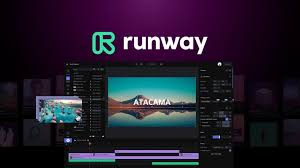
Runway ML is cloud-based, meaning you don’t need a high-end computer to use it. Everything runs in your browser, making it accessible for beginners and professionals alike. It also integrates well with other creative tools, allowing a smooth workflow for editing and production.
However, while Runway ML is highly innovative, some advanced features may require a paid subscription. Also, AI-generated videos may need manual adjustments to achieve perfect results.
Overall, Runway ML is a cutting-edge AI video tool that simplifies complex editing tasks, saves time, and opens new creative possibilities for anyone looking to produce engaging and professional video content.
Best for: Advanced video editing
Pros:
- Powerful editing tools
- Great for creators
Cons:
- Requires learning
- Paid features
4. Voice & Audio Tools
7. ElevenLabs
ElevenLabs is a leading AI-powered tool that specializes in creating realistic voiceovers from text. It is widely used by content creators, YouTubers, developers, and businesses to generate natural-sounding audio without hiring voice actors or recording equipment.
One of the most impressive features of ElevenLabs is its high-quality text-to-speech technology. It can convert written text into human-like speech with accurate tone, emotion, and pronunciation. Unlike many basic voice generators, ElevenLabs produces voices that sound almost identical to real humans, making it ideal for professional use such as audiobooks, podcasts, explainer videos, and storytelling content.
Another key advantage is voice customization. Users can adjust voice styles, accents, and emotions to match their content. It also offers voice cloning, allowing users to replicate a specific voice (with proper permissions), which can be useful for branding or content consistency. This feature is especially valuable for creators who want a unique and recognizable voice for their projects.
ElevenLabs supports multiple languages, making it easy to create content for global audiences. Its simple interface allows even beginners to generate voiceovers in just a few clicks—just enter your script, choose a voice, and download the audio.
However, while ElevenLabs offers a free plan, advanced features like higher-quality voices and extended usage require a paid subscription. Also, users should use voice cloning responsibly to avoid ethical and legal issues.
Overall, ElevenLabs is a powerful AI voice generation tool that helps save time, reduce costs, and produce high-quality audio content, making it a valuable resource for modern digital creators.
Best for: Voiceovers
Example:
Create voiceovers for:
- YouTube videos
- Audiobooks
Pros:
- Realistic voices
- Multiple languages
Cons:
- Limited free plan
5. Automation Tools
8. Zapier
Zapier is a powerful automation tool that helps users connect different apps and automate repetitive tasks without any coding. It is widely used by businesses, marketers, and entrepreneurs to save time and improve workflow efficiency.
The core feature of Zapier is its ability to create “Zaps,” which are automated workflows that connect two or more applications. For example, you can automatically save email attachments from Gmail to Google Drive, send Slack notifications for new leads, or add customer data to a spreadsheet whenever a form is submitted. This eliminates the need for manual work and reduces the chances of errors.
Zapier supports thousands of popular apps, including tools for email, marketing, project management, and e-commerce. This makes it extremely flexible and useful for different industries. Whether you are running a blog, managing an online store, or handling client projects, Zapier can streamline your daily operations.
Another advantage of Zapier is its ease of use. You don’t need any technical skills to set up automations. The platform provides a simple interface where you can choose triggers (events that start the automation) and actions (what happens next). This makes it beginner-friendly while still being powerful enough for advanced users.
However, Zapier does have some limitations. The free plan offers limited tasks and features, and more complex workflows may require a paid subscription. Also, setting up advanced automations can take some time to fully understand.
Overall, Zapier is an essential tool for anyone looking to automate tasks, increase productivity, and focus more on important work instead of repetitive processes.
Best for: Automating business workflows
Example:
- Automatically post blog updates to social media
- Send emails when someone fills a form
Pros:
- Saves time
- No coding needed
Cons:
- Paid for advanced use
- Setup can be confusing
6. Coding Tools
9. GitHub Copilot
GitHub Copilot is an advanced AI-powered coding tool that helps developers write code faster and more efficiently. Developed through a collaboration between GitHub and OpenAI, it acts like a smart assistant directly inside your code editor.
One of the main features of GitHub Copilot is its ability to suggest code in real time. As you type, it can automatically complete lines, functions, or even entire blocks of code based on your input. This is especially helpful for repetitive tasks, reducing the time spent writing boilerplate code. It supports multiple programming languages such as Python, JavaScript, Java, and more, making it useful for a wide range of developers.
Another major advantage is its ability to understand context. GitHub Copilot analyzes your existing code and provides relevant suggestions that match your project. For example, if you’re building a website, it can suggest HTML structures, CSS styles, or JavaScript functions that fit your needs. It can also help beginners learn coding by showing examples and best practices as they work.
GitHub Copilot integrates seamlessly with popular code editors like Visual Studio Code, making it easy to use without changing your workflow. This smooth integration allows developers to stay focused and productive.
However, while Copilot is powerful, it is not perfect. Developers should always review the suggested code for accuracy and security. It is also a paid tool, which may not suit everyone.
Overall, GitHub Copilot is a game-changing AI coding assistant that boosts productivity, speeds up development, and helps both beginners and professionals write better code.
Best for: Developers
Example:
Write code faster in:
- Python
- JavaScript
- HTML/CSS
Pros:
- Speeds up coding
- Reduces errors
Cons:
- Paid tool
- Not perfect for complex logic
Free vs Paid Tools: Which Should You Choose?
Free Tools – Best For Beginners
Use free tools if:
- You’re just starting
- You have a low budget
- You want to test ideas
Examples:
- ChatGPT (free version)
- Canva (free plan)
Paid Tools – Best For Scaling
Use paid tools if:
- You run a business
- You need better results
- You want automation
Examples:
- Jasper AI
- Synthesia
- Zapier
How to Choose the Right Tool
Here’s a simple method:
Step 1: Define Your Goal
- Blogging → Writing tools
- YouTube → Video + voice tools
- Business → Automation tools
Step 2: Start Free
Test before investing.
Step 3: Upgrade When Needed
Upgrade only when:
- You’re making money
- You need advanced features
Real-Life Use Cases
1. Blogging Business
You can:
- Use ChatGPT → Write articles
- Use Canva → Create thumbnails
- Use Zapier → Automate posting
👉 Result: Full blog system
2. YouTube Automation Channel
You can:
- Script → ChatGPT
- Voice → ElevenLabs
- Video → Synthesia
👉 Result: Faceless YouTube channel
3. Freelancing
Offer services like:
- Content writing
- Graphic design
- Video editing
👉 Earn money using tools
Pros and Cons of Using AI Tools
Pros
- Saves time
- Increases productivity
- Lowers the cost of hiring
- Easy to learn
Cons
- Some tools are expensive
- Requires human editing
- Too many options can confuse beginners
Best AI Tools Website Ideas (For You)
Since you’re interested in making money online, you can create your own AI tools website.
What You Can Do:
- Create a blog listing tools
- Write reviews (SEO articles)
- Add affiliate links
- Earn passive income
Example Topics:
- “Best free tools for students”
- “Top tools for YouTube creators”
- “Best automation tools for business”
👉 This is a high-demand niche in 2026
Comparison Table
| Tool | Category | Free Plan | Best For |
|---|---|---|---|
| ChatGPT | Writing | Yes | Content |
| Jasper AI | Writing | No | Marketing |
| Canva | Design | Yes | Beginners |
| Synthesia | Video | No | Video creation |
| ElevenLabs | Voice | Limited | Voiceovers |
| Zapier | Automation | Limited | Workflow |
| GitHub Copilot | Coding | No | Developers |
FAQs
1. What is the best free AI tool in 2026?
The best free option is ChatGPT because it can handle writing, ideas, and more in one place.
2. Are paid tools worth it?
Yes, if you:
- Run a business
- Need automation
- Want faster results
3. Can I make money using AI tools?
Yes. You can:
- Start a blog
- Create YouTube videos
- Offer freelance services
4. Which tool is best for beginners?
Start with:
- ChatGPT
- Canva
They are simple and powerful.
5. Do I need technical skills?
No. Most tools are beginner-friendly and don’t require coding.
6. What is an AI tool website?
An AI tools website is a platform that lists, reviews, and compares different tools for tasks like writing, design, video editing, coding, and automation. It helps users quickly find the best tool for their needs without spending hours researching.
7. Which is the best AI tool in 2026?
There is no single “best” tool for everything. However, ChatGPT is one of the most popular because it can handle multiple tasks like writing, brainstorming, and research in one place.
8. Are there free AI tools available?
Yes, many tools offer free plans. For example:
- ChatGPT (free version available)
- Canva (free design tools)
Free plans are great for beginners, but they may have limitations.
9. What are the best-paid AI tools?
Some top-paid tools include:
- Jasper AI for content writing
- Synthesia for video creation
- Zapier for automation
These tools are ideal for professionals and businesses.
10. Can I make money using AI tools?
Yes, you can earn money by:
- Starting a blog
- Creating YouTube videos
- Offering freelance services
- Promoting tools through affiliate marketing
Many people are building online businesses using these tools.
11. Which AI tools are best for beginners?
Beginners should start with simple and user-friendly tools like:
- ChatGPT
- Canva
They are easy to use and don’t require technical skills.
12. Do AI tools replace human work?
No, they don’t replace humans completely. They help speed up tasks, but human creativity, editing, and decision-making are still important.
13. How do I choose the right AI tool?
Follow this simple method:
- Identify your goal (writing, video, design, etc.)
- Start with free tools.
- Upgrade to paid tools when needed.
This helps you avoid wasting money.
14. Are AI tools safe to use?
Most popular tools are safe, but you should:
- Avoid sharing sensitive information
- Use trusted platforms
- Read privacy policies
15. What is the future of AI tools?
AI tools will become more powerful, easier to use, and more integrated into daily work. They will continue helping individuals and businesses grow faster.
16. Can I create my own AI tools website?
Yes, you can create your own website by:
- Writing SEO articles
- Reviewing tools
- Adding affiliate links
This is a great way to build passive income online.
17. Which AI tool is best for YouTube automation?
A combination works best:
- Script → ChatGPT
- Voice → ElevenLabs
- Video → Synthesia
This setup helps you create videos without showing your face.
18. Are AI tools expensive?
Not necessarily. Many tools offer:
- Free plans
- Affordable subscriptions
You can start for free and scale later.
19. Do I need coding skills to use AI tools?
No, most tools are designed for beginners and require no coding knowledge.
20. How often should I update my AI tools list?
If you run a website, update your list every 3–6 months because new tools are released frequently and features keep changing.
Conclusion
In 2026, using the right tools is no longer optional—it’s a huge advantage.
Whether you want to:
- Start a blog
- Build a YouTube channel
- Grow a business
These tools can help you do it faster and smarter.
👉 Start with free tools, learn the basics, and upgrade when you’re ready.
If you stay consistent, you can even build your own AI tools website and turn it into a profitable online business.