The best free online presentations for everyone want to download software just to make a presentation. Browser-based AI presentation tools have matured dramatically in 2026 — and the best ones now produce results that rival desktop applications, with the added advantage of working on any device, anywhere, without installation.
Whether you are on a college laptop, a shared office computer, a MacBook, or even a tablet, these free online tools let you create professional presentations directly in your browser. No setup. No storage used. No compatibility issues.
This guide focuses exclusively on free online AI presentation tools — tools that work entirely in the browser with no download required, tested and ranked for 2026.
Why Choose Online AI Presentation Tools?
Zero installation — Open a browser tab and start creating. Works on Windows, Mac, Linux, Chromebook, and tablets.
Always up to date — Browser tools update automatically. No manual software updates or version conflicts.
Access from anywhere — Log in from any device and your presentations are always available.
Real-time collaboration — Multiple people can edit simultaneously — impossible with local desktop files.
No storage impact — Presentations live in the cloud, not on your hard drive.
Mobile-friendly — Many browser-based tools work on smartphones and tablets — useful for quick edits on the go.
Best Free Online AI Tools for Presentations in 2026
1. Gamma — Best Overall Online Tool
Gamma is the most impressive free online AI presentation tool available in 2026. It runs entirely in the browser, generates complete presentations from a single prompt in under 90 seconds, and produces output that looks genuinely professional without any design work.
What makes it the best online option:
- Zero download — works in any modern browser
- AI generates complete decks from a topic, outline, or pasted text
- Beautiful, modern templates applied automatically
- Edit any slide by clicking directly on it
- Embed videos, GIFs, and live web content inside slides
- Share via public link — no PowerPoint export needed for sharing
- Real-time collaboration — invite teammates to edit simultaneously
Free plan:
- 400 AI generation credits on signup
- Unlimited manual editing after generation
- Gamma branding on shared presentations
- PDF export free
- PowerPoint export requires a paid plan
How to use online:
- Go to gamma.app in your browser
- Click Sign up free — Google login works instantly
- Click New → Generate with AI
- Type your topic or paste an outline
- Choose theme → click Generate
- Edit and share — all in browser
Browser compatibility: Chrome, Safari, Firefox, Edge — all work perfectly. Mobile browser support available for viewing and basic editing.
Best for: Anyone who needs the fastest route from idea to finished presentation entirely online — students, marketers, bloggers, and professionals alike.
2. Canva — Best Online Design Tool
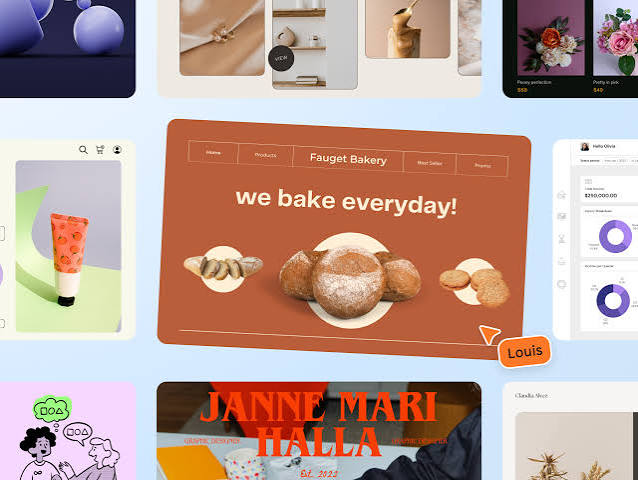
Canva is the world’s most popular online design tool, and its browser-based presentation capabilities are more powerful than most people realize. Everything runs in the browser — no download ever required.
What makes it strong online:
- Full presentation creation and editing in the browser
- Magic Design — AI generates themed decks from your content
- Magic Write — AI writes slide copy from prompts
- AI image generation — create custom visuals without leaving Canva
- Presenter mode built into browser — present directly without downloading
- Real-time collaboration with comments and version history
- Direct link sharing — send a live link instead of a file
Free plan:
- Thousands of free templates
- Magic Design available (limited uses on free)
- Export to PDF and PowerPoint
- Basic AI features included
- Canva branding removable on most templates
Best online features:
- Present and record — Record yourself presenting with webcam overlay, directly in browser
- Canva Live — Audience Q&A and reactions during live presentations
- Animate — Add one-click animations to slides in browser
Best for: Online users who want maximum design control and collaboration features — especially teams working together on presentations remotely.
3. Beautiful.ai — Smartest Online Layout Tool
Beautiful.ai runs entirely online and focuses on one thing better than any competitor — intelligent layouts that automatically adjust as you add content. No more wrestling with misaligned elements or manually resizing boxes.
What makes it unique online:
- Smart Slides automatically reformat as you type — no manual layout adjustments
- AI suggests the right slide type for your content (comparison, timeline, list, chart)
- DesignerBot generates complete decks from prompts (paid feature)
- Real-time team collaboration
- Clean, modern template library
Free plan:
- Limited slides and presentations on trial
- Core Smart Slide functionality accessible
- View-only sharing on free plan
- Full features require paid subscription (~$12/month)
Best for: Professionals who want intelligent auto-formatting — particularly useful for complex slides with data tables, timelines, and comparison layouts that are tedious to format manually.
4. SlidesAI — Best for Google Slides Users

SlidesAI is a browser-based add-on that plugs directly into Google Slides — the most widely used free online presentation tool globally. It generates complete presentations inside Google Slides from pasted text, keeping your entire workflow inside Google’s ecosystem.
What makes it ideal online:
- Works inside Google Slides — no new interface to learn
- Paste any text (article, notes, blog post) → AI generates slides automatically
- Chooses appropriate layouts and designs for each slide
- Supports Hindi and English text generation
- All collaboration features of Google Slides remain available
- Presentations stored in Google Drive automatically
Free plan:
- 3 presentations per month
- Up to 2,500 characters per generation
- Basic themes
- Full Google Slides functionality after generation
How to use online:
- Go to slidesai.io in your browser
- Install the Google Slides add-on (one-time, takes 30 seconds)
- Open Google Slides → Extensions → SlidesAI → Generate
- Paste your text → select theme → Generate
- Edit in Google Slides normally
Best for: Students, teachers, and professionals already using Google Workspace who want AI-generated slides without leaving Google Slides.
5. Tome — Best Online Storytelling Format
Tome takes a different approach to online presentations — instead of traditional slide decks, it creates scrollable, narrative-driven documents that blend text, visuals, and embedded content into a more modern format. Everything runs in the browser.
What makes it unique online:
- AI generates narrative presentations from a single prompt
- Scrollable format — more like a web page than traditional slides
- Embed live data, tweets, Figma files, and videos directly
- AI image generation built in for every page
- Share via link — no file to download or send
- Analytics — see how long viewers spend on each section
Free plan:
- 500 AI credits on signup
- Unlimited pages after generation
- Tome branding on shared presentations
- Limited export options on free plan
Best for: Founders, marketers, and creators who want a modern online presentation format that goes beyond bullet points — particularly strong for investor updates, product launches, and creative pitches.
6. Prezi — Best for Non-Linear Online Presentations
Prezi is a long-established online presentation tool that pioneered the zooming, non-linear presentation format. Its AI features have improved significantly in 2026, making it a strong choice for presentations that need to stand out from standard slide decks.
What makes it unique online:
- Non-linear canvas format — zoom in and out across a visual map instead of advancing through slides
- AI generates Prezi structures from text prompts
- Prezi Video — present with slides overlaid on your webcam feed, directly in the browser
- Real-time collaboration
- All work saved automatically in browser
Free plan:
- Limited public presentations
- Basic templates
- Prezi branding on free presentations
- View-only sharing on free plan
- Full editing requires paid plan (~$7/month)
Best for: Students and professionals who want presentations that look visually distinctive — particularly strong for educational content, storytelling, and complex topic exploration.
7. Visme — Best Online for Data-Heavy Presentations
Visme is a browser-based design tool that excels at data visualization within presentations — charts, infographics, maps, and animated statistics. Its AI features generate complete presentations with data-aware layouts.
What the AI does online:
- AI Document Generator creates complete presentations from prompts
- AI Writer generates and edits slide copy
- Smart charts suggest the right visualization for your data
- AI image generation for custom visuals
Free plan:
- 5 projects
- Basic templates and design elements
- Visme branding on exports
- PDF download available
- Limited AI generations
Best for: Marketing professionals, consultants, and business users who produce data-heavy presentations with charts, statistics, and infographics as core content.
8. Pitch — Best Free Online Team Collaboration
Pitch is a browser-based presentation tool built specifically for team collaboration. Its free plan is genuinely generous — unlimited presentations with real-time collaboration for up to 3 workspaces.
What makes it strong online:
- Real-time collaborative editing — multiple users simultaneously
- AI generates slide content and layout suggestions
- Comments, mentions, and version history built in
- Presentation analytics — see who viewed and for how long
- Direct Unsplash integration for free stock images
- Templates specifically designed for pitch decks and business presentations
Free plan:
- Unlimited presentations
- Up to 3 workspaces
- Basic AI features
- PDF and PowerPoint export
- Real-time collaboration included free
Best for: Startup teams, student groups, and small business teams who need free online collaboration on presentations without paying per seat.
9. Zoho Show — Best Free Alternative to Google Slides
Zoho Show is a fully free browser-based presentation tool that has added meaningful AI features in 2026. It is the strongest free alternative to Google Slides for users who want more AI assistance than Google currently offers.
What the AI does online:
- AI Presenter generates complete presentations from a topic
- Smart Design suggestions for layout and color
- AI-powered image search and placement
- Speaker notes generation from slide content
Free plan:
- Completely free — no credit card required
- Unlimited presentations
- 1GB storage
- Real-time collaboration
- Export to PowerPoint and PDF
- No branding on presentations
How to use online:
- Go to show.zoho.com in your browser
- Sign up for free with email or Google
- Click New Presentation → Create with AI
- Enter topic → Generate
- Edit and collaborate in browser
Best for: Users who want a completely free online presentation tool with AI features and no branding — particularly those who find Google Slides limiting and want more design control.
10. Microsoft PowerPoint Online — Best for Office Users
Microsoft PowerPoint Online runs entirely in the browser at office.com — completely free with a Microsoft account. Copilot AI features are available in the online version, making it one of the most capable free online presentation tools for Microsoft ecosystem users.
What the AI does online:
- Copilot generates presentations from text prompts
- Designer suggests professional layouts for each slide
- AI speaker notes generation
- Image search and placement suggestions
Free plan:
- Fully free with Microsoft account
- PowerPoint Online works in browser — no download needed
- 5GB OneDrive storage for presentations
- Real-time collaboration via sharing link
- Export to .pptx for local use
Limitation: Full Copilot presentation generation requires a Microsoft 365 subscription. Free version has Designer but limited AI generation.
Best for: Users already in the Microsoft ecosystem who want to create and edit PowerPoint files online without installing Office.
Quick Comparison Table — Online Tools Only
| Tool | AI Generation | Free Data Limit | Collaboration | Export | No Download |
|---|---|---|---|---|---|
| Gamma | ✅ Full | 400 credits | ✅ Yes | PDF free | ✅ Yes |
| Canva | ✅ Strong | Generous | ✅ Yes | PDF + PPT | ✅ Yes |
| Beautiful.ai | ✅ Paid only | Trial | ✅ Yes | PPT | ✅ Yes |
| SlidesAI | ✅ Full | 3/month | Google Slides | ✅ Yes | |
| Tome | ✅ Full | 500 credits | ✅ Yes | Limited | ✅ Yes |
| Prezi | ✅ Basic | Limited public | ✅ Yes | Limited | ✅ Yes |
| Visme | ✅ Strong | 5 projects | ✅ Yes | ✅ Yes | |
| Pitch | ✅ Basic | Unlimited | ✅ Yes | PDF + PPT | ✅ Yes |
| Zoho Show | ✅ Good | Unlimited | ✅ Yes | PDF + PPT | ✅ Yes |
| PowerPoint Online | ⚠️ Limited | 5GB storage | ✅ Yes | PPT native | ✅ Yes |
How to Choose the Right Free Online Tool
Fastest presentation generation online: Gamma — type topic, click generate, done in 90 seconds. Nothing online is faster.
Best for design quality and flexibility: Canva — most templates, most design control, best for brand-consistent presentations.
Best for Google Workspace users: SlidesAI — stays inside Google Slides, no new interface needed.
Best for team collaboration: Pitch — unlimited free presentations with real-time multi-user editing.
Best completely free with no branding: Zoho Show — unlimited presentations, no watermark, no credit card.
Best for standing out visually: Prezi — non-linear format is immediately distinctive from standard slide decks.
Best for data and infographics: Visme — strongest charts and data visualization among online tools.
Best for modern narrative format: Tome — scrollable, web-native presentations that feel different from traditional slides.
Tips for Getting Best Results from Online AI Presentation Tools
Use Chrome or Edge for best compatibility — Both browsers handle WebGL and modern CSS required by AI presentation tools better than Firefox or Safari on older systems.
Enable pop-ups for your tool’s domain — Some tools open QR codes, share dialogs, or export windows in pop-up tabs. Block pop-ups can interrupt these flows.
Use stable Wi-Fi during generation — AI generation makes multiple API calls. A dropped connection mid-generation can produce incomplete slides.
Bookmark your workspace — Browser tools save to cloud accounts. Bookmark your workspace URL for instant access without navigating the homepage each time.
Use the share link for presenting — Most online tools generate a shareable presentation link that runs in full-screen browser mode — no file download or upload needed to present.
Export to PowerPoint for offline backup — Even if you present online, always export a .pptx backup in case of internet issues on presentation day.
Using Online AI Presentation Tools on Mobile Browser
Most free online presentation tools work on mobile browsers for viewing and basic editing:
| Tool | Mobile Browser View | Mobile Editing | Mobile Generation |
|---|---|---|---|
| Gamma | ✅ Full | ⚠️ Limited | ✅ Yes |
| Canva | ✅ Full | ✅ Good | ✅ Yes |
| Tome | ✅ Full | ⚠️ Limited | ✅ Yes |
| Pitch | ✅ Full | ⚠️ Limited | ❌ Desktop recommended |
| Zoho Show | ✅ Full | ⚠️ Limited | ⚠️ Limited |
| SlidesAI | ✅ Google Slides app | ✅ Via app | ❌ Desktop only |
Recommendation: Generate and edit on desktop browser — use mobile browser for reviewing and presenting on the go.
Frequently Asked Questions
Which free online AI tool makes the best presentations?
Gamma produces the most impressive output from a single prompt with zero design effort — consistently the top choice for online AI presentation generation in 2026. For design quality with more manual control, Canva is the strongest alternative.
Can I use these tools on a Chromebook?
Yes. All tools listed here run in the Chrome browser — Chromebooks are fully supported. SlidesAI with Google Slides is particularly well-suited for Chromebook users.
Do these tools work without creating an account?
Most require a free account. Canva and Gamma both allow Google single sign-on — one click and you are in. Zoho Show requires email signup but no credit card.
Can I present directly from the browser?
Yes. Gamma, Canva, Tome, Pitch, and Zoho Show all support full-screen presenter mode directly in the browser — no file download or separate software needed.
Are AI-generated presentations good enough for professional use?
With editing, yes. AI generates a strong starting structure — you add your specific data, brand details, and refine the copy. The final result is professional when properly reviewed and customized.
Which tool is best for Indian students with limited internet?
Zoho Show is the most data-efficient free online tool. Canva and Gamma can be heavy during generation. For very limited connections, generate when on good Wi-Fi and work offline in downloaded PowerPoint format.
Conclusion
Free online AI presentation tools in 2026 have removed every barrier that previously made slide creation difficult — no software to install, no design skills needed, no expensive subscriptions required just to get started.
Gamma is the top pick for pure online AI generation speed and quality. Canva wins for design flexibility and collaboration. Zoho Show is the best completely free option with no branding or limitations. And SlidesAI is the seamless choice for anyone living in Google Workspace.
Open gamma.app in your browser right now, type your topic, and you will have a complete professional presentation in under two minutes — entirely online, entirely free.