
Protecting your privacy online is more important than ever, especially when using a MacBook for work, streaming, browsing, or public Wi-Fi. A reliable VPN (Virtual Private Network) encrypts your internet connection, helps keep your personal data secure, and allows you to access content that may be restricted in your region. The good news is that several trusted VPN providers now offer free plans with strong security features for macOS users.
The best free VPNs for MacBook in 2026 provide essential features such as military-grade encryption, no-logs policies, DNS leak protection, and user-friendly macOS apps. While free plans may come with limitations like data caps, fewer server locations, or reduced speeds, they are still excellent options for casual browsing, secure online banking, and occasional streaming.
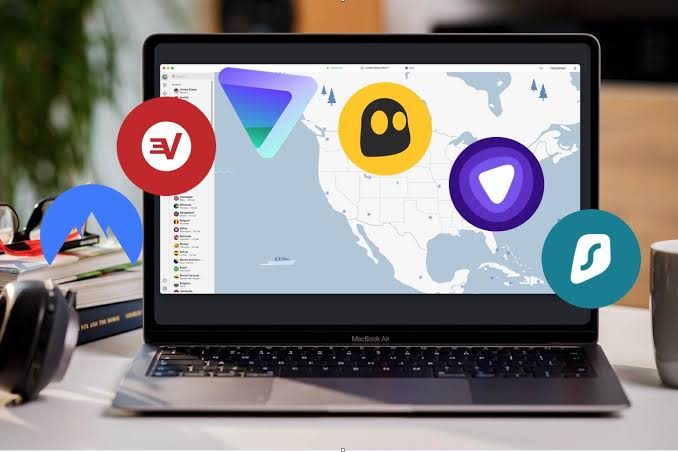
In this guide, we’ll review the best free VPNs for MacBook in 2026, comparing their security, speed, privacy features, data limits, and overall performance. Whether you’re a student, remote worker, traveler, or everyday Mac user, this list will help you choose the right free VPN to stay safe and browse with confidence.
Free VPN for MacBook: If you own a MacBook, you’ve probably assumed it’s already pretty safe online. Macs do have solid built-in security, but here’s the thing — none of that protects your actual internet traffic. Your internet provider can still see every site you visit, public Wi-Fi at your local coffee shop is still a risk, and streaming services still know exactly which country you’re browsing from.
That’s where a VPN comes in. And no, you don’t have to pay for one to get real protection. There are a handful of genuinely trustworthy free VPNs built for MacBooks in 2026 — you just need to know which ones are worth installing and which ones are quietly selling your data in the background.
This guide walks you through the best free VPN options for MacBook this year, what each one actually offers, where they fall short, and how to pick one without regretting it later.
Do You Really Need a VPN on a MacBook?
A lot of Mac users assume Apple’s security features are enough. macOS does a great job blocking malware and sketchy downloads, but it was never designed to hide your browsing activity or encrypt your internet connection. Apple doesn’t offer a built-in consumer VPN service either — the VPN settings you’ll find in System Settings are meant for connecting to corporate or school networks, not for everyday privacy.
Here’s when a VPN genuinely makes a difference on your MacBook:
- Public Wi-Fi — Coffee shops, airports, and hotel networks are easy targets for anyone snooping on shared networks.
- Streaming from abroad — If you’re traveling and want to catch up on a show from home, a VPN can make it look like you’re browsing from your home country.
- Basic privacy — Your internet provider can see and sometimes sell information about the sites you visit. A VPN encrypts that traffic so they can’t.
- Avoiding price discrimination — Some websites show different prices for flights or subscriptions depending on your location. A VPN can help you compare fairly.
Now let’s get into the actual tools.
1. Proton VPN Free
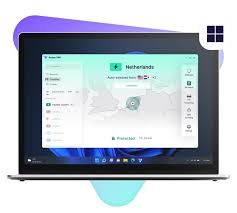
Proton VPN‘s free plan is one of the most generous out there, mainly because it doesn’t cap your data. Most free VPNs limit you to a few gigabytes a month, but Proton lets you use it as much as you want. The trade-off is that you’re limited to servers in just three countries, and speeds on the free tier are noticeably slower than the paid version.
Best for: Mac users who want unlimited free usage without watching a data counter.
Pros:
- No data limit — genuinely unlimited free usage
- Strong no-logs policy backed by Swiss privacy laws
- Native macOS app, no clunky manual setup
- Comes from the same team behind Proton Mail, so the privacy focus is consistent
Cons:
- Only a handful of server locations on the free plan
- Speeds are slower compared to paid VPNs
- Doesn’t reliably unblock streaming services like Netflix
Example use case: A student working from a university library on their MacBook, browsing daily without worrying about hitting a data cap.
2. PrivadoVPN Free
PrivadoVPN‘s free plan stands out for its speed. In independent testing, it’s consistently ranked as one of the fastest free VPNs available, which makes it usable for things like video calls and even light streaming — something most free VPNs struggle with.
Best for: Mac users who want fast performance without paying, even if that means a data cap.
Pros:
- Fast speeds compared to other free VPNs
- Works across Mac, Windows, iOS, and Android
- Unlimited simultaneous connections isn’t offered, but the app is smooth and simple
- Good option for occasional streaming
Cons:
- Capped at 15GB of data per month
- Only 10 server locations on the free tier
- Live chat support isn’t available on the free plan
Example use case: Someone who wants to stream a few episodes of a show while traveling without their connection crawling to a stop.
3. Windscribe Free
Windscribe has built a loyal following because it feels less corporate than most VPNs — it’s independently run, and the free plan actually gives you a reasonable amount of flexibility. You get 10GB of data a month (more if you tweet about them or confirm your email), along with access to servers in about 10 countries.

Best for: Users who want a bit more control, like an ad blocker and firewall built into the app.
Pros:
- 10GB monthly data, with ways to earn a bit more for free
- Includes a built-in ad and tracker blocker
- Split tunneling lets you choose which apps use the VPN
- No aggressive upselling inside the app
Cons:
- Speeds can vary depending on the server
- Streaming unblocking is hit-or-miss
- Interface takes a little getting used to for first-time users
Example use case: A freelancer who wants to block ads and trackers across their MacBook while doing everyday browsing and research.
4. hide.me Free
hide.me offers a smaller but solid free plan, with a 10GB monthly cap and access to five server locations. It’s not flashy, but it’s reliable, and the macOS app is genuinely easy to set up — good for anyone who doesn’t want to deal with settings menus.
hide.me Free is one of the most trusted free VPN services for MacBook users who value privacy and security. The free plan includes a generous monthly data allowance, access to multiple server locations, and a dedicated macOS app that is easy to install and use. It protects your internet connection with strong AES-256 encryption, supports modern VPN protocols such as WireGuard, and follows a strict no-logs policy, meaning your online activities are not tracked or stored.
The VPN also includes useful security features such as a kill switch, DNS leak protection, and split tunneling, allowing you to choose which apps use the VPN connection.
Hide.me delivers reliable speeds for web browsing, online banking, video calls, and light streaming, although the free plan has fewer servers and features than the premium version. With its strong focus on privacy, dependable performance, and user-friendly interface, hide.me Free is an excellent choice for anyone looking for a secure and reliable free VPN for MacBook in 2026.
Best for: Beginners who want something simple that just works without configuration.
Pros:
- Straightforward, no-fuss macOS app
- No-logs policy with independent audits backing it up
- Decent speeds for everyday browsing
- No annoying ads inside the free version
Cons:
- Only 5 server locations to choose from
- 10GB monthly limit runs out fast if you stream often
- Doesn’t support torrenting on the free plan
Example use case: A parent who wants a simple, safe way to browse and check email on public Wi-Fi during a family trip.
5. Planet VPN
Planet VPN is a lesser-known option, but it’s carved out a niche for offering unlimited free data alongside decent security features, including a no-logs policy and support for torrenting — something most free VPNs avoid offering entirely.
Planet VPN is a free VPN service that offers unlimited bandwidth, making it an attractive option for MacBook users who want continuous protection without monthly data limits. Its macOS application features a simple interface that is easy to install and use, even for beginners. The free plan provides access to a limited selection of server locations, while premium users can connect to a much larger global network for improved speed and performance.
Planet VPN uses strong encryption to help protect your internet traffic from hackers, especially when connected to public Wi-Fi networks. It can also help you access websites and online services that may be restricted in your region.
Although the free version is suitable for everyday browsing, streaming, and light online activities, speeds may vary during peak usage, and advanced features are reserved for paid subscribers. Overall, Planet VPN is a solid free VPN for MacBook users who want unlimited data, basic privacy protection, and a straightforward browsing experience without requiring a subscription.
Best for: Users who specifically need torrenting support on a free plan.
Pros:
- Unlimited data on the free plan
- Torrenting is allowed, unlike most competitors
- Covers a wide range of macOS versions
- Simple installation process
Cons:
- Server network is smaller than bigger-name competitors
- Speeds can be inconsistent depending on the time of day
- Less brand recognition, so fewer independent audits available
Example use case: Someone who occasionally downloads large files and wants a free option that doesn’t block the activity outright.
6. TunnelBear Free
TunnelBear won’t win any speed awards, but it’s one of the most beginner-friendly VPNs out there, with a genuinely simple design and a transparency report that gets published every year. The catch is the free plan only gives you 2GB a month, which is fine for occasional use but won’t get you far if you use it daily.
TunnelBear Free is a beginner-friendly VPN for MacBook users who want a simple and secure way to browse the internet. It offers strong AES-256 encryption, a strict no-activity-logging policy, and an easy-to-use macOS app with servers in dozens of countries.
The free plan includes a limited monthly data allowance, making it suitable for light browsing, checking email, and securing connections on public Wi-Fi. TunnelBear also includes features like VigilantBear (a kill switch) and GhostBear, which can help bypass some network restrictions. While the free plan isn’t ideal for heavy streaming or large downloads, it’s a reliable choice for users who prioritize privacy, simplicity, and ease of use.
Best for: First-time VPN users who want something simple to test the waters.
Pros:
- Extremely easy to use, even for total beginners
- Publishes independent security audits regularly
- Clean, friendly macOS app
- Good for light, occasional use
Cons:
- Only 2GB of free data per month
- Not enough for regular streaming or heavy browsing
- Fewer advanced features compared to other free options
Example use case: Someone who just wants to check their bank account safely once in a while when connected to public Wi-Fi.
Free VPN vs Paid VPN: What’s the Real Difference?
Free VPNs on this list are legitimate, but it helps to know what you’re giving up compared to a paid plan:
| Feature | Free VPN | Paid VPN |
|---|---|---|
| Data limits | Usually capped (except a few) | Unlimited |
| Server locations | Handful of countries | Dozens of countries |
| Streaming access | Rarely reliable | Usually works well |
| Speed | Often throttled | Full speed |
| Support | Limited or none | 24/7 live chat |
If you only need occasional protection — public Wi-Fi, checking email while traveling, light browsing — a free VPN is genuinely enough. If you’re streaming daily, working remotely across time zones, or need consistent speed, it’s worth budgeting for a paid plan eventually.
How to Set Up a Free VPN on Your MacBook
Getting started is simpler than most people expect:
- Download the app directly from the provider’s official website or the Mac App Store — avoid random third-party download sites.
- Create a free account using your email address.
- Open the app and sign in.
- Pick a server location from the list.
- Click Connect, and you’re done. Your MacBook’s internet traffic is now encrypted.
Most of these apps live in your Mac’s menu bar, so you can connect or disconnect in a couple of clicks without digging through settings.
Common Mistakes to Avoid
- Downloading from unofficial sources. Always get the app from the provider’s real website or the App Store — fake VPN apps are a common way to install malware.
- Assuming “free” means no strings attached. Some free VPNs make money by selling browsing data. Stick to the ones with a clear no-logs policy, like the ones listed above.
- Expecting free VPNs to unblock every streaming service. Most streaming platforms actively block known free VPN servers, so results will vary.
- Forgetting to check server load. If a free server feels slow, try switching to a different one in the app — free tiers often get crowded during peak hours.
Frequently Asked Questions
1. Is it safe to use a free VPN on a MacBook?
Yes, as long as you pick a reputable one. The VPNs listed in this guide have clear no-logs policies and don’t sell your browsing data. Avoid random, unknown free VPN apps from third-party download sites, since those are the ones that pose real privacy risks.
2. Which free VPN works best for streaming on a MacBook?
PrivadoVPN Free tends to perform the best for light streaming thanks to its speed, though results can vary depending on which streaming service you’re using, since most platforms actively try to block VPN traffic.
3. Can I use a free VPN for torrenting on my Mac?
Most free VPNs don’t allow torrenting, but Planet VPN is one of the few that does. If torrenting is a priority, check the provider’s policy first, since using it where it’s blocked can get your connection throttled or cut off.
4. Do free VPNs slow down my internet speed?
Usually, yes, at least a little. Free servers tend to be more crowded, and providers often prioritize paid users for speed. PrivadoVPN Free is generally the fastest option among free plans if speed is your main concern.
5. Does macOS already come with a built-in VPN?
Not exactly. macOS supports connecting to VPN servers through protocols like IKEv2, but it doesn’t include an actual consumer VPN service. You still need to install an app from a provider to get real privacy protection.
6. How much data do I actually need from a free VPN?
It depends on your habits. If you’re just browsing and checking email occasionally, 2–10GB a month is usually enough. If you stream or use it daily, an unlimited option like Proton VPN Free or Planet VPN will serve you better.
7. Will a free VPN work with Apple Silicon MacBooks (M-series chips)?
Most of the VPNs listed here, including Proton VPN, PrivadoVPN, and Windscribe, are fully compatible with Apple Silicon. It’s still worth checking the provider’s website before installing, since some smaller or unknown VPNs haven’t updated their apps for newer Mac chips.
Conclsion
You don’t need to spend money to get basic privacy and protection on your MacBook. Proton VPN Free is the strongest all-round pick if you want unlimited data, PrivadoVPN Free is best if speed matters most to you, and Windscribe Free is a nice middle ground if you want more control over your setup.
Just remember that free plans come with real trade-offs — fewer servers, capped data, and slower speeds in most cases. Start with one of the trusted options above, see how it fits your daily use, and upgrade only if you find yourself needing more.

