
If you’re still running a MacBook Air from 2015, you’re not alone. That machine was built to last, and plenty of people still use it daily for browsing, streaming, and work. But here’s the problem — finding a free VPN that actually works on it in 2026 is harder than it looks.

Most VPN apps today are built for newer macOS versions. Your 2015 MacBook Air likely runs macOS Catalina (10.15) or Big Sur (11), depending on your upgrade history. Some might even be on High Sierra or Mojave. That limits your options because many newer VPN clients won’t install.
This guide cuts through the noise. Below, you’ll find free VPNs that work on older macOS versions, what to look for before downloading anything, and honest answers about what free VPNs can and can’t do.
VPN for MacBook Air 2015. For a MacBook Air 2015, finding a VPN that balances compatibility, security, and performance is essential. While older Mac hardware may not support the latest macOS versions, several reputable VPN providers still offer apps or manual setup options for legacy systems. Among free options, Proton VPN remains one of the most trusted choices thanks to its unlimited data, strong privacy protections, and no-logs policy. However, compatibility can depend on the macOS version running on your MacBook Air 2015.
Whether you need a VPN for secure browsing on public Wi-Fi, protecting your privacy, or accessing geo-restricted content, there are still reliable free solutions available. In this guide, we’ll explore the best free VPNs for MacBook Air 2015, compare their features, and help you choose the right option for your older Mac without sacrificing security or usability.
What macOS does the MacBook Air 2015 run?
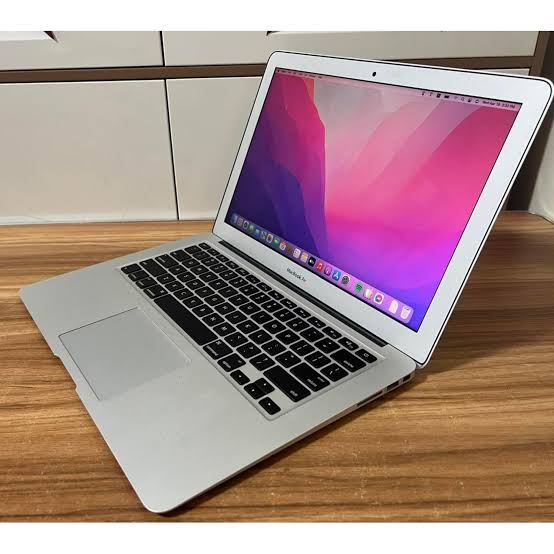
Before you download any VPN, you need to know which macOS version your machine supports. The 2015 MacBook Air (both 11-inch and 13-inch models) officially supports up to macOS Big Sur 11.
Here’s a quick breakdown:
| macOS Version | Compatible with 2015 MacBook Air? |
|---|---|
| High Sierra (10.13) | ✅ Yes |
| Mojave (10.14) | ✅ Yes |
| Catalina (10.15) | ✅ Yes |
| Big Sur (11) | ✅ Yes |
| Monterey (12) | ❌ No |
| Ventura (13) | ❌ No |
So if a VPN says it requires macOS 12 or later, skip it. You need something that supports at least macOS 10.13 or higher.
What to Look For in a Free VPN for MacBook Air 2015
Not every free VPN is worth your time. Here’s what actually matters:
macOS Version Support — Check the system requirements on the VPN’s website before downloading. Many updated apps no longer support Catalina or older.
Data Limits — Most free VPNs cap your usage. Some give you 500MB/month, others give 10GB. If you’re only using it for light browsing and occasional privacy needs, 10GB/month is usually enough.
No-Log Policy — A VPN that stores your browsing history defeats the purpose. Look for providers that have published no-log policies or third-party audits.
Encryption Standard — AES-256 is what you want. It’s the same standard used by banks and government agencies.
Connection Speed — Free VPNs are often slower because servers are shared among many users. Pick one known for reasonable speeds on its free tier.
Number of Free Servers — More server locations means you can access content from different countries. Some free plans restrict you to just 1–3 locations.
Best Free VPNs for MacBook Air 2015
1. ProtonVPN Free
ProtonVPN is hands-down the best free VPN for most people, including those on older Macs. The free plan has no data limit, which is rare. You won’t get cut off after 500MB.
- Supported macOS: 10.15 (Catalina) and above on the newer app. For older versions, you can use the OpenVPN config method directly.
- Free servers: USA, Netherlands, Japan (3 countries)
- Speed: Moderate — fine for browsing and occasional video calls
- Data cap: None
- Logs: No-log policy, independently audited
Practical example: Say you’re working from a café and want to keep your bank login secure on public Wi-Fi. ProtonVPN’s free plan handles that easily without hitting any data limit.
Pros:
- Unlimited data — the biggest advantage in the free tier
- Swiss privacy laws (strong legal protection)
- Open-source apps
- Audited no-log policy
Cons:
- Only 3 server locations on the free plan
- Speeds can drop during peak hours
- No P2P or streaming support on free servers
2. Windscribe Free
Windscribe gives you 10GB of free data per month, which is one of the more generous free allowances out there. It also supports older macOS versions well.

- Supported macOS: macOS 10.13 (High Sierra) and above
- Free servers: 10+ countries, including the USA, UK, Canada, Germany, Netherlands
- Speed: Good for browsing and light HD streaming
- Data cap: 10GB/month (can be bumped to 15GB if you confirm your email)
Practical example: If you travel and want to use a UK Netflix library on your MacBook Air, Windscribe’s free UK server can help — at least until you hit the monthly limit.
Pros:
- Works on High Sierra, so it covers even older macOS installs
- Good server variety for a free plan
- Built-in ad and tracker blocker
- Browser extension available too
Cons:
- 10GB cap isn’t enough for heavy streaming
- Some servers get congested
- No 24/7 live chat support on the free tier
3. Hotspot Shield Free
Hotspot Shield’s free version gives you access to US servers with a decent connection speed. It’s one of the more polished free VPN apps available.
- Supported macOS: 10.14 (Mojave) and above
- Free servers: USA only
- Speed: Generally fast, even on the free plan
- Data cap: 500MB/day (~15GB/month)
Practical example: You’re watching a US-only live stream or webinar, and you need a stable, fast connection. Hotspot Shield’s US server usually delivers that.
Pros: The
- 500MB daily limit is reset every day (works out to ~15GB monthly)
- Fast connection speeds
- Simple, clean interface
Cons:
- Only one server location (USA)
- Shows ads on the free plan
- Privacy policy isn’t as clean as ProtonVPN
4. TunnelBear Free
TunnelBear has a fun interface and a straightforward free plan. It’s easy to set up, which makes it a good choice if you want something simple without a learning curve.
TunnelBear Free is a popular VPN service known for its simple design, user-friendly interface, and strong security features. It is an excellent choice for MacBook Air 2015 users who want a VPN that is easy to install and use without dealing with complex settings. The app features a fun, intuitive design while still providing serious privacy protection through AES-256 encryption and a strict no-logs policy.
One of TunnelBear’s biggest advantages is its global server network, which allows free users to connect to servers in multiple countries. This makes it useful for securing internet connections, bypassing basic geo-restrictions, and protecting personal information on public Wi-Fi networks. The VPN also includes security features such as VigilantBear, a kill switch that blocks internet traffic if the VPN connection drops unexpectedly.
The free plan comes with a limited monthly data allowance, making it best suited for light web browsing, email, and occasional secure online activities rather than heavy streaming or large downloads. Despite the data cap, TunnelBear Free remains one of the most trusted free VPNs thanks to its transparent privacy practices and independent security audits. For MacBook Air 2015 owners seeking a beginner-friendly VPN with reliable security and an easy learning curve, TunnelBear Free is a solid option.

- Supported macOS: 10.15 (Catalina) and above
- Free servers: 47+ countries
- Speed: Average
- Data cap: 2GB/month
Practical example: If you occasionally need to bypass geo-blocks for a specific website or need basic privacy while checking emails on a hotel network, TunnelBear’s free 2GB will cover that easily.
Pros:
- Large server network, even on the free plan
- Very easy to use — great for non-technical users
- Independently audited security
Cons:
- 2GB/month is very limited
- Not suitable for streaming or downloads
- No way to earn extra data like some competitors
5. Hide.me Free
Hide.me offers a solid free plan with good privacy credentials and no registration required to use the free tier.
Hide.me Free is one of the most privacy-focused free VPNs available for MacBook Air users. Based in Malaysia, a country outside major international surveillance alliances, Hide.me follows a strict no-logs policy and has undergone independent audits to verify its privacy claims. The free plan includes access to multiple server locations, allowing users to browse securely without paying for a subscription.
One of Hide. My biggest strength is its security. It offers AES-256 encryption, modern VPN protocols such as WireGuard and IKEv2, and built-in leak protection to keep your online activity private. The Mac app is user-friendly and works smoothly on older macOS versions, making it a good choice for MacBook Air 2015 owners. Unlike many free VPNs, Hide.me does not display ads or sell user data to third parties.
The free version provides a monthly data allowance that is sufficient for light browsing, email, and occasional streaming. While speeds are generally reliable, users may experience some limitations compared to the premium plan, including fewer server locations and restricted advanced features. Nevertheless, Hide.me Free remains an excellent option for users who want strong privacy, dependable security, and a trustworthy free VPN service without compromising their personal data.
- Supported macOS: 10.13 (High Sierra) and above
- Free servers: 5 locations (Netherlands, USA East, USA West, Germany, Canada)
- Speed: Decent for browsing
- Data cap: 10GB/month
Practical example: You want a no-hassle VPN you can download and use immediately without creating an account. Hide.me lets you do exactly that on its free plan.
Pros:
- No account needed to start
- 10GB/month data
- Supports multiple protocols (IKEv2, OpenVPN, SoftEther)
- Works on High Sierra — one of the broadest macOS compatibilities
Cons:
- Limited to 1 simultaneous connection
- No streaming or P2P on free servers
- Customer support is based on the free tier
Installing a VPN on MacBook Air 2015 — Step by Step
Here’s a general process that applies to most of the VPNs above:
- Check your macOS version — Click the Apple logo → About This Mac → note the macOS version number.
- Go to the VPN’s official website — Don’t download from third-party sites. Always use the official source.
- Check system requirements — Look for the macOS download section and confirm it supports your version.
- Download the .dmg file — This is the standard Mac installer format.
- Open the .dmg and drag the app to your Applications folder.
- Launch the app and sign up or log in (some like Hide.me let you skip this on free plans).
- Connect to a free server — Most apps make this a single click.
- Verify your connection — Go to ipleak.net or browserleaks.com to confirm your IP has changed.
Using OpenVPN as a Manual Alternative
If none of the apps above work on your specific macOS version, there’s another option: OpenVPN.
ProtonVPN, Windscribe, and Hide.me all let you download OpenVPN configuration files. You can then use Tunnelblick — a free, open-source OpenVPN client for macOS that supports older versions going back to macOS 10.12 Sierra.
Steps:
- Download Tunnelblick from tunnelblick.net
- Log in to your VPN account on their website
- Download the OpenVPN (.ovpn) config files for the servers you want
- Open Tunnelblick and import the config files
- Connect with your VPN account credentials
This method is a bit more technical but gives you VPN access even on older macOS versions that no longer support the official app.
What Free VPNs Can and Can’t Do
It’s worth being honest about what you’re getting with a free VPN.
What they do well:
- Secure your connection on public Wi-Fi (cafes, airports, hotels)
- Hide your IP address from websites
- Bypass some basic geo-restrictions
- Encrypt your DNS requests
What they usually can’t do:
- Reliably unblock Netflix, Disney+, or Hotstar (paid plans do this better)
- Handle heavy torrenting (most free plans block P2P)
- Give you premium speeds during high traffic
- Connect multiple devices at once
For everyday privacy and security, a free VPN from a trusted provider is perfectly fine. But if you need consistent streaming access or download large files regularly, a paid plan is worth the cost.
Are Free VPNs Safe?
This is the most important question to ask. Not all free VPNs are equal.
Trustworthy free VPNs are from companies that also sell paid plans. Their business model makes sense — give you a limited free version, earn your trust, and hope you upgrade. Examples: ProtonVPN, Windscribe, Hide.me.
Avoid these types of free VPNs:
- Apps with no clear business model (how are they paying for servers?)
- VPNs that log and sell your data to advertisers
- Apps with vague or no privacy policy
- VPNs found only on third-party download sites
A good rule: if a VPN is completely free with no paid tier and no explanation of how they make money, be cautious. Free server infrastructure isn’t cheap, and those costs have to be covered somehow.
Quick Comparison Table
| VPN | Data Cap | macOS Support | Free Servers | Speed | Best For |
|---|---|---|---|---|---|
| ProtonVPN | Unlimited | 10.15+ (app) / 10.12+ (OpenVPN) | 3 countries | Medium | Daily privacy use |
| Windscribe | 10GB/month | 10.13+ | 10+ countries | Good | Occasional streaming |
| Hotspot Shield | ~15GB/month | 10.14+ | USA only | Fast | US content access |
| TunnelBear | 2GB/month | 10.15+ | 47+ countries | Average | Light/occasional use |
| Hide.me | 10GB/month | 10.13+ | 5 locations | Decent | No-signup quick use |
FAQs
Can I use a VPN on macOS Big Sur on my 2015 MacBook Air?
Yes. All five VPNs listed above have versions that work on Big Sur (macOS 11). ProtonVPN, Windscribe, and Hide.me work on Catalina too.
Will a free VPN slow down my MacBook Air?
Some slowdown is expected, especially on free plans where servers are shared. For general browsing, the difference is usually minor. For HD video streaming, you may notice buffering.
Is it legal to use a VPN in India?
Yes, VPNs are legal in India for personal use. That said, the government now requires VPN providers to store user data. ProtonVPN and Windscribe operate outside India’s jurisdiction, which helps with privacy.
Can I use these VPNs on my iPhone, too?
Yes, all five VPNs listed have iOS apps. Your free account usually works across devices, but free plans often limit you to one connection at a time.
What if the VPN app won’t install on my macOS version?
Use the OpenVPN method with Tunnelblick. It’s compatible with much older macOS versions and lets you use ProtonVPN or Windscribe servers manually.
Will a free VPN work for online banking?
For security purposes, yes — it adds encryption on public Wi-Fi. But some banks block VPN connections for fraud prevention. If your bank’s app or site stops working, disconnect the VPN and try again.
Does a VPN protect me from viruses?
No. A VPN handles privacy and encryption, not malware. You still need a separate antivirus tool for that.
How do I know if my VPN is working?
Visit ipleak.net while connected. If the IP address shown is different from your real one and matches the server location you selected, your VPN is working correctly.
Conclsion
Your 2015 MacBook Air is a capable machine, and with the right free VPN, you can browse privately and securely without spending anything. ProtonVPN is the best all-around pick if you don’t want to worry about data limits. Windscribe and Hide.me are strong alternatives with solid macOS support.
Just remember to download from official websites, check your macOS version compatibility before installing, and avoid sketchy free VPN services that don’t have clear privacy policies.
Stay safe online — your older Mac can still keep up.

