
If you’ve been searching for a free VPN in 2026, you’re not alone. Millions of people want to protect their privacy online, access content from other countries, or simply feel safer on public Wi-Fi — without paying a monthly subscription.
The good news? Free VPNs have gotten better. The bad news? There are still a lot of bad ones out there that do more harm than good.
This guide Free VPN 2026 is for anyone who wants a straight answer: which free VPNs are worth using in 2026, what their real limitations are, and when you should just pay for one instead.
What Is a VPN and Why Do People Use One?
A VPN (Virtual Private Network) hides your internet traffic by routing it through a server in another location. When you connect to a VPN, websites and apps see the VPN server’s IP address — not yours.
People use VPNs for a few common reasons:
- Privacy: Stops your internet provider from seeing your browsing activity
- Security on public Wi-Fi: Protects your data at coffee shops, airports, and hotels
- Accessing geo-blocked content: Watch shows or use apps that aren’t available in your country
- Bypassing censorship: Used in countries where certain websites are blocked
In 2026, with more of daily life happening online — banking, work, health records — online privacy has become a real concern for everyday users, not just tech people.
Can You Really Trust a Free VPN?
This is the first question worth asking. Free VPNs sound great, but they cost money to run. Servers, bandwidth, and staff aren’t free. So how do free VPNs make money?
Some do it honestly — they offer a free tier to attract users who eventually upgrade to paid plans. Think of it like a free trial that never fully expires.
Others, unfortunately, make money by collecting and selling your data to advertisers. Some have been caught injecting ads into your browser, tracking your activity, or keeping logs they said they wouldn’t.
A 2024 study from a cybersecurity research group found that about 38% of free VPN apps on major app stores had some form of data tracking embedded. That number has improved as app stores have tightened their rules, but it’s still worth being careful.
The bottom line: Not all free VPNs are unsafe, but you do need to check who’s behind the app before you install it.
Free VPN 2026:Best Free VPNs to Consider in 2026
Here are options that have a solid reputation, a transparent business model, and actually work well for basic use:
1. Proton VPN (Free Tier)
Proton VPN is one of the most trusted VPN services available today, especially popular among users who care about privacy and security. It is developed by the same team behind Proton Mail, which is known for its strong focus on protecting user data. This makes Proton VPN a reliable choice for anyone looking to browse the internet safely.
One of the biggest advantages of Proton VPN is its free plan with unlimited data. Unlike many free VPNs that limit usage, Proton VPN allows users to browse without worrying about data caps. This is why it is frequently recommended in online communities and forums. However, free users get access to a limited number of servers, which can sometimes result in slower speeds during peak times.
In terms of security, Proton VPN uses strong encryption protocols, ensuring that your online activity remains private. It also follows a strict no-logs policy, meaning it does not track or store your browsing history. This is a major reason why privacy-focused users prefer it over unknown free VPN apps.
The interface is simple and beginner-friendly, making it easy to connect to a server with just one click. It is available on multiple platforms including Windows, Android, iOS, and macOS.
Overall, Proton VPN is a great starting point for beginners. While it may not match the speed and features of paid VPNs, it offers a safe and reliable free option for everyday browsing and basic online privacy.
Proton VPN is widely considered the best free VPN available right now. Based in Switzerland — which has strong privacy laws — it offers:
- Unlimited data (rare for a free VPN)
- Servers in three countries (US, Netherlands, Japan)
- No logs, no ads, no data selling
- Open-source apps that have been independently audited
The catch? The free tier is slower than the paid, and you can’t choose from many server locations. Streaming services like Netflix will usually be blocked on the free servers. But for general browsing and privacy, it’s hard to beat.
Example use case: You’re working from a café and want to make sure your login credentials aren’t exposed on the café’s Wi-Fi. Proton VPN Free handles this well.
2. Windscribe (Free Tier)
Windscribe (Free Tier) is a popular choice among users looking for a balance between performance and free usage. It stands out because it offers a generous monthly data limit of up to 10GB, which can be increased slightly if you confirm your email. Compared to many other free VPNs, this makes Windscribe more practical for regular browsing, light streaming, and social media use.
One of the key strengths of Windscribe is its good connection speed. While free users don’t get access to all premium servers, the available locations are still reliable for everyday tasks. Many users appreciate that it can handle video streaming on platforms like YouTube without major buffering, as long as you stay within the data limit.

Windscribe also includes a built-in feature called R.O.B.E.R.T., which works as an ad blocker and tracker blocker. This helps improve browsing speed and adds an extra layer of privacy by preventing unwanted scripts and ads from loading.
From a security standpoint, Windscribe uses strong encryption and a no-logs policy, which means your online activity is not stored or monitored. This makes it a safer option compared to unknown free VPN apps that may track user data.
The interface is clean and easy to use, making it suitable for beginners as well as more experienced users. It is available on multiple devices including smartphones, laptops, and browsers.
Overall, Windscribe’s free tier is ideal for users who want a reliable, secure, and moderately fast VPN without paying, while still accepting some limitations.
Windscribe gives you 10GB of free data per month, which is decent for moderate use. It has:
- Servers in over 10 countries on the free plan
- A solid no-logging policy
- A browser extension that works independently
- Firewall feature that cuts the internet if the VPN drops
10GB goes fast if you’re streaming video, but for browsing, emails, and general use, it lasts most people a month comfortably.
Example use case: You travel once or twice a month and want to check your banking app securely from hotel Wi-Fi. Windscribe’s monthly allowance works fine for this.
3. hide.me (Free Tier)
hide.me (Free Tier) is a well-known VPN option for users who want strong privacy without paying. It stands out because it offers a completely free plan with no ads, no signup requirement, and a strict no-logs policy, making it one of the safer choices compared to unknown VPN apps.
One of its biggest advantages is that it provides unlimited data usage, which is rare among free VPNs. This means you can browse, download, and stay connected without worrying about hitting a data cap. However, there are trade-offs. Free users only get access to a limited number of server locations (around 7–8) and can connect just one device at a time.
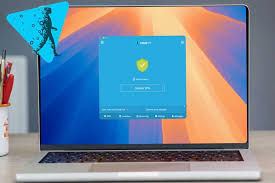
In terms of security, hide.me uses strong encryption protocols and has an independently audited no-logs policy, ensuring that your online activity is not tracked or stored. This makes it a good option for users who care about privacy, especially when using public Wi-Fi networks.
However, performance is where the free tier shows its limits. Many reviews note that speeds can be significantly slower compared to paid VPNs, making it less suitable for streaming, gaming, or heavy downloads.
From a usability standpoint, the app is simple and beginner-friendly, available on major platforms like Windows, Android, iOS, and macOS.
Overall, hide.me Free is best for basic browsing, privacy protection, and occasional use. While it’s not ideal for high-speed tasks, it remains a reliable and secure free VPN option for everyday needs.
hide.me offers 10GB per month on the free plan with servers in five locations. It’s been around since 2012, doesn’t show ads, and has a clean privacy policy. The app is easy to use, which matters if you’re not technical.
One thing that stands out: hide.me allows P2P (torrenting) on some free servers — something most free VPNs block entirely.
4. TunnelBear (Free Tier)
TunnelBear gives you 500MB per month, which is very limited — really only useful for checking a website or verifying something quickly. But it’s known for being beginner-friendly, fun to use, and has had independent security audits published publicly. If you just need a VPN occasionally, it’s fine.
TunnelBear is one of the most beginner-friendly VPN services available, especially popular for its simple design and easy setup. It is a great choice for users who are new to VPNs and want a straightforward way to protect their online privacy without dealing with complex settings.

The free version of TunnelBear offers 2GB of data per month, which is quite limited compared to other free VPNs. Because of this, it is best suited for light usage such as occasional browsing, checking emails, or accessing blocked websites for a short time. It is not ideal for streaming, downloading large files, or heavy daily use.
One of the standout features of TunnelBear is its clean and visually appealing interface. The app uses a fun map-based design where you can simply select a country and connect with one click. This makes it extremely easy for beginners to understand and use.
In terms of security, TunnelBear provides strong encryption and a strict no-logs policy, ensuring that your browsing activity remains private. It also conducts regular independent security audits, which adds an extra layer of trust compared to many unknown free VPN apps.
The VPN is available on multiple platforms, including Windows, macOS, Android, iOS, and browser extensions. While the speed is generally decent for basic tasks, the small data limit is the biggest drawback.
Overall, TunnelBear is best for beginners who want a simple, safe, and easy-to-use VPN, but it’s not suitable for heavy or long-term usage.
5. Opera Browser VPN
Opera’s built-in VPN is technically free and unlimited. It’s easy — just turn it on inside the browser. However, it only protects traffic inside the Opera browser, not your whole device. It also routes through Opera’s servers, and Opera is owned by a Chinese consortium, which raises questions for some privacy-conscious users.
Good for: Quickly checking if a website is geo-blocked, or casual browsing when you don’t want to install a separate app.
Pros and Cons of Free VPNs
✅ Pros
No cost: The obvious one. If you’re on a tight budget, free is free.
Good enough for basic privacy: For everyday browsing and securing public Wi-Fi connections, a reputable free VPN does the job.
Easy to try before you buy: Using a free tier from a company like Proton or Windscribe lets you test the interface and performance before committing to a paid plan.
Proton VPN has no data cap: Unlike most free VPNs, Proton’s free tier doesn’t limit how much data you can use, making it genuinely useful for daily browsing.
Widely available: Free VPN apps are available on Windows, Mac, Android, and iOS — easy to get started.
❌ Cons
Slower speeds: Free servers are shared among many users. During peak times, your connection can slow down noticeably. Streaming HD video becomes frustrating.
Data caps: Most free VPNs limit you to 500MB–10GB per month. That’s not enough for heavy use.
Limited server locations: You might have access to only 3–5 countries, making it hard to unblock specific content.
Streaming rarely works: Netflix, Disney+, and other platforms actively block VPN servers. Free VPN servers are usually the first to get blocked.
Privacy risks with shady apps: If you download a random free VPN from an unfamiliar source, you’re taking a real risk. Some collect your data and sell it.
No customer support: Free plans usually don’t include support. If something breaks, you’re on your own.
Red Flags: Free VPNs to Avoid
Not every free VPN is worth your time — or your data. Here’s what to watch for:
- No privacy policy: If a VPN app doesn’t have a clear privacy policy, walk away.
- Requests unnecessary permissions: A VPN shouldn’t need access to your contacts, photos, or microphone.
- Based in a country with mandatory data retention laws: Some countries require companies to keep logs of user activity and hand them over to authorities on request.
- Too many ads inside the app: Ad-heavy free VPNs often make money from your data, not just from ad impressions.
- No information about who runs it: A legitimate VPN company tells you who they are and where they’re based.
One practical check: search the VPN name plus “data breach” or “logging scandal” before you install it. If something questionable has happened, it’ll show up.
Free vs. Paid VPN: When Should You Pay?
A free VPN is fine if you:
- Just want basic privacy on public Wi-Fi occasionally
- Only need to use a VPN a few times a month
- Are testing VPNs before deciding which paid service to subscribe to
- Need to verify whether a website is blocked in another country
You should seriously consider a paid VPN if you:
- Stream video regularly and want to access content from other countries
- Work remotely and handle sensitive files or communications
- Travel frequently and rely on a VPN daily
- Live in or visit a country where internet censorship is heavy
- Want to torrent files without exposing your IP address
Paid VPNs like Mullvad, ExpressVPN, or NordVPN typically cost $4–$10/month and offer much faster speeds, more server locations, and consistent access to streaming platforms.
How to Set Up a Free VPN (Step-by-Step Example)
Here’s how to get started with Proton VPN’s free tier — the safest pick in 2026:
- Go to protonvpn.com and click “Get Proton VPN Free.”
- Create a free Proton account (just an email and password)
- Download the app for your device (Windows, Mac, Android, or iOS)
- Open the app and log in
- Click “Quick Connect” — it picks the fastest free server for you
- A lock icon or “Connected” status confirms it’s working
The whole process takes under five minutes. You can verify it’s working by searching “what is my IP address” in Google before and after connecting — the IP should change.
FAQs
Q: Is it legal to use a VPN?
In most countries, yes. VPNs are legal in the US, UK, Canada, Australia, and most of Europe. Some countries restrict or ban VPN use — including China, Russia, and the UAE. Always check local laws if you’re traveling.
Q: Will a free VPN slow down my internet?
Usually, yes — at least a little. Free servers handle more users with fewer resources. The slowdown is noticeable for streaming or gaming, but for regular browsing, most people won’t mind.
Q: Can a free VPN unblock Netflix?
Rarely. Netflix and other streaming platforms have gotten very good at detecting and blocking VPN servers. Paid VPNs put more resources into staying ahead of these blocks. Free VPN servers almost always get blocked.
Q: Does a VPN make me completely anonymous?
No. A VPN hides your IP address and encrypts your traffic, but it doesn’t make you invisible. You can still be tracked through browser cookies, your Google account, or your behavior online. VPNs are one layer of privacy, not a complete solution.
Q: Is Proton VPN really free forever?
Yes, Proton VPN’s free tier has no expiry date. They make money from paid subscriptions and use that to fund the free tier. You don’t need a credit card to sign up.
Q: Can I use a free VPN on my phone?
Yes. Most reputable free VPNs have Android and iOS apps. Just make sure you download from the official app stores and from the VPN’s official website link — not third-party sources.
Q: What happens if my VPN disconnects mid-session?
If a VPN drops suddenly, your traffic briefly goes back through your normal connection until you reconnect. Some VPNs have a “kill switch” that automatically blocks all internet access if the VPN drops — Windscribe’s free version includes this feature.
Q: Are browser VPN extensions the same as full VPN apps?
No. Browser extensions only protect traffic within that browser. A VPN app protects your entire device’s connection. If you’re using apps, games, or other programs, you need the full app.
Conclsion
Free VPNs in 2026 are better than they’ve ever been — but they still come with real trade-offs. If you just want basic privacy on public Wi-Fi or occasional private browsing, a reputable free VPN like Proton VPN or Windscribe is a genuinely good option.
The key is choosing one from a company with a proven track record and a business model that doesn’t depend on selling your data. Avoid unknown apps with vague privacy policies, especially ones that ask for strange permissions.
If you find yourself relying on a VPN every day — for streaming, for work, or for staying safe while traveling — a paid plan is worth the few dollars a month. The speed, reliability, and server access are noticeably better.
But if you’re just getting started, start with Proton VPN’s free tier. It’s honest, unlimited, and it works. That’s more than you can say for most things labeled “free” on the internet.

