
Let’s be straight with you before anything else: not all free VPNs are worth downloading. Some are genuinely useful. Others are slow, sketchy, or quietly sell your browsing data to advertisers — which is the exact opposite of what a VPN is supposed to do.
This guide walks you through the best free VPNs you can actually download in 2026, what each one is good for, where they fall short, and what to watch out for when you’re choosing one. No fluff, no fake reviews — just what you need to make a smart decision.
What Is a VPN and Why Would You Need One?
A VPN (Virtual Private Network) hides your internet activity by routing it through a server in another location. When you connect through a VPN:
- Websites see the VPN server’s IP address, not yours
- Your internet provider can’t see what you’re doing
- You can access content that’s blocked in your country or region
Practical example: You’re traveling in a country where certain news websites or streaming services are blocked. A VPN lets you connect through a server back home and browse like you’re sitting in your living room.
Other common reasons people use VPNs:
- Using public Wi-Fi safely (airports, cafés, hotels)
- Accessing a streaming library from another country
- Keeping online purchases private
- Avoiding price discrimination on flights and hotels
The question isn’t really why use a VPN — it’s which free one won’t cause you more problems than it solves.
The Best Free VPN 2026 Download:-
1. Proton VPN Free
Best overall free VPN — no data cap
Proton VPN’s free tier is genuinely different from the rest. Most free VPNs cap your data at 500MB or 1GB per month. Proton gives you unlimited data on the free plan, which is rare and worth paying attention to.
Proton VPN Free is one of the most trusted options for users who want a secure and private internet connection without paying anything. Developed by the team behind Proton Mail, it focuses heavily on privacy, security, and transparency.
One of the biggest advantages of Proton VPN Free is that it offers unlimited bandwidth, which is rare among free VPN services. This means you can browse, stream, and use the internet without worrying about data limits. It also uses strong encryption and a strict no-logs policy, ensuring that your online activity remains private.
The free version provides access to a limited number of server locations, usually in countries like the US, the Netherlands, and Japan. While the speeds are generally reliable, they may be slower compared to the paid version due to higher user load on free servers.
Another key feature is its user-friendly interface, making it easy for beginners to connect with just one click. It is available on multiple platforms, including Windows, Android, iOS, and macOS.
However, Proton VPN Free does have some limitations. It does not support streaming services or torrenting on free servers, and advanced features are reserved for premium users. Free VPN
Overall, Proton VPN Free is an excellent choice for anyone looking for a safe, reliable, and truly free VPN with strong privacy protection.
What you get for free:
- Unlimited bandwidth
- Servers in 3 countries (USA, Netherlands, Japan)
- No logs, no ads, no selling your data
- Available on Windows, Mac, Android, iOS, Linux
Practical example: You want to browse securely every day from home without worrying about running out of data mid-month. Proton VPN Free is the only free option that lets you do this without hitting a wall.
Pros:
- No data limit — the biggest advantage over competitors
- Strong privacy record (based in Switzerland, outside US/EU surveillance alliances)
- Open-source and independently audited
- Clean, easy-to-use apps
Cons:
- Only 3 server locations on the free plan
- Free servers are slower during peak hours (paid users get priority)
- No streaming support (Netflix, BBC iPlayer, etc.) on the free tier
- One device at a time
Download: protonvpn.com (official site only)
2. Windscribe Free
Best for variety and flexibility
Windscribe offers one of the most generous free plans in terms of server variety. You get access to servers in 10+ countries and up to 10GB of data per month — more if you confirm your email (bumped to 10GB automatically) and tweet about them (yes, really — they add 5GB for that).
Windscribe Free is a popular choice for users who want a flexible and feature-rich VPN without paying upfront. It offers a good balance between performance, privacy, and usability, making it suitable for beginners as well as more experienced users.
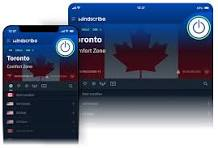
One of the key highlights of Windscribe Free is its generous data allowance. Users typically get around 10GB of free data per month (with email signup), which is enough for regular browsing, light streaming, and occasional downloads. It also provides access to multiple server locations across different countries, giving users more options compared to many other free VPNs.
Windscribe includes built-in privacy features such as strong encryption and a strict no-logs policy. It also comes with an ad and tracker blocker called “R.O.B.E.R.T.”, which helps improve browsing speed and security by blocking unwanted content.
The interface is simple and easy to use, with apps available for Windows, macOS, Android, iOS, and browser extensions. This makes it convenient for users across different devices.
However, the free version does have some limitations. The monthly data cap can run out quickly if you stream or download large files, and speeds may vary depending on server load.
Overall, Windscribe Free is a reliable and versatile VPN option, especially for users who want more control and features in a free plan.
What you get for free:
- 10GB/month data (base)
- Servers in 10+ countries, including the USA, UK, Canada, Germany, and France
- Browser extension with ad-blocking and tracker blocking built in
- Works on Windows, Mac, Android, iOS, Linux, and routers
Practical example: You want to occasionally access UK-only content and block ads while browsing. Windscribe’s free plan covers both without needing to pay anything.
Pros:
- Generous server selection for a free plan
- Built-in ad blocker and firewall (called ROBERT)
- The browser extension works separately from the desktop app
- No account required to use the free version (though an account gets you more data)
Cons:
- 10GB/month isn’t enough for video streaming regularly
- Speed can vary a lot depending on the server
- Some servers are only available on paid plans
- Free tier doesn’t include port forwarding
Download: windscribe.com
3. Tunnelbear Free
Best for beginners — cleanest interface
If you’ve never used a VPN before and find tech confusing, TunnelBear is the easiest to get started with. The interface is literally a map with bears tunneling between countries. It’s approachable, friendly, and does what it promises.
TunnelBear Free is a beginner-friendly VPN designed for users who want a simple and secure way to browse the internet without paying. It is known for its clean interface and easy setup, making it a great option for people who are new to VPNs.

One of the main features of TunnelBear Free is its 2GB monthly data limit, which resets every month. This makes it suitable for light tasks like browsing, checking emails, or using public Wi-Fi safely, but not ideal for heavy streaming or downloading. Despite being free, it offers strong encryption and basic security features, helping protect your online activity from hackers and trackers.
TunnelBear Free also provides access to servers in multiple countries, allowing users to browse with different virtual locations. However, recent updates have limited some advanced features, like manual server selection and customization options, to paid users.
Another advantage is that it supports multiple devices and platforms, including Windows, macOS, Android, and iOS. The app is visually appealing and very easy to use, which adds to its popularity.
However, the biggest limitation remains the low data cap and fewer advanced features. Overall, TunnelBear Free is best for beginners or occasional use, especially when you need quick privacy protection without complexity.
What you get for free:
- 2GB/month data
- Servers in 45+ countries (same selection as paid)
- Available on Windows, Mac, Android, iOS, Chrome
Practical example: You’re at a hotel and want to use their public Wi-Fi without worrying about someone snooping on your connection. Connect TunnelBear, pick a nearby server, and you’re protected for that session — well within the 2GB monthly limit.
Pros:
- Incredibly easy to use — great for first-timers
- Access to all server locations (not just a few like Proton’s free tier)
- Independently audited security
- No speed throttling
Cons:
- Only 2GB/month — runs out fast if you use it daily
- No Linux app
- Not ideal for streaming or heavy use
- Requires an account to use
Download: tunnelbear.com
4. hide.me Free
Best for privacy-focused users on a budget
Hide.me has a solid reputation in the VPN space, and their free plan is honest — no logs, no selling data, no tricks. You get 10GB/month and access to 5 server locations.
Hide.me Free is a privacy-focused VPN designed for users who want secure internet access without paying. It stands out because it offers strong security features and a true no-logs policy, meaning your online activity is not tracked or stored. In fact, its privacy claims have been independently audited, which adds an extra layer of trust.
One of the biggest advantages of Hide.me Free is that it provides unlimited data usage, which is rare among free VPNs. This makes it suitable for regular browsing without worrying about hitting a data cap. It also includes useful features like a kill switch, split tunneling (on most devices), and support for multiple VPN protocols, giving users more control and security.
The VPN is available on major platforms like Windows, macOS, Android, and iOS, and it can even be used without providing an email in some cases, which improves privacy. Additionally, it does not show ads or trackers, making the experience clean and secure.
However, the free version has some limitations. Speeds are often heavily restricted, sometimes to around 1 Mbps, which makes streaming or downloading difficult. It also offers limited server locations and allows only one device connection at a time.
Overall, Hide.me Free is a solid choice for privacy and basic browsing, but it may not be ideal for heavy internet usage or streaming.
What you get for free:
- 10GB/month data
- 5 server locations (Netherlands, USA East, USA West, Germany, Canada)
- Works on Windows, Mac, Android, iOS, Linux, and routers
- No logs policy
Practical example: You work remotely occasionally from coffee shops and want a reliable VPN you can trust not to keep records of where you’ve been online. hide.me fits that use case well on the free plan.
Pros:
- Strong no-logs policy — verified
- 10GB is enough for regular, non-streaming use
- Works on most platforms, including Linux
- No ads in the app
Cons:
- Only 1 simultaneous connection on the free plan
- Speeds aren’t the fastest
- Server options are limited compared to paid plans
- Streaming is hit-or-miss
Download: hide.me
5. Hotspot Shield Free
Best for speed — surprisingly fast
Hotspot Shield’s free plan is ad-supported, which some people find annoying, but it makes up for it with noticeably fast speeds. It uses its own Hydra protocol, which is optimized for performance.
Hotspot Shield Free is a widely used VPN that offers a quick and easy way to secure your internet connection without paying. One of its biggest advantages is that it provides unlimited data, which is uncommon among free VPN services. This makes it suitable for regular browsing, light streaming, and everyday online activities without worrying about hitting a data cap.
The tool is very beginner-friendly. You can install it and connect with just one click, and in many cases, it doesn’t require an account to get started. It also uses encryption to protect your IP address and browsing activity, helping you stay safer on public Wi-Fi networks.
However, there are some important limitations. The free version only offers access to a small number of server locations, which can affect speed and flexibility. It also shows ads on mobile devices and has limited support for streaming platforms, meaning services like Netflix may not work properly.
Privacy is another concern. Reports indicate that the service may collect certain user data for analytics and marketing purposes, which makes it less ideal for users who want maximum anonymity.
Overall, Hotspot Shield Free is a good option for quick and casual use, especially when you need fast access and unlimited data. However, for stronger privacy and advanced features, other VPNs may be a better choice.
What you get for free:
- 500MB/day (roughly 15GB/month)
- 1 server location (USA)
- Fast connection speeds
- Available on Windows, Mac, Android, iOS
Practical example: You need a VPN just to quickly access a US-based website or service that’s blocked in your country. Hotspot Shield connects quickly, and the speed is good for short sessions.
Pros:
- Faster than most free VPNs
- Daily data reset means more flexibility than monthly caps
- Easy setup and one-click connect
- Reliable connection stability
Cons:
- Ad-supported — you’ll see ads in the app
- Only US servers on the free plan
- Privacy policy is less strict than Proton or Windscribe
- Not ideal if you care deeply about anonymity
Download: hotspotshield.com
Free VPNs to Avoid in 2026
Not every “free VPN” deserves your trust. A few warning signs:
Hola VPN sells your bandwidth to other users. Your connection is used as a node in their network. Avoid entirely.
SuperVPN has appeared in multiple security reports for leaking user data. Widely available on Android, but genuinely dangerous.
Unknown apps on app stores — dozens of VPN apps with no reputation, no audit history, and vague privacy policies. If you can’t find independent reviews of a VPN, don’t install it.
The rule: If a free VPN has no clear business model, ask yourself why they’re providing the service. If it’s not ads, a paid tier, or an open-source project, the product is probably your data.
Quick Comparison Table
| VPN | Data Limit | Countries | Logs? | Streaming | Ads? |
|---|---|---|---|---|---|
| Proton VPN Free | Unlimited | 3 | No | No | No |
| Windscribe Free | 10GB/month | 10+ | No | Limited | No |
| TunnelBear Free | 2GB/month | 45+ | No | No | No |
| hide.me Free | 10GB/month | 5 | No | Limited | No |
| Hotspot Shield | 500MB/day | 1 (USA) | Limited | No | Yes |
How to Download a Free VPN Safely
This matters more than most people think. Fake VPN apps are common — they look real, use similar names, and can install malware instead of actually protecting you.
Step 1: Always go to the official website directly. Type the URL yourself or search the full name + “official site.” Don’t click the first ad that appears in search results.
Step 2: For mobile, find the app through the official site’s link. The app store listing should be linked from the VPN’s own website. If you search the app store and find multiple apps with similar names, the official one will have more reviews, a verified developer badge, and match the description on the official website.
Step 3: Check the file before installing (on desktop). Most major VPNs list the checksum of their installer files so you can verify you downloaded the real thing. This sounds technical, but it’s just a copy-paste check in a few steps.
Step 4: Don’t give a VPN app permissions it doesn’t need. A VPN needs network permissions. It doesn’t need access to your contacts, photos, or microphone. If an app asks for those, uninstall it.
Things Nobody Tells You About Free VPNs
Your ISP can still see you’re using a VPN. They just can’t see what you’re doing. This matters in some countries where VPN use is restricted.
Free VPNs rarely unblock streaming services. Netflix, Disney+, BBC iPlayer — these platforms actively block VPN servers. Paid VPNs stay ahead of those blocks. Free ones usually don’t bother.
Speed gets worse during peak hours. Free users are deprioritized on shared servers. Expect slower speeds in the evenings on weekdays and weekends.
A VPN doesn’t make you invisible. You’re still logged into Google, Facebook, and your apps. A VPN protects your connection — not your identity on platforms where you have accounts.
The best free VPN is the one that matches your actual use case. If you just want safe public Wi-Fi browsing once or twice a week, TunnelBear’s 2GB is more than enough. If you want daily privacy with no data caps, Proton VPN Free is the answer.
Frequently Asked Questions
Is it legal to use a free VPN?
In most countries, yes, VPNs are legal. There are exceptions: countries like China, Russia, Iran, and North Korea restrict or ban VPN use. If you’re in one of those countries, research the local laws carefully before downloading anything.
Can a free VPN get me unbanned from games or streaming services?
Usually not reliably. Most streaming platforms and some games actively detect and block VPN IP addresses. Free VPNs are especially likely to be blocked because their server IPs are widely known. If streaming access is your main goal, a paid VPN will serve you better.
Will a free VPN slow down my internet?
Yes, to some degree, any ny VPN adds a small overhead because your data is being routed through an extra server. Free VPNs tend to be slower than paid ones because they run fewer servers with more users on each. The impact ranges from barely noticeable to frustratingly slow, depending on the server and time of day.
Is Proton VPN really free forever?
Yes. Proton VPN’s free tier is genuinely free with no time limit. They make money from paid plan subscribers, so they don’t need to monetize free users through ads or data. That said, they do regularly remind free users that upgrading would give them more servers and features — but there’s no pressure to do so.
Can I use a free VPN on my router?
Some free VPNs support router configuration — Windscribe and hide.me both allow this. But it usually requires some technical setup. Most people are better off installing the app directly on their devices.
Do free VPNs work on Android and iPhone?
Yes — all five VPNs listed above have mobile apps for both Android and iOS. Proton VPN, Windscribe, and hide.me are particularly well-reviewed on mobile.
How do I know if my VPN is actually working?
Easy check: before connecting, Google “what is my IP address” and note the result. Connect your VPN, then search again. If the IP address changed, the VPN is working. You can also use ipleak.net to check for DNS leaks — a problem where your real location shows up even when a VPN is connected.
What’s the difference between a free VPN and a paid one?
Speed, server variety, streaming support, simultaneous device connections, and customer support. Paid VPNs (like NordVPN, ExpressVPN, Mullvad) offer hundreds of servers, faster speeds, and active support for streaming. Free VPNs are enough for basic privacy and occasional use — but they’re limited tools, not full replacements.
Conclsion
If you’re only going to download one free VPN, make it Proton VPN Free. Unlimited data, no logs, solid reputation, and it works on every major platform. The server options are limited, but for everyday private browsing, it covers everything you actually need.
If you want more country options and don’t mind a monthly data cap, Windscribe is the runner-up — 10GB goes a reasonable distance if you’re not streaming video.
Whatever you choose: download from the official site, check the permissions before you install, and remember that a free VPN is a useful tool — not a magic shield. Use it smart, and it’ll serve you well.

