Adobe After Effects remains the industry standard for motion graphics, visual effects, and compositing in 2026 — and artificial intelligence has transformed what’s possible within the familiar AE interface. AI tools for After Effects now automate rotoscoping that used to take days, generate motion graphics from text prompts, remove backgrounds with a single click, automatically track and stabilize footage, and upscale low-resolution footage to 4K with remarkable quality.
For Indian motion designers, VFX artists, and video editors — working in advertising agencies, film production, YouTube content creation, and broadcast media — AI After Effects tools address the core challenges: time-consuming manual rotoscoping, complex tracking shots, repetitive motion graphics production, and achieving premium VFX quality without massive production budgets.
Adobe After Effects is one of the most popular tools for creating motion graphics, visual effects, animated text, cinematic videos, and professional video compositions. However, creating high-quality animations can take hours of work, especially for beginners and content creators who want to produce videos quickly. This is where AI-powered tools can make a real difference.
The best AI tools for After Effects in 2026 help video editors automate repetitive tasks, generate visual assets, remove backgrounds, create animations, improve video quality, and speed up their editing workflows. Some tools work directly inside After Effects through plugins, while others help you prepare images, videos, effects, and other assets before importing them into your project.
Whether you create YouTube videos, social media reels, advertisements, cinematic effects, explainer videos, or animated presentations, AI tools can help you save time and explore new creative ideas. Popular options include Adobe Firefly, Runway, Topaz Video AI, and AI-powered plugins for motion graphics and visual effects.
In this guide, we will explore the best AI tools for After Effects in 2026, including their key features, benefits, limitations, pricing considerations, and ideal use cases. You will also learn which tools are suitable for beginners, professional motion designers, and creators working with limited budgets.
Our goal is simple: help you choose the right AI tools to make your After Effects workflow faster, easier, and more creative without sacrificing quality or control over your final video.
How AI Has Changed After Effects in 2026
Rotoscoping: AI automatically cuts out subjects from footage — hours to minutes for complex roto work.
Motion tracking: AI tracks objects through complex camera movements — eliminates manual keyframing for tracking shots.
Background removal: AI removes video backgrounds in real-time — green screen quality without ga reen screen.
Motion graphics generation: AI generates animated graphics from text descriptions — new creative starting points.
Upscaling: AI upscales SD footage to HD/4K — archive footage restoration.
Speech-to-text: AI generates animated captions automatically from dialogue.
Best AI Tools for After Effects in 2026
Adobe Native AI for After Effects
1. Adobe Sensei AI — Best Built-In After Effects AI
Adobe Sensei powers After Effects’ built-in AI features — the most seamlessly integrated AI for AE users.
Adobe Sensei AI is Adobe’s AI and machine-learning technology that supports intelligent features across Adobe’s creative applications. For After Effects users, Adobe’s built-in tools can help simplify parts of the motion graphics and visual effects workflow, making it easier to create professional-looking videos with less repetitive work.
Rather than being a separate AI plugin that you install, Sensei powers certain features across Adobe products. After Effects also includes dedicated tools for tasks such as motion tracking, masking, rotoscoping, and visual compositing. Some newer generative features are associated with Adobe Firefly, Adobe’s generative AI technology, rather than Sensei alone.
After Effects AI capabilities:
Roto Brush 2 (AI Rotoscoping):
Most impactful AE AI feature — AI automatically isolates moving subjects:
- Select subject with a single stroke
- Roto Brush 2 AI propagates through footage
- AI tracks subject through entire clip
- Manual refinement only for difficult frames
Before AI: 8 hours of manual roto → 30 minutes with Roto Brush 2.
Content-Aware Fill:
Remove unwanted elements from video:
- Mask unwanted object
- Content-Aware Fill → AI analyzes surrounding frames.
- Seamlessly fills the masked area
- Removes boom mics, wires, objects from footage
Auto Reframe:
AI identifies focal point → automatically reframes 16:9 footage to 9:16 → Instagram/TikTok versions created automatically.
Scene Edit Detection:
AI analyzes video → automatically identifies cuts → creates composition markers → faster editor workflow.
3D Camera Tracker:
AI analyzes footage → reverse engineers camera movement → enables precise 3D element placement.
Motion Blur AI:
AI adds realistic motion blur to CGI elements → better integration with live footage.
Neural Filters (via Creative Cloud):
AI style transfer → colorize footage → depth-aware effects.
Pricing: After Effects from ₹1,675/monthin in India (Creative Cloud).
Best for: Every AE user — Sensei AI’s Roto Brush 2 alone justifies the subscription for any project requiring subject isolation.
AI Plugins for After Effects
2. Video Copilot Element 3D with AI — Best 3D AI Plugin
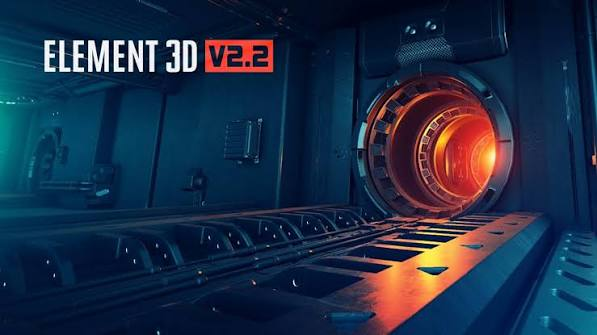
Video Copilot’s Element 3D provides AI-enhanced 3D rendering inside After Effects.
Video Copilot Element 3D is a popular third-party 3D plugin for Adobe After Effects that allows motion designers to create and animate 3D objects directly inside their compositions. It is especially useful for cinematic titles, product animations, logo reveals, metallic text, and professional motion graphics.
Although Element 3D is not itself an AI-powered plugin, it can complement AI tools that generate 3D assets, textures, concept images, and other creative resources. You can prepare suitable assets with external tools and then use Element 3D to build, animate, light, and render scenes within After Effects.
3D AI capabilities:
AI material generation:
Describe material → AI generates PBR texture:
“Brushed steel with slight oxidation”
“Carbon fiber with glossy coating”
→ Realistic 3D material applied instantly.
AI lighting:
AI suggests optimal lighting setup for 3D scene → HDRI environment matching → realistic integration with footage.
Motion presets:
AI-tagged motion library → search by description → “bouncy, energetic logo animation” → matching preset applied.
Pricing: Element 3D from $199 one-time.
Best for: Motion designers creating 3D logo animations and product visualizations in After Effects.
3. Topaz Video AI (in AE workflow) — Best AI Video Enhancement
Topaz Video AI enhances footage quality through AI — integrates with After Effects workflow for footage preparation.
Topaz Video AI is an AI-powered video enhancement tool designed to improve video quality, upscale low-resolution footage, reduce noise, and recover visual details. For Adobe After Effects users, it can be a useful companion when working with older clips, compressed footage, low-light recordings, or videos that need a quality boost before being used in a professional composition.
Unlike a traditional After Effects effect or plugin, Topaz Video AI is primarily a standalone application. You can enhance your footage in Topaz Video AI, export the processed video, and then import it into After Effects for motion graphics, color grading, compositing, and final editing.
Enhancement capabilities:
AI upscaling:
SD (480p) footage → AI upscales → 4K output → archive footage restoration for Indian broadcasters.
Noise reduction:
AI removes noise from low-light footage → cleaner base plate for AE compositing.
Frame interpolation:
24fps footage → AI generates intermediate frames → smooth 60fps output → slow motion without stuttering.
Stabilization:
AI stabilizes shaky footage → smoother than AE’s built-in Warp Stabilizer → better for extreme shake.
AE workflow:
Pre-process footage in Topaz → export → import to After Effects → cleaner source for compositing.
Pricing: Topaz Video AI from $299 one-time.
Best for: Indian documentary and archive footage restoration — Topaz AI upscaling transforms old DD/Doordarshan footage for modern broadcast.
4. Motion Bro with AI — Best After Effects Plugin Manager
Motion Bro organizes AE presets with AI search — most efficient preset management for motion designers.
Motion Bro is a popular extension for Adobe After Effects that helps video editors browse and apply motion graphics presets, transitions, effects, and animation assets. It is designed to make editing faster by reducing the amount of time spent creating common animations manually.
For creators exploring the best AI tools for After Effects in 2026, Motion Bro can be a useful addition to an AI-assisted workflow. However, Motion Bro is primarily a preset and extension manager, not an AI-powered plugin manager. Its value comes from organizing creative assets and making ready-made animations easier to use.
AE organization AI:
AI preset search:
Describe animation → Motion Bro AI finds matching preset:
“Fast corporate text reveal with blue glow”
→ AI searches entire preset library → returns matching options → instant preview.
Smart tagging:
AI automatically tags imported presets → better organization → faster discovery.
Extension marketplace:
Access thousands of AI-tagged AE presets → search by mood, style, speed → curated collections.
Pricing: Free (basic). Pro from $9.99/month.
Best for: Motion designers with large preset libraries — Motion Bro AI search eliminates time wasted browsing presets manually.
5. Boris FX Mocha Pro with AI — Best AI Tracking for After Effects
Mocha Pro provides the most advanced AI-powered planar tracking for After Effects.
Boris FX Mocha Pro is a professional visual effects plugin used for planar tracking, rotoscoping, masking, screen replacement, and object removal. It is widely used in film production, commercial editing, and advanced After Effects workflows where accurate tracking and compositing are important.
For creators exploring the best AI tools for After Effects in 2026, Mocha Pro is worth considering because it helps simplify complex tracking and visual effects tasks. Its tracking technology follows surfaces and objects across footage, making it easier to attach graphics to moving objects or replace content on screens. Although Mocha Pro includes advanced automated tools, it is more accurate to describe it as a specialized tracking and VFX solution rather than a purely AI-powered plugin.
Tracking AI capabilities:
AI planar tracking:
Track flat surfaces through complex camera moves → insert screens, replace signs, remove objects.
AI object removal:
AI tracks and removes unwanted objects → cleaner than AE Content-Aware Fill for complex shots.
Lens distortion AI:
AI analyzes lens distortion → corrects automatically → accurate tracking on distorted footage.
3D tracking:
AI reverse engineers 3D camera movement → precise element placement.
AE integration:
Mocha Pro plugin → work directly within After Effects → no round-tripping.
Pricing: Mocha Pro from $595/year. Plugin from $295/year.
Best for: Indian VFX artists and advertising agencies requiring professional-grade tracking — Mocha Pro AI tracking handles shots that AE’s built-in tracker fails on.
AI Motion Graphics Tools
6. Adobe Firefly in After Effects — Best AI Motion Graphics Generation
Adobe Firefly integration brings generative AI directly into After Effects workflow.
Adobe Firefly is Adobe’s family of generative AI tools for creating and editing images, video, and other creative assets. For Adobe After Effects users, Firefly can help speed up the process of developing visual concepts, generating backgrounds, creating visual elements, and preparing content for motion graphics projects.
Instead of spending hours creating every visual element from scratch, creators can use text prompts and supported editing tools to develop assets for advertisements, YouTube videos, animated presentations, promotional videos, and cinematic compositions.
However, Adobe Firefly is not a single AI motion graphics plugin built directly into every version of After Effects. Many Firefly features are accessed through Adobe’s web tools or other supported Adobe applications, after which the resulting assets can be imported into After Effects. Available integrations and features depend on the product and version.
Generative AI capabilities:
Generative Fill (video):
Remove objects from video → Firefly AI fills → seamlessly integrated.
Text to graphic:
Describe motion graphic element → Firefly generates → import to AE → animate.
Style reference:
Reference image → Firefly generates matching style elements → consistent visual language.
Background generation:
Describe scene → Firefly generates static background → parallax animation in AE → cinematic environment.
Indian content:
Indian festival motifs, patterns, textures → “Diwali diyas pattern, warm gold, traditional” → Firefly generates → AE animation.
Pricing: Included in Creative Cloud subscription.
Best for: Motion designers needing unique visual elements — Firefly eliminates stock asset dependency for custom motion graphics.
7. Runway ML — Best for AI Video Generation + AE Integration
Runway’s AI video generation integrates with After Effects workflow — generate video elements for compositing.
Runway is an AI-powered creative platform that helps users generate and edit video content using text prompts, images, and other supported inputs. For Adobe After Effects users, it can be a valuable companion for creating cinematic footage, experimental visual effects, backgrounds, and creative assets without filming every scene manually.
In 2026, AI video generation is becoming an increasingly useful part of video production. Runway allows creators to explore visual ideas, generate short clips, and prepare footage for further editing in After Effects. While Runway is not simply a native After Effects plugin, its generated videos can be imported into compatible After Effects projects for compositing, motion graphics, color correction, and finishing.
AE workflow integration:
Generate video element:
Describe visual → Runway generates → export → import to AE → composite over footage.
“Glowing energy particles swirling clockwise on black background”
→ Runway generates → import to AE → set blend mode to Add/Screen → particle effect composited.
Inpainting for AE:
Video with unwanted element → Runway inpaints → cleaner footage → import to AE for further compositing.
Style transfer:
Raw footage → Runway style transfer → cinematic grade → reference as AE color target.
Pricing: Free (limited). Standard from $12/month.
Best for: Motion designers wanting AI-generated video elements for compositing — Runway fills the gap between AI generation and AE compositing workflow.
AI Audio Sync Tools for After Effects
8. Auto Lip-Sync (AI) — Best for Character Animation in AE
AI lip-sync tools automate mouth animation for character rigs in After Effects.
AI Auto Lip-Sync refers to tools and workflows that automatically synchronize an animated character’s mouth movements with spoken audio. For Adobe After Effects users, these tools can make character animation faster by reducing the need to adjust mouth shapes manually for every word or sound.
This workflow is especially useful for animated YouTube videos, educational explainers, cartoon characters, virtual presenters, and storytelling projects. Instead of creating every mouth movement by hand, creators can use speech-driven animation tools to generate or control mouth shapes that match dialogue.
It is important to understand that Auto Lip-Sync is a category of AI-assisted animation tools, not one specific After Effects plugin. Depending on the software, you may need to prepare a character rig, generate mouth shapes, or transfer animation data into After Effects.
Lip-sync capabilities:
Audio analysis:
Import dialogue audio → AI analyzes phonemes → automatically generates mouth shape keyframes → character animation synced to speech.
AE puppet tool integration:
Works with AE puppet tool face rigs → automatic lip-sync without manual keyframing → 5x faster character animation.
Multiple character support:
Different characters → different voice tracks → simultaneous lip-sync for multiple characters.
Best for: Indian animation studios and YouTube educators creating character-based content.
Free AI Tools for After Effects
Free Adobe Sensei Features (Included with AE)
Already included — no extra cost:
✅ Roto Brush 2 (AI rotoscoping)
✅ Content-Aware Fill
✅ Auto Reframe
✅ Scene Edit Detection
✅ 3D Camera Tracker
✅ Warp Stabilizer
Best free AE AI: Already in your After Effects subscription — use these first.
Free AI Workflow Additions
Claude/ChatGPT free → AE Expression generation:
Write After Effects expression for:
- Text counter animating from 0 to 1000
- Over 3 seconds
- With ease in/out
- Format: no decimal places
→ Claude generates a complete AE JavaScript expression → paste it into the AE expression editor → working animation.
Common AE expression prompts:
Wiggle expression:
“Write an AE wiggle expression that wiggles position 5 pixels at 2Hz, stops wiggling after 2 seconds”
Loop expression:
“Write an AE loop expression for ping-pong looping of my keyframes”
Clock expression:
“Write AE expressions for hour, minute, second hands of an analog clock synced to actual time”
Free: Claude free handles all AE expression generation.
Complete After Effects AI Workflow
Corporate Promo Video Workflow
Step 1 — Footage preparation:
Topaz Video AI → enhance client footage → upscale if needed → clean noise.
Step 2 — Roto work:
Roto Brush 2 → isolate presenter → 30 minutes vs.8 hohours manually
Step 3 — Background:
Firefly → generate branded background → import to AE.
Step 4 — Motion graphics:
Motion Bro → search “corporate text reveal” → apply preset → customize.
Step 5 — Tracking:
3D Camera Tracker → track camera movement → place logo in scene.
Step 6 — Expressions:
Claude → generate counter expression → apply to statistics animation.
Step 7 — Export:
Render → Media Encoder → multiple format output.
Frequently Asked Questions
Which AI tool is best for After Effects in 2026?
Adobe Sensei’s Roto Brush 2 (built-in) is most impactful — reduces hours of rotoscoping to minutes. Firefly generative AI (Creative Cloud) generates unique motion graphic elements. Topaz Video AI enhances source footage quality. Boris FX Mocha Pro AI provides professional-grade tracking. Claude free generates After Effects expressions instantly. Most AE users get maximum value from built-in Sensei features before adding third-party plugins.
Can AI automate rotoscoping in After Effects?
Yes — Roto Brush 2 (built-in AE AI) automatically isolates subjects from footage. Single stroke to indicate subject → AI propagates through entire clip → subject isolated from background. Complex shots with motion blur, hair, or transparent elements require manual refinement. Reduces typical rotoscoping from hours to minutes for most shots.
Which free AI tools work with After Effects?
Adobe Sensei features (Roto Brush 2, Content-Aware Fill, Auto Reframe, Scene Edit Detection) are all free with an AE subscription. Claude free generates After Effects expressions and JavaScript code. Runway free tier provides limited AI video generation for compositing elements. Motion Bro free tier manages a preset library with AI search.
How does AI help with After Effects expressions?
Claude and ChatGPT generate After Effects JavaScript expressions from plain English descriptions — wiggle, loop, clock, counter, random, conditional expressions all generateable. Paste description → AI generates expression → copy to AE expression editor → working animation. Eliminates the need to learn After Effects expression JavaScript for most common animation tasks.
Which AI plugin is best for tracking in After Effects?
Boris FX Mocha Pro provides the most advanced AI tracking for After Effects — handles complex shots that AE’s built-in tracker fails on (fast motion, motion blur, partially obscured objects). For most shots: AE’s built-in 3D Camera Tracker and Warp Stabilizer are sufficient. For professional VFX and advertising work: Mocha Pro’s AI planar tracking is the industry standard.
Conclusion
AI has transformed After Effects from a tool requiring extensive technical expertise to one where intelligent automation handles the most time-consuming tasks — rotoscoping, tracking, and motion graphics generation.
Best AI tools for After Effects:
Built-in (free with AE): Roto Brush 2 — most impactful AE AI feature. Single tool that saves most time on real projects.
Generative graphics: Adobe Firefly — unique motion graphic elements without stock assets. Included in Creative Cloud.
Footage enhancement: Topaz Video AI — upscaling and restoration. One-time $299 investment for Indian studios working with archive footage.
Professional tracking: Boris FX Mocha Pro — industry-standard AI tracking for complex VFX shots.
Expressions: Claude free — instant AE expression generation. Zero cost, handles virtually all expression needs.
Free AE AI stack: Built-in Sensei features (Roto Brush 2, Content-Aware Fill, Auto Reframe) + Claude free (expressions) + Runway free (generative elements) = comprehensive free AI upgrade to After Effects workflow. Add Topaz Video AI ($299 one-time) when working with archive or low-quality source footage — the most impactful paid addition for Indian broadcast and documentary work.