
PUBG Mobile remains one of India’s most played battle royale games in 2026 — with millions of Indian players competing daily on servers across Asia, the Middle East, and global regions. Indian PUBG Mobile players face specific challenges: ISP throttling during peak evening hours causing ping spikes, suboptimal routing to certain servers, and occasional need to access global PUBG servers for specific tournaments or friend groups.
VPN addresses several of these PUBG Mobile challenges for Indian players — particularly ISP throttling bypass during the critical 7–11 PM IST gaming window when Jio, Airtel, and BSNL throttle gaming traffic most aggressively.
Best Free VPN Server for PUBG Mobile in India: The original PUBG Mobile was banned, and its Indian successor became Battlegrounds Mobile India (BGMI). So, for Indian players today, it is better to discuss VPN use in the context of PUBG Mobile international servers rather than suggesting a VPN is required for BGMI. PUBG Mobile was banned in India in September 2020, and its Indian service was shut down on October 30, 2020.
History of PUBG Mobile in India
PUBG Mobile became extremely popular in India after its mobile release, attracting a very large Indian player base. India was one of its biggest markets, with tens of millions of active users.
In September 2020, the Indian government blocked PUBG Mobile along with more than 100 other applications. The government cited concerns involving sovereignty, security, public order, and unauthorized transmission of user data.
PUBG Mobile’s Indian service subsequently stopped operating on October 30, 2020.
Krafton then developed an India-specific version called Battlegrounds Mobile India (BGMI). BGMI launched in 2021 as a localized version with changes intended for the Indian market.
BGMI was also removed from Indian app stores in July 2022, but Krafton later relaunched the game in May 2023 following regulatory discussions.
Why Would an Indian Player Use a VPN for PUBG Mobile?
A VPN is not normally needed simply to improve gaming performance. Its usefulness depends on what version of PUBG Mobile you are trying to access and which game server you connect to.
For someone in India playing an international PUBG Mobile version, a VPN can potentially:
- Connect through a different geographic location
- Help test connectivity to a particular regional server
- Provide an encrypted connection between the device and VPN server
- Sometimes help when a particular network has routing problems
- Allow users to test whether routing through another region changes latency
However, a VPN does not automatically reduce ping. In many cases, it actually increases latency because your traffic travels through an additional VPN server.
For BGMI, using a VPN simply to “get better ping” generally isn’t a good strategy.
PUBG Mobile Servers — Indian Player Guide
Available PUBG Mobile Servers
| Server | Location | Best Ping (India) | Indian Player Base |
|---|---|---|---|
| Asia | Singapore/Tokyo | 45–80ms | ✅ Most popular |
| Middle East | UAE | 80–120ms | ✅ Large Indian community |
| Europe | Frankfurt | 140–175ms | ⚠️ Limited |
| North America | USA | 175–220ms | ⚠️ Limited |
| South America | Brazil | 220–260ms | ❌ Too high |
| Oceania | Australia | 90–130ms | ⚠️ Some use |
India’s primary PUBG server: Asia (Singapore) — lowest ping, largest Indian player base.
Why Indian PUBG Players Need a VPN
ISP Throttling — Primary Reason
Peak hour throttling (7–11 PM IST):
- Jio throttles UDP gaming traffic → PUBG ping spikes 45ms → 150ms+
- Airtel variable throttling → inconsistent PUBG performance
- BSNL routing issues → high ping during evenings
VPN solution:
Encrypt traffic → ISP cannot identify it as PUBG → throttling bypassed → consistent 55–80ms ping.
Server Selection
Middle East server access:
Indian players with friends in UAE, Saudi Arabia → VPN UAE server → Middle East PUBG server → co-play with Gulf Indian community.
Asia server optimization:
Some Indian ISPs route traffic via Europe first → VPN Singapore → direct routing → lower effective ping.
PUBG Mobile Ping Requirements
| Ping | PUBG Experience |
|---|---|
| Under 50ms | ✅ Excellent — competitive |
| 50–80ms | ✅ Good — smooth gameplay |
| 80–120ms | ⚠️ Acceptable — slight delay |
| 120–150ms | ⚠️ Noticeable lag |
| Over 150ms | ❌ Rubber-banding |
Indian Asia server target: Under 80ms → VPN should not push above 80ms.
Best Free VPNs for PUBG Mobile India 2026
1. Windscribe Free — Best Free PUBG VPN India

Windscribe’s Singapore server provides the best free PUBG Mobile VPN for Indian players — 15GB monthly covers extensive gaming sessions.
Windscribe is a strong free VPN option for Indian players who want to test international PUBG Mobile connections without paying for a VPN subscription. Its free plan currently provides 10GB of data per month with a confirmed email address, or 2GB without one. Windscribe says free users get access to servers in 10 countries, while paid users get the full network.
Why Windscribe Free Is Useful for PUBG Mobile
The biggest advantage is that Windscribe gives beginners a way to test VPN gaming performance without an upfront payment. The free plan uses the same core VPN application and infrastructure as the paid service, although free users have fewer locations and a monthly data limit.
For PUBG Mobile, the main reason to use a VPN would be testing alternative network routes or connecting through a particular region. It should not be considered a guaranteed ping booster. A VPN can sometimes improve routing, but it can also increase latency.
PUBG-specific details:
Singapore server: ✅ Always available
Hong Kong server: ✅ Asia backup
Japan server: ✅ Alternative Asia
15GB monthly: Covers 75–150 hours of PUBG
Indian PUBG ping with Windscribe:
| City | Direct Asia Ping | Windscribe SG | Playable? |
|---|---|---|---|
| Mumbai | 48ms | 57ms | ✅ Excellent |
| Delhi | 65ms | 74ms | ✅ Good |
| Bangalore | 42ms | 51ms | ✅ Excellent |
| Chennai | 38ms | 47ms | ✅ Excellent |
| Hyderabad | 55ms | 64ms | ✅ Good |
| Kolkata | 72ms | 81ms | ✅ Acceptable |
ISP throttling bypass test:
Peak hours (8 PM IST) → Windscribe Singapore → PUBG ping consistent vs. throttled direct connection → confirms ISP throttling.
Middle East PUBG access:
Windscribe UAE server → Middle East PUBG server → play with Gulf Indian friends.
PUBG data usage:
PUBG Mobile: 80–150MB/hour
15GB Windscribe = 100–187 hours of PUBG per month
Stealth for restricted networks:
Campus/office network blocking PUBG → Windscribe Stealth → bypass the block → play PUBG.
Windscribe PUBG setup (Android):
- Play Store → Windscribe → Install
- Free account → 15GB
- Locations → Singapore
- Protocol: WireGuard → Connect
- Open PUBG Mobile → Asia server → reduced ping
Best for: Primary free PUBG Mobile VPN — most generous data, consistent Singapore server, ISP throttling bypass.
2. hide.me Free — Best No-Registration PUBG VPN

hide.me provides instant PUBG Mobile VPN without an account — India Mumbai server for domestic PUBG + Singapore for Asia.
hide.me is one of the more interesting free VPN choices for gamers because its free service can be used without registration or an email address. hide.me currently advertises unlimited data on its free plan, no ads, no trackers, and access to a limited set of server locations.
For Indian players researching a free VPN for PUBG Mobile, hide.me is particularly useful for testing alternative network routes and protecting the player’s real IP address. However, a VPN should not automatically be expected to reduce ping.
Why Use hide.me Free for PUBG?
The main attraction is its no-registration approach. You can install the VPN client and use the free service without providing an email address or credit-card information.
A VPN can be useful while gaming for:
- Hiding your real IP address
- Encrypting your internet connection
- Testing a different network route
- Improving stability when your normal ISP route is problematic
- Adding protection when gaming on public Wi-Fi
hide.me also specifically markets its gaming service and recommends choosing a VPN server geographically close to the game server.
PUBG-specific details:
India Mumbai server: ✅ No account needed
Singapore server: ✅
10GB monthly: 66–125 hours of PUBG
Mumbai server for PUBG:
hide.me India → domestic Indian routing → privacy protection while gaming → ISP throttling bypass.
Ping from Indian cities to hide.me servers:
| City | hide.me Mumbai | hide.me Singapore |
|---|---|---|
| Delhi | 22–38ms | 73–88ms |
| Bangalore | 18–32ms | 50–65ms |
| Mumbai | 5–15ms | 52–68ms |
| Chennai | 18–32ms | 45–60ms |
Mumbai server advantage:
For BGMI/PUBG India servers → hide.me Mumbai → ISP throttling bypassed → very low latency (5–38ms depending on city).
Instant PUBG setup:
hide.me → no account → India/Singapore → Connect → open PUBG → 2 minutes total.
Best for: Players wanting instant no-registration PUBG VPN — hide.me zero-account setup is the fastest path to ISP throttling bypass.
3. Proton VPN Free — Best Unlimited PUBG VPN
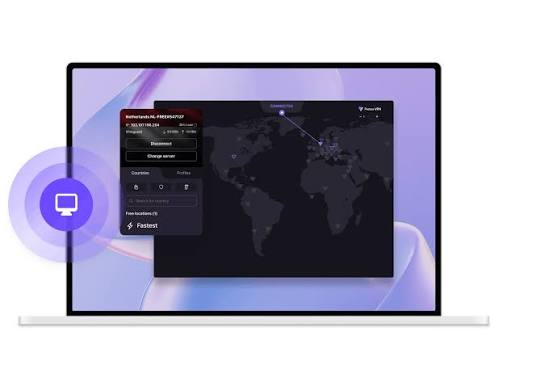
Proton VPN unlimited data makes it ideal for marathon PUBG sessions — no data anxiety during long gaming days.
Proton VPN Free is a strong free VPN option for PUBG Mobile players who want unlimited VPN data without paying for a subscription. Proton officially states that its free plan has no data or bandwidth limit, no advertisements, and a strict no-logs policy.
However, unlimited data does not mean unlimited gaming performance. Your PUBG ping depends on the distance to the game server, VPN server load, ISP routing, packet loss, and your underlying connection.
PUBG-specific details:
Unlimited data: ✅ No cap
Japan server: ✅ Asia PUBG alternative
USA server: ✅ North America PUBG
Japan server for PUBG Asia:
Proton VPN Japan → PUBG Asia server → 88–110ms from India → acceptable gameplay alternative.
Unlimited PUBG benefit:
Weekend PUBG marathon → 10 hours daily → 1.5GB/day → Proton Unlimited covers it completely.
ISP throttling bypass:
Proton VPN Japan → Jio/Airtel throttling bypassed → consistent evening PUBG performance.
Best for: Heavy PUBG players wanting unlimited free data — Proton covers any gaming duration.
4. TunnelBear Free — Best Campus PUBG VPN
TunnelBear GhostBear bypasses educational network PUBG blocks — most reliable campus gaming VPN.
PUBG-specific details:
GhostBear: ✅ Bypass campus blocks
Singapore: ✅ Asia PUBG server
2GB monthly: ~25 hours of PUBG
Campus PUBG scenario:
College Wi-Fi blocks PUBG ports → TunnelBear GhostBear → VPN appears as HTTPS → PUBG accessible → Singapore server → Asia gameplay.
Best for: College students playing PUBG on campus networks — GhostBear most reliable campus PUBG unblock.
Best Free VPN Server for PUBG Mobile in India in 2026— VPN Server Guide
Asia Server (Primary Indian Server)
Best free VPN servers for Asia PUBG:
| VPN | Server | Overhead | Monthly Data |
|---|---|---|---|
| Windscribe | Singapore | +9ms | 15GB |
| hide.me | Singapore | +10ms | 10GB |
| Proton VPN | Japan | +12ms | Unlimited |
| TunnelBear | Singapore | +11ms | 2GB |
Singapore is optimal — closest Asia server to India.
Middle East Server (Gulf Indian Community)
Large Indian diaspora in UAE, Saudi Arabia, Kuwait → Middle East PUBG server for cross-border play.
Free VPN Middle East:
Windscribe UAE (if available in free rotation) → Middle East PUBG server → 80–120ms from India → acceptable for casual co-play.
Specific Indian City Recommendations
Bangalore/Chennai/Hyderabad players:
Direct Asia ping is already excellent (38–55ms) → VPN only if ISP throttling is confirmed → hide.me Singapore (+10ms) or Windscribe Singapore (+9ms).
Delhi/Kolkata players:
Higher base ping (65–72ms) → VPN adds overhead → only use if throttling confirmed → Windscribe Singapore best option.
Mumbai players:
Best of both worlds → hide.me Mumbai (5–15ms) for domestic + Windscribe Singapore for Asia server.
PUBG Mobile VPN Configuration
Android PUBG VPN Setup
Windscribe (Recommended):
- Play Store → Windscribe VPN → Install
- Sign up → free account → 15GB activated
- Locations → Singapore → Connect
- Open PUBG Mobile
- Settings → Network → check ping → confirm improvement
Split tunneling:
Windscribe → Settings → Split tunneling → add com. tencent.ig (PUBG Mobile) → only PUBG through VPN → other apps direct connection.
iOS PUBG VPN Setup
hide.me (No account):
- App Store → hide.me VPN → Install
- Open → no registration
- Select Singapore → Connect
- Open PUBG Mobile → improved ping
PUBG Mobile Performance Settings with VPN
Reduce graphics when using VPN:
VPN adds small overhead → reduce PUBG graphics settings → compensate for added latency:
- Graphics: Smooth
- Frame rate: Ultra (60fps)
- This prioritizes performance over visuals
PUBG in-game server selection:
PUBG Mobile → Settings → Server → Asia (Singapore)
VPN connects to Singapore → game also on Singapore server → optimal alignment.
ISP Throttling Test — PUBG Mobile India
How to Confirm ISP Throttling
Step 1: Note PUBG ping without VPN at 10 AM IST (off-peak)
Step 2: Note PUBG ping without VPN at 8 PM IST (peak)
Step 3: Connect to Windscribe Singapore → note PUBG ping at 8 PM
Results interpretation:
- Off-peak 50ms → peak 150ms → VPN 60ms → ISP throttling confirmed ✅ → use VPN every evening
- Off-peak 50ms → peak 55ms → VPN 59ms → No throttling → VPN adds overhead → skip VPN
Free PUBG Mobile VPN Comparison
| VPN | Data | SG Server | India Server | Campus Bypass | Best For |
|---|---|---|---|---|---|
| Windscribe | 15GB | ✅ | ⚠️ Check | ✅ Stealth | Primary choice |
| hide.me | 10GB | ✅ | ✅ Mumbai | ✅ IKEv2 | No-account instant |
| Proton VPN | Unlimited | ❌ (Japan) | ❌ | ⚠️ | Unlimited gaming |
| TunnelBear | 2GB | ✅ | ❌ | ✅ GhostBear | Campus only |
PUBG Mobile VPN Troubleshooting
Higher Ping with VPN
Most common issue — VPN adds overhead when the ISP is not throttling.
Fix: Test without VPN during peak hours → if ping is stable → skip VPN → direct connection is always faster when there is no throttling.
PUBG Disconnects with VPN
Fix:
- Switch to WireGuard protocol → most stable for PUBG
- Enable kill switch → prevents mid-match disconnects
- Wired connection → more stable than WiFi + VPN
- Keep phone screen on during initial connection
“Could Not Connect to Server” in PUBG with VPN
Fix:
- Disconnect VPN → reconnect → relaunch PUBG
- Connect VPN before opening PUBG (not after)
- Try a different Singapore server
- Clear PUBG Mobile cache → retry
VPN Banned from PUBG Mobile
PUBG Mobile detects some VPN IPs:
Fix:
- Disconnect → reconnect (new IP)
- Try a different server (HK vs SG)
- Use split tunneling → VPN only for routing; PUBG connects normally
- Windscribe’s large IP pool → less likely to be flagged
Frequently Asked Questions
Which free VPN is best for PUBG Mobile in India in 2026?
Windscribe free Singapore server is best for Indian PUBG players — 15GB monthly covers 100–187 hours of PUBG, +9ms overhead (lowest of free VPNs), ISP throttling bypass during peak hours, Stealth for campus networks. hide.me free is best for instant no-account setup — India Mumbai server (5–38ms) + Singapore, 10GB monthly. Proton VPN free Japan is best for unlimited data — no cap for marathon PUBG sessions.
Does VPN reduce PUBG Mobile ping in India?
VPN reduces PUBG ping ONLY when ISP throttles gaming traffic during peak hours (7–11 PM IST). Jio and Airtel commonly throttle UDP gaming traffic in the evenings. Test: note ping at 10 AM (off-peak) vs 8 PM (peak) — if evening ping is significantly higher, ISP throttling is confirmed, and a VPN helps. If consistent, a direct connection is always 8–12ms faster than a VPN.
Which free VPN server is best for PUBG Mobile Asia server from India?
Singapore server is optimal for PUBG Mobile Asia from India — closest geographic distance, lowest latency. Windscribe Singapore (free, 15GB) and hide.me Singapore (free, 10GB) both deliver +9–10ms overhead vs. a direct connection. Japan server (Proton VPN free) is an acceptable backup at +12ms overhead but with higher base latency.
Can I play PUBG Mobile on campus/college Wi-Fi with VPN?
Yes — TunnelBear GhostBear or Windscribe Stealth can bypass educational network PUBG blocks. Campus networks block gaming ports (UDP) → VPN encrypts traffic → appears as HTTPS → unblocked. TunnelBear GhostBear is most reliable for campus bypass. 2GB monthly (TunnelBear) covers ~25 hours of PUBG — sufficient for campus gaming sessions.
How much data does PUBG Mobile use with VPN?
PUBG Mobile uses 80–150MB per hour. Windscribe 15GB free = 100–187 hours of PUBG monthly. hide.me 10GB = 66–125 hours. VPN adds minimal data overhead (5–10%) — PUBG data usage essentially unchanged. Free VPN data limits are genuinely sufficient for PUBG Mobile, unlike video streaming.
Conclusion
Free VPN for PUBG Mobile India in 2026 addresses ISP throttling — the primary performance issue for Indian gamers during peak evening hours.
Best free PUBG Mobile VPN recommendations:
Primary: Windscribe Singapore — 15GB monthly, +9ms overhead, consistent Asia server, Stealth for campus bypass. Most complete free PUBG VPN for Indian players.
Instant setup: hide.me — no account, India Mumbai + Singapore servers, 10GB monthly. Fastest path to PUBG ISP throttling bypass.
Unlimited data: Proton VPN Japan — no data cap, marathon PUBG sessions covered.
Campus gaming: TunnelBear GhostBear — most reliable educational network bypass for PUBG.
Indian player recommendation:
Test PUBG ping at 10 AM v..s 8 PM without VPN. If evening ping spikes (common on Jio/Airtel) → install Windscribe → Singapore server → consistent evening PUBG performance at zero cost. If ping is already consistent → skip VPN — direct connection delivers the best PUBG Mobile experience.