Best free VPN server list for Android in 2026 can help you improve online privacy, secure your connection on public Wi-Fi, and access websites or services that may be restricted in your region. However, not every free VPN is safe or reliable, so choosing a provider with strong encryption, a clear privacy policy, good connection speeds, and trustworthy server locations is important.
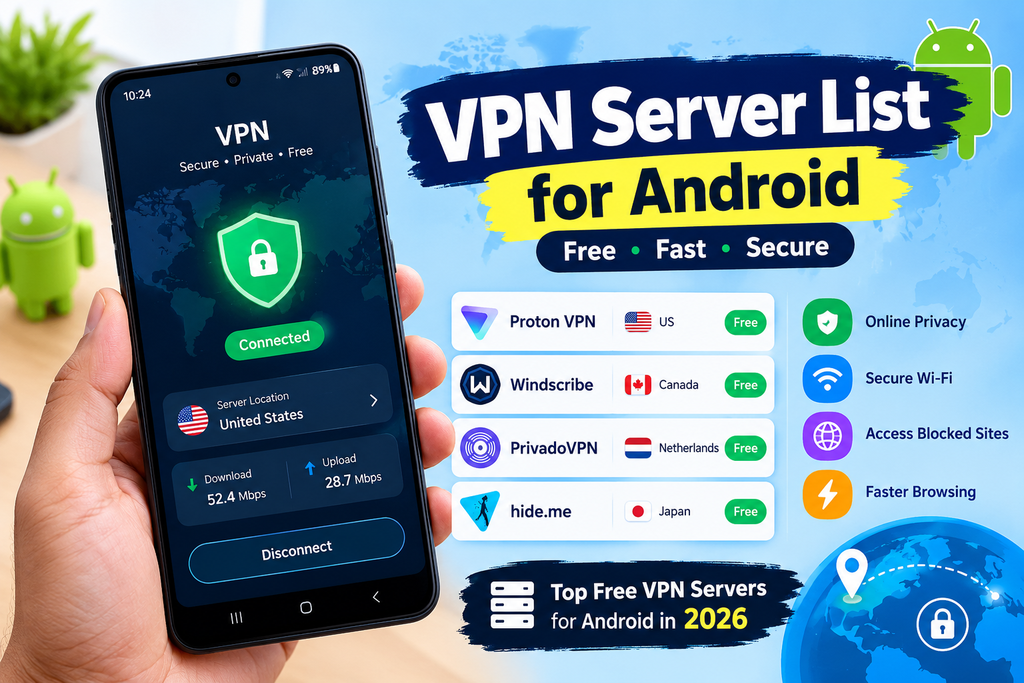
Current 2026 recommendations include services such as Proton VPN, Windscribe, PrivadoVPN, and hide.me, with different limits on data, locations, and features. Proton VPN’s free Android plan, for example, offers unlimited bandwidth and free servers in locations including the United States, Netherlands, Japan, Singapore, Canada, and Switzerland. In this guide, we’ll compare the best free VPN servers for Android in 2026, explain which locations are available, and help you choose the right server for privacy, speed, browsing, and everyday use.
Finding working free VPN servers for Android is harder than it looks. Most free server lists online are outdated, slow, or already blocked by the time you try them. Server IPs change, free servers go offline, and providers quietly remove free access without notice.
This guide gives you the most reliable sources for free VPN server lists in 2026 — including working server addresses, configuration details, and step-by-step instructions for connecting each type on Android. Whether you want WireGuard configs, OpenVPN files, or IKEv2 server details, everything you need is here.
How Free VPN Server Lists Work on Android
A VPN server list is a collection of server addresses, ports, and authentication details that you manually enter into an Android VPN client. Instead of downloading a commercial VPN app that manages servers automatically, you connect directly to specific servers using:
- Android’s built-in VPN client — for L2TP/IPSec and IKEv2 protocols
- OpenVPN for Android — free open-source app for OpenVPN configs
- WireGuard app — free open-source app for WireGuard configs
The advantage: no subscription, no data tracking by a commercial provider, often no data limits.
The trade-off: servers change frequently, speeds vary, and you manage your own configuration.
Best Sources for Free VPN Server Lists in 2026
1. VPN Gate (vpngate.net) — Best Free Server List

VPN Gate is an academic VPN project run by the University of Tsukuba, Japan. It publishes the largest free, publicly available VPN server list updated multiple times daily.
What VPN Gate provides:
- Hundreds of active servers at any time
- Multiple protocols per server — OpenVPN, L2TP/IPSec, SSTP
- Server details including IP, port, protocol, and credentials
- Speed scores and uptime percentage for each server
- Country filter — find servers by location
- Direct .ovpn file download for each server
Server list URL: vpngate.net/en/
How to read the VPN Gate server list:
Each server entry shows:
- Host Name — server hostname (e.g., vpn123456.opengw.net)
- IP Address — direct IP (e.g., 203.xxx.xxx.xxx)
- Score — higher is better (based on speed and uptime)
- Ping — lower is better for your connection quality
- Speed — Mbps download speed
- Uptime — percentage of time server is online
- Sessions — current users connected (lower = less congested)
- OpenVPN Config — download .ovpn file directly
- L2TP/IPSec — shows if L2TP is available
Standard VPN Gate credentials (same for all servers):
- Username: vpn
- Password: vpn
- L2TP Pre-shared Key: vpn
Best servers for Indian Android users:
Filter VPN Gate by these countries for lowest ping from India:
- 🇸🇬 Singapore — typically 50–80ms from India
- 🇯🇵 Japan — typically 100–150ms
- 🇰🇷 South Korea — typically 80–120ms
- 🇮🇳 India — lowest ping, domestic servers available
2. Proton VPN Free Server List
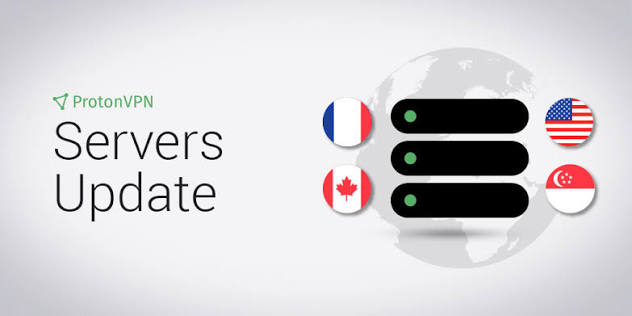
Proton VPN publishes server information for free account holders — unlimited data, verified no-logs policy.
Proton VPN Free is one of the most popular free VPN options for Android in 2026, especially for users who want unlimited VPN data without a monthly bandwidth cap. Its free plan provides access to a limited selection of server locations, while paid plans offer a much larger server network.
For Android users, Proton VPN automatically connects you to an available free server, and the app can also let you change among supported free locations. Server availability can vary depending on network conditions and Proton VPN’s current free-plan policies.
Free server locations available:
- 🇺🇸 United States (multiple servers)
- 🇳🇱 Netherlands (Amsterdam)
- 🇯🇵 Japan (Tokyo)
How to get Proton VPN server configs:
- Create free account at proton.me
- Go to Downloads → OpenVPN configuration files
- Select Android → Free servers
- Download individual .ovpn files for each server
OR for WireGuard:
- Same account → Downloads → WireGuard configuration
- Select platform → Free
- Download .conf files
Server naming convention:
- jp-free-01.protonvpn.net — Japan free server 1
- us-free-01.protonvpn.net — US free server 1
- nl-free-01.protonvpn.net — Netherlands free server 1
Port details:
- OpenVPN UDP: Port 1194
- OpenVPN TCP: Port 443
- WireGuard: Port 51820
3. Windscribe Free Server List
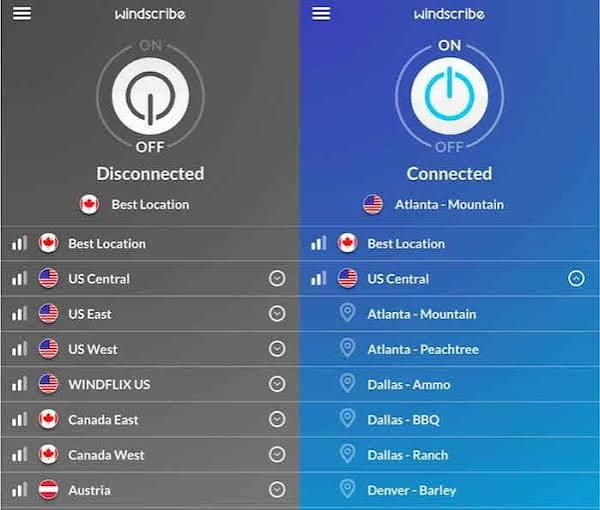
Windscribe free accounts (15GB/month) get access to servers in 10+ countries with manual config support.
Free server locations (Windscribe):
- 🇺🇸 USA (multiple cities)
- 🇨🇦 Canada
- 🇬🇧 United Kingdom
- 🇩🇪 Germany
- 🇫🇷 France
- 🇳🇱 Netherlands
- 🇨🇭 Switzerland
- 🇳🇴 Norway
- 🇷🇴 Romania
- 🇩🇰 Denmark
- 🇭🇰 Hong Kong
- 🇦🇺 Australia (Sydney)
How to get Windscribe server configs:
- Sign up free at windscribe.com (confirm email for 15GB)
- Go to My Account → Config Generators
- Select protocol: OpenVPN, WireGuard, or IKEv2
- Select server location
- Download config file
Windscribe server hostname format:
- au.windscribe.com — Australia
- uk.windscribe.com — United Kingdom
- us-east.windscribe.com — USA East
- nl.windscribe.com — Netherlands
4. PrivadoVPN Free Server List

PrivadoVPN free accounts (10GB/month) provide access to 12 server locations with WireGuard and OpenVPN support.
Free server locations:
- 🇺🇸 New York, USA
- 🇬🇧 London, UK
- 🇩🇪 Frankfurt, Germany
- 🇫🇷 Paris, France
- 🇳🇱 Amsterdam, Netherlands
- 🇨🇭 Zurich, Switzerland
- 🇯🇵 Tokyo, Japan
- 🇸🇬 Singapore
- 🇦🇺 Sydney, Australia
- 🇧🇷 São Paulo, Brazil
- 🇲🇽 Mexico City, Mexico
- 🇨🇦 Toronto, Canada
How to get PrivadoVPN configs:
- Sign up free at privadovpn.com
- Go to account dashboard → Manual Setup
- Select WireGuard or OpenVPN
- Download configs for desired locations
Free VPN Server Details — Ready to Use
VPN Gate L2TP/IPSec Servers (No Account Required)
These details work on Android’s built-in VPN client — no app installation needed.
How to enter in Android Settings:
Settings → Network & Internet → VPN → Add VPN (+) → Type: L2TP/IPSec PSK
Standard credentials for all VPN Gate servers:
| Field | Value |
|---|---|
| Type | L2TP/IPSec PSK |
| Username | vpn |
| Password | vpn |
| IPSec Pre-shared Key | vpn |
| L2TP Secret | (leave blank) |
Server addresses — visit vpngate.net and copy any current server’s IP or hostname. Refresh daily as servers change.
Recommended approach: Visit vpngate.net → sort by Score (descending) → copy top 5 server IPs → add all five as separate VPN profiles in Android → connect to whichever is fastest.
OpenVPN Server Configs — Sample Format
When you download a .ovpn file from VPN Gate or any provider, it looks like this internally:
client
dev tun
proto udp
remote [SERVER-IP] 1194
resolv-retry infinite
nobind
persist-key
persist-tun
ca ca.crt
cert client.crt
key client.key
verb 3
You do not need to edit this file — import it directly into OpenVPN for Android.
Best OpenVPN servers for Indian users from VPN Gate:
- Sort by Ping (ascending) to find lowest latency servers
- Singapore and Japan servers typically show 50–150ms from India
- Download .ovpn file → import into OpenVPN for Android
WireGuard Config Format
A WireGuard .conf file for Android looks like this:
[Interface]
PrivateKey = [your-private-key]
Address = 10.x.x.x/32
DNS = 1.1.1.1, 8.8.8.8

[Peer]
PublicKey = [server-public-key]
AllowedIPs = 0.0.0.0/0, ::/0
Endpoint = [server-ip]:[port]
PersistentKeepalive = 25
Get complete WireGuard configs from:
- Proton VPN free account → Downloads → WireGuard
- Windscribe free account → Config Generators → WireGuard
- PrivadoVPN free account → Manual Setup → WireGuard
Free VPN Server List by Country — Best Options for India
Best Free Servers for Indian Android Users
For Privacy + General Browsing:
| Provider | Server | Protocol | Data Limit | Speed |
|---|---|---|---|---|
| Proton VPN | jp-free-01.protonvpn.net | WireGuard | Unlimited | Medium |
| Proton VPN | nl-free-01.protonvpn.net | WireGuard | Unlimited | Medium |
| Windscribe | sg.windscribe.com | WireGuard | 15GB/month | Good |
| PrivadoVPN | Singapore server | WireGuard | 10GB/month | Fast |
| VPN Gate | Best current Singapore IP | OpenVPN/L2TP | Unlimited | Variable |
For Lowest Ping (Gaming/Calls):
| Provider | Server Location | Expected Ping from India | Protocol |
|---|---|---|---|
| VPN Gate | Singapore | 50–80ms | OpenVPN |
| Windscribe | Singapore/HK | 60–90ms | WireGuard |
| PrivadoVPN | Singapore | 55–80ms | WireGuard |
| VPN Gate | India (if available) | 20–50ms | L2TP/OpenVPN |
For Australian IP (Streaming):
| Provider | Server | Protocol | Data Limit |
|---|---|---|---|
| Windscribe | au.windscribe.com | WireGuard | 15GB/month |
| PrivadoVPN | Sydney server | WireGuard | 10GB/month |
| Proton VPN | No Australia on free | — | — |
For US IP:
| Provider | Server | Protocol | Data Limit |
|---|---|---|---|
| Proton VPN | us-free-01.protonvpn.net | WireGuard | Unlimited |
| Windscribe | us-east.windscribe.com | WireGuard | 15GB/month |
| PrivadoVPN | New York server | WireGuard | 10GB/month |
| VPN Gate | Best US server (vpngate.net) | OpenVPN | Unlimited |
How to Connect to Each Server Type on Android
Method 1: VPN Gate L2TP Server (Built-in Android Client)
No app installation required:
- Visit vpngate.net on your Android
- Find a server with good score and L2TP support
- Note the IP address
- Go to Settings → Network & Internet → VPN → Add VPN
- Enter:
- Name: VPNGate [Country]
- Type: L2TP/IPSec PSK
- Server: [IP from vpngate.net]
- IPSec pre-shared key: vpn
- Save → tap to connect
- Username: vpn / Password: vpn
Method 2: OpenVPN Config File (OpenVPN for Android App)
- Install OpenVPN for Android from Google Play (free, open-source)
- Download .ovpn file from VPN Gate or your provider
- Open OpenVPN app → tap + → Import
- Select downloaded .ovpn file
- Tap profile → Connect
- Enter credentials if prompted (VPN Gate: vpn/vpn)
Method 3: WireGuard Config File (WireGuard App)
Via QR Code (Easiest):
- Install WireGuard from Google Play
- Provider website shows QR code for config
- WireGuard app → + → Scan from QR code
- Scan → name tunnel → Create
- Toggle to connect
Via File Import:
- Download .conf file to Android
- WireGuard app → + → Import from file
- Select .conf file
- Toggle to connect
Via Manual Entry:
- WireGuard app → + → Create from scratch
- Enter Interface and Peer details from provider
- Save → toggle to connect
Method 4: IKEv2 Server (Built-in Android Client)
Works natively on Android 11+:
- Settings → Network & Internet → VPN → Add VPN
- Type: IKEv2/IPSec MSCHAPv2
- Enter:
- Server: [provider’s IKEv2 server address]
- Username: [your account username]
- Password: [your account password]
- Save → connect
Windscribe IKEv2 server details (from your free account):
- Get from: windscribe.com → My Account → Config Generators → IKEv2
- Server varies by location selected
Keeping Your Free VPN Server List Updated
Free VPN servers change frequently — here is how to stay current:
VPN Gate servers: Refresh vpngate.net daily. Sort by Score. Download fresh .ovpn files weekly — old configs may stop working as server IPs rotate.
Proton VPN configs: Re-download configs monthly from your Proton account. Server infrastructure changes but filenames remain consistent.
Windscribe configs: Download fresh configs if connection drops consistently — server infrastructure updates occasionally require new configs.
PrivadoVPN configs: Stable — configs typically work for months without refresh.
Quick check if server is still active:
Before importing a new server, ping the IP from Android using a terminal emulator or ping app. If no response within 300ms, the server is likely offline — pick another.
Free VPN Server Performance — What to Expect
Setting realistic expectations for free VPN servers on Android:
| Server Type | Typical Speed | Reliability | Data Limit | Best Use |
|---|---|---|---|---|
| VPN Gate | 5–30 Mbps | Variable | Unlimited | General browsing |
| Proton Free | 10–40 Mbps | Good | Unlimited | Daily privacy |
| Windscribe Free | 15–50 Mbps | Good | 15GB/month | Regular use |
| PrivadoVPN Free | 20–60 Mbps | Good | 10GB/month | Speed priority |
| Self-hosted | 50–200 Mbps | Excellent | VPS dependent | Power users |
Peak hours slowdown: VPN Gate servers are slowest between 8–11 PM IST. Proton and Windscribe free servers are most congested on weekday evenings. Connect in morning or afternoon for best speeds.
DNS Servers to Use with Free VPN Configs
Always specify DNS servers in your VPN config to prevent leaks:
Best DNS for Indian Android users:
| DNS | Primary | Secondary | Feature |
|---|---|---|---|
| Cloudflare | 1.1.1.1 | 1.0.0.1 | Fastest |
| 8.8.8.8 | 8.8.4.4 | Most reliable | |
| Quad9 | 9.9.9.9 | 149.112.112.112 | Malware blocking |
| Cloudflare Family | 1.1.1.3 | 1.0.0.3 | Adult content blocking |
Add to WireGuard config:
DNS = 1.1.1.1, 9.9.9.9Add to OpenVPN config:
dhcp-option DNS 1.1.1.1
dhcp-option DNS 9.9.9.9
Testing Your Free VPN Server Connection
After connecting to any free VPN server, verify it is working correctly:
Step 1 — Check IP address
Visit ipleak.net → confirms your IP shows VPN server location, not your real Indian IP
Step 2 — Check DNS
Same page shows DNS servers — should show VPN provider’s DNS, not Jio/Airtel/Vi
Step 3 — Check IPv6
ipleak.net shows IPv6 section — should be empty or show VPN’s IPv6, not your real IPv6
Step 4 — Check WebRTC
Some browsers leak real IP via WebRTC — ipleak.net tests this too
Step 5 — Speed test
Visit fast.com while connected — note your speed. If below 5 Mbps, switch to a different server from your list
Common Issues with Free VPN Servers on Android
Server connects but speeds are very slow
Fix: Switch to a different server. Free servers are shared — congested servers deliver poor speeds. Keep 5–10 server configs saved and rotate between them.
OpenVPN config imports but fails to connect
Fix: Try TCP protocol instead of UDP — edit the .ovpn file and change “proto udp” to “proto tcp”. TCP works on networks that block UDP.
WireGuard shows connected but no internet
Fix: Check AllowedIPs in your config — must be 0.0.0.0/0 to route all traffic. Also verify DNS is set correctly in the config.
VPN Gate server stops working after a few days
Fix: VPN Gate server IPs rotate frequently. Download fresh server list and new .ovpn files from vpngate.net. This is normal for volunteer-run servers.
L2TP connection fails on Jio network
Fix: Jio occasionally blocks L2TP/IPSec traffic. Switch to OpenVPN TCP or WireGuard — these protocols are significantly harder to block.
Battery draining faster with VPN active
Fix: Switch to WireGuard protocol — significantly lower battery consumption than OpenVPN or L2TP on Android. Also reduce PersistentKeepalive value in WireGuard config to 25.
Frequently Asked Questions
Where can I find a free VPN server list for Android?
VPN Gate (vpngate.net) is the best source for free, daily-updated VPN server lists for Android. It provides hundreds of active servers with OpenVPN configs and L2TP credentials — no account required.
How often do free VPN server lists need to be updated?
VPN Gate servers change daily — refresh the list every few days. Proton VPN and Windscribe configs are more stable and typically work for weeks to months before needing refresh.
Which free VPN server protocol is best for Android?
WireGuard is the best protocol for Android in 2026 — fastest speeds, lowest battery consumption, and simplest configuration. Use OpenVPN TCP as a fallback on networks that block WireGuard.
Can I get unlimited free VPN servers for Android?
Yes — VPN Gate provides effectively unlimited server access with no account or data cap. Proton VPN free also offers unlimited data across three server locations. Both are completely free.
Is it safe to use VPN Gate servers?
VPN Gate is run by an academic institution but servers are operated by volunteers — meaning volunteer operators can technically see your unencrypted traffic after the VPN endpoint. Use VPN Gate for general browsing only, not for sensitive logins or banking.
How do I save multiple VPN server profiles on Android?
Android’s native VPN client saves each VPN configuration as a separate profile — add as many as needed under Settings → Network & Internet → VPN. OpenVPN for Android and WireGuard apps also save multiple profiles — switch between them with one tap.
Conclusion
The best free VPN server list for Android in 2026 starts with three sources: VPN Gate for unlimited server access with no account required, Proton VPN for unlimited data with trusted privacy credentials, and Windscribe for the widest server location selection on a free plan.
For Indian Android users, the recommended setup is simple — install WireGuard from Google Play, download a free config from Proton VPN or Windscribe, import it, and connect. Keep VPN Gate as backup for when free account servers are congested.
Bookmark vpngate.net, create a free Proton VPN account, and keep five server configs saved on your Android. With these three sources, you will always have a working free VPN server regardless of which individual servers go offline.